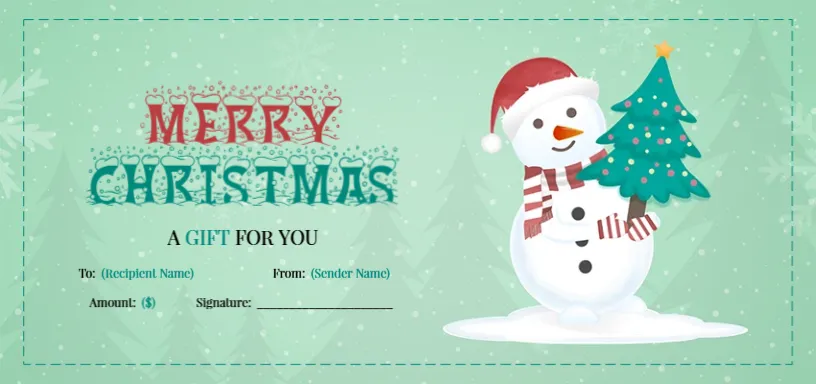
A Snowman Holding a Pine Tree on a Mint Green Voucher
A soft mint green voucher with falling snowflakes and faint pine tree shapes carries a dashed white frame. A friendly snowman in a red hat and striped scarf holds a decorated pine tree with a gold star on the right. MERRY in red and CHRISTMAS in teal sit in a frosty decorative font, with A GIFT FOR YOU below. Lines for To, From, Amount and Signature sit underneath, with placeholder text in teal brackets.
Two Column Details
The voucher is 8.5 x 4 inches, two per letter sheet. The To and From lines sit side by side, as do the Amount and Signature lines, which keeps the details compact.
Bracketed Placeholders
The lines read To: (Recipient Name), From: (Sender Name) and Amount: ($). Replace the bracketed text with real names and the amount, or delete it to leave blank lines for handwriting. There is no expiry date line, so add one if you sell vouchers.
Preparing the Snowman Voucher
- Replace the bracketed names.
- Type the amount.
- Add an expiry date line.
- Sign it.
- Print and trim.
A Gentle Design for Children and Families
The snowman and soft mint colours feel gentle and playful, which suits gifts for children, family members and friendly local shops such as toy stores and bakeries.
Adding a Valid Until Line
Businesses usually set an expiry date on vouchers. Add a Valid until line beside the signature, and check local rules on minimum validity periods.
Writing by Hand or Typing
For a personal gift, handwriting looks warm. For a shop, typing names and amounts in the editor keeps every voucher neat and readable.
Printing Mint Green
Mint green prints softly on white card. Check that the teal title stays crisp and the snowflakes do not look grey.
Matching Gift Tags
Pair the voucher with a snowman gift tag on the envelope for a coordinated present.
Keeping a Sales Log
Record each voucher sold so staff can check them when they are redeemed.
Using the Snowman Voucher
Print a stack before the holiday rush.
Step by Step Editing of the Snowman Pine Tree Mint Design
- On the snowman pine tree mint design, click the main headline and type your own words, keeping a similar length.
- Retype every name, date and contact line on the snowman pine tree mint design, checking each against a trusted source.
- Search the snowman pine tree mint design for the words Lorem and Company so that no placeholder remains.
- Click any logo or photo on the snowman pine tree mint design, choose Replace Image and resize the new picture to fit.
- Zoom the snowman pine tree mint design to full size and read each line aloud before you save it.
- Keep a clean master of the snowman pine tree mint design without private details, so later versions start tidy.
Similar designs include the Santa and bell gift certificate. Compare it with the reindeer and Santa certificate. You may also like the pine tree holiday voucher. The rest of the series around the snowman pine tree mint design is in gift certificate and voucher templates.