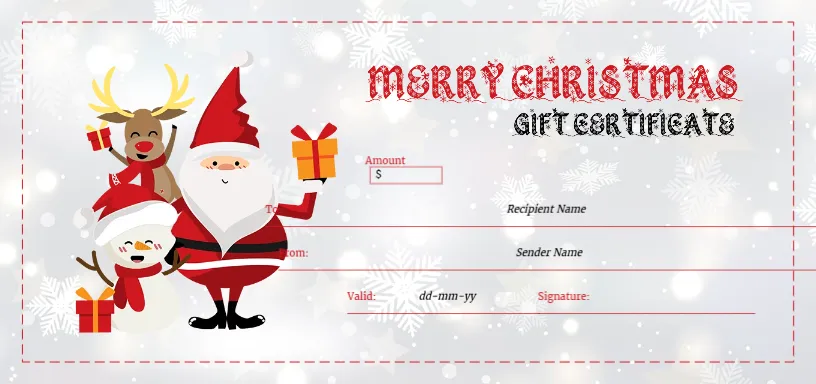
A Reindeer, Santa and Snowman on a Snowy Gift Certificate
A snowy grey and white bokeh background with snowflakes fills this certificate, framed by a dashed red line. On the left, a cartoon reindeer, Santa and a snowman stand together holding wrapped gifts. MERRY CHRISTMAS runs in red decorative letters with a snowy texture, with a gift certificate title in dark letters below. An Amount box with a dollar sign and lines for the recipient, sender, valid date and signature fill the right side.
Characters on the Left
The certificate is 8.5 x 4 inches. The characters fill the left third, and the details sit on the right, which keeps the writing area clear.
A Hard to Read Title
The gift certificate title uses a decorative rough font that can be hard to read and looks like it may contain a misprinted letter. Consider retyping it in a plain font. The valid line shows dd mm yy, so type the full date. The To and From labels are partly hidden behind the snowman in the sample, so check that they show clearly.
Preparing the Holiday Frame Certificate
- Retype the title if hard to read.
- Check the To and From labels.
- Fill in the amount and names.
- Set the valid date.
- Sign and print.
Three Characters for Family Gifts
The trio of reindeer, Santa and snowman suits family gifts, children’s shops and holiday activity centres. It looks fun without being too busy.
Fixing Overlapping Labels
In the sample, the To and From labels sit very close to the snowman. Move the labels slightly to the right so nothing is hidden when you print.
Printing the Bokeh Background
The soft bokeh background prints well on bright white card. Use a good quality setting so the snowflakes stay delicate.
Business Details on the Back
Print your business name, address and terms on the back of the certificate.
Gift Certificates for Activities
Activity centres can use it for ice skating, Christmas craft workshops or Santa’s grotto visits.
Clear Expiry Dates
Write dates in full to avoid confusion.
Using the Holiday Frame Certificate
Check the labels before printing a batch.
Step by Step Editing of the Reindeer Santa Snowman Bokeh Design
- On the reindeer santa snowman bokeh design, click the main headline and type your own words, keeping a similar length.
- Retype every name, date and contact line on the reindeer santa snowman bokeh design, checking each against a trusted source.
- Search the reindeer santa snowman bokeh design for the words Lorem and Company so that no placeholder remains.
- Click any logo or photo on the reindeer santa snowman bokeh design, choose Replace Image and resize the new picture to fit.
- Zoom the reindeer santa snowman bokeh design to full size and read each line aloud before you save it.
- Keep a clean master of the reindeer santa snowman bokeh design without private details, so later versions start tidy.
You may also like the Santa and bell certificate. For comparison, open the snowman voucher. Consider the red Merry Christmas certificate. Every reindeer santa snowman bokeh style alternative sits in gift certificate and voucher templates.