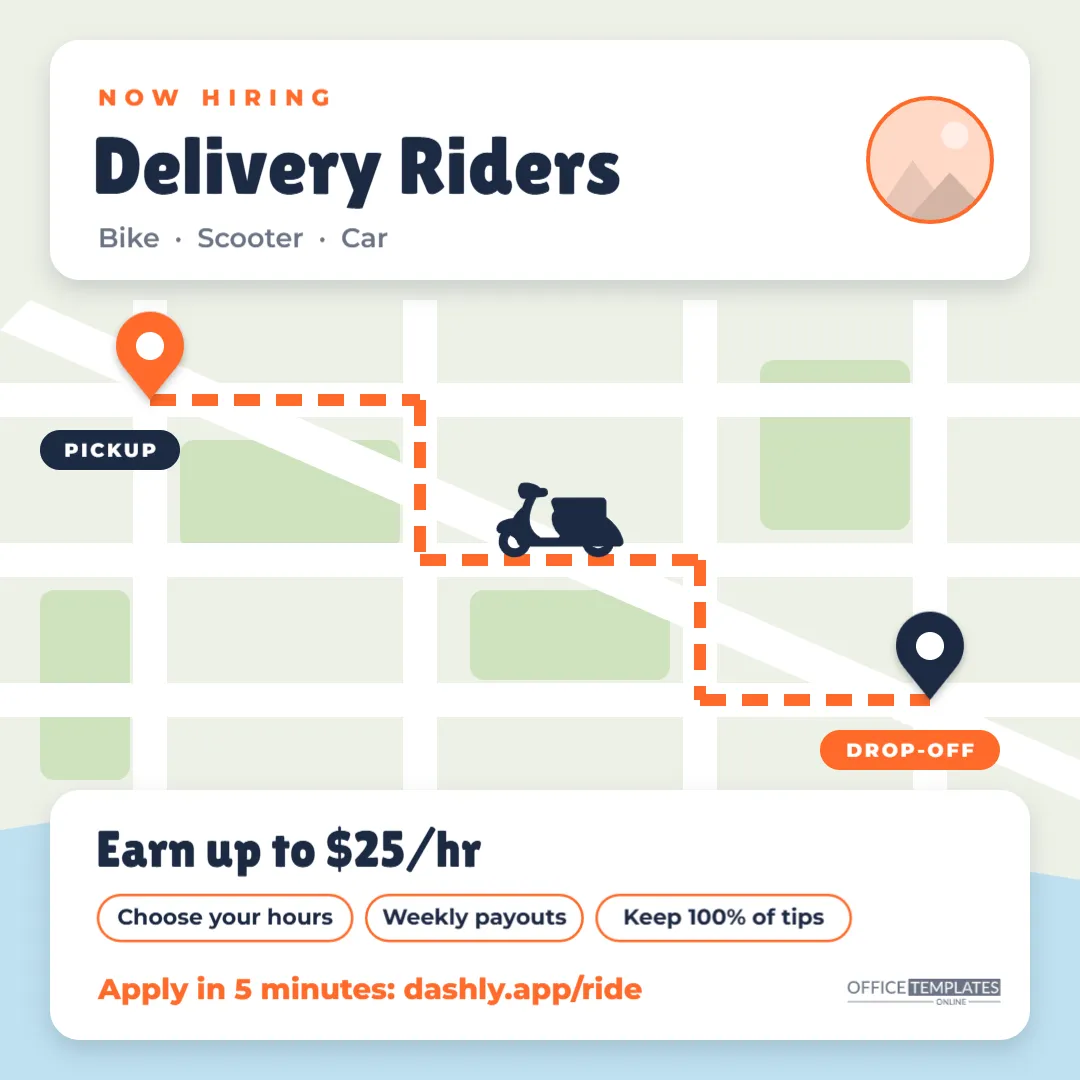
Delivery work is all about the route: pick up, ride through the city, drop off, repeat. This Delivery Rider Hiring Post shows exactly that. A colourful city map fills the square, with white streets, green parks, and a blue river along the bottom. A thick orange dashed route runs from an orange PICKUP pin to a navy DROP-OFF pin, and a scooter rides along it. Two white cards sit on top of the map: the upper one says NOW HIRING Delivery Riders with Bike · Scooter · Car, and the lower one says Earn up to $25/hr with three outlined perk chips and a short application link. It is a 1080 x 1080 pixel square for Instagram, Facebook, and LinkedIn, suited to restaurant groups, local delivery apps, courier services, grocery delivery, and pharmacy delivery teams.
Why a Map Beats a Photo for Delivery Recruiting
Stock photos of smiling couriers are everywhere, and people scroll past them. A map is different: it looks like the app screen riders use all day, it hints at the freedom of moving around the city, and it is instantly readable at thumbnail size. Everything on the map is simple and flat, which keeps the post clean and makes the orange route pop.
Map, Route and Cards in Detail
- The map: a pale land colour with a grid of white streets, one diagonal avenue, four green parks and a blue river, all grouped as a single background object.
- The route: an orange dashed line with right-angle turns, grouped as one object, from pickup to drop-off.
- Pins: an orange teardrop pin at the start and a navy one at the end, each with a white centre and a small shadow, labelled PICKUP and DROP-OFF in rounded tags.
- Scooter: a navy scooter icon (an editable vector) on the route.
- Top card: NOW HIRING in spaced orange capitals, Delivery Riders in bold rounded type, the vehicle options, and a round logo slot with an orange ring.
- Bottom card:Earn up to $25/hr, three chips (Choose your hours, Weekly payouts, Keep 100% of tips), the application link in orange, and our small logo.
Make It Local: Map Variations for Your City
The map is generic on purpose, but small changes make it feel like home. Ideas for different markets:
- Waterfront city: keep the river and label it with your harbour or river name using a small text box.
- University town: rename a park Campus and change the pickup label to your partner restaurant’s name.
- Suburbs: add a couple of cul-de-sacs by drawing short white rounded rectangles off the streets.
- Grocery delivery: swap the scooter for a car or van from the editor’s elements and change PICKUP to STORE.
- Bike-first city: use a bicycle icon and change the chips to Ride your own bike and E-bike rental available.
Editing the Delivery Post
- Logo: click the round slot in the top card and choose Replace Image.
- Headline: change Delivery Riders to Couriers, Drivers, or Shoppers & Drivers; the card fits about 16 characters at this size.
- Vehicle line: list the vehicles you accept.
- Earnings: update the figure in the bottom card, keeping it honest (see below).
- Chips: each chip is an outlined rounded shape with text on top. Adjust the width after changing the words.
- Route and pins: move the pins and labels anywhere along the streets; the route is one group, so you can also recolour it in one click.
- Colours: swap orange for your brand colour on the route, pin, chips and link.
Advertising Earnings Honestly
Earnings claims for delivery work get scrutiny from riders and regulators. Up to figures should reflect what a meaningful share of your riders actually earn, not a single record-breaking week. If your pay combines a base per delivery, distance pay, and tips, consider saying Average $21/hr including tips (last quarter) in the caption. Be clear about who pays for fuel, maintenance, and insurance, and whether riders are employees or independent contractors. Transparent posts attract riders who stay longer and complain less, and they protect your brand’s reputation in local community groups where riders talk.
Safety Messages Riders Appreciate
Delivery riders spend hours in traffic, often at night and in bad weather. Companies that visibly take safety seriously stand out. In your caption or application page, mention anything you provide: helmets or high-visibility gear, insurance while on delivery, safety training, weather policies that pause deliveries in storms, or support if a rider has an accident. Riders also value clear rules about customer contact and the option to decline an order that feels unsafe. These details rarely fit on the image itself, but a short Safety first: free helmet and hi-vis jacket line in the caption can be the deciding factor for a cautious applicant.
A Caption and Hashtags That Fit
A short, energetic caption works best. For example: We’re hiring delivery riders across the city. Bike, scooter, or car. Choose your hours, get paid weekly, and keep every tip. Apply in 5 minutes at the link in bio. Add a few local hashtags, such as your city name with jobs or gig work, rather than a long list of generic tags. Pin the post to the top of your profile while you are recruiting, and share it to your story with a link sticker.
Downloading the Square for Every Platform
Download a PNG for crisp text and flat colours. The canvas is exactly 1080 x 1080 pixels, which displays uncropped on Instagram, Facebook and LinkedIn. For WhatsApp groups, the square also previews neatly. If you want a printed version for restaurants’ back doors, print it at 8 x 8 inches or centred on a letter-size sheet.
Delivery Platform Questions
Can I show several cities?
Use Add Page to make one version per city and change the pin labels to local landmarks; it performs better than one generic post.
Can I make it a story?
Resize the canvas to 1080 x 1920 in the editor and stretch the map group to fill the taller space; the two cards can stay the same size.
Are the pins editable shapes?
Yes. Each pin is a drawn teardrop with a white circle, so you can recolour or resize them.
Open the template, set your earnings and vehicle options, drop your pins on the map, and post it where your next riders are already scrolling.