A Steaming Cup Icon and Latte Art for a Coffee Shop
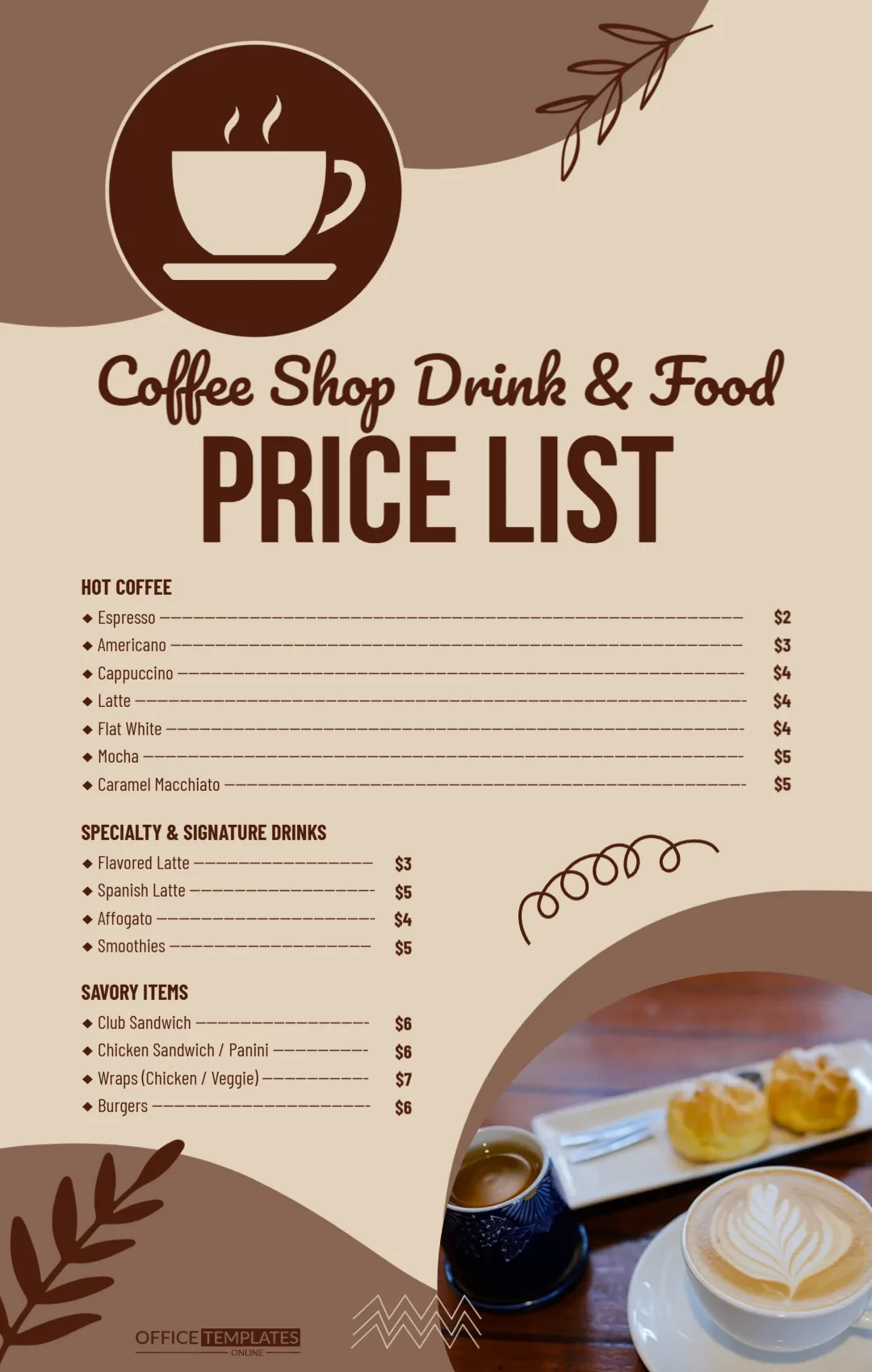
A warm beige page with soft brown curves and leaf drawings carries a big brown circle with a white steaming cup icon. Coffee Shop Drink and Food runs in a dark brown script, and PRICE LIST sits in tall brown capitals. A photo of a latte with leaf art and a plate of choux pastries sits in the lower right corner. Three bold headings introduce lists with long dash leaders and brown prices.
Full Width Coffee List and Two Short Lists
The page is 1080 x 1700 pixels, portrait. The coffee list spans the page. The specialty drinks and savoury lists are shorter and sit on the left beside the photo and a brown swirl.
Hot Coffee, Signature Drinks and Food
Hot Coffee lists espresso, americano, cappuccino, latte, flat white, mocha and caramel macchiato from $2 to $5. Specialty and Signature Drinks list a flavoured latte, Spanish latte, affogato and smoothies. Savoury Items list a club sandwich, chicken sandwich or panini, wraps and burgers at $6 to $7. Prices are samples, so set your own.
Updating the Coffee Menu
- Add your shop name.
- Change every price.
- Add sizes if you sell them.
- Swap the photo.
- Add hours and address.
Cup Sizes
Many coffee shops sell small, medium and large. Add a header row such as S, M, L above the prices and type three figures per drink.
Milk and Syrup Extras
Add a short line such as Oat or almond milk 50 cents, extra syrup 50 cents under the coffee list.
Opening Hours on the Beige Coffee Menu
There is no address or opening time on the coffee page. Add them above the logo in brown, for example Open daily 7 AM to 6 PM, so morning customers know when they can stop by.
Showing It on a Screen
The tall format suits a portrait menu screen. Export a PNG at full size.
A Loyalty Card Line
Coffee customers return often. A line such as Ask for our loyalty card, every tenth coffee free rewards them and fits under the signature drinks. Print matching loyalty cards in the same brown and beige colours.
Keeping the Coffee Prices Current
Update the file when bean or milk costs change.
Step by Step Editing of the Coffee Shop Cup Icon Design
- On the coffee shop cup icon design, click the main headline and type your own words, keeping a similar length.
- Retype every name, date and contact line on the coffee shop cup icon design, checking each against a trusted source.
- Search the coffee shop cup icon design for the words Lorem and Company so that no placeholder remains.
- Click any logo or photo on the coffee shop cup icon design, choose Replace Image and resize the new picture to fit.
- Zoom the coffee shop cup icon design to full size and read each line aloud before you save it.
- Keep a clean master of the coffee shop cup icon design without private details, so later versions start tidy.
Also worth a look: cafe menu price list. Next to try is the cake shop price list. Have a look at the catering services price list. Every coffee shop cup icon style alternative sits in price list templates.