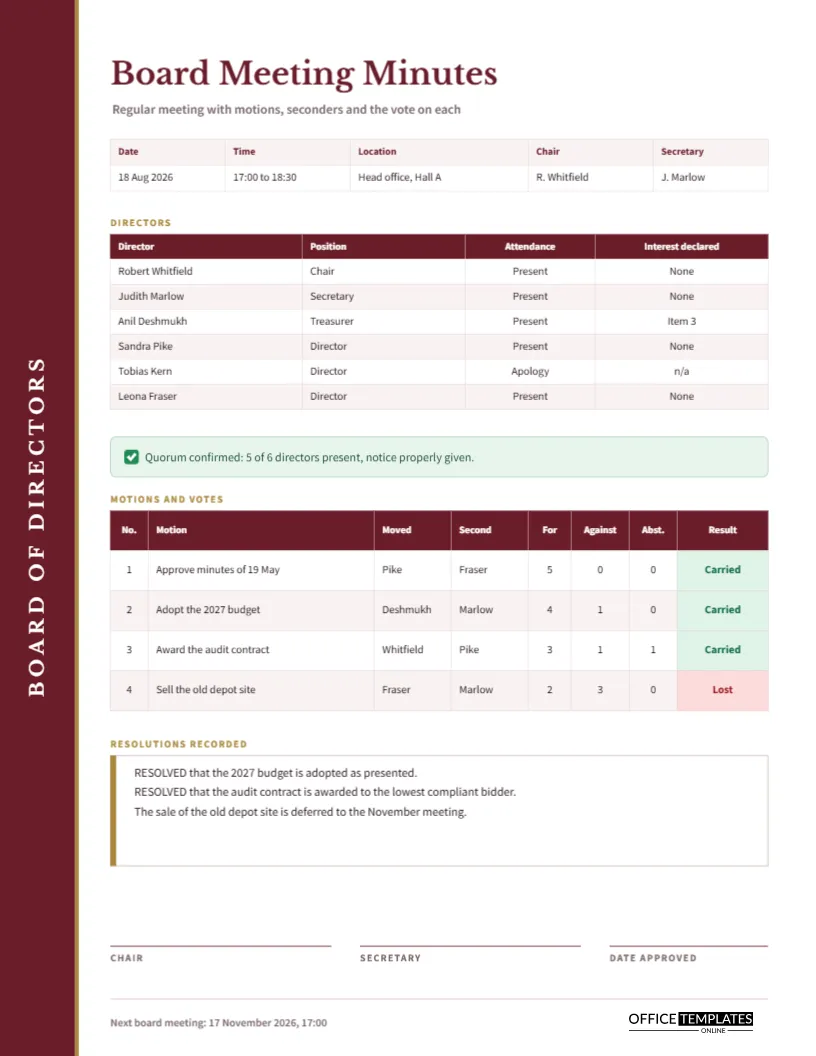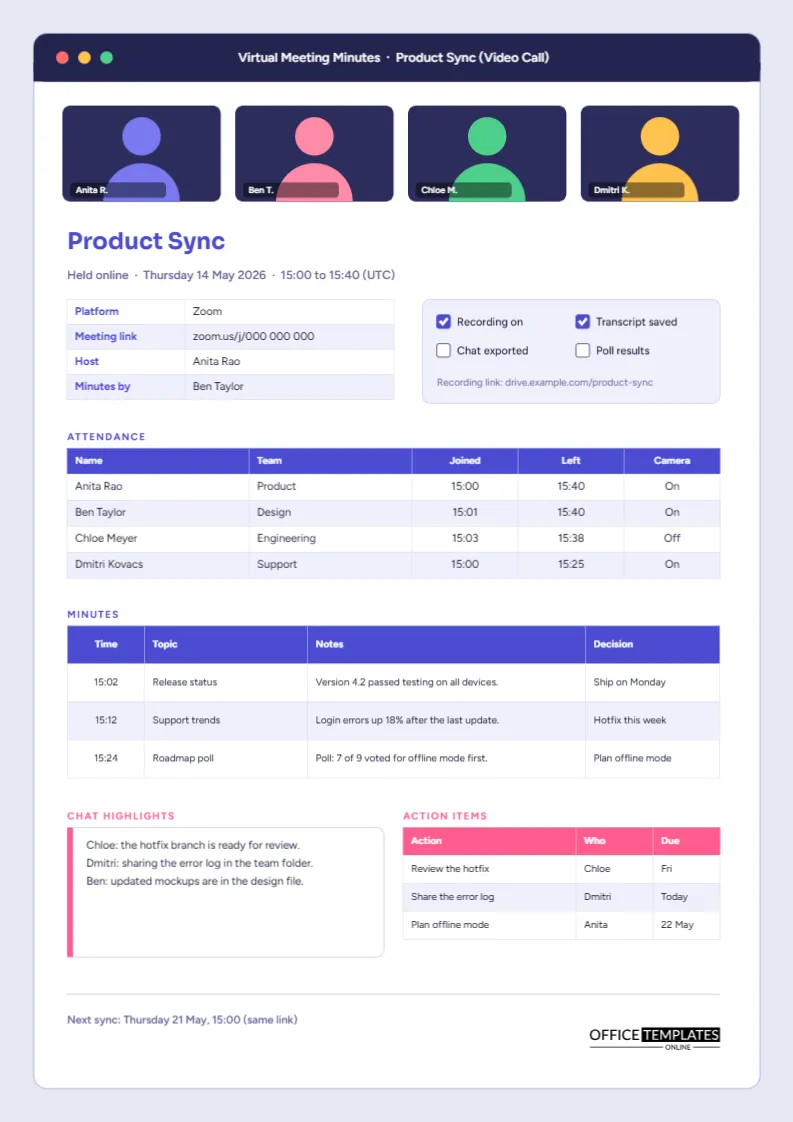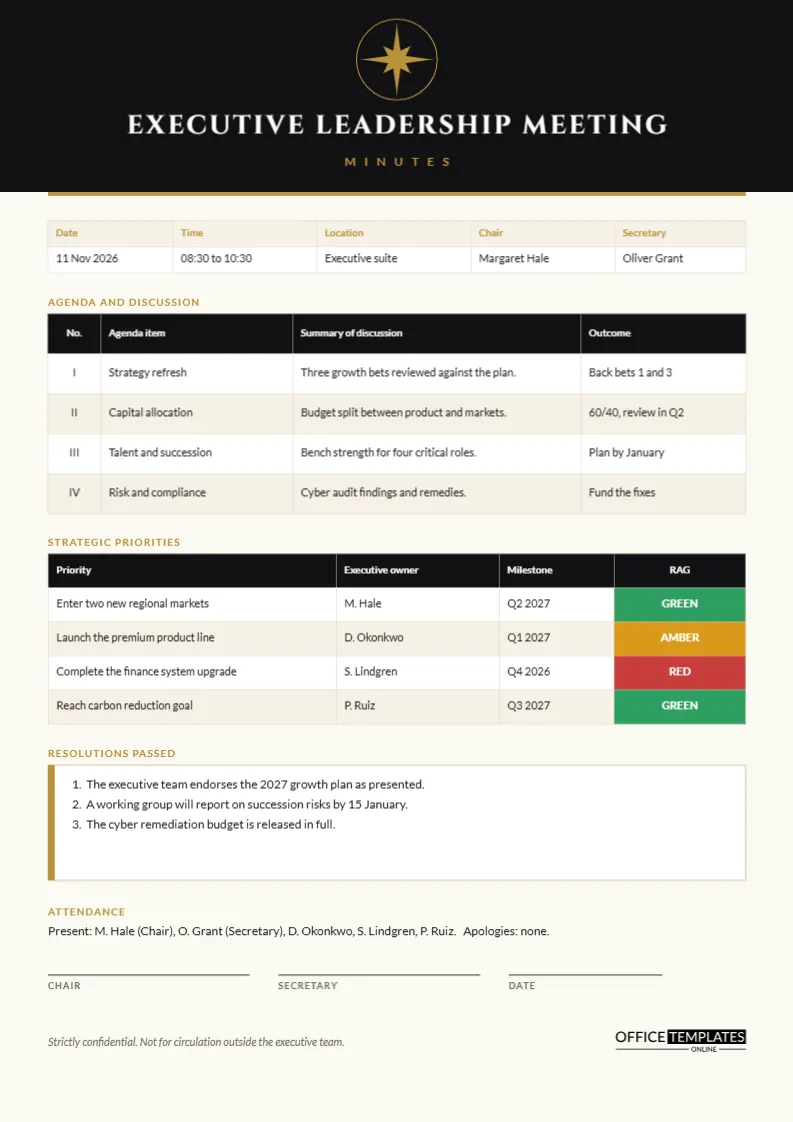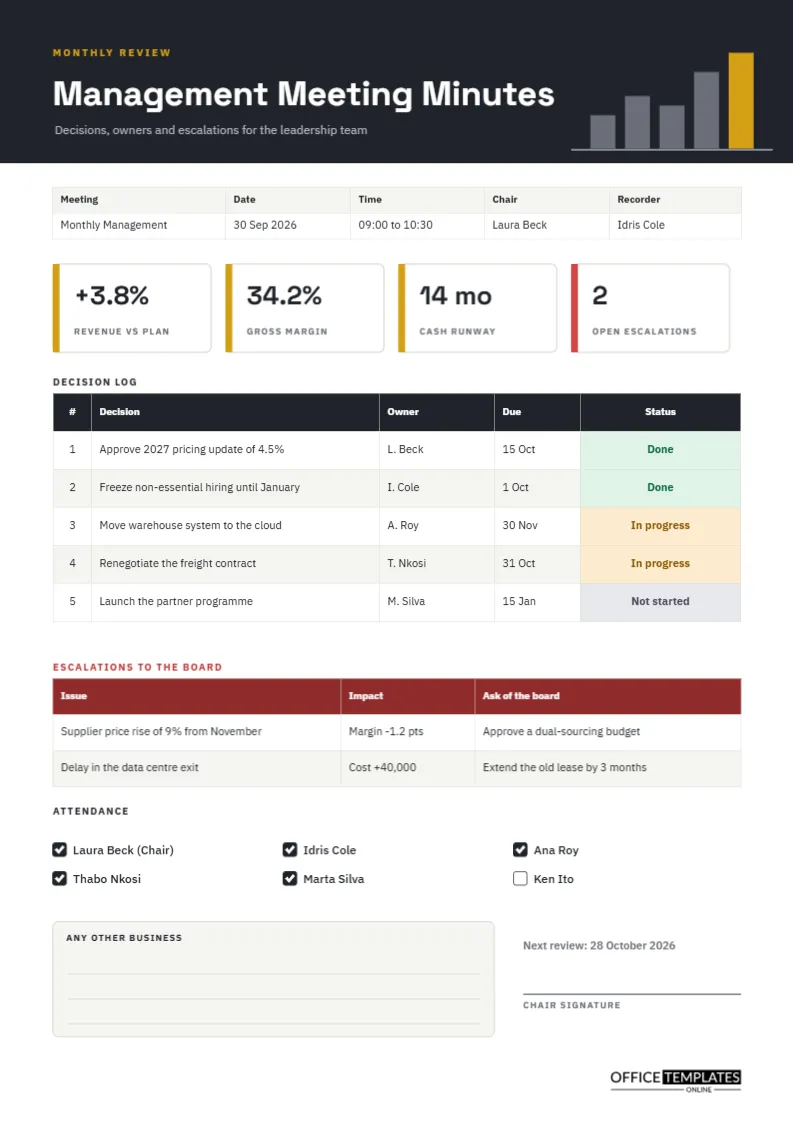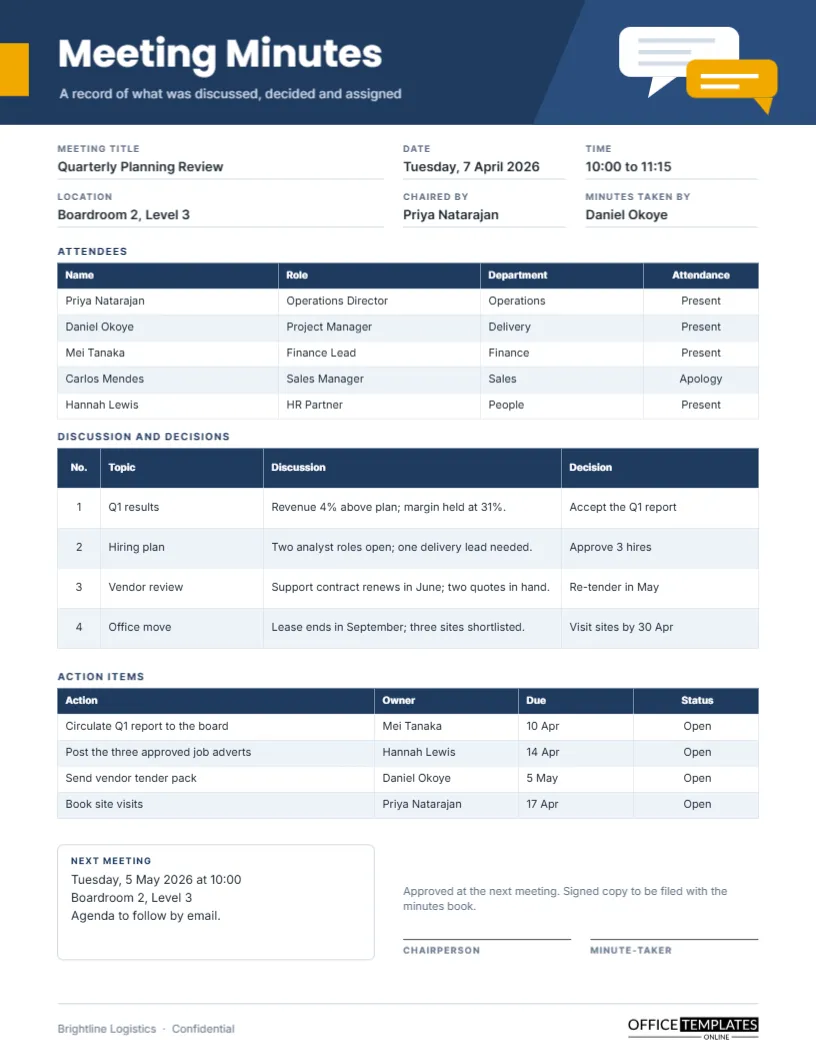
Most meetings produce a lot of talk and very little record. Two weeks later, somebody insists that a budget was approved, somebody else remembers it differently, and nobody can prove either version. A meeting minutes form fixes that by giving you a fixed place for every fact you will later need. This standard form is the everyday version: one US Letter page, a navy header, four clear tables, and a signature area, ready to fill in during the meeting or straight after it.
What This Minutes Form Is Built For
The form suits any ordinary business meeting where you want to record who attended, what was discussed, what was decided, and who owes what by when. It is deliberately not tied to one industry. The sample data shows a quarterly planning review at a logistics company, but a school office, a small agency, a clinic manager, or a volunteer group can swap the wording in a minute and use the same structure.
Navy Band, Amber Tab and Two Speech Bubbles
The top of the page is a navy band across the full width, with a slightly lighter slanted panel on the right. A small amber tab sits against the left edge beside the title, and two overlapping speech bubbles, one white and one amber, hint at conversation without turning the page into clip art. The title is set in bold Poppins, with a short grey-blue subtitle underneath. Below the band, the page returns to plain white, with Inter as the working typeface and navy table headers that echo the band.
Five Blocks Between the Header and the Signatures
The order follows the order of a real meeting. Details come first, then attendance, then discussion, then actions, and finally the next date and signatures.
- Six labelled fields: meeting title, date, time, location, chair, and minute-taker.
- An attendee table with name, role, department, and attendance status.
- A discussion and decisions table with four numbered topics.
- An action items table with owner, due date, and status.
- A boxed next meeting note and two signature lines.
Minutes, Notes and Transcripts Compared
People often mix these up, and the confusion leads to minutes that are either too thin or far too long. The table below shows where this form sits.
| Record type | What it contains | Typical length | Best used for |
|---|---|---|---|
| Personal notes | Whatever the writer found useful | Any length | Private reference |
| Meeting minutes | Attendance, topics, decisions, actions | One to three pages | Shared record of what was agreed |
| Transcript | Every word spoken | Many pages | Legal or compliance needs |
| Summary email | Highlights and next steps | A few paragraphs | Quick updates to absent people |
This form produces the second type: a compact, shared record that lists outcomes instead of recording every remark.
Filling In the Attendee Table
The table lists five people with their roles and departments, and a final column marks each as present or sending apologies. Recording absences matters more than it seems. If a decision affects the finance team and the finance lead was away, the minutes show that person needs a briefing. Click into any cell to retype it. If your meeting has more than five attendees, use Edit Table Data and the Add Row button to extend the list, then check the page still fits before you print.
Writing a Decision So It Survives Two Weeks
The last column of the discussion table is where most minutes fail. A good decision entry is short and checkable: Approve 3 hires can be verified later, while Discussed hiring cannot. Keep the discussion column for context and put the actual outcome in the decision column. If nothing was decided, write No decision rather than leaving it blank, because a blank invites arguments.
Action Items That People Actually Complete
Every action in the sample has a verb, an owner, and a date; for example, Circulate Q1 report to the board, owned by Mei Tanaka and due 10 April. That pattern is the whole secret. An action without an owner belongs to nobody, and an action without a date will drift. The status column starts as Open and can be changed by hand when the next meeting reviews the list.
Timing the Minute-Taking
You can type straight into the form during the meeting, or fill it in from rough notes within a day. Waiting longer than two days makes details fuzzy. Many teams send the completed minutes the same afternoon so that corrections arrive while memories are fresh. The signature lines at the bottom are for the chairperson and the minute-taker once the minutes are accepted at the next meeting.
Recolouring the Navy and Retyping the Sample
Every piece of text is an editable text box, and the tables are real Table objects, so you can edit cell text, change header colours and adjust fonts from the editor panel. Swapping the navy for your company colour takes a few clicks. The sample company name in the footer is placeholder text, so replace it with your own. Table cells hold typed text rather than formulas, so any numbers you add are not calculated for you.
Printing on US Letter
The page is 8.5 by 11 inches with comfortable margins, so it prints on a standard office printer without scaling. Choose actual size in the print dialog and leave the navy band to print as a solid block. If your printer struggles with full-width colour, a draft in black and white still reads well because the table borders and labels carry the structure.
Keeping a Proper Minutes Book
Print or save each approved set of minutes in date order. A simple folder or binder is enough for a small team, and a shared drive with a consistent file name works for larger ones. Use the date first, for example, 2026-04-07 Quarterly Planning Review, so files sort correctly. Keep the signed copy, because it is the one that counts if anyone later disputes what happened.
Common Questions About This Form
Can I use it for a one-to-one meeting?
Yes, though most people prefer a lighter form for that. Delete the extra attendee rows and keep the decisions and actions tables.
How much should I write in the discussion column?
One sentence per topic is enough. The aim is context for the decision, not a transcript.
Should minutes include who said what?
Only when a person took a formal position, made a motion, or accepted an action. Otherwise, record the outcome and leave names out.
How do I save it?
Download the finished page as a PDF to share or archive, or as an image if you want to paste it into a document.