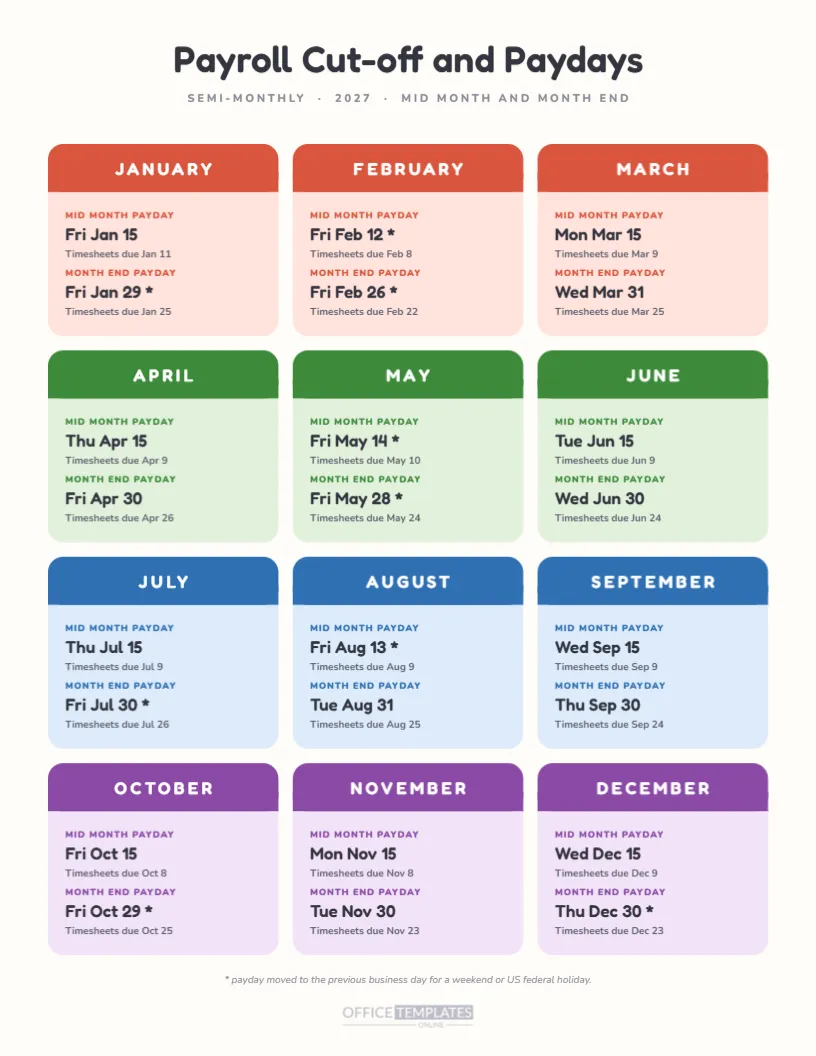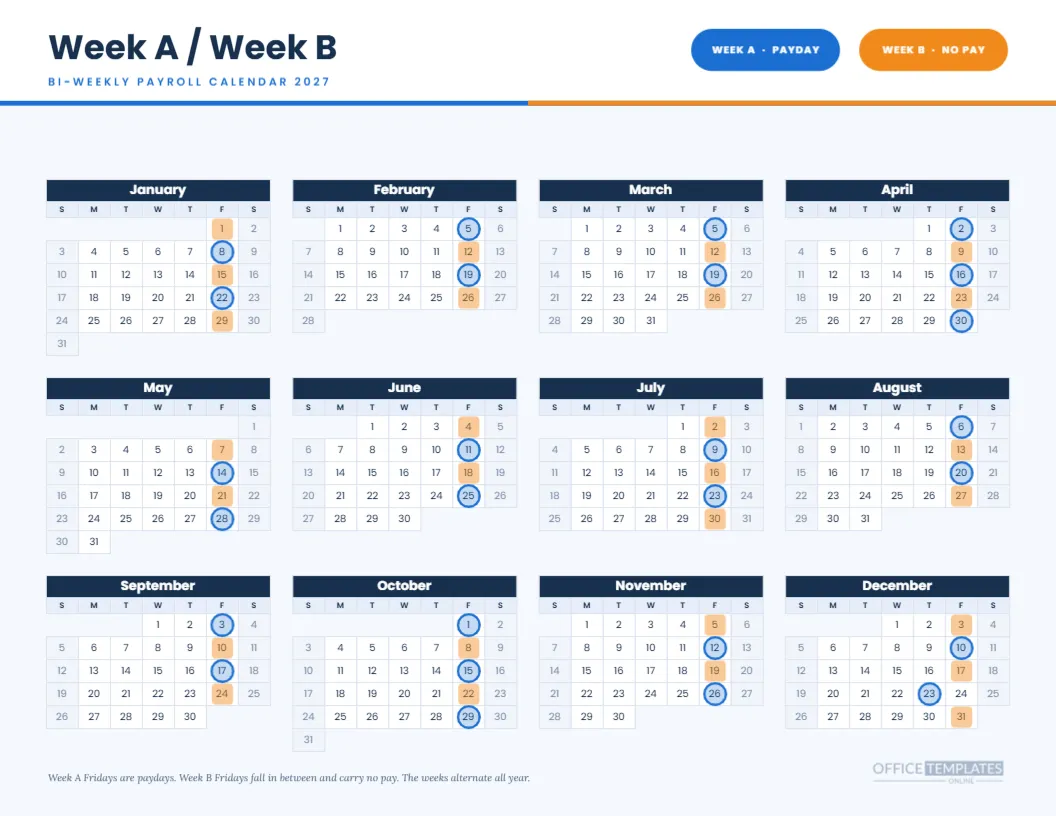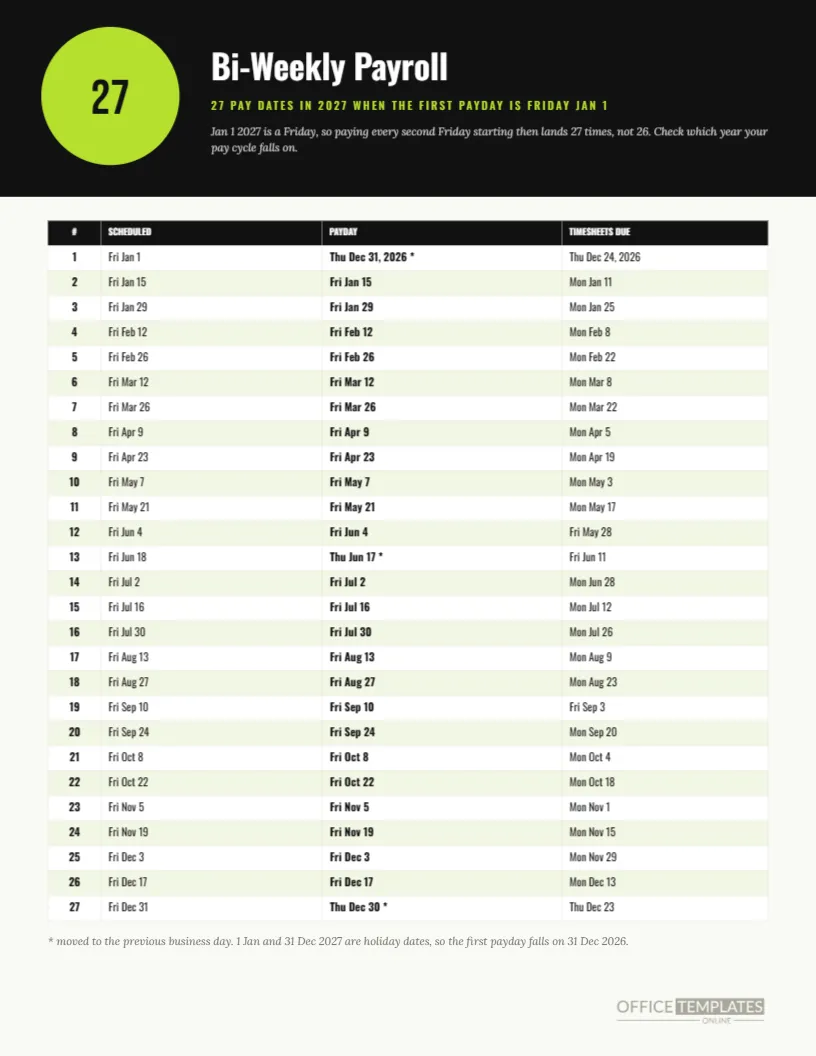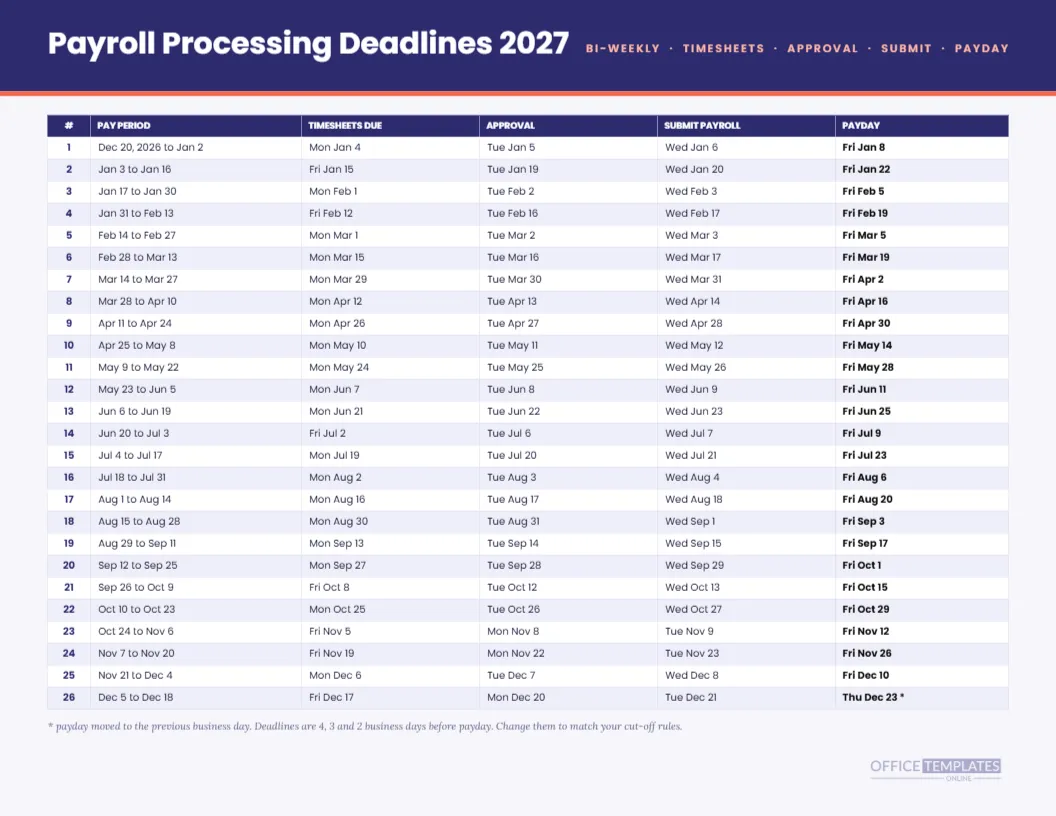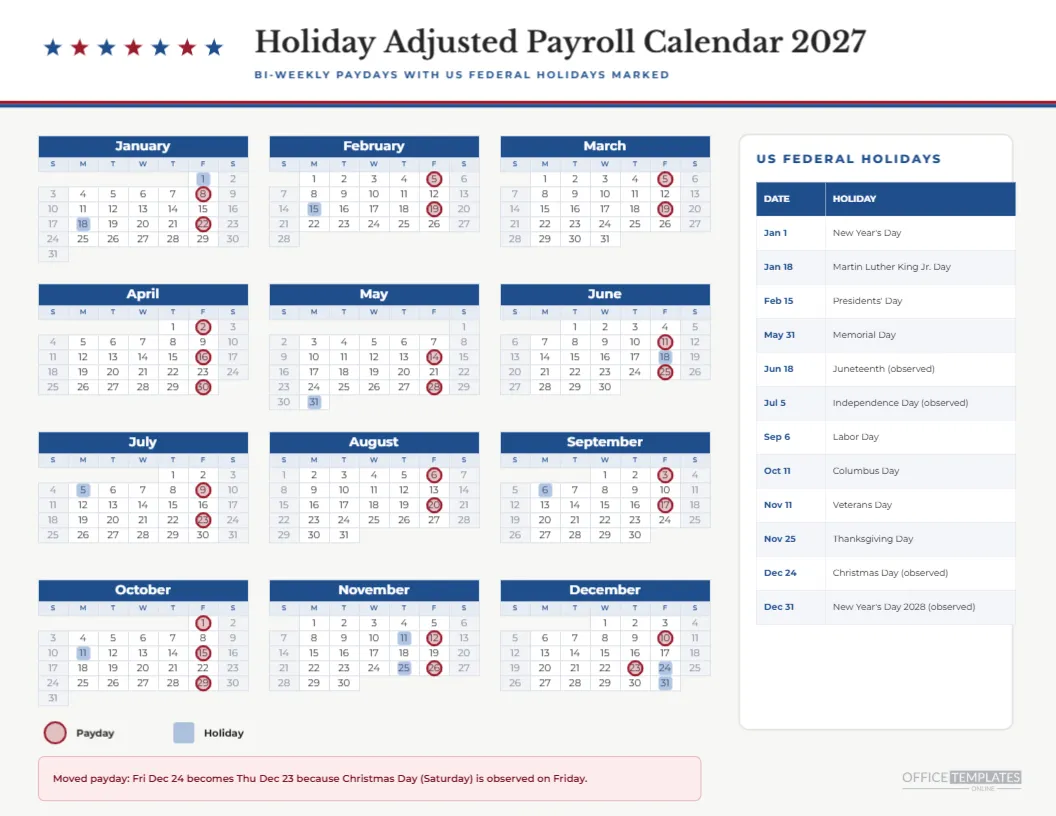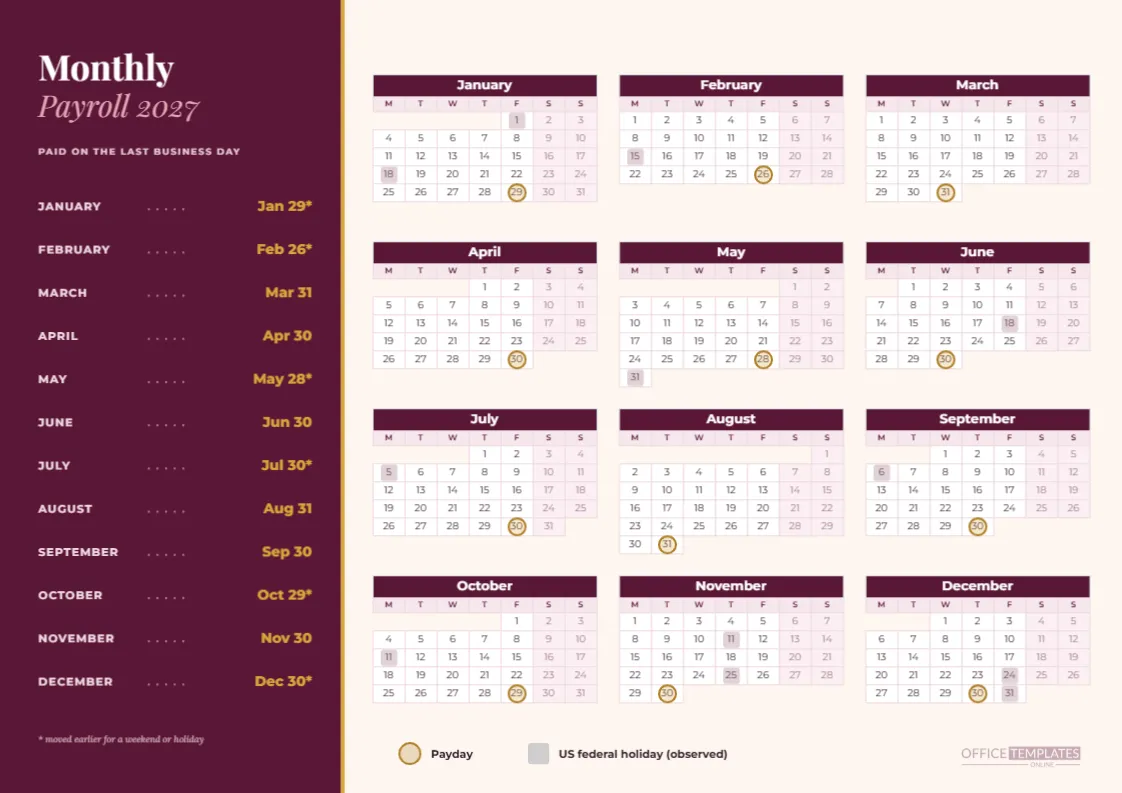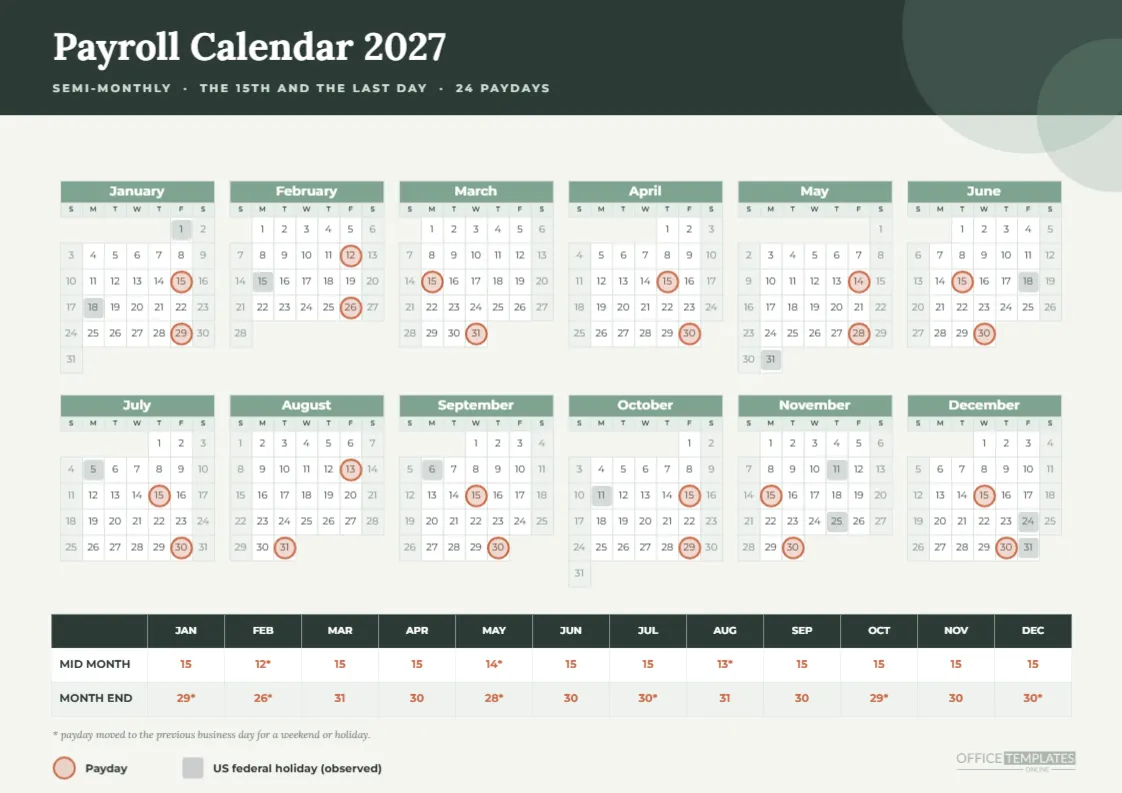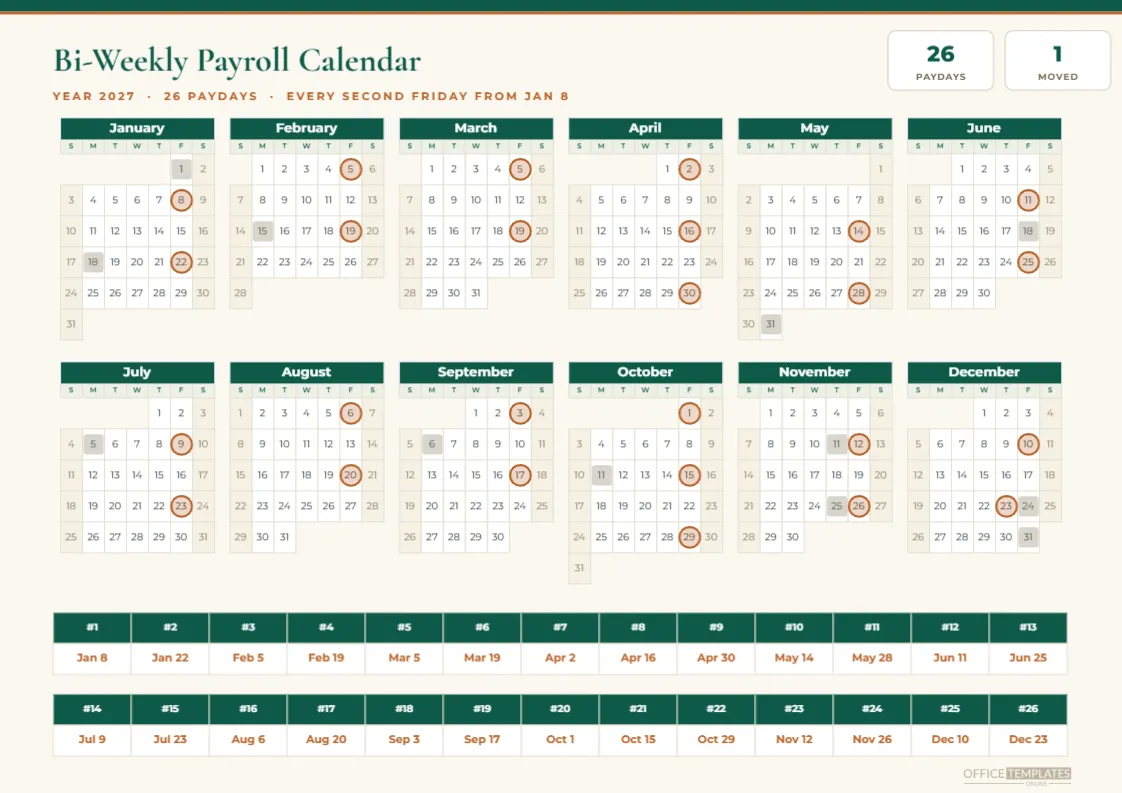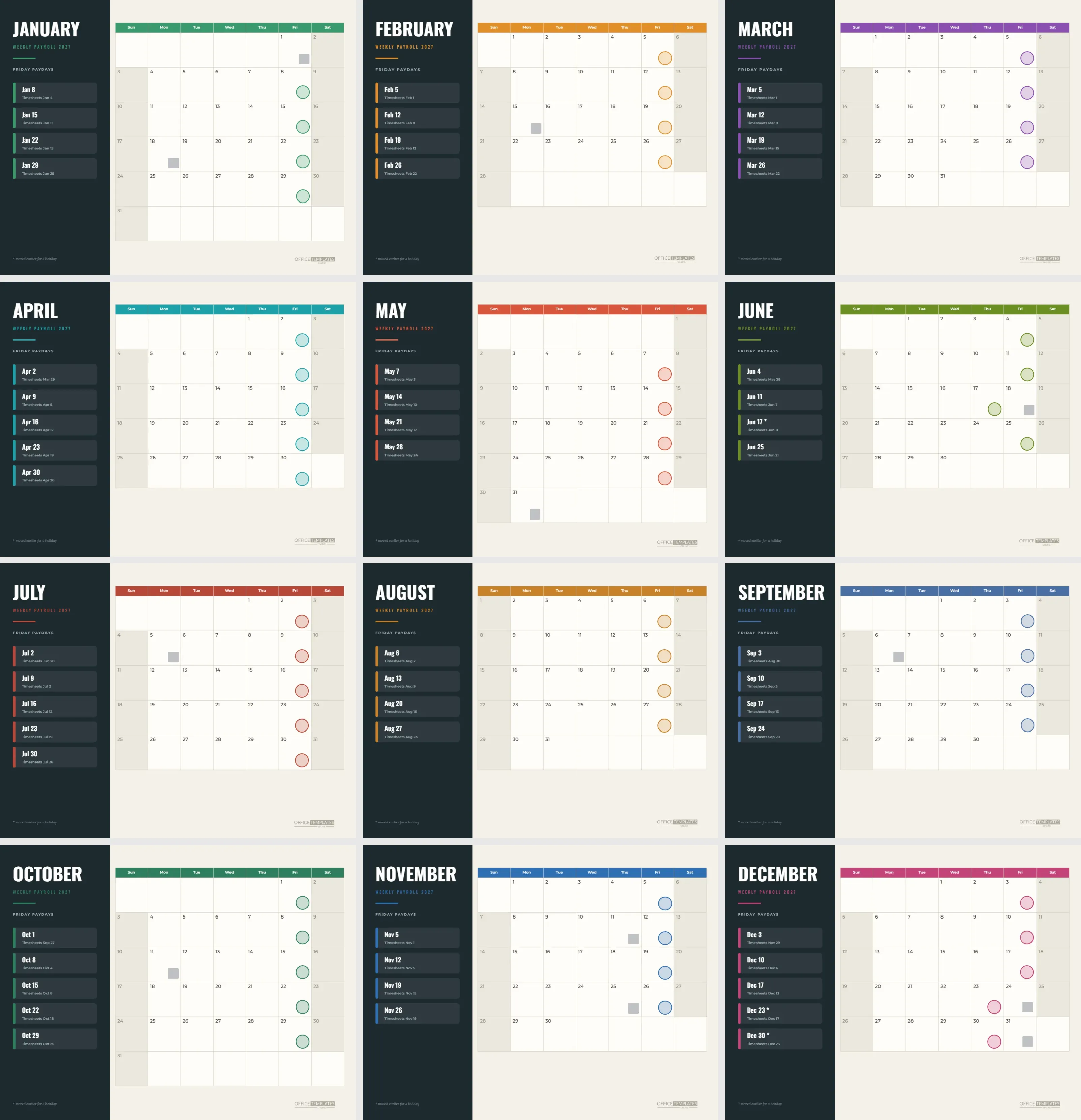
For weekly payroll, the month page has a particular job: list the Fridays. Four or five of them, each with a timesheet deadline, and nothing else matters. This set gives you twelve landscape pages with a dark panel on the left listing the Friday paydays for that month and a large month calendar on the right with every payday marked. It is a different composition from the bi-weekly set, tuned for weekly rhythm.
How the Pages Are Divided
The left quarter of every page is a charcoal panel. The month name stands in white Oswald capitals, followed by WEEKLY PAYROLL 2027 in the page’s accent colour and a short coloured rule. The right three-quarters hold a month calendar on a warm paper tone, with day names in the accent colour and weekend cells in a deeper cream.
The Friday Cards
Under the title, a heading reads FRIDAY PAYDAYS. Each payday is a translucent card with a coloured left edge, the date in bold Oswald, such as Feb 5 or Feb 12, and a small line saying Timesheets followed by the deadline date. A page lists as many cards as the month has paydays, up to five.
Which Months Have Five Paydays
April, July, October, and December each list five paydays. April has the 2nd, 9th, 16th, 23rd and 30th. July matches that pattern. October has the 1st, 8th, 15th, 22nd and 29th. December lists the 3rd, 10th, 17th, the 23rd, and the 30th, where the last two are moved to Thursdays. January lists four because its first Friday moves back to 2026.
The Thursday Paydays
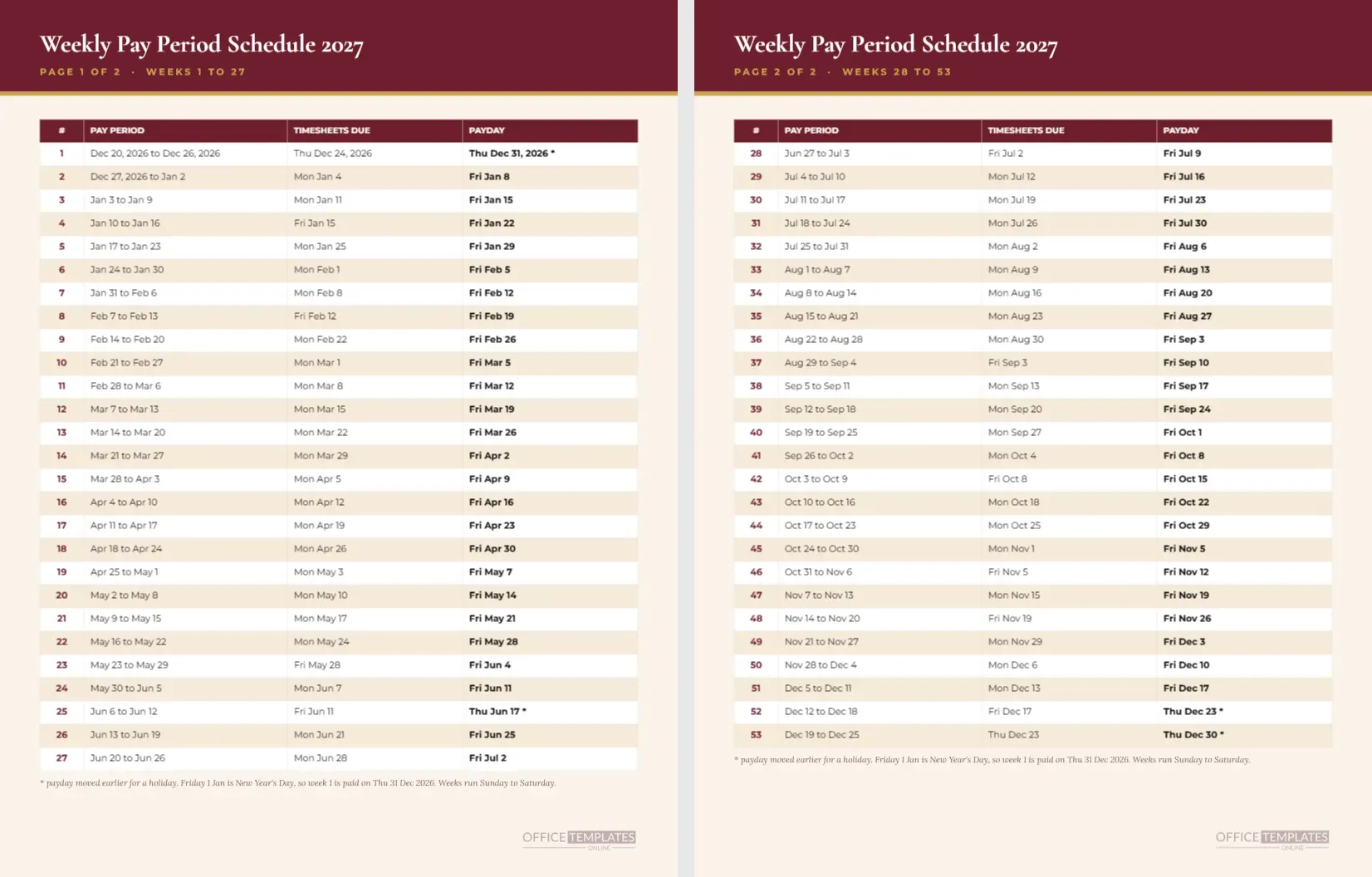
Three Thursdays appear as paydays on these pages. June 17 replaces Friday, June 18, the observed Juneteenth holiday. December 23 replaces Friday the 24th, and December 30 replaces Friday the 31st. A fourth, December 31, 2026, replaces New Year’s Day but belongs to the previous year, so it has no page. The Thursday dates carry an asterisk.
Ring Markers on a Large Grid
Markers are coloured circles placed in the lower right corner of each payday cell, over a pale fill in the accent colour. Holidays are small grey squares in the same corner. The corner position keeps the middle of the cell free for a handwritten note, such as a bonus or a leave day.
Reading Timesheet Deadlines
Each deadline is four business days before payday. For Friday, February 5, it is Monday, February 1. For Friday, January 22, it is Friday, January 15, since Monday, January 18 is a holiday. The page prints the dates in full on the cards so the person processing payroll never has to count days.
Why a Dark Panel
A dark panel gives the page structure and a strong anchor for the white and coloured type. It also saves time when scanning: the eye goes to the dark side for dates and the light side for context. On a wall or desk, the contrast is easy to read at a distance.
Accent Colours by Month
The accent changes monthly, offset from the other sets so that a team using several of them will not see the same combination twice. It colours the rule under the title, the card edges, the day names and the markers. Recolouring is simple: select those shapes on a page, and change the fill.
Binder and Wall Use
Landscape pages punch well along the top edge for a flip calendar and along the left for a binder. In a payroll office, pin the current month’s page near the printer or file cabinet. A weekly payer sees the page every day and uses it constantly, so choose a spot at eye level.
Editing the Friday Cards
Cards are shapes with text. To add a sixth payday for an unusual month, copy a card, move it down, and change the text. To remove a card, delete the shape and its two text lines. The panel has room for five cards, and a sixth would need a smaller spacing.
Using Calendar Options
The month grid is the editor’s Calendar object. You can change the year or the week start in Calendar Options. Moving to a Monday start suits weekly payroll nicely, with weekends side by side on the right. After changing the week start, move the markers one cell to match.
Pairing With the Weekly Year Calendar
The weekly payroll calendar in this collection shows all Fridays on one page with gold squares. Use it for the overview and these twelve pages for the detail. They share a computed list of dates, so the picture and the list will agree.
Weekly Pay in Practice
Weekly employers fund payroll more often but in smaller amounts. They also tend to have more hourly workers and more timesheet exceptions. A page that shows timesheet deadlines next to each Friday helps supervisors submit hours on time, which is the most common cause of a late weekly paycheck.
Printing the Dark Panel Pages
Print landscape on Letter at actual size with background graphics on. The charcoal panel prints heavily, so a laser printer gives the best result. If ink is a concern, print only the months in the next quarter and reprint when needed.
Cautions for Weekly Month Pages
These pages follow one rule: pay on the previous business day, and a list of US federal holidays. Your provider may use different rules, and some states or countries regulate pay timing. Confirm any date you will share with employees.
Weekly Month Pages in Brief
Twelve pages. Landscape. Four or five paydays per page. Three Thursday paydays across the pages. Deadlines four business days before each payday. All text editable.
Planning Overtime Around a Short Week
When a Monday holiday falls in a week, the timesheet deadline on the Friday card shifts, and supervisors have less time to approve hours. The pages make that visible a month ahead. A supervisor with a large team can use the margin of the calendar to note which shifts will need extra review before the shortened deadline.
Keeping a Month Page for Each Location
Businesses with several sites often print one set per location and write the site name at the top of the panel. Because the cards and the grid are plain editable shapes, you can add a small text line under the month name without disturbing the layout. Managers then keep their own site’s pages, and the payroll office keeps the master.
Dealing With a Midweek Payday Change
Occasionally, a bank closure or a provider outage forces a payday to move by a day. Handle it by writing the new date on the printed card and drawing a second ring on the grid. Update the design when the dust settles, and send a one-line notice to staff so nobody waits on the wrong day.