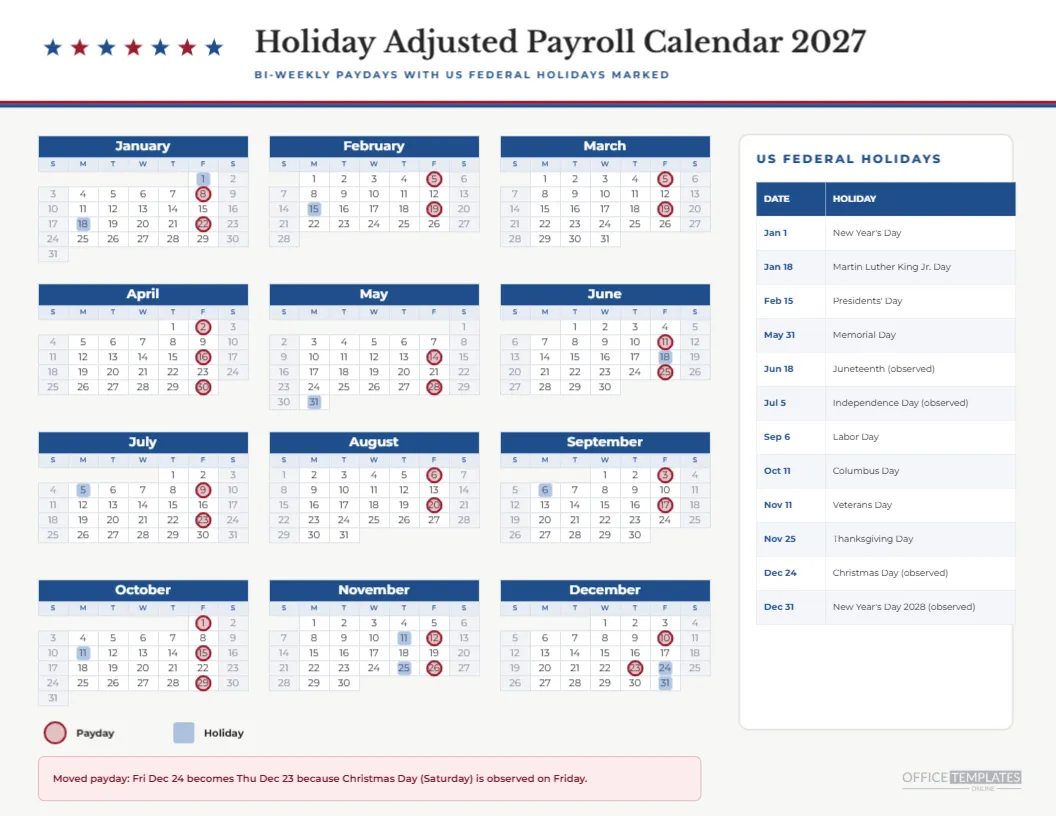
Picture the scenario: it is the third week of December, an employee asks whether payday is Friday the 24th, and you realise that Friday is the observed Christmas holiday. The answer is no; it is Thursday the 23rd. A payroll calendar that already marks the holiday and the adjusted payday heads off that conversation, and this holiday-adjusted page for 2027 does exactly that.
A Patriotic but Restrained Look
The page has a white header with a row of alternating blue and red stars, a thin red and blue double rule, and the title in Libre Baskerville. Bi-weekly rings are red, holiday squares are blue, and the right card is a white panel listing the holidays. It nods at the topic without turning into a flag.
The Twelve Observed Dates
| Date | Weekday | Holiday | Effect on bi-weekly pay |
|---|---|---|---|
| Jan 1 | Friday | New Year’s Day | No payday that day |
| Jan 18 | Monday | Martin Luther King Jr. Day | No payday that day |
| Feb 15 | Monday | Presidents’ Day | No payday that day |
| May 31 | Monday | Memorial Day | No payday that day |
| Jun 18 | Friday | Juneteenth, observed | Not a payday in this cycle |
| Jul 5 | Monday | Independence Day, observed | No payday that day |
| Sep 6 | Monday | Labor Day | No payday that day |
| Oct 11 | Monday | Columbus Day | No payday that day |
| Nov 11 | Thursday | Veterans Day | Payday follows the next day |
| Nov 25 | Thursday | Thanksgiving Day | Payday follows the next day |
| Dec 24 | Friday | Christmas Day, observed | Payday moves to Dec 23 |
| Dec 31 | Friday | New Year’s Day 2028, observed | Not a payday in this cycle |
Why These Dates Are Observed, Not Actual
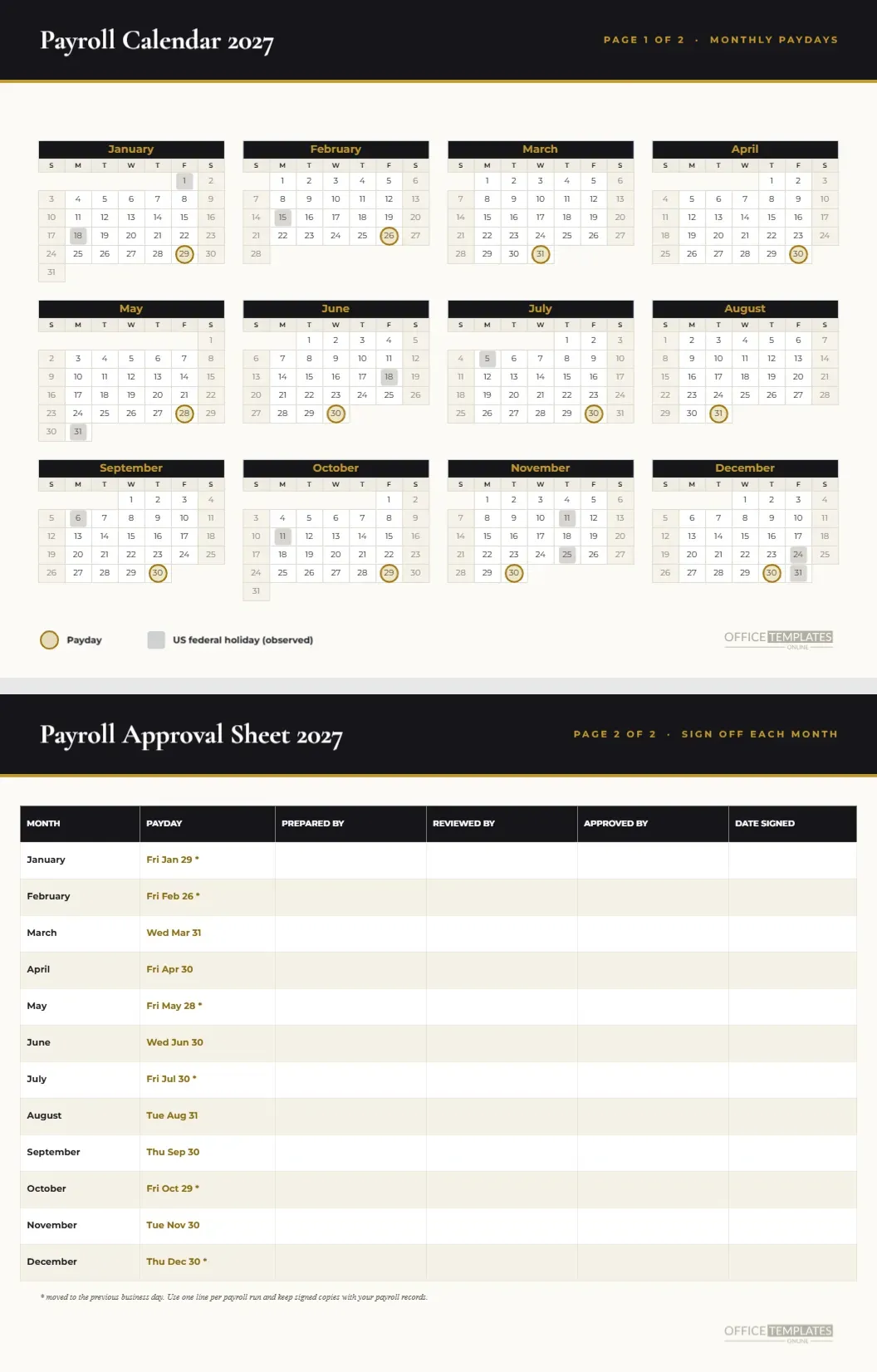
Federal holidays that fall on a Saturday are observed the Friday before, and those on a Sunday are observed the Monday after. Juneteenth is Saturday, June 19, so the observed day is Friday, June 18. Independence Day is Sunday, July 4, observed Monday, July 5. Christmas Day is Saturday, December 25, observed Friday, December 24. New Year’s Day 2028 is Saturday, so December 31 is observed.
A Caution About Banks
The Federal Reserve follows slightly different rules: when a holiday falls on a Saturday, Federal Reserve banks are generally open the Friday before. A payroll provider may therefore still process on a day this page marks. The page uses the more cautious federal observed list, which pays a day early when in doubt. Confirm with your provider which list they follow.
The Christmas Week Payday That Moves Earlier
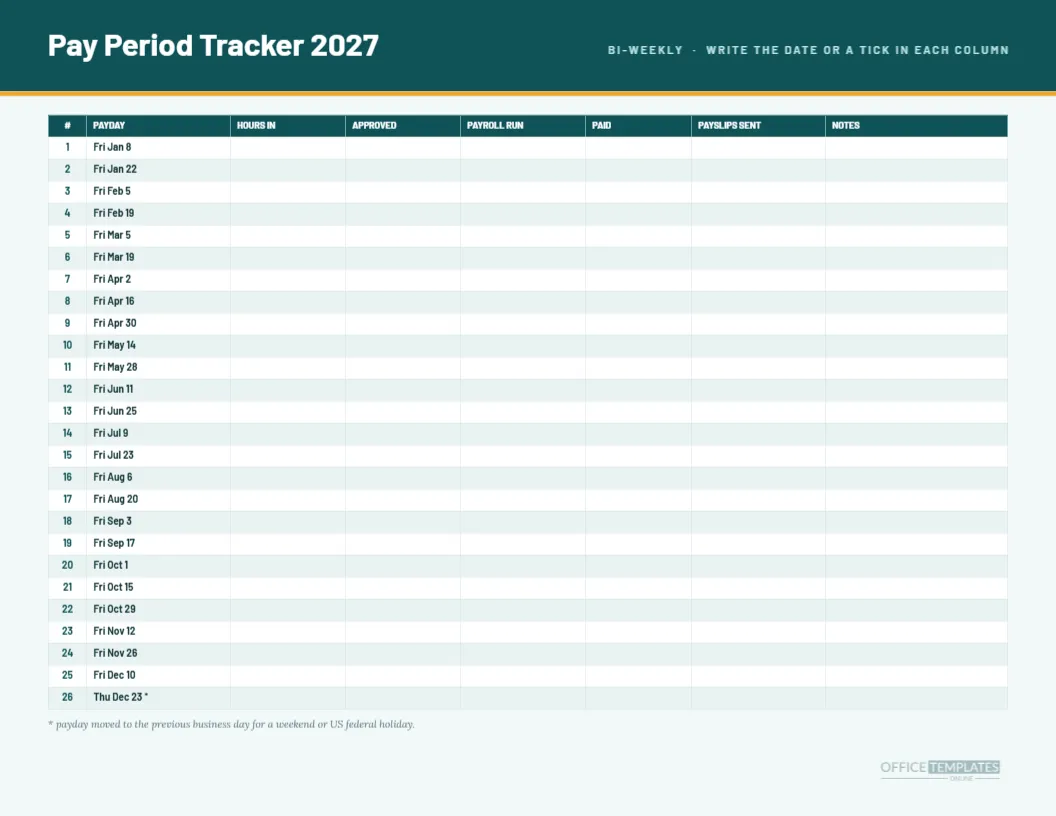
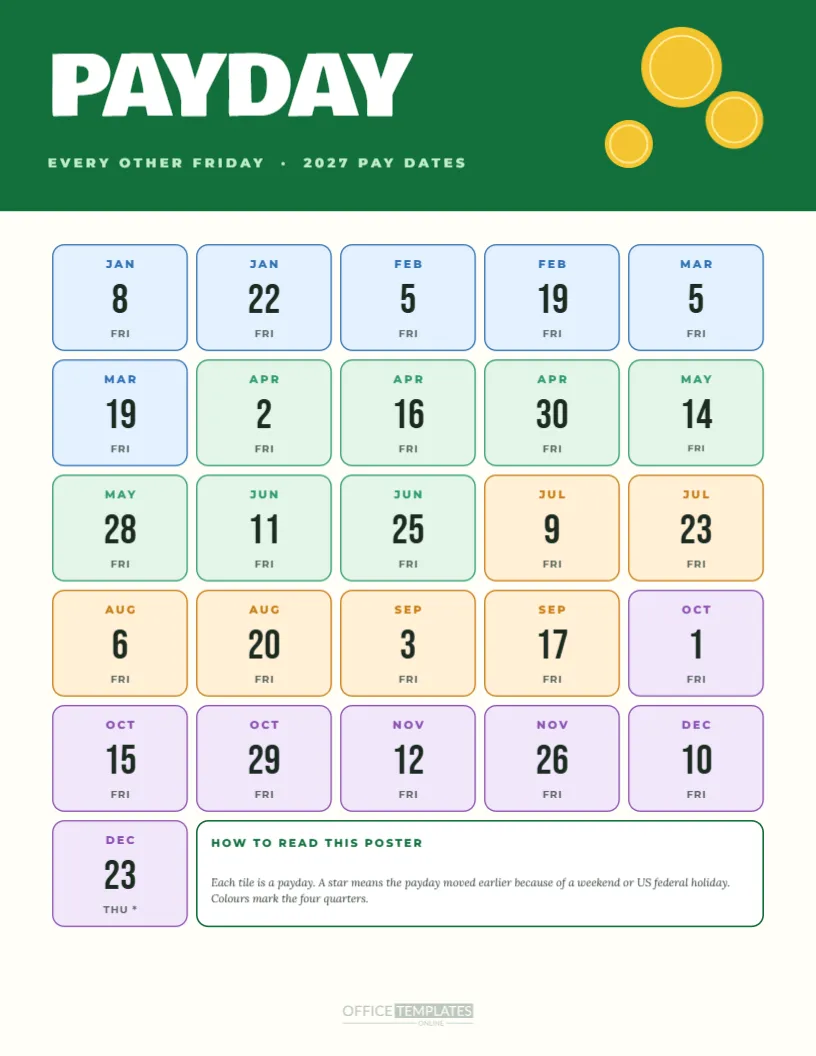
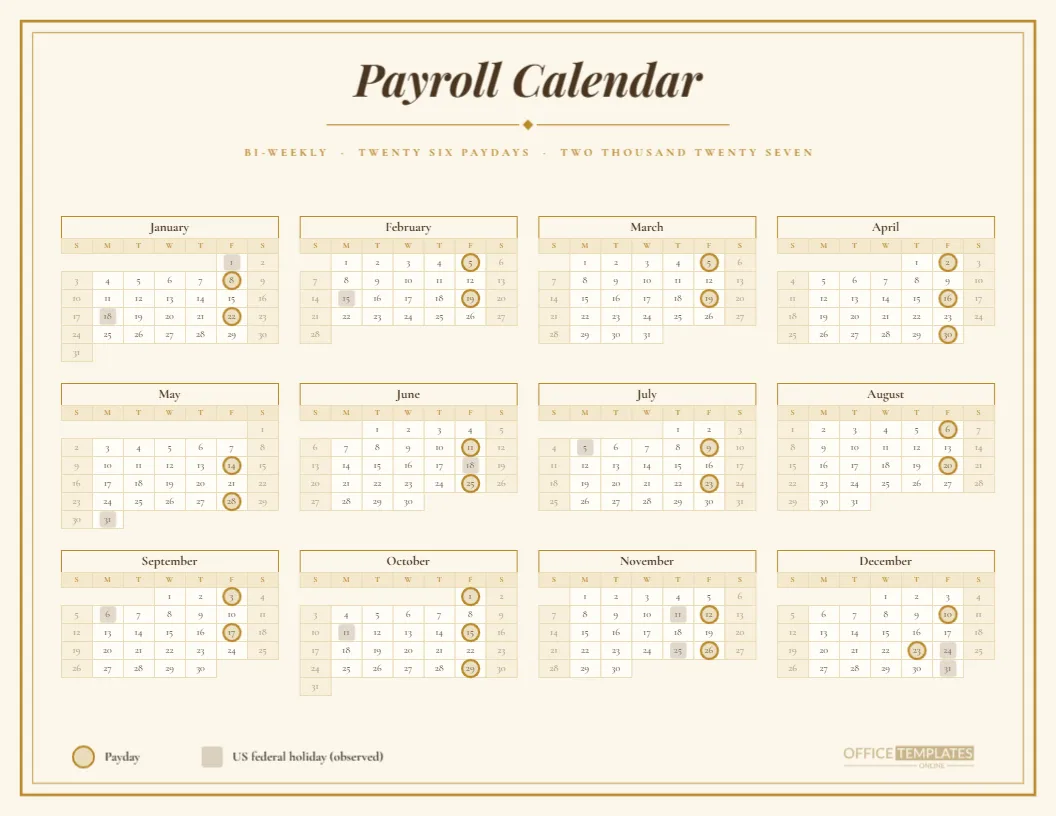
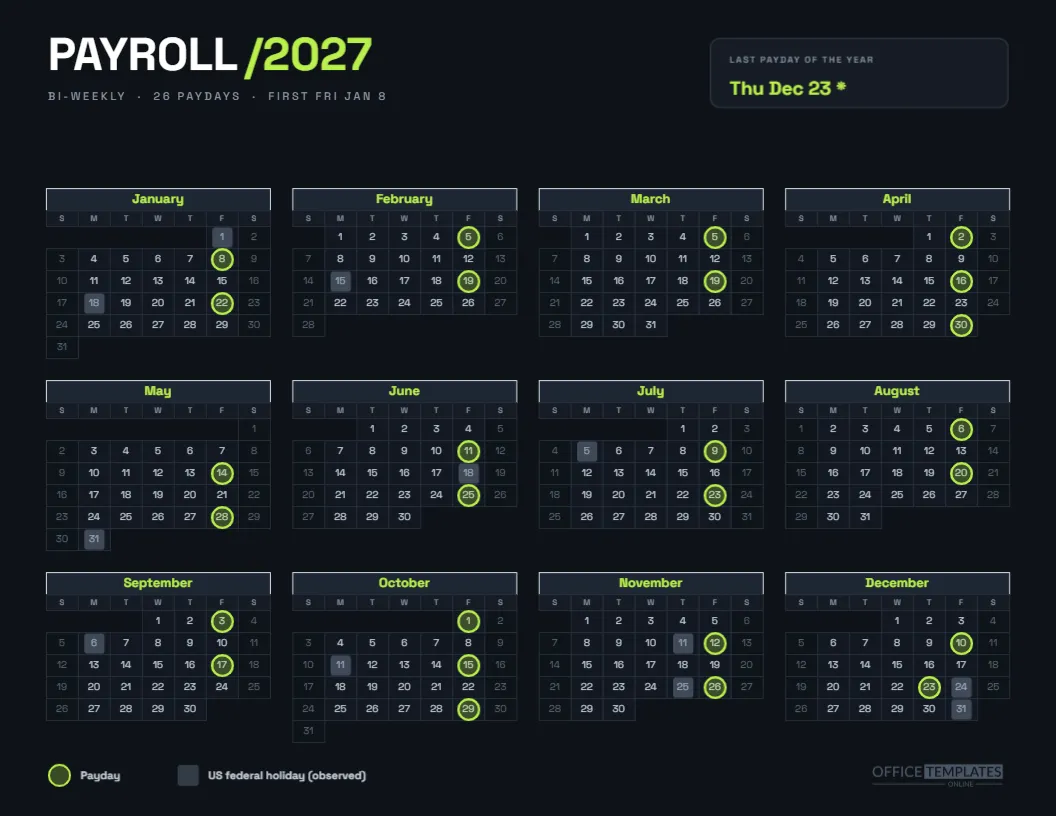
Bi-weekly pay in 2027 starts on January 8 and lands on 26 Fridays. Only one of them, December 24, collides with an observed holiday. The red note at the bottom of the page states it: Fri Dec 24 becomes Thu Dec 23 because Christmas Day, a Saturday, is observed on Friday. The other 25 paydays stay on their Fridays.
Why Show the Rest of the Holidays Then
Holidays that fall on a Monday or Thursday do not move a bi-weekly payday, but they do move the deadlines before it. A timesheet due date on the Monday of Labor Day week needs to slip to Tuesday. By tinting every holiday, the calendar shows the weeks where a processing deadline will be tight.
Reading the Calendar Grid
Three columns of mini months hold the year. Red rings sit on the 26 paydays, and soft blue squares sit on the holidays. Because the bi-weekly pattern repeats every two Fridays, you can see how only one pair, the Christmas one, touches a blue square.
Editing the Holiday List
The list on the right is a real Table object with two columns, date and holiday. Replace the US names with your own list for another country, add a row for company closure days, or delete rows you do not observe. The row heights stay tidy as you edit.
Moving or Deleting the Blue Squares
Blue squares are grouped with the red rings. If your list changes, select the group, enter it, and move or delete squares individually. Keep a printed holiday list nearby while you do this so every change is deliberate.
Employers With Other Payday Patterns
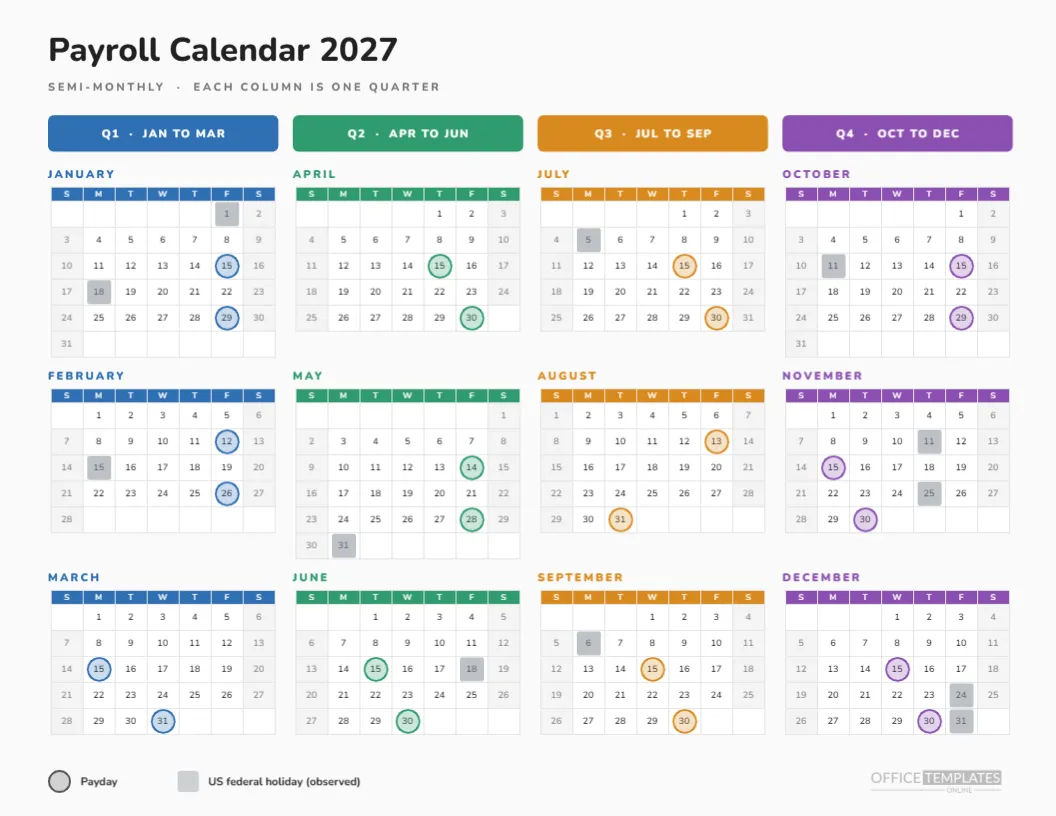
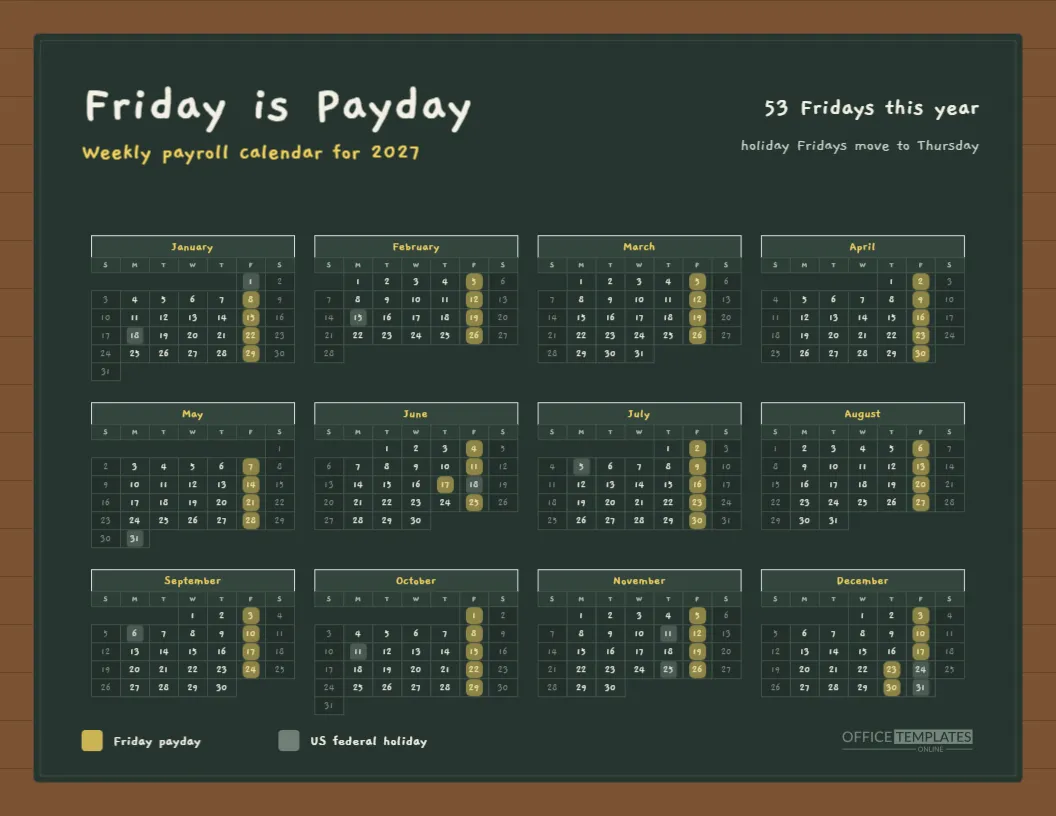
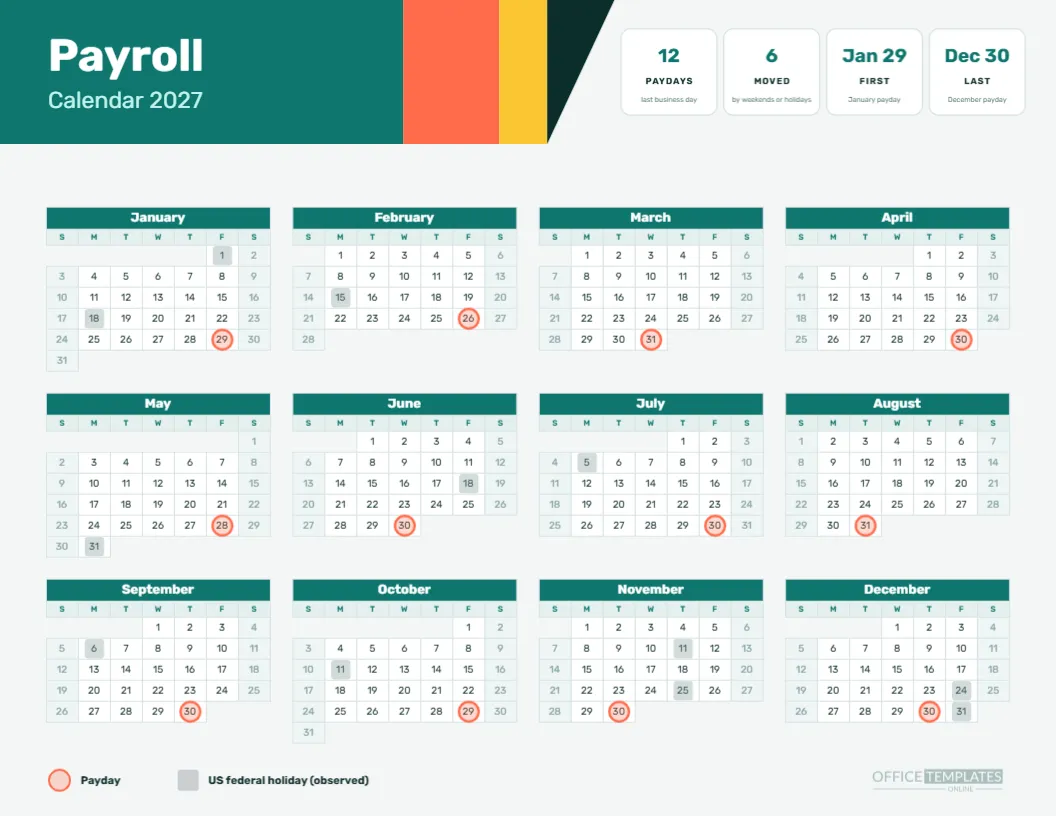
The page uses the bi-weekly schedule, but the same idea works for any pattern. The collection includes semi-monthly and monthly versions with their own adjustments. Choose the one that matches your pattern, and use the holiday table on this page as a source for the squares.
Handling Company Closure Days
Some firms close between Christmas and New Year, which is beyond the federal list. Add those days as extra squares in a lighter tint and add a line in the table. Mark them clearly as closure days, so nobody confuses them with public holidays when planning payroll or processing deadlines.
Printing the Red and Blue Page
Print landscape on Letter, actual size, with background graphics on. The red note panel and the star row are light fills, so the page is not expensive to print. In greyscale, the rings and squares still differ, because the ring is an outline and the square is a solid fill.
Making the Page Work Outside the United States
If you are not in the United States, keep the layout and replace everything about the holiday list. Rename the heading, change the table, and move the squares. The red and blue colours can stay or be swapped for a national palette. The page is a layout for any holiday-adjusted payroll.
Avoiding the Most Common Mistake
The most common mistake is trusting a calendar page over the payroll provider. The provider’s schedule is the one that moves the money, so check the Christmas week most carefully. A thirty-second comparison in early December prevents a late paycheck complaint.
Two Questions People Ask
Will my payroll provider pay on December 23? Many do, but only they can confirm. Does a holiday on a Monday move a Friday payday? No, though it often moves the processing steps before it. Both answers are worth stating in the staff newsletter.
Planning Staffing Around the Holiday Squares
Blue squares also tell managers when the office will be thinly staffed. If a payroll clerk plans leave in the week of Thanksgiving, the calendar shows that the Friday payday follows a Thursday holiday, so the processing work happens earlier in the week. Seeing that in advance helps teams book time off without leaving the payroll run exposed.
Sharing the Page With Employees
A holiday-adjusted page is one of the few payroll documents that employees actually enjoy reading, because it tells them when they will be paid around the days they do not work. Attach the PDF to a December announcement and note the Thursday, December 23 payday in the opening line.
Keeping the Table Aligned With the Calendar
If you edit the holiday table, edit the squares as well, and vice versa. A mismatch between the two is the most common error on a page like this, and it is easy to avoid by changing both in one sitting. Print a draft and tick each holiday on both sides before finalising.