A badge is a different thing from a card
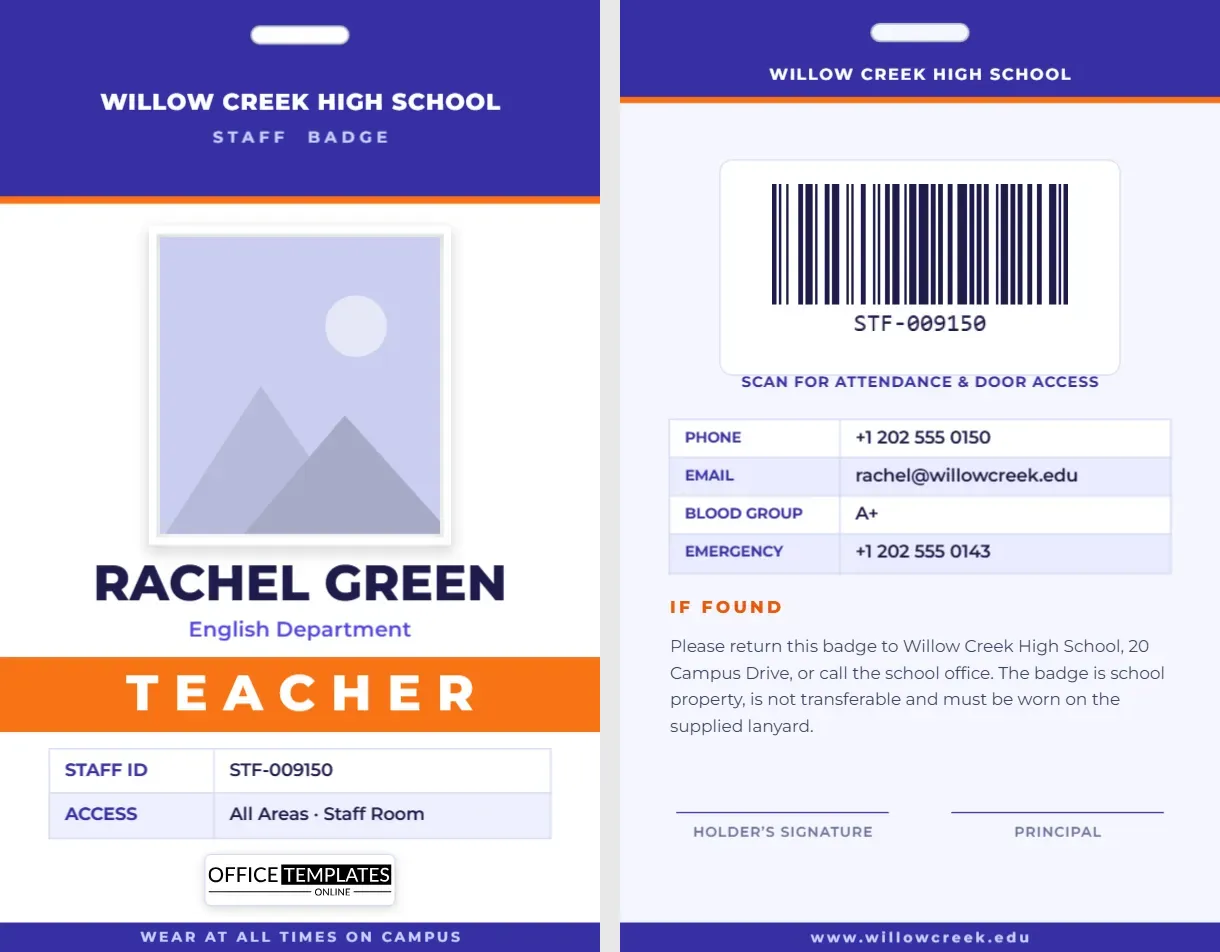
An ID card sits in a wallet and comes out when someone asks. A badge hangs on the chest all day and is read by people who never ask. That changes how it should be designed. The name has to be large, the role has to be obvious at a glance, and the card has to hang the right way up. This teacher staff badge template is designed with those needs in mind: it has a punched lanyard slot at the top, a very large name, a bold colour band for the role, and a barcode on the back for door and attendance readers.
Designed to be read from three metres
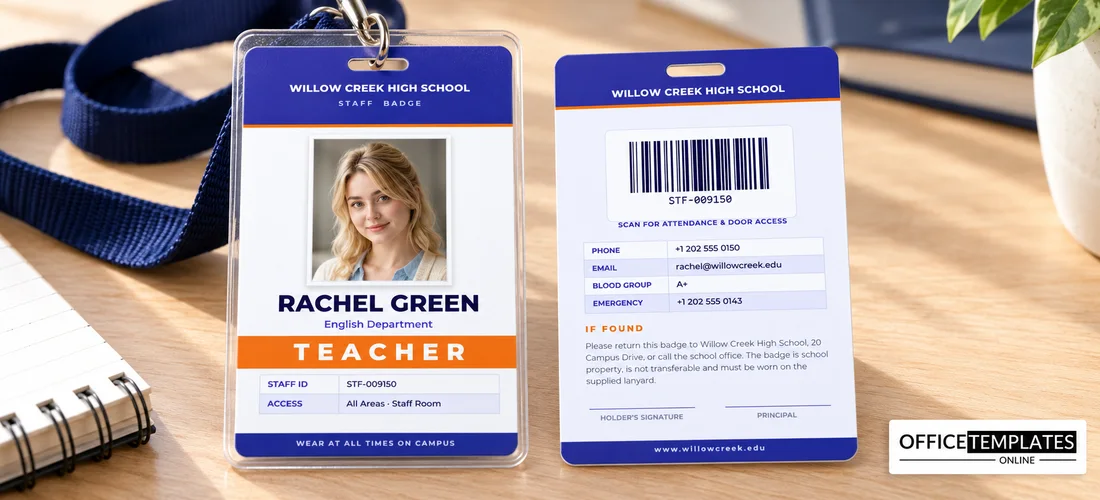
Try this test: hold a card at arm’s length and then step back. If you can still read the name and the job, the design works. This badge sets the name in heavy capitals across nearly the full width of the card and puts the role, Teacher, in white letters on an orange band that runs edge to edge. The indigo header behind the school name and the white space around the photo make the card easy to scan.
The lanyard slot
A small rounded slot appears at the top centre of both sides. It is a marker for where the hole goes: if your printer or print shop punches slots, use it as a guide for the punch; if you prefer a clip or a badge holder, delete the shape. Keep the important content below the slot so that nothing is cut off. The slot is drawn in white with a soft grey outline, so it stays visible on both the indigo header of the front and the paler back.
Front of the badge from top to bottom
- Indigo header. School name in capitals and the words Staff Badge in spaced letters.
- Photo. A tall, white-framed portrait that overlaps the header. It is pattern-filled, so replacing the picture does not change the frame.
- Name. Very large capitals, such as Rachel Green, with the department on a line below.
- Role band. A full-width orange stripe with Teacher in big white letters.
- Table. Staff ID and access areas in a two-row table.
- Logo and footer. A small logo plate and a dark strip reading Wear at all times on campus.
Colour-coding the role band
The orange band does real work. Many schools use a different colour for each type of adult so that a glance tells students and visitors who they are looking at. You might use orange for teachers, green for support staff, blue for visitors and red for contractors. Duplicate the template, change the band colour and the word on it, and you have a complete set of matching badges in minutes.
- Teacher: orange
- Substitute: purple
- Support staff: teal
- Visitor: blue
- Contractor: red
The back: barcode and if-found details
The back uses a pale lavender background. A large barcode on a white plate sits in the middle, captioned Scan for attendance and door access. Under it, a table lists phone, email, blood group, and emergency contact. An If found paragraph explains where to return the badge, and two signature lines and a footer with the school website finish it off. Click the barcode and type the real staff ID so it matches your access system.
Customizing it for your school
- Type your school name in the indigo header.
- Replace the photo with a portrait of the staff member.
- Enter the name and department.
- Change the role word and the colour of the band.
- Update the table, then set the barcode on page 2.
- Rewrite the If found address and download the file.
Lanyards, holders and reels
The badge is 2.125 x 3.375 inches, the standard CR80 size, and works with vertical badge holders, clear sleeves and retractable reels. For lanyards, choose a width of 15 to 20 millimetres and a clip that lets the badge swivel so it can be read from both sides. Breakaway lanyards are safer in schools where staff supervise children. If several staff share a desk, a retractable reel helps them swipe the badge at a reader without taking it off.
Printing tips
Print both sides at 300 dpi and consider laminating a paper badge for a longer life. The orange band and the indigo header use full colour, so choose a good quality stock. If you punch the slot yourself, use a slot punch designed for ID cards; a random hole punch can tear the paper.
Badge questions, answered
Can I use the badge for non-teaching staff?
Yes. Change the word on the band and the colour, and use the same layout for every staff role.
Do I have to keep the slot?
No. Delete it if you use a clip or a badge holder that does not need a hole.
Is the barcode a real, scannable one?
Yes. It is created by the editor’s barcode tool, and you can change its value and format.
Getting the badge right the first time
Because a badge is read from a distance, small mistakes are obvious. Before you print a full set, check three things. First, look at the name in your longest example, such as a double-barrelled surname, and make sure it fits on one line; if not, reduce the size a step or two. Second, view the badge at about a third of its printed size on screen, which is roughly how a colleague sees it across a room. Third, confirm that the colour band still reads clearly when printed, since some office printers shift oranges towards red. A five-minute test print saves a whole batch.
Where a staff badge helps most
- Open-plan schools with several entrances
- Campuses shared by more than one school
- Exam days, when invigilators and visitors mix
- Field trips, where staff must be identified outside the school
- Parents’ evenings, when crowds fill the corridors
A badge that is easy to read protects students and helps staff move around confidently. Open the template, add a name, and print a clear, colour-coded badge today.