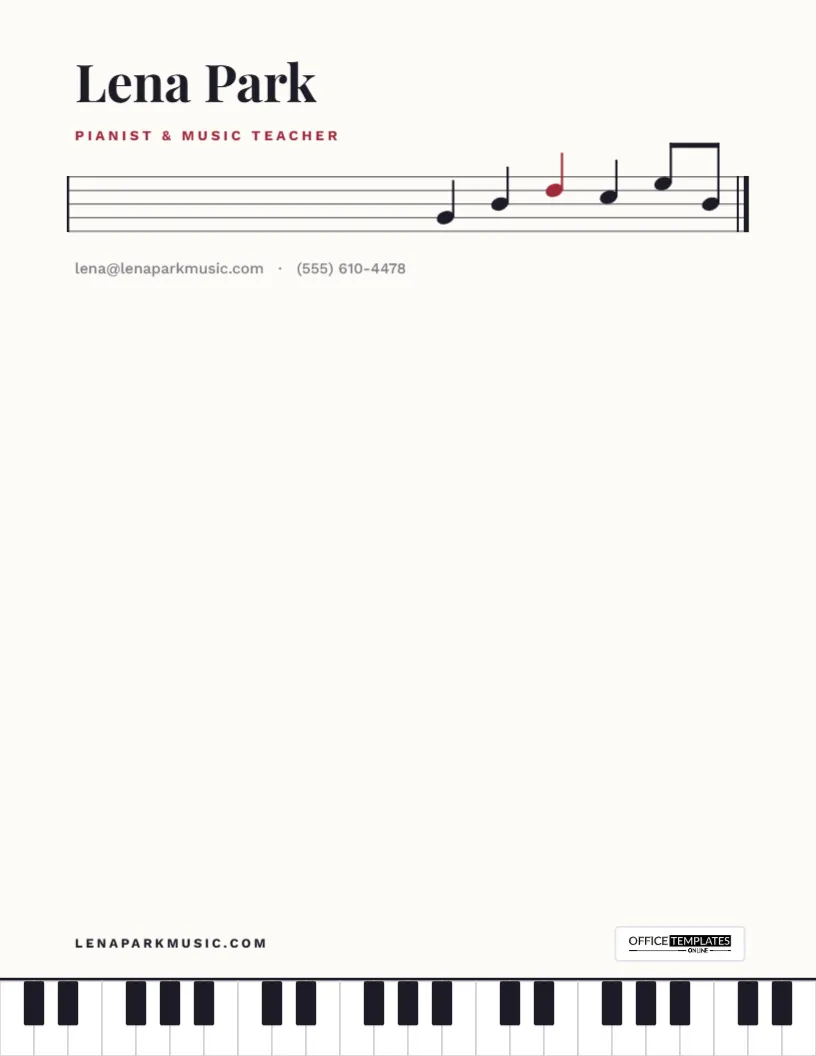
A music studio runs on communication: lesson times, practice expectations, recital dates, term fees, and the occasional encouraging word when a student hits a wall. This Music Teacher Letterhead Template gives all of it a look that could only belong to a musician, with a five-line staff and a short melody across the top of the page and a piano keyboard running along the bottom.
A Staff, a Melody and a Keyboard
The header opens with your name in Playfair Display and Pianist & Music Teacher in deep berry red. Below, a five-line music staff runs across the page, opening with a bar line and closing with a double bar line, the sign for the end of a piece. On the right-hand side of the staff, six notes rise and fall in a short phrase: four quarter notes and a pair of beamed eighth notes, with one note picked out in red. Your email and phone sit just below.
At the foot of the page, a full-width piano keyboard runs from edge to edge: crisp white keys, with black keys in their proper groups of two and three. Your web address and the Office Templates Online logo sit just above the keys. Between the staff and the keyboard, the page is blank, like a fresh sheet of manuscript paper waiting for the next piece.
Letters a Music Studio Sends
Once your details are in, the letterhead becomes the base for the paperwork every studio needs:
- Welcome letters to new students and parents, with lesson day, time, and what to bring.
- Studio policies covering payment, cancellations, make-up lessons and practice expectations.
- Term calendars with lesson dates, holidays and performance events.
- Recital invitations and programs listing performers and pieces.
- Progress reports for parents at the end of each term.
- Exam and audition letters, including recommendations for music schools and ensembles.
- Certificates of achievement for finished method books or passed grades.
Tune It to Your Studio
- Click Lena Park and type your name or your studio’s name.
- Change the red line to your instrument and role: Violin & Viola Teacher, Voice Studio, Guitar Lessons for All Ages.
- Replace the email and phone under the staff and the web address above the keys.
- To change the red accent, click the red title and pick your studio color; to recolor the red note, ungroup the melody first.
- Export the finished letterhead as a PDF for printing or email, or as a PNG or JPG.
The melody and the keyboard are each grouped, so they move as one piece. If you teach an instrument other than piano, you can delete the keyboard; the staff alone still makes an elegant header.
Using It as a Weekly Practice Sheet
Because the page is blank, it doubles as a practice assignment sheet. Try this layout in the open space: the student’s name and the week at the top; a short list of pieces with bar numbers or sections to focus on; one technical exercise, such as a scale or arpeggio with a tempo target; a small grid of days for the student to tick off practice; and a line for a parent’s signature. Print a stack at the start of term and fill one in at the end of each lesson. Students tend to take a sheet that looks like it came from a real studio more seriously, and parents can see at a glance what their child is working on.
Writing a Studio Policy Letter Parents Will Read
Studio policies are the letter most likely to prevent misunderstandings later, and the one most likely to be skimmed. A few ways to make it stick:
- Lead with the good news: what students will learn this term and the dates of any performances.
- Put fees, due dates, and payment methods in a short, clearly labeled paragraph rather than scattered through the letter.
- State the cancellation and make-up policy in one or two plain sentences.
- Say what you expect for practice in minutes per day, adjusted for age and level.
- End with a line asking parents to sign and return a copy, so you know it was read.
One page is enough. If you need more, put the calendar on a second letterhead page.
Printing for Recitals and the Studio Wall
The page is US Letter (8.5 x 11 in), portrait. Print at 100% scale on bright white paper so the black keys stay crisp. The keyboard runs to the bottom edge, so on most printers a thin white margin will appear under it; for recital programs and certificates printed at a copy shop, ask for full-bleed printing so the keys run right to the edge. A card stock of around 65–80 lb cover works well for certificates. For studio letters sent by email, attach the PDF so the layout looks the same on every device.
Questions Teachers Ask
Can I change the notes in the melody?
Click the melody and choose Ungroup to move individual notes up or down the staff, or delete the melody for a plain staff.
Is the keyboard accurate?
Yes. The black keys follow the real pattern of twos and threes across the width of the page.
Does it suit choir directors and band teachers?
Yes. Change the title line to your ensemble role; the staff suits any kind of music teaching.
Can I use it for online lessons?
Yes. Send practice sheets and studio letters as PDFs; students can print them at home or open them on a tablet on the music stand.
Would it work for a music school with several teachers?
It would. Put the school’s name in the name line, list the instruments you teach in the red line, and give each teacher a copy with their own email and phone under the staff.
Can I add my studio logo?
Add an image from the toolbar and place it beside your name, above the staff.
Set the tone for every lesson before the first note is played. Add your details and download your music teacher letterhead.