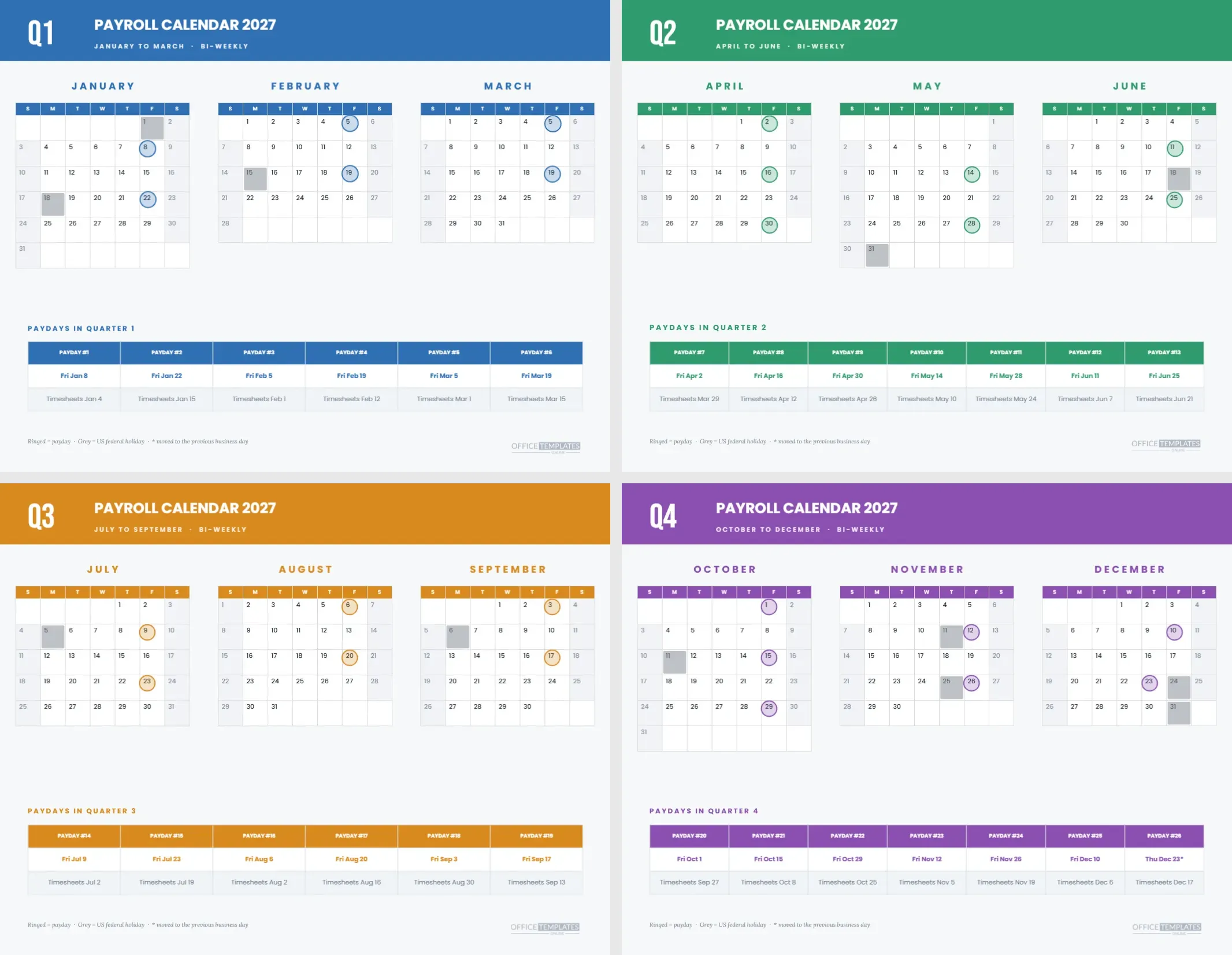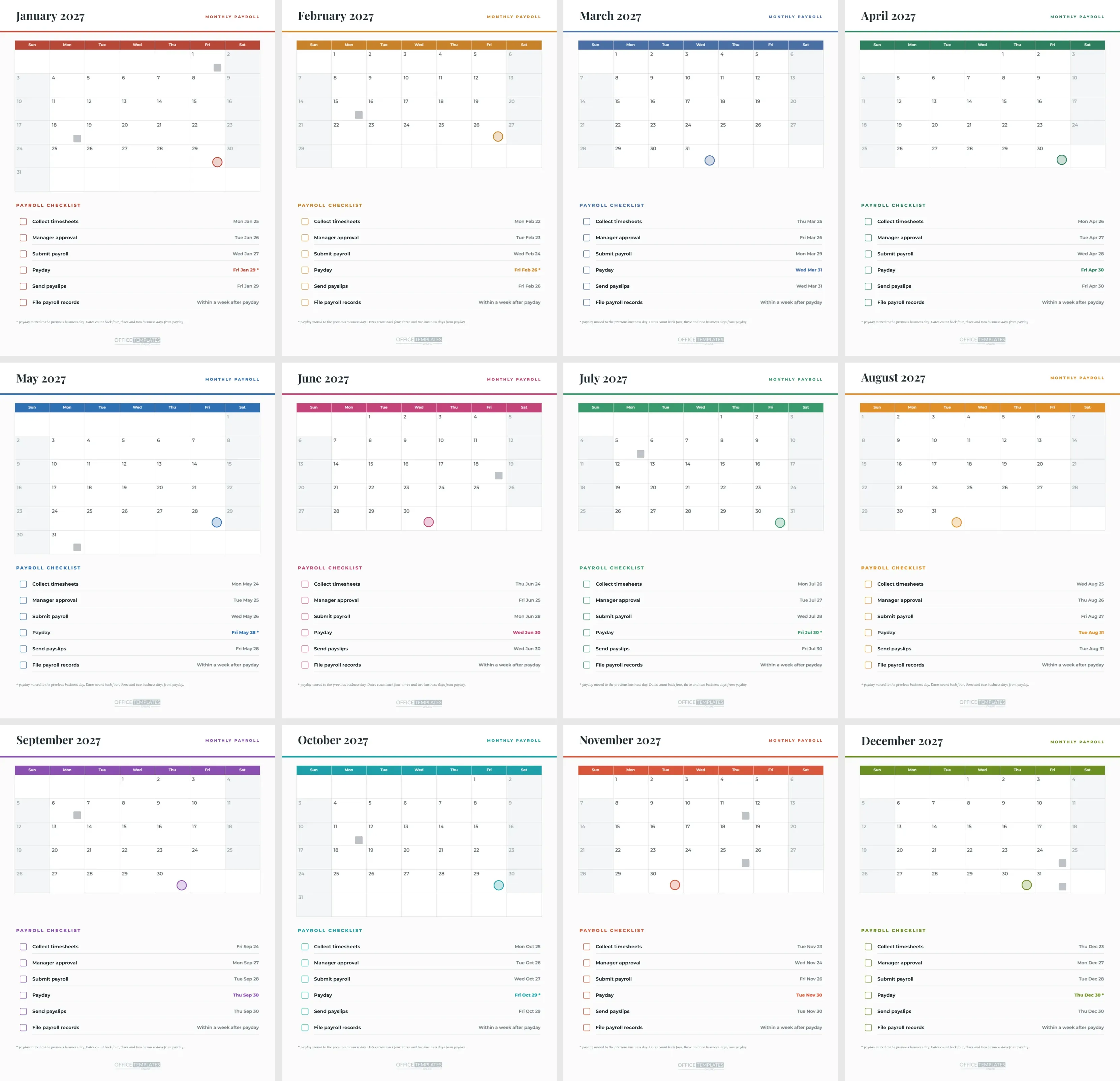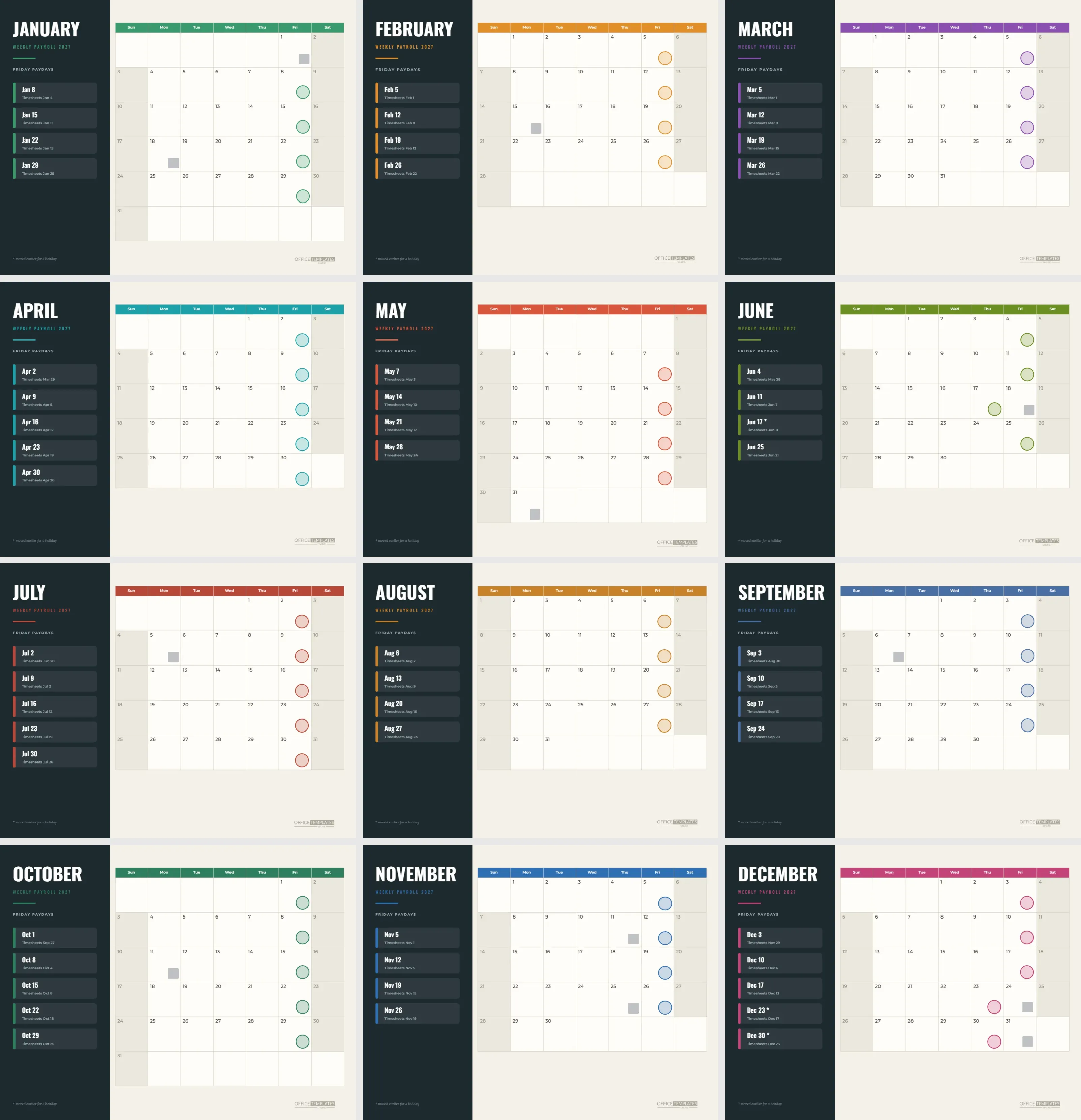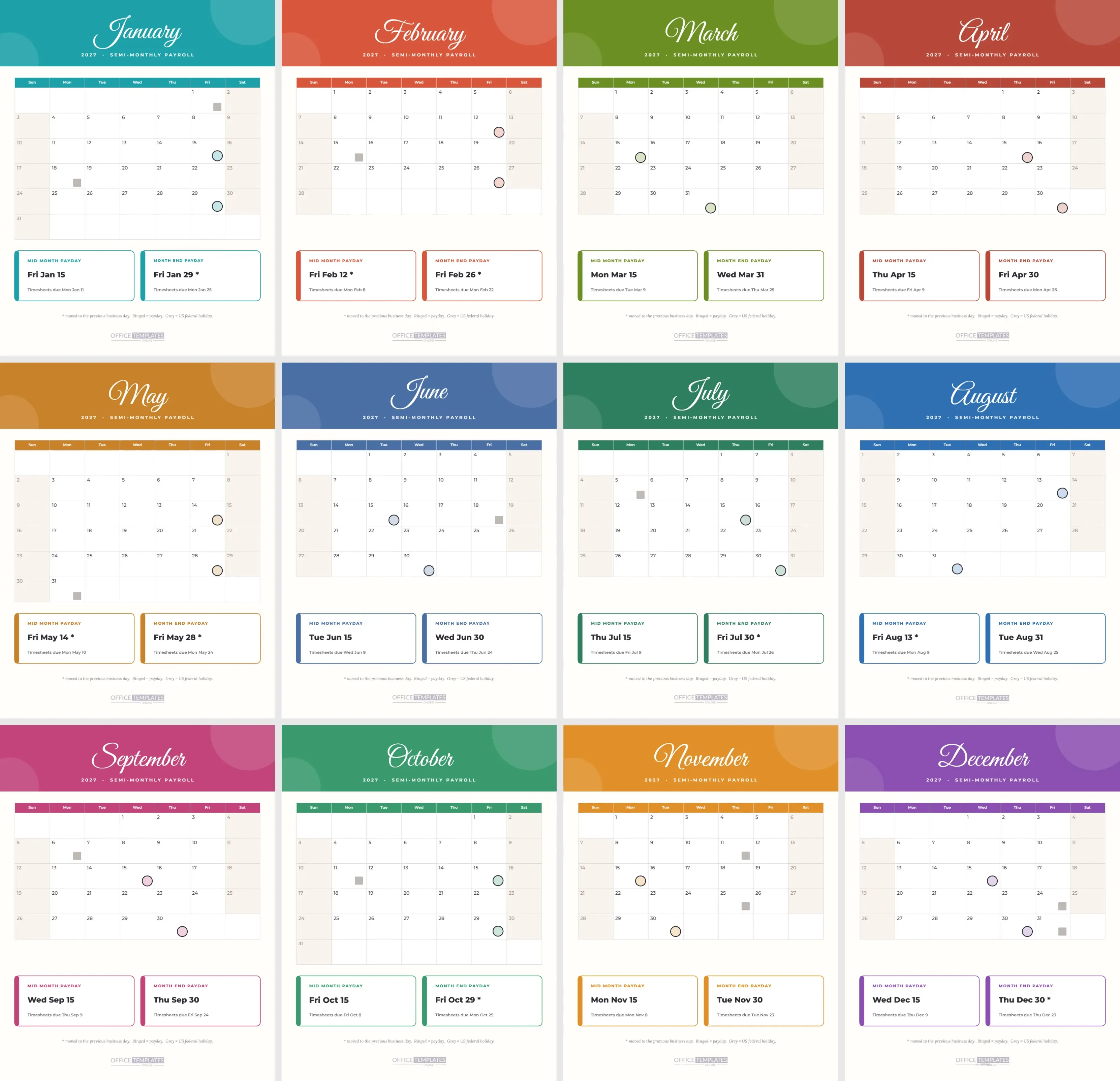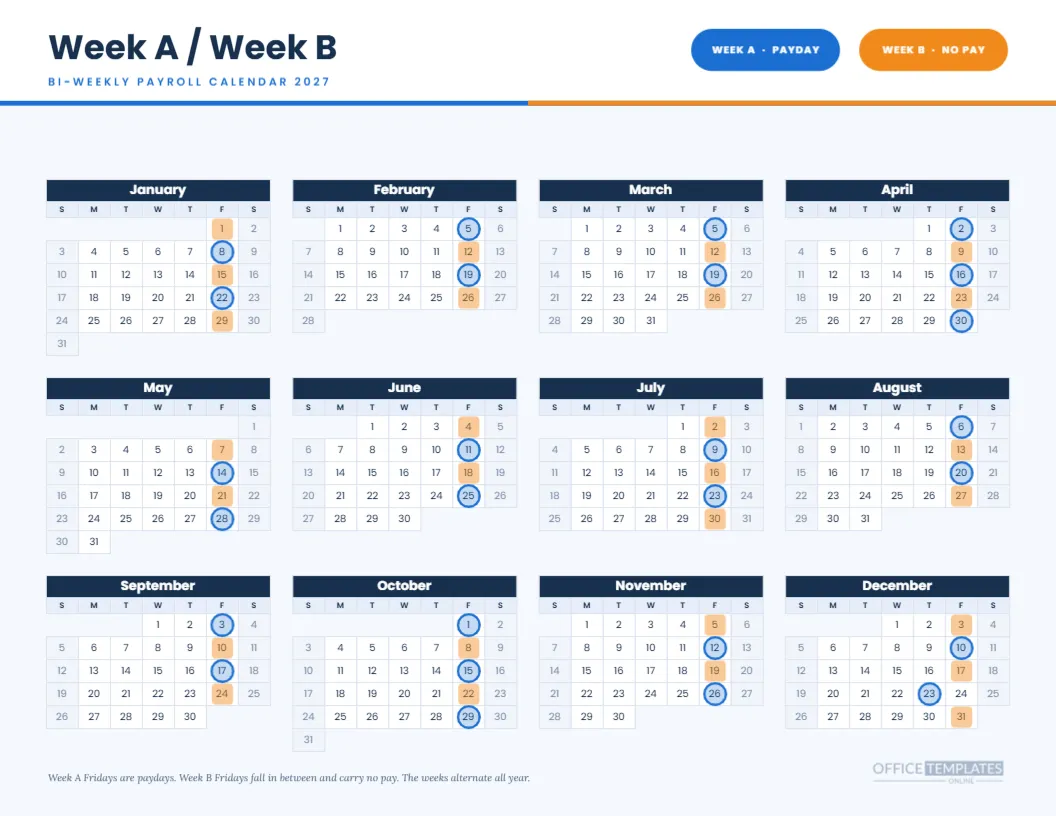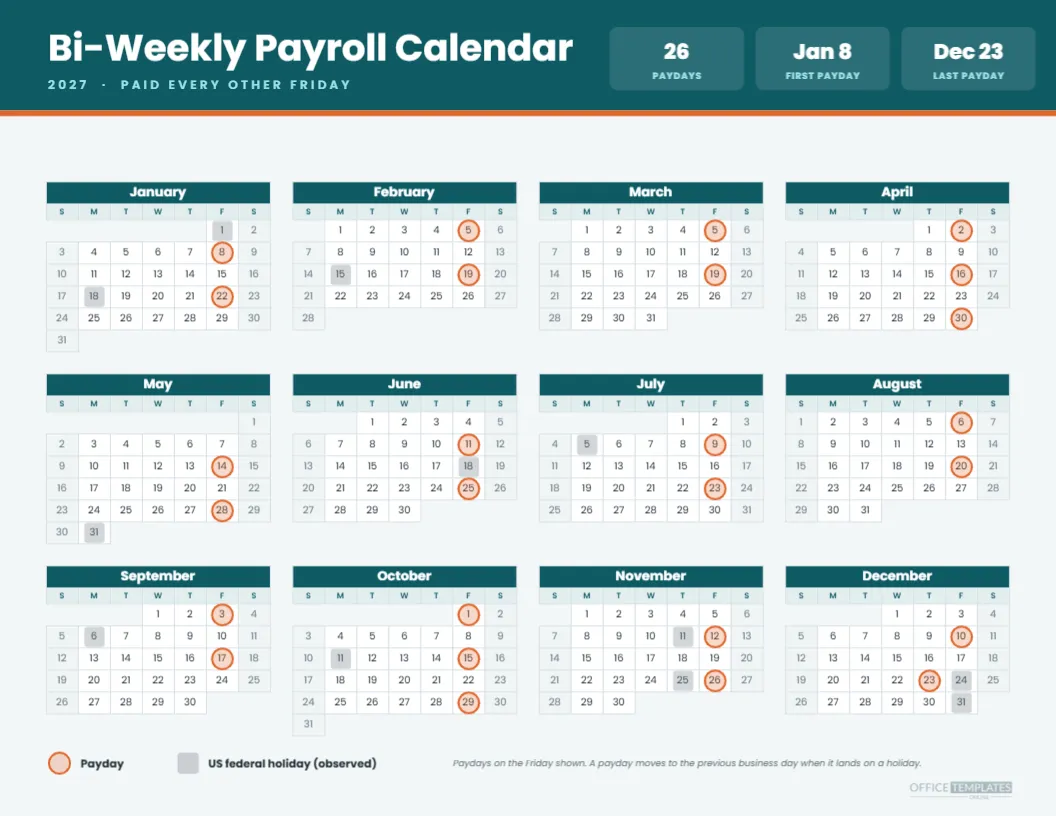
Most employers who pay every two weeks keep the schedule somewhere clumsy: a spreadsheet tab nobody opens, a reminder buried in a calendar app, or a paper list that disappears under other paper. This bi-weekly payroll calendar for 2027 puts the whole year on one landscape page. A teal header carries the title and three small figures, and beneath it, twelve mini months show every payday ringed in orange so the rhythm of the year is visible in a single glance.
What You See on the Bi-Weekly Page
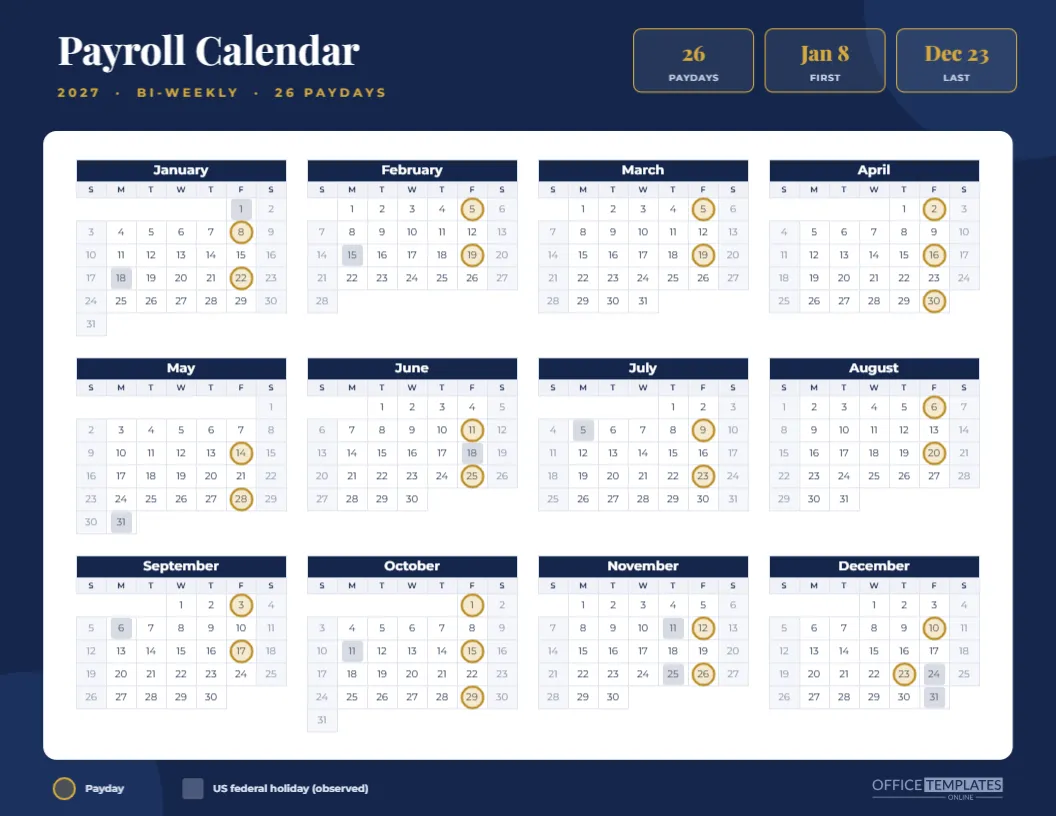
The page is letter-sized, 11 by 8.5 inches. The teal band at the top holds the heading, a short line saying paid every other Friday, and three tiles reading 26 paydays, Jan 8 for the first payday and Dec 23 for the last. Under the band sits one Full Year calendar in four columns, with orange rings on payday cells and soft grey squares on holiday cells. A legend and a one-line note sit at the foot.
Why the First Payday Is January 8
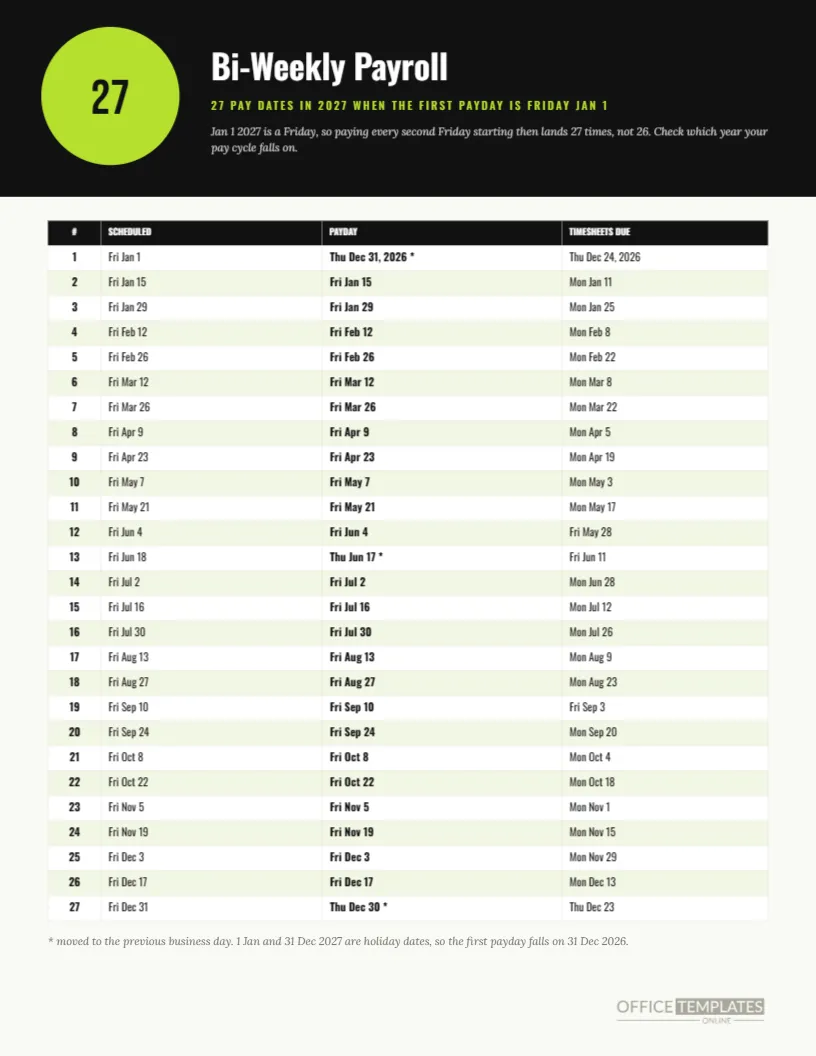
January 1, 2027 is a Friday, and it is also New Year’s Day. Starting a bi-weekly cycle on that date would push the first payday back into 2026, so this version begins on the next Friday, January 8. Counting every second Friday from there gives 26 paydays, ending in December. If your company really started its cycle on January 1, the 27 pay date version in this set is the one you want.
The Twenty-Six Dates in Order
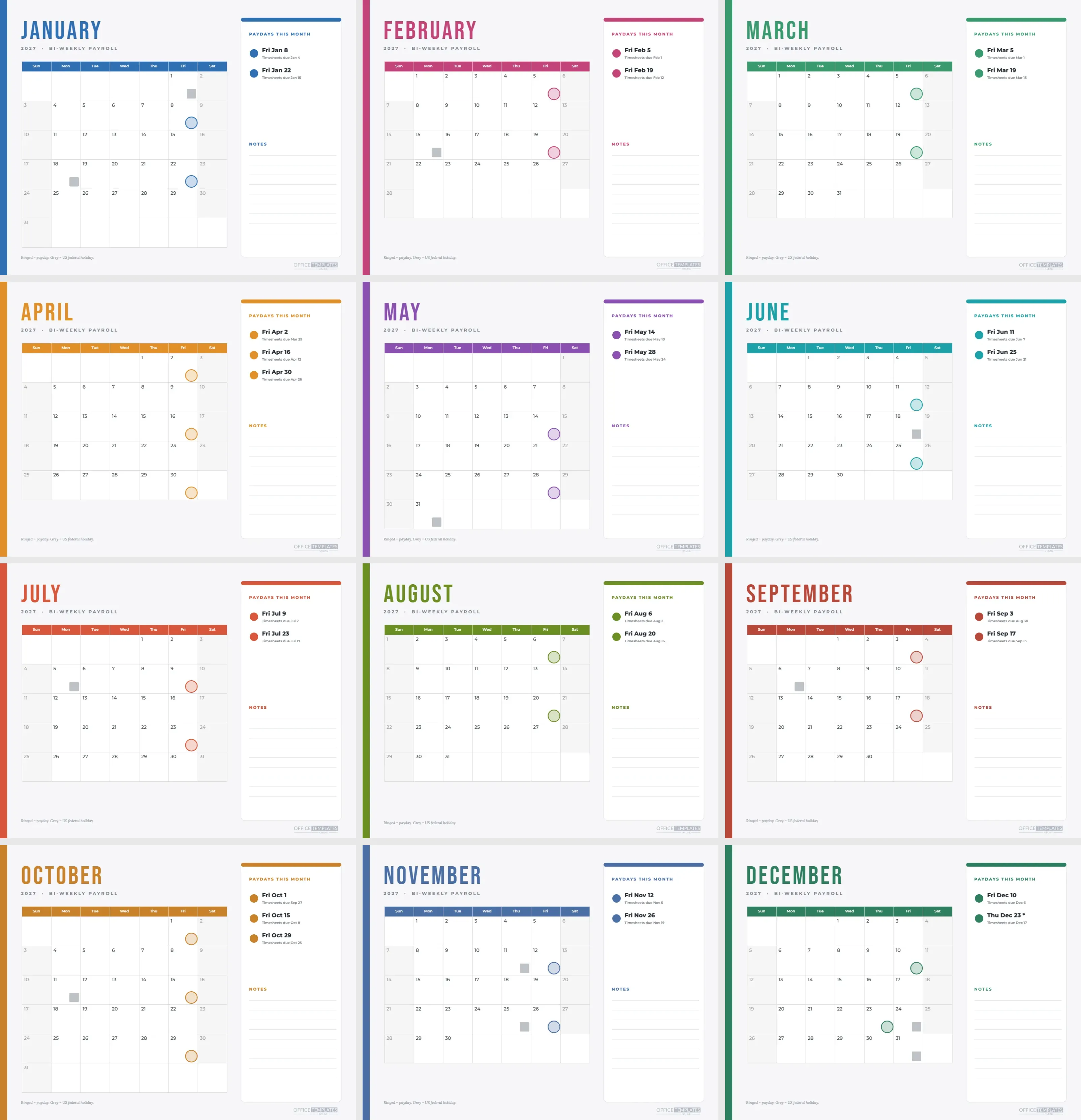
The paydays fall on Jan 8, Jan 22, Feb 5, Feb 19, Mar 5, Mar 19, Apr 2, Apr 16, Apr 30, May 14, May 28, Jun 11, Jun 25, Jul 9, Jul 23, Aug 6, Aug 20, Sep 3, Sep 17, Oct 1, Oct 15, Oct 29, Nov 12, Nov 26, Dec 10 and Dec 23. All but the last are plain Fridays, and the dates were calculated by program rather than typed, so a slip in one month cannot carry through the rest.
The One Payday That Moves
Christmas Day lands on a Saturday in 2027, so the observed federal holiday is Friday, December 24. The scheduled payday for that Friday would fall on a day many banks and payroll providers treat as closed, so the calendar shows the payday on Thursday, December 23. The ring sits on the 23rd. The rule behind it is simple: when a scheduled payday is a weekend or an observed federal holiday, pay on the previous business day.
Months With Three Paydays
Bi-weekly pay gives most months two paydays and two months in 2027 a third. April has the 2nd, 16th and 30th, and October has the 1st, 15th and 29th. Those two months matter for budgeting, because a salaried person paid every two weeks receives a larger share of their annual pay in them, and an employer sees a heavier cash outflow. The ringed cells make the pattern easy to spot.
Reading the Holiday Squares
Grey squares mark the observed federal holidays: January 1, January 18, February 15, May 31, June 18, July 5, September 6, October 11, November 11, November 25, December 24 and December 31. Not every business closes on each of them, and the list is a reference rather than a rule. Delete or ignore squares that do not apply to your workplace.
Who Gets the Most From This Layout
Bookkeepers, small business owners, and HR coordinators who run payroll themselves tend to benefit most, because they are the people who must remember the dates. It also suits team leads who need to tell staff when a paycheck will arrive, and employees who want to line up rent or bill dates with their own income.
Editing the Calendar Object
The twelve mini months are one Calendar object from the editor. Open Calendar Options to change the year, switch the week start to Monday, or adjust colours. The ring markers are separate shapes grouped together over the calendar, so they do not follow the dates automatically. If you change the year, ungroup or move the markers to the new payday cells.
Moving the Markers After a Change
Click any ring and the whole marker group is selected. Drag it as one unit if the calendar shifts, or open the group to nudge individual rings. A quick way to check your work is to print a draft and hold it next to the payroll schedule from your payroll provider, because the provider’s dates are the ones that count.
Changing the Pay Pattern Itself
Paying on a different weekday or starting from another date means the marker positions need replacing. Delete the rings, then draw new circles over your paydays, or open one of the other templates in this collection that already matches your pattern. Weekly, semi-monthly, and monthly versions each have their own calendar.
Colours and Fonts Used
The page uses Poppins throughout. Teal marks the month headers, soft blue-grey shades the day name row and weekends, and orange is kept for paydays only so the eye finds them first. Because every colour is an editable fill, matching your company palette takes a few clicks.
Printing Advice for This Page
Print in landscape on Letter paper at actual size, with background graphics turned on so the teal band prints. The numbers are small, around ten pixels in the Calendar object, so avoid scaling the page below 100 percent. For a break room wall, a print shop can enlarge it to tabloid size cleanly because the content is vector.
A Sample Week in the Payroll Cycle
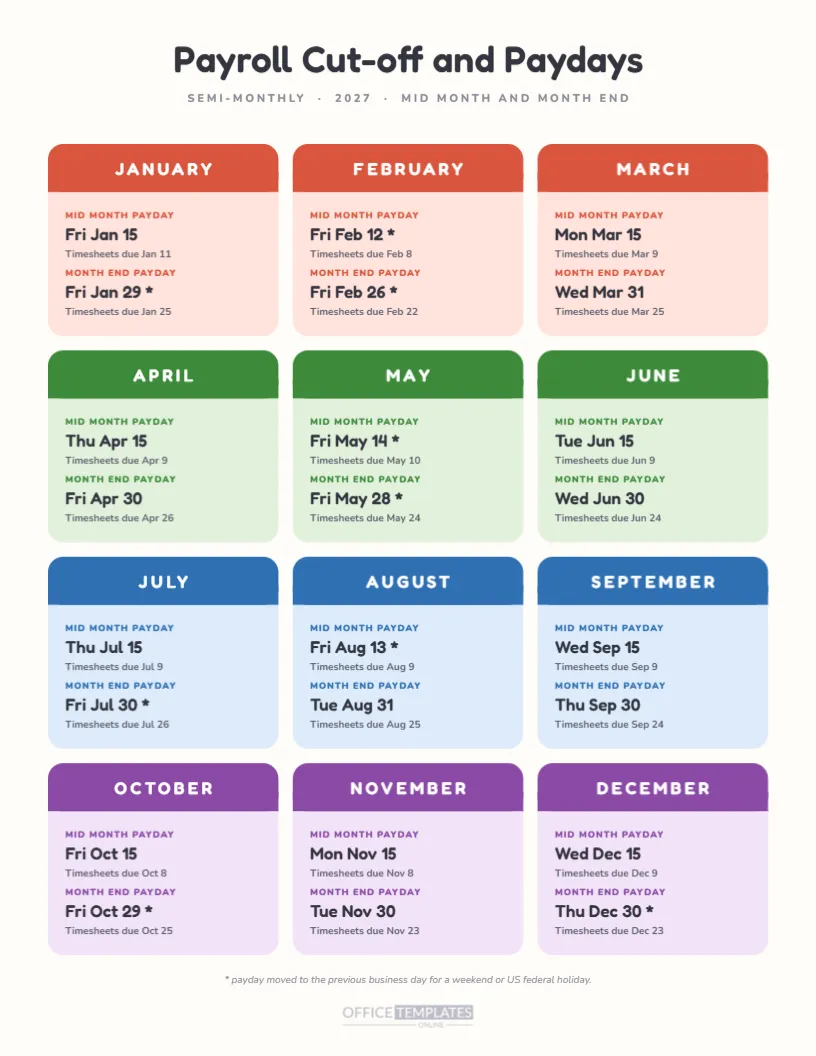
With a Friday payday, a typical bi-weekly cycle has employees submit hours by Monday, managers approve by Tuesday, payroll submit on Wednesday, and money move on Thursday or Friday. This template does not draw those steps, but the companion deadline template in this collection does, and both pages share the same payday dates.
Keeping Staff Informed
Printing the page and pinning it where people pass answers most payday questions before anyone asks. It is also a neutral document to attach when a new hire wants to know when the first paycheck arrives. Add your company name in the header if you share it outside the team.
Honest Limits of a Calendar Page
A printed calendar shows dates, not amounts, and it does not know about your bank’s cut-off times, local holidays, or contract terms. Payroll rules also differ by country and state. Treat the dates as a planning aid, and confirm them with your payroll provider before telling employees something firm.
Frequently Asked Questions About the 2027 Bi-Weekly Page
Can I use it for a company that pays on Thursdays? Yes, but you will need to move the rings by one cell each. Does it include state holidays? No, only US federal holidays are marked. Does the first payday of the year ever fall in 2026? Not on this version. Is the file editable? Every text and shape is editable in the online editor.
Pairing It With the Other Payroll Pages
Use this page as the year overview, then add a pay period table for the detail and a checklist for each run. The three together replace the folder of loose notes that many small payroll teams keep. Download the finished page as a PDF or an image once your edits are done.