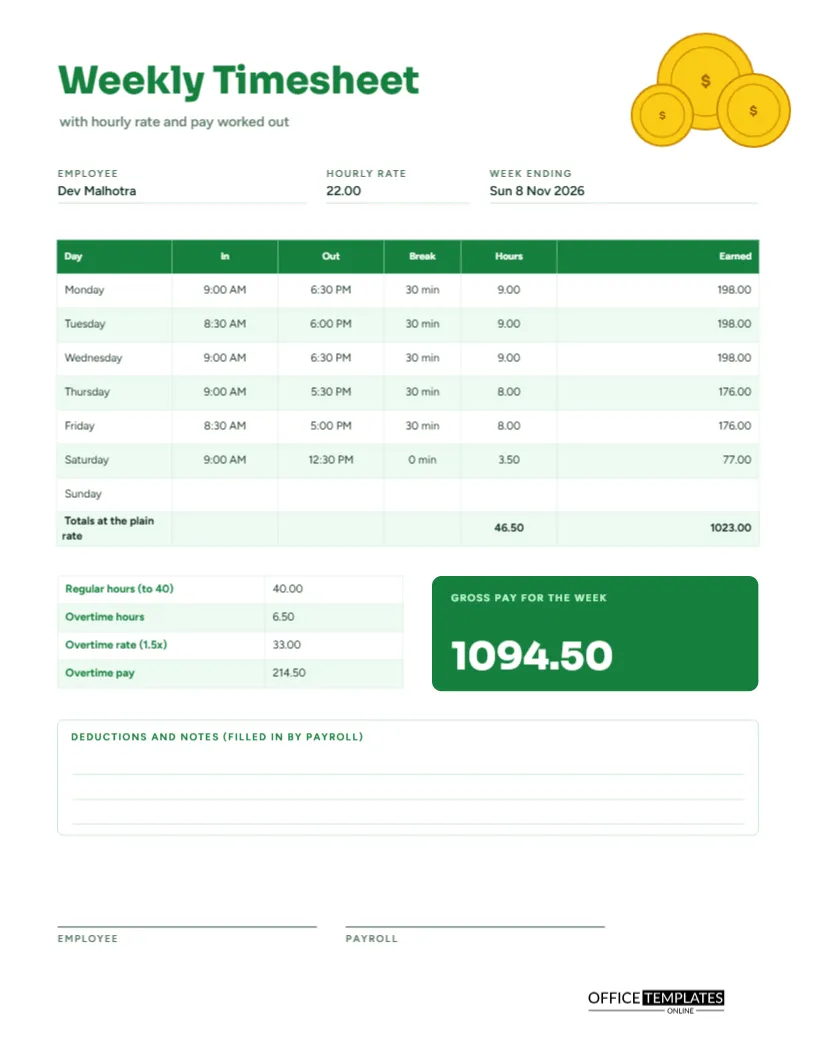
Employees like to know what they will be paid before payday, and employers like to catch errors before money moves. A timesheet that shows the pay beside the hours does both. This US Letter page lists each day’s start, finish, break, and hours, works out what each day earned at the hourly rate, then separates the first forty hours from overtime and ends with a bold figure for gross pay.
Gold Coins Along the Top Corner
Three gold coins, each marked with a dollar sign, sit in the top right corner at different sizes, overlapping slightly. The title Weekly Timesheet appears in heavy green Sora, with the line with hourly rate and pay worked out beneath it. The green and gold palette says money at once, and it keeps the page cheerful rather than severe. Figtree carries all the smaller text.
Three Fields That Drive the Math
The top of the page asks for the employee name, the hourly rate, and the week ending date. The sample worker is Dev Malhotra, paid 22.00 an hour, for the week ending Sunday 8 November 2026. Everything below depends on the rate, so it sits near the top where it is easy to check.
A Table That Shows Earnings Daily
| Day | In and out | Hours | Earned at 22.00 |
|---|---|---|---|
| Monday | 9:00 AM to 6:30 PM | 9.00 | 198.00 |
| Tuesday | 8:30 AM to 6:00 PM | 9.00 | 198.00 |
| Wednesday | 9:00 AM to 6:30 PM | 9.00 | 198.00 |
| Thursday | 9:00 AM to 5:30 PM | 8.00 | 176.00 |
| Friday | 8:30 AM to 5:00 PM | 8.00 | 176.00 |
| Saturday | 9:00 AM to 12:30 PM | 3.50 | 77.00 |
A thirty-minute break is taken off on the five longer days. The bottom row adds everything at the plain rate: 46.50 hours and 1023.00.
Why Show the Plain Rate Total
The last table row, called Totals at the plain rate, is useful because it shows what the week would pay if no overtime premium applied. The difference between that figure and the real gross pay is the value of overtime, and seeing it helps both sides understand the effect of extra hours.
The Overtime Block
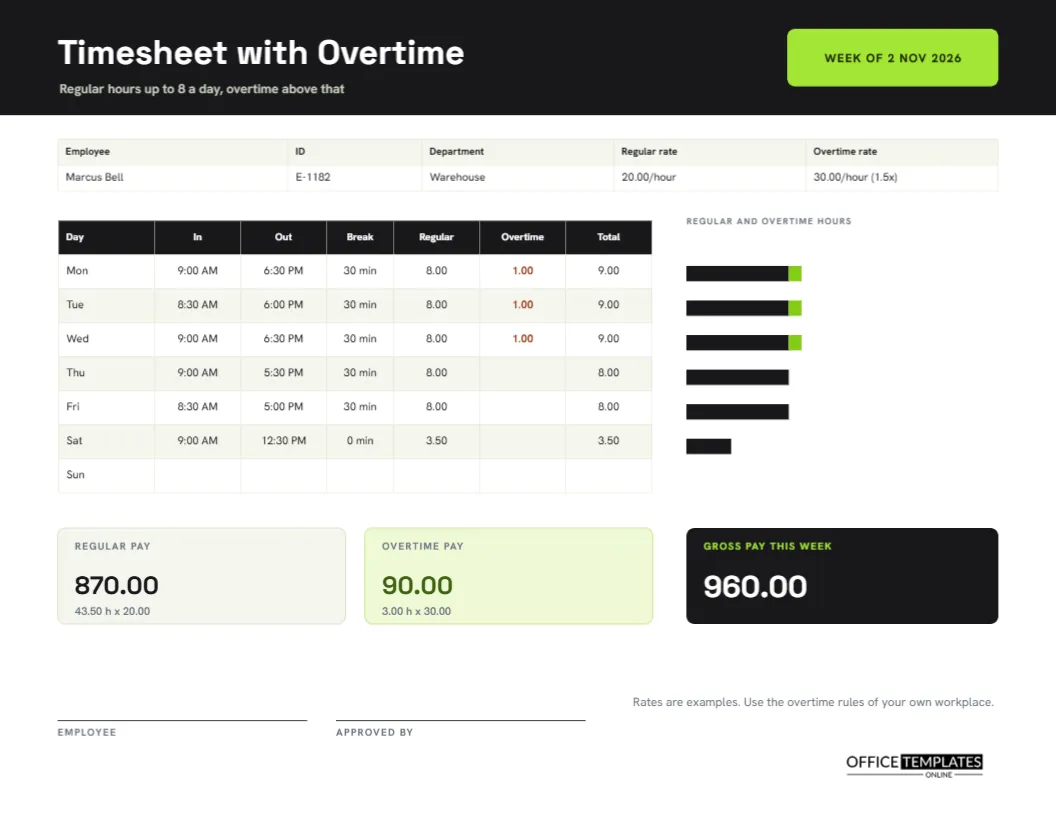
A small table on the left lists regular hours up to forty, overtime hours, the overtime rate at one and a half times, and the overtime pay. In the sample, regular hours are 40.00, overtime is 6.50 hours, the overtime rate is 33.00, and the overtime pay is 214.50. This weekly rule differs from the daily rule on the overtime timesheet, so choose the page that matches your workplace.
The Gross Pay Tile
A green tile on the right displays the gross pay in white numerals: 1094.50. That is forty hours at 22.00, which is 880.00, plus 214.50 of overtime. Gross pay is the amount before taxes and deductions. The page leaves room below for payroll to record those separately.
Working Through the Pay by Hand
- Add the daily hours to get the weekly total.
- Take the first forty hours as regular and the rest as overtime.
- Multiply regular hours by the rate.
- Multiply overtime hours by the rate and by 1.5.
- Add the two amounts for gross pay.
Deductions and Notes for Payroll
A large box with ruled lines is labelled Deductions and notes, filled in by payroll. It gives a place to record tax, insurance, advances, and corrections. The employee fills in the top half and payroll completes the bottom, so one page tells the whole story from hours to take-home pay.
Keeping the Rate Private When Needed
In some workplaces, a rate is sensitive. If the page might be seen by others, delete the rate field and the earnings column and use the page for hours only. Alternatively, print the pay calculation on a separate copy for payroll and keep the other copy simple for supervisors.
Editing for Another Currency or Rule
All numbers are typed text, so you can change the currency, rate, overtime multiplier, or the weekly limit. Retype the labels in the overtime block, for example, overtime after 38 hours, and update the sample numbers. Table cells can be recoloured to match your payroll team’s style.
Signing Off and Passing to Payroll
Employee and payroll signature lines sit at the foot. The employee signs first, confirming the hours and the rate, and payroll signs after entering the pay. Keep a copy for the employee, because a clear record of how pay was worked out is the best answer to any later question.
Printing the Pay Calculation Sheet
US Letter portrait at actual size. The green tile and coins print best in colour, and in black and white they turn grey but remain readable.
Explaining the Pay Figures to a New Employee
A new starter often sees their first gross pay and wonders how it was reached. Walk through the sheet together: daily hours, the rate, the point where overtime begins, and the final total. Because every step is printed, the explanation takes a minute and builds trust. It also shows that pay is calculated from a visible rule, not decided by guesswork.
Correcting Mistakes on a Pay Calculation Sheet
If an error is found after signing, do not scribble over the figures. Strike through the wrong number with one line, write the right one beside it, initial and date the change, and note the reason in the payroll box. The page then shows both the mistake and the fix, which is what an auditor or a curious employee would want to see.
Using the Pay Calculation Sheet for Budget Forecasts
Several finished sheets, kept side by side, show how overtime changes the weekly cost of a worker. Add the gross pay tiles for a month and compare them with your labour budget. If overtime keeps appearing, you can decide whether to hire, reschedule, or accept the cost, with real numbers instead of guesses.
Pay Calculation Questions
Does it handle double time?
Not by default. Add a row to the overtime block for double time hours and rate.
Is gross pay the same as take-home pay?
No. Gross pay is before taxes and other deductions. Payroll records the deductions in the bottom box.
Can I use it for a salaried worker?
Only to track hours. Delete the rate and pay fields if they do not apply.