Most of us take thousands of photos a year and look at almost none of them again. This Our Year in Photos Collage Template fixes that with one simple rule: one picture per month. It is laid out like a page torn from a wall calendar, spiral binding and all, with twelve polaroids in a neat grid, each tagged with its month. By the time you’ve filled it in, you have the whole year on one wall.
A Wall Calendar With Photos Instead of Dates
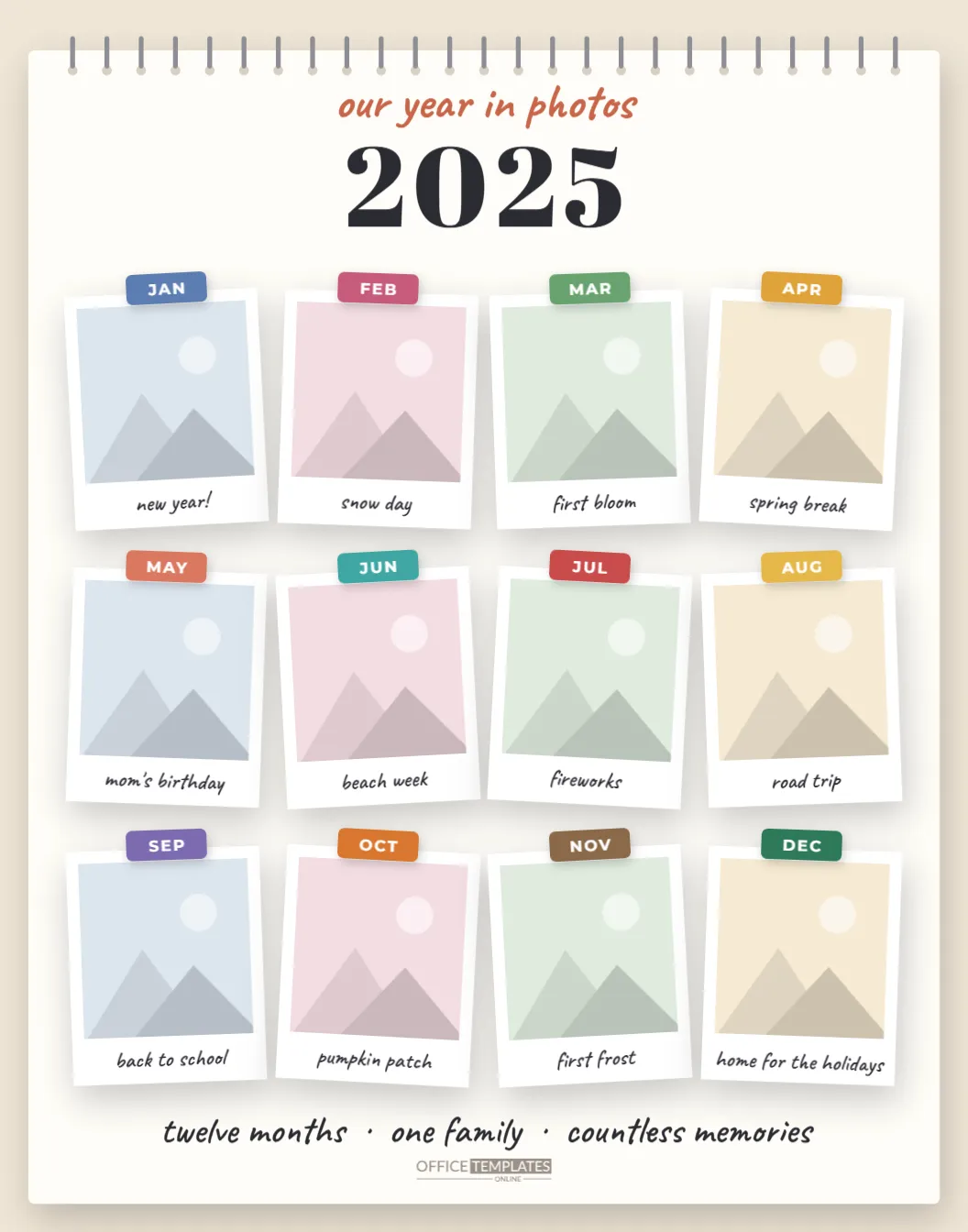
The design is a white calendar sheet on a warm oatmeal background, with a row of spiral rings along its top edge, the kind that holds a desk or wall calendar together. Under the rings, “our year in photos” is handwritten in terracotta above a bold 2025 in Abril Fatface.
Below, twelve polaroid-style frames sit in four columns and three rows, each tilted a degree or two, so the grid feels handmade rather than rigid. Instead of tape, each polaroid has a small colored month tab at the top, from a slate blue JAN through to an evergreen DEC, every month in its own color. Each frame has a handwritten caption, and the page ends with “twelve months · one family · countless memories” and a small Office Templates Online mark.
Picking Twelve Photos Without the Stress
Choosing twelve photos from a year sounds easy until you open your camera roll. A few rules that make it quicker:
- Go month by month. Scroll to each month, pick your three favorites, then choose one. Twelve small decisions are easier than one big one.
- Favor people over places. In a few years, the faces will matter more than the scenery.
- Allow ordinary moments. A Tuesday breakfast can say more about a year than a vacation.
- Mix wide and close. Alternate group photos with close-ups so the grid has rhythm.
- Accept the gaps. If March was a blur, use the one photo you have. The captions can do the explaining.
A Month-by-Month Photo Checklist
If you’re planning for next year, here are ideas for what to capture each month. The sample captions on the template follow a similar pattern.
| Month | Photo ideas |
|---|---|
| January | New Year’s Eve, a first walk of the year, resolutions on the fridge |
| February | Snow day, Valentine’s crafts, a cozy weekend inside |
| March | First flowers, muddy boots, spring cleaning |
| April | Spring break, an egg hunt, planting the garden |
| May | Mother’s Day, end-of-school events, a picnic |
| June | Beach week, graduations, the first ice cream of summer |
| July | Fireworks, the pool, a backyard barbecue |
| August | Road trip, a county fair, the last lazy days |
| September | Back to school, apple picking, a first-day sign |
| October | Pumpkin patch, costumes, fall leaves |
| November | First frost, a family dinner, a crackling fire |
| December | Decorating, cookie baking, home for the holidays |
Captions That Will Still Make Sense in Ten Years
Each polaroid has room for a short handwritten caption, and it is worth spending a minute on them. Captions that feel obvious today, like the trip, become a mystery surprisingly fast. A good caption answers one of three questions: where was this, what was happening, or who is in it. Lake Tahoe with the cousins is better than vacation; Leo’s first haircut is better than haircut day. Keep each one to three or four words so it fits the handwritten line, and add ages or names when the photo includes children, since they change so quickly from one year to the next. If a month has a family joke attached, put that in: it will make you laugh every time you walk past.
Filling In the Calendar Page
- Open the template and click the January polaroid. Choose Replace Image and upload your photo; the frame keeps its size, and the picture is cropped to fit.
- Work through the rest of the months the same way.
- Click each handwritten caption and describe the moment in a few words.
- Change 2025 to your year, and edit the line at the bottom if you want a family name or motto.
- Download the collage as a PDF for printing, or as a PNG or JPG.
Each month tab is a small group of a colored label and text, so you can recolor a tab or rename it, for example, to WK 1 for a weekly collage instead.
Where to Hang a Year
At 11 x 14 inches in portrait orientation, the collage fits standard 11 x 14 frames, including those with a mat cut for an 8 x 10 opening if you prefer a smaller print. It makes a lovely hallway or kitchen piece, a gift for grandparents in January, or the first page of a family album. Many families make one every year and hang them in a row, so the collection grows with the kids.
For printing, send the PDF to a photo lab or print shop and ask for an 11 x 14 print on matte or luster photo paper; twelve small photos look much better on photo paper than on office paper. Print at 100% scale. If you print at home on a large-format printer, use a heavy matte stock.
Answers About the 12-Month Layout
Can I use more than one photo for a month?
The grid holds twelve photos, one per month. For a busy month, make a small collage in another app first and upload it as a single image.
Can I start from a month other than January?
Yes. Rename the month tabs to follow a school year (September to August) or the twelve months since a baby’s birth.
Can I change the colors of the month tabs?
Ungroup a tab and click its label to pick a new color.
Will it print clearly at a smaller size?
It is designed for 11 x 14 inches. Printing at 8 x 10 works, but the captions become quite small.
A year goes by fast. Catch it on one page: pick your twelve favorite moments, fill in the calendar, and hang your year where you’ll see it every day.