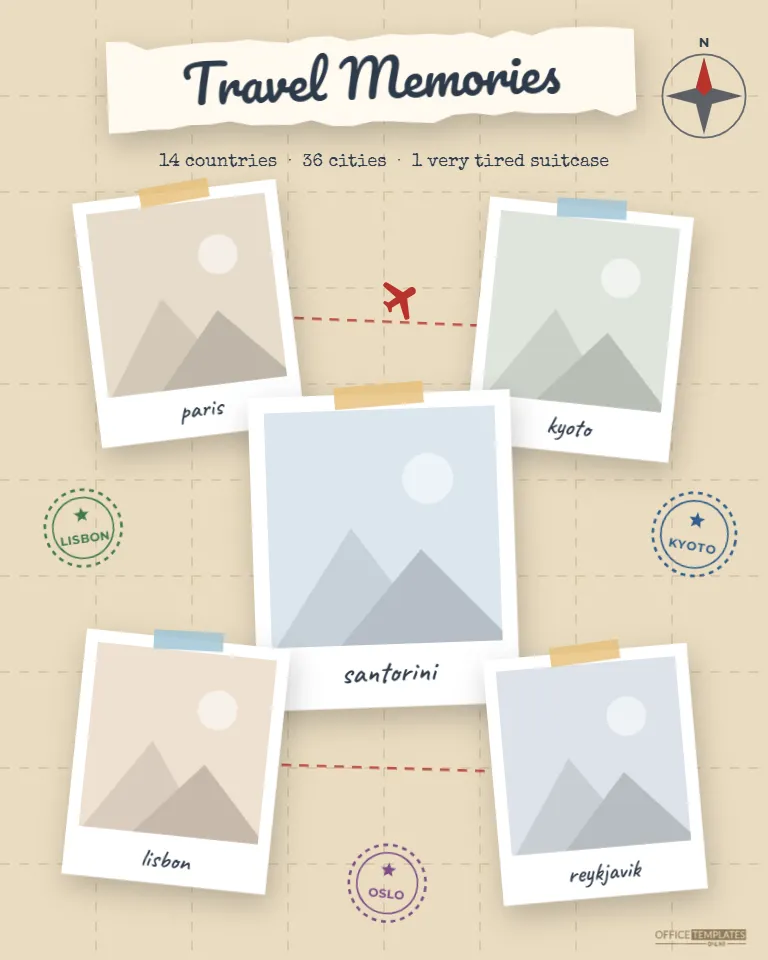
Some trips deserve more than a folder on your phone. This Travel Memories Scrapbook page lays five of your favorite destinations out on a vintage map, joined by a dotted red flight path with a little airplane in the middle of the journey. Passport stamps are pressed into the corners, a compass rose points north, and your title sits on a strip of torn paper, as if the whole page had been assembled at a hotel desk on the last night of a very good trip.
A Map, a Route and Five Stops
The background is a warm, kraft-toned map, crossed by faint dashed lines of latitude and longitude. In the top-right corner, a small compass rose with a red north point gives the page a real cartographer’s touch. Travel Memories is written in a loose script on a strip of torn cream paper across the top, with a typewriter-style line underneath: 14 countries · 36 cities · 1 very tired suitcase.
Five polaroid-style photos are scattered down the page, each held on with a strip of tape in golden yellow or pale blue and captioned by hand with the place name. A dashed red line runs from one photo to the next in order, like a flight path, so your eye travels the route the way you did. Round passport stamps in green, blue, and plum, labeled Lisbon, Kyoto, and Oslo in the sample, sit in the open spaces, and the Office Templates Online mark rests in the bottom corner in a soft map brown.
Before You Start: Five Things to Gather
- Five photos, one per stop. The large center frame suits your very best shot.
- The order you traveled in, so the dotted route tells the real story.
- Place names for the captions: cities, landmarks, or the nickname you gave somewhere.
- Your trip numbers for the subtitle line: countries, cities, days, miles or cups of coffee.
- Three stamp labels: extra places you visited that didn’t get a photo, or airport codes.
With those ready, filling in the page takes about ten minutes.
One Big Trip or a Lifetime of Them
The layout works two ways. For a single journey, such as a honeymoon, a gap year, or a two-week rail pass, use the five frames as five cities in order and let the route line show the path between them. For a places we’ve been page, treat each photo as a different trip and use the subtitle to sum up the years: 2019–2025 · 14 countries · 1 suitcase. Couples often make one as an anniversary gift, with one stop for every year together; families use it to mark a child’s first passport stamps.
Plotting Your Own Route
- Open the template and click the first photo. Choose Replace Image and upload your picture; the frame keeps its size, and the photo is cropped to fit.
- Replace the other four photos in the order you traveled: top left, top right, center, bottom left, bottom right.
- Click each caption and type the place name.
- Edit the title on the torn paper strip and the typewriter subtitle.
- Click each passport stamp’s label to rename it. The stamps are small groups, so you can move or rotate them freely.
- Download the page as a PDF for printing, or as PNG or JPG for sharing.
If your route crossed back on itself, simply drag the little airplane to a different part of the dotted line.
Stamp and Caption Ideas
Passport stamps look best with short labels of four to eight letters. Try city names (ROME, CAIRO, LIMA), three-letter airport codes (JFK, LHR, NRT), national park names, or the year of the trip. For captions, the place name is the obvious choice, but a tiny memory works just as well: lost in Alfama, the best ramen ever, rain, again. Mixing both across the five frames gives the page a personal voice.
Printing the Page
This scrapbook page is 8 x 10 inches in portrait orientation, which fits standard 8 x 10 frames and 8 x 10 photo albums, and can be trimmed down for a 12 x 12 scrapbook album with a border around it. Print the PDF at 100% scale. A matte photo paper or heavy matte card keeps the kraft map looking natural rather than shiny, and the five photos stay crisp. For a framed gift, an 11 x 14 frame with a mat cut for an 8 x 10 opening gives the page room to breathe.
Want it in a physical album? Print on an acid-free card stock, and it will sit happily alongside ticket stubs and boarding passes you’ve kept from the trip.
Travelers’ Questions
Can I add more than five photos?
The layout is balanced for five. For a longer trip, make a second page and continue the route onto it.
Can the route line change color?
Yes. Each dash is a small shape; select them together and pick a new color, or delete the route entirely for a simpler look.
Can I use it for a road trip or cruise?
Of course. Rename the stops and stamps with your ports of call or towns along the way.
Can I change the map color?
Yes. The map background is a single color with a grouped grid on top; click it and choose a paler parchment or a soft blue-gray.
Does the compass rose have to stay?
No. It is a small group in the top-right corner that you can move, resize, or delete.
Would it suit a study-abroad semester?
Very much so. Use the five frames for the cities you visited on weekends, put your host city in the large center frame, and list the semester dates and the number of countries in the subtitle.
Is it good as a gift?
It makes a thoughtful present for a travel partner, a retiring colleague who has finally seen the world, or a friend just back from a big trip.
The best trips stay with you long after the suitcase is unpacked. Plot your route, add your five favorite stops, and keep your travel memories somewhere you’ll see them every day.