Keep the Classroom Week Organized with a Schedule Students Can Follow at a Glance
A clear classroom routine helps everyone know what to expect during the school week. This Daily Classroom Schedule template gives teachers a colorful and practical way to organize lessons and activities from Monday through Friday while keeping important classroom information together in one easy-to-read design.
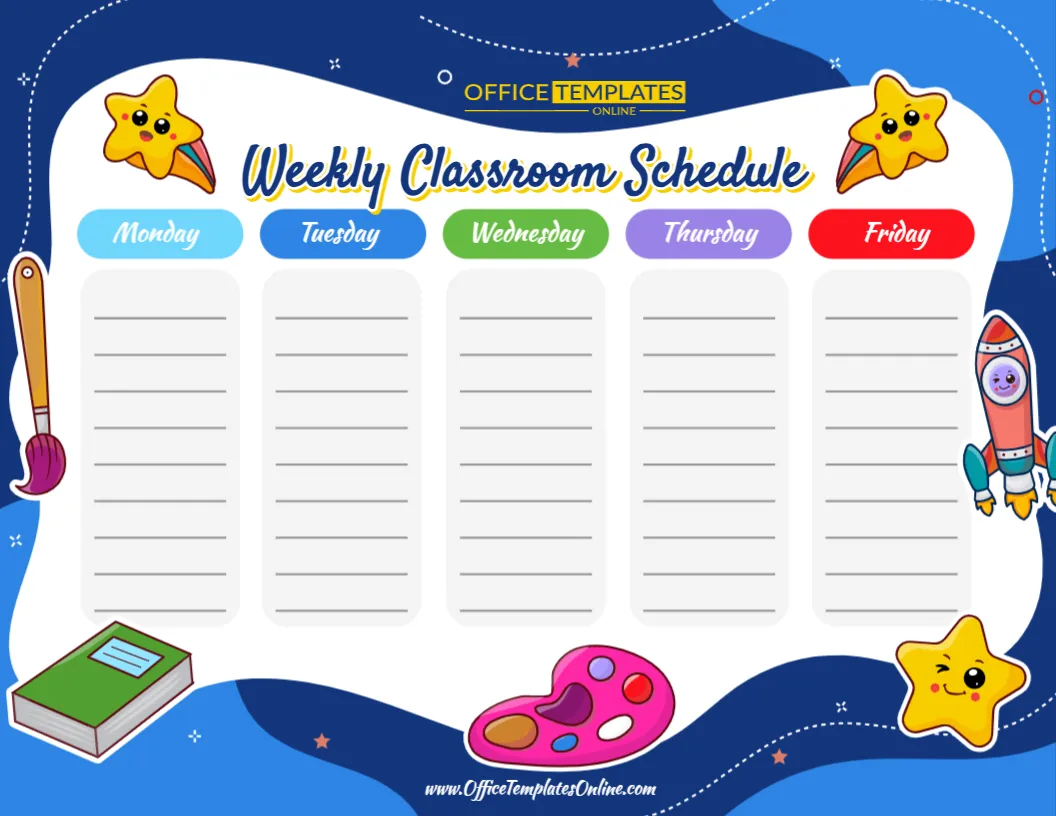
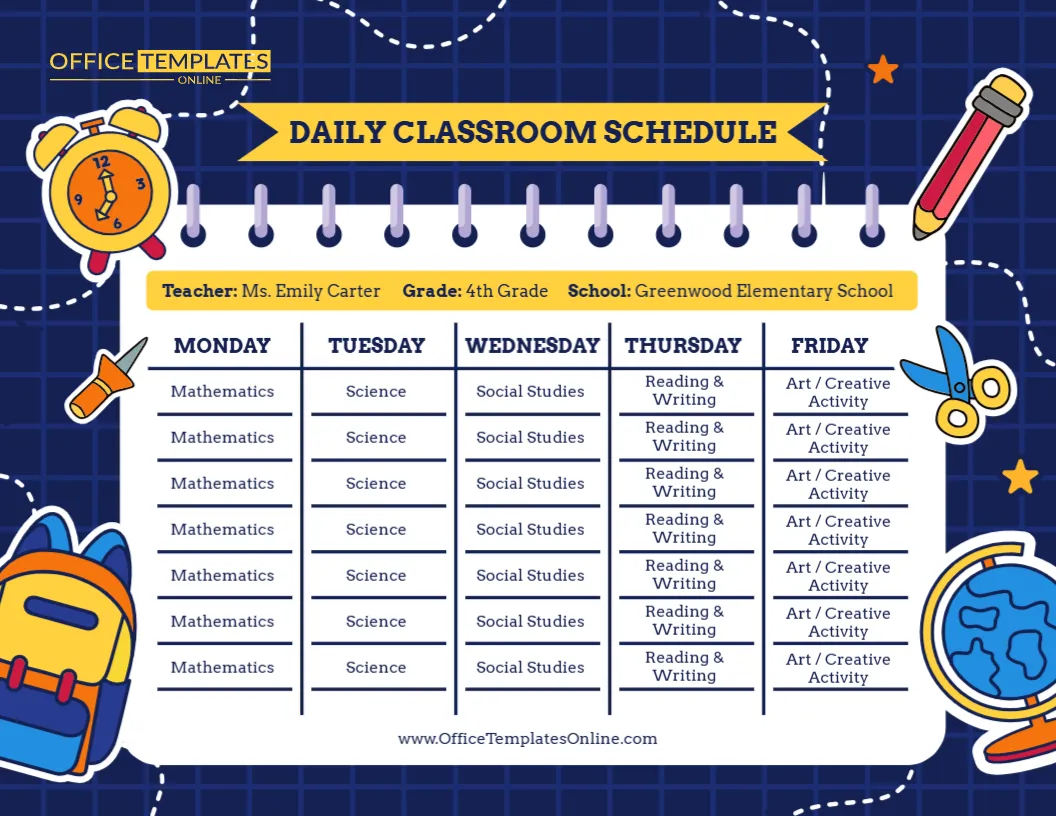
Unlike a timetable built around exact time slots, this template focuses on daily lesson and activity entries for each weekday. Five separate columns make it easy to organize Monday, Tuesday, Wednesday, Thursday, and Friday, while a dedicated information bar at the top provides space for the teacher name, grade, and school name.
The sample version is designed for a 4th-grade classroom and includes subjects such as Mathematics, Science, Social Studies, Reading & Writing, and Art / Creative Activity. However, these are simply example entries. You can replace them with the lessons, subjects, activities, or routines that apply to your own class.
Everything can be personalized through the online browser-based editor with no login required. Once your schedule is ready, download the finished version as a PDF, PNG, or JPG.
A Weekday-by-Weekday View of Classroom Activities
The main feature of this design is its five-column layout.
Each weekday has its own clearly labeled section:
- Monday
- Tuesday
- Wednesday
- Thursday
- Friday
Multiple writing areas appear beneath each day, giving you room to enter lessons or activities in the order they take place.
This structure makes the template useful when you want students to see the overall flow of each day without filling the design with exact start and finish times.
A quick look at the appropriate column can tell students what lessons or activities are planned for that day.
Add Your Teacher, Grade, and School Information
A classroom schedule becomes more useful when it is clearly connected to a particular class.
For this reason, the template includes a highlighted information section near the top with dedicated areas for:
Teacher: Add the classroom teacher’s name.
Grade: Enter the relevant grade or class level.
School: Replace the sample school name with your own school, academy, learning center, or other educational setting.
The sample design shows Ms. Emily Carter, 4th Grade, Greenwood Elementary School, but these details are placeholders and can be replaced with your own information.
Personalizing these fields can be especially helpful if schedules are displayed in several classrooms or shared digitally with students and families.
Fill Each Day with the Lessons Your Class Actually Follows
The sample schedule demonstrates how subjects can be organized across the five weekdays.
Monday contains Mathematics, Tuesday shows Science, Wednesday features Social Studies, Thursday includes Reading & Writing, and Friday contains Art / Creative Activity.
Your own classroom probably follows a different routine, so you can change these entries accordingly.
Depending on the grade and curriculum, your schedule might include:
- Mathematics
- English
- Reading
- Writing
- Science
- Social Studies
- History
- Geography
- Art
- Music
- Physical Education
- Computer or Technology
- Library
- Independent Reading
- Group Work
- Project Time
- Creative Activities
- Recess
- Lunch
- Morning Meeting
- Review Time
You can organize the content around your real classroom routine rather than trying to fit your day into the sample information.
Different Lessons for Different Days
One advantage of this format is that each weekday can have its own sequence of activities.
Your Monday schedule might begin with Mathematics and Reading, while Tuesday could include Science, Writing, and Art. Wednesday might have a library period, and Friday could include creative activities or weekly review.
This makes the design useful for classrooms where the routine changes throughout the week.
You can also repeat subjects when necessary. If Mathematics or Reading takes place every day, simply add it to each relevant weekday column.
A Friendly School Theme Without a Cluttered Schedule
This Daily Classroom Schedule combines a structured central layout with playful educational graphics around the outside.
The dark blue grid background gives the design a strong visual frame, while the large white schedule area keeps lesson information easy to read.
Around the edges are colorful illustrations of familiar school objects, including:
- An alarm clock
- Pencil
- Scissors
- Glue
- Backpack
- Globe
- Stars
A dotted line travels around parts of the background, adding movement to the design without interfering with the schedule itself.
The yellow “Daily Classroom Schedule” banner creates a clear title area, while the teacher, grade, and school details appear immediately underneath.
Designed for Quick Everyday Reference
A classroom schedule should not require students to study a complicated chart every time they want to know what is happening next.
This template uses clear weekday headings and separated columns so students can focus on one day at a time.
For example, on Wednesday, they can look directly beneath the Wednesday heading rather than searching through information for the entire week.
That simple structure can make the schedule useful as an everyday classroom reference, particularly when displayed somewhere students can easily see it.
Customize It Online—No Login Required
You do not need to install special design software or create an account to begin personalizing this template.
Open the Daily Classroom Schedule template in the online editor and make your changes directly through your browser.
You can replace the sample teacher, grade, and school details, then update the daily lesson entries to match your own schedule.
Because the visual structure is already prepared, there is no need to manually create weekday columns, align the text areas, or design the school-themed background from scratch.
This can save valuable preparation time while still giving you a personalized classroom resource.
A Useful Alternative to a Time-Based Timetable
Not every teacher needs a schedule showing exact times.
Sometimes the important information is simply the order of lessons and activities for each day. In that situation, this template offers a cleaner alternative to a detailed timetable.
For example, if your lesson times occasionally change but the general order of subjects stays similar, you can list the activities without attaching specific times to every entry.
This can also make the schedule easier for younger students to understand.
If you need exact start and finish times for every lesson, a traditional class timetable may be more suitable. If your priority is a clear weekday overview, this Daily Classroom Schedule provides a straightforward solution.
Display It as Part of Your Classroom Organization System
Once personalized, the schedule can be displayed in a location where students can refer to it regularly.
Possible places include:
Beside the whiteboard: Keep the weekly plan close to the main teaching area.
On a classroom bulletin board: Combine it with classroom rules, announcements, calendars, or reminders.
Near the entrance: Let students check the day’s lessons as they arrive.
In a learning station: Give students an easy reference during independent or group work.
Near the teacher’s desk: Keep a convenient visual overview of the weekly lesson sequence.
A schedule displayed consistently in the same location can become a familiar part of the classroom environment.
Adapt It for Elementary and Primary Classrooms
The bright illustrations and friendly school theme make this template particularly suitable for elementary and primary school settings.
However, the editable content allows it to work with different grades.
For younger students, you might enter activities such as:
- Morning Circle
- Phonics
- Story Time
- Snack
- Outdoor Play
- Art
- Numbers
- Quiet Time
For older elementary students, the schedule might contain:
- Mathematics
- Language Arts
- Science
- Social Studies
- Physical Education
- Technology
- Independent Reading
- Projects
The design provides the structure while you decide what information is appropriate for your students.
Useful Beyond a Traditional School Classroom
This schedule does not have to be limited to a conventional school setting.
Homeschool educators can use it to organize learning activities across the week.
Tutors can adapt the weekday columns for different subjects or recurring sessions.
Learning centers can list daily educational activities.
After-school programs can organize homework periods, creative activities, games, reading, and group sessions.
The same layout can work anywhere there is a recurring Monday-to-Friday learning routine.
How to Prepare Your Personalized Schedule
Creating your own version is easy:
- Open the template in the online editor.
- Replace the sample teacher name with the correct name.
- Enter your grade or class level.
- Add your school or learning center name.
- Review each weekday column.
- Replace the sample subjects with your own lessons and activities.
- Arrange the entries in the order students will follow them.
- Check names, spelling, and lesson information.
- Download the completed schedule as PDF, PNG, or JPG.
Before downloading, it is worth checking each weekday separately to make sure no activity has accidentally been placed under the wrong day.
Create Different Schedules When Your Routine Changes
Classroom routines do not always remain the same for an entire school year.
A new term may bring different subjects. Special activities may be added. A class could receive a revised routine, or you may simply decide that a different sequence works better for your students.
Because the template is editable, you can update the information when needed rather than creating a completely new design.
You could also prepare different versions for different classes, grades, groups, or terms while maintaining a consistent visual style.
Download as PDF, PNG, or JPG
Once you have completed your customization, choose the file format that works best for your intended use.
PDF is a convenient choice when you want a document for printing or sharing.
PNG gives you a high-quality image version that works well for many digital uses.
JPG provides a widely compatible image format that is easy to save and use on different devices.
The availability of all three formats gives you flexibility to use your personalized classroom schedule in both print and digital settings.
Give Every School Day a Clear Place in the Week
Monday through Friday can quickly become a busy mix of lessons, activities, projects, and classroom routines. Putting those activities into one clear visual schedule makes the week easier to view and organize.
This editable Daily Classroom Schedule template provides five dedicated weekday columns, multiple spaces for lesson entries, and customizable fields for the teacher, grade, and school. Its colorful school-themed design keeps the resource engaging while the structured layout keeps the information easy to follow.
Use it to create a daily lesson overview for your classroom, homeschool program, tutoring environment, or other educational setting.
Customize the Daily Classroom Schedule online with no login required, enter your own class details and activities, and download the finished design as a PDF, PNG, or JPG.