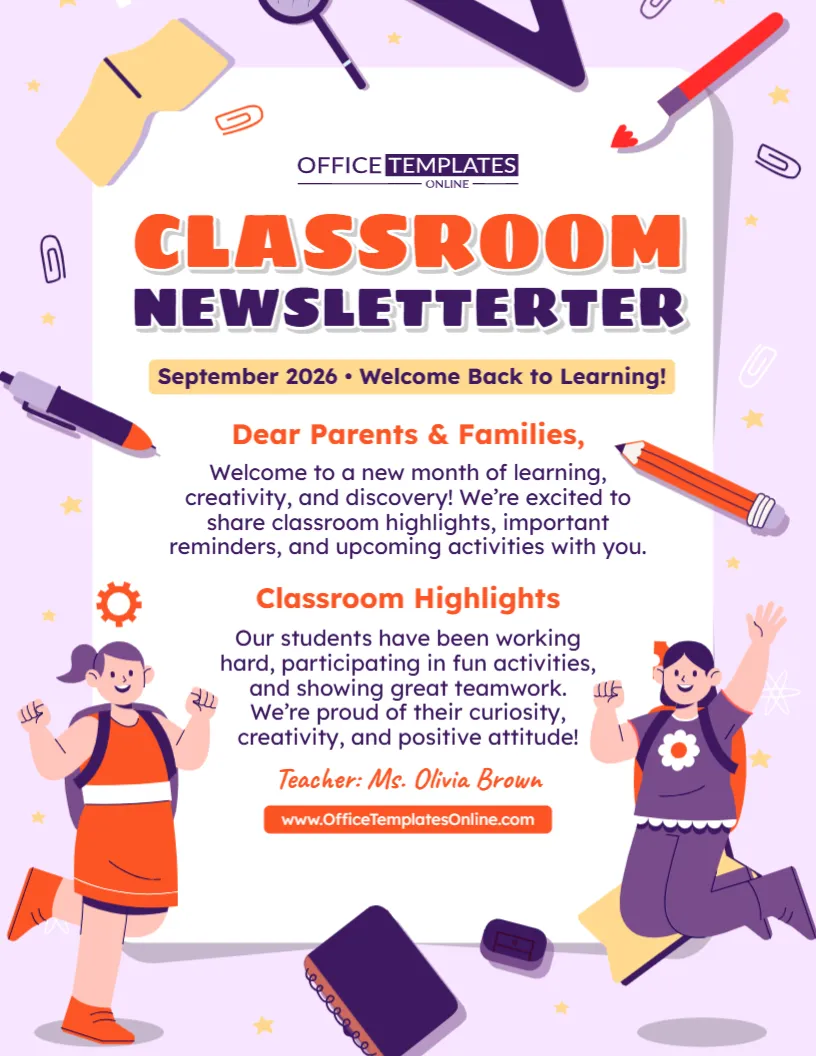
Make Sure Important Classroom News Gets Seen and Understood
Classrooms are busy places, and important information can easily be missed when it is buried in a long message. A clear, attractive announcement helps students notice what is happening and understand the details they need to remember.
This Classroom Announcement Template offers teachers and school staff a ready-made way to create notices for classroom activities, reminders, schedule changes, special lessons, upcoming events, and other student-related updates. Its bold headline, highlighted date and time, dedicated location field, and colorful school-themed graphics make important information easy to spot.
You can customize the template online directly in your browser, and no login is required to start editing. Change the sample text, enter your own classroom details, and personalize the available elements for your announcement. Once everything is ready, download your completed design in PDF, PNG, or JPG format.
A Practical Template for Everyday Classroom Notices
Not every classroom announcement needs a completely new design. Many notices follow the same basic structure: tell students what is happening, provide the important details, and explain anything they need to know or do.
This template gives those details an organized place on the page.
The sample version announces a special learning activity focused on teamwork, creativity, and participation. It includes a date, time, classroom location, and a short closing message. However, all of this sample wording can be changed to match your own announcement.
Teachers can therefore use the design as a starting point instead of spending time building a new classroom notice from scratch.
What Can You Use This Classroom Announcement For?
The template can be adapted for a wide range of classroom situations throughout the school year.
You could customize it to announce a special learning activity, classroom project, presentation day, quiz or test reminder, guest speaker, group activity, reading session, creative workshop, class celebration, timetable change, assignment deadline, field trip reminder, classroom meeting, or another important update.
It may also be useful when students need a visual reminder of information that has already been discussed in class.
Because the wording is editable, you can make the message as general or specific as the situation requires.
The Most Important Details Stand Out
An effective classroom announcement should allow students to find essential information quickly. This design uses a clear visual order to help with that.
The large “Classroom Announcement” heading identifies the purpose of the notice immediately. A highlighted subtitle can be used to indicate who the message is for or why it is important.
The “What’s Happening?” section provides space for a short explanation of the activity or announcement. Below that, the date and time are displayed in a prominent highlighted box, making them difficult to overlook. A separate location field can tell students exactly where they need to be.
Finally, the closing area provides space for a short reminder, thank-you message, instruction, or call to action.
Edit the Classroom Announcement Online With No Login Required
You don’t need desktop publishing software or complicated design tools to personalize this template. The design can be opened in the browser-based online editor, where you can customize the available content.
Best of all, you do not need to log in to begin editing.
Replace the example announcement with your own message. Update the date and time, enter the correct room or location, change the heading or subtitle when needed, and personalize other editable elements available in the editor.
This gives teachers a quick way to turn a ready-made design into a classroom-specific notice.
Keep Your Classroom Announcement Short and Clear
Students should be able to understand the main message without reading several long paragraphs. When customizing the template, begin with the most important information.
Explain what is happening in one or two short sentences whenever possible. Then provide the date, time, and location clearly.
If students need to take action, make that instruction specific. For example, you might tell them to bring particular materials, submit something before a deadline, arrive at a certain location, work in assigned groups, or ask the teacher for additional information.
Try to avoid adding details that students do not need. A focused announcement is generally easier to scan, remember, and follow.
Designed Around a Familiar Classroom Theme
The visual design makes this template particularly suitable for an educational setting.
A dark blue background frames the main announcement area, while familiar classroom objects add a playful school theme. The design includes illustrations of an apple, pencils, ruler, eraser, sharpener, paper planes, stars, notebook elements, and a megaphone.
The central light-colored panel creates contrast with the surrounding graphics so that the actual announcement remains the main focus.
Red and yellow highlights are used around important sections, while large typography helps establish a clear reading order. The result is colorful and student-friendly without sacrificing the practical purpose of the notice.
Ideas for Customizing the “What’s Happening?” Section
The central message is where you can quickly explain why students are seeing the announcement.
For a classroom project, you might briefly explain what students will be working on. For a presentation, mention the topic and whether students need to prepare anything. For a schedule change, clearly state what has changed. For a special activity, provide a short description of what students can expect.
You do not need to fit every detail onto the poster. If the activity requires lengthy instructions, the classroom announcement can highlight the essential information while the complete instructions are provided separately.
This helps keep the design readable and prevents the main message from becoming overcrowded.
Remember the Date, Time, and Location
These three details are especially important for announcements connected with scheduled activities.
Always check the date carefully and make sure it matches the intended day. Use a clear time, including AM or PM when appropriate. For the location, enter enough information for students to know exactly where they should go.
The sample template uses “Room 204,” but this could be replaced with a classroom number, library, school auditorium, science lab, sports field, computer room, art room, meeting area, or another relevant location.
If the announcement applies to students’ normal classroom and no special location is necessary, you can adjust the wording accordingly.
Add a Useful Closing Message
The bottom portion of the template can do more than simply say thank you.
Depending on the purpose of your announcement, this area can be used for a short final instruction or reminder. You might add wording such as “Please arrive on time,” “Remember to bring your materials,” “See your teacher for details,” or another message relevant to the activity.
Keep the closing brief so that it complements the main announcement instead of competing with it.
Review Everything Before You Share It
Classroom notices are most useful when their information is accurate. Before downloading the finished template, read through the entire announcement once more.
Confirm the activity or event name, date, time, room or location, instructions, and intended audience. Check names and spelling, and make sure any deadlines or requirements are correct.
If you are announcing something that may change, such as a scheduled activity, consider confirming the final details before distributing or displaying the notice.
A quick review can prevent students from receiving outdated or confusing information.
Download as PDF, PNG, or JPG
After editing, you can download your completed Classroom Announcement Template in PDF, PNG, or JPG format.
PDF is a convenient option when you want to print the announcement or share it as a document. PNG works well when you need a high-quality image version, while JPG provides a widely compatible image format for many digital uses.
Choose whichever format is most suitable for how you plan to display, print, save, or share your announcement.
Create Classroom Notices Without Starting From a Blank Page
Teachers regularly need to remind students about activities, dates, changes, and upcoming responsibilities. Having a reusable editable classroom announcement template can make these routine communications quicker to prepare while keeping them visually consistent and easy to understand.
This template already provides a structured layout for the main message, date, time, location, and closing reminder. All you need to do is replace the example information with the details that matter to your class.
Whether you are announcing a special lesson, classroom activity, project, important reminder, schedule update, presentation, or upcoming event, you can customize the template online, check your information, and download the finished announcement in PDF, PNG, or JPG when it is ready.