A Green Floral Frame and a Trophy Badge for a Teacher Award
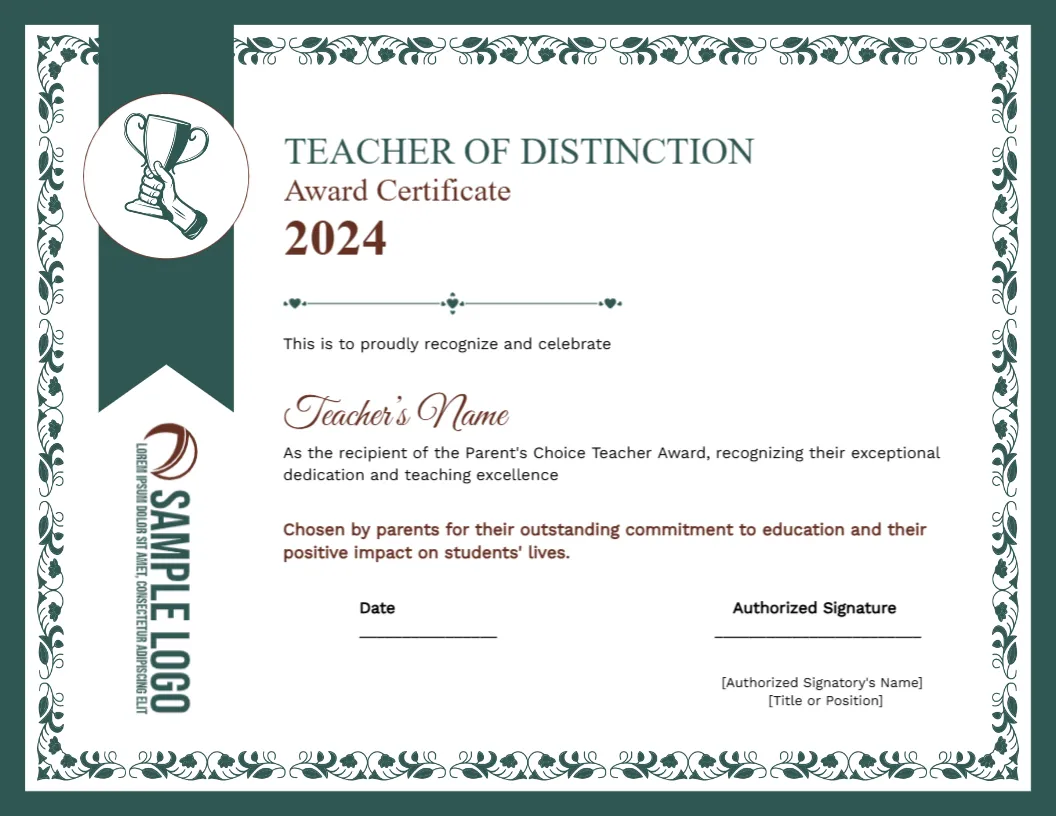
A dark green frame with a white floral vine border surrounds this landscape certificate. A green ribbon banner drops from the top left with a round trophy badge and a sample logo set vertically on it. TEACHER OF DISTINCTION Award Certificate 2024 sits above a script teacher name and two statements in green and maroon.
A Letter Landscape With a Vine Border
The page is 11 x 8.5 inches. The floral border takes about half an inch on each side, so allow for it when you add extra lines, and keep text inside the white area.
The Year to Update and Names to Add
The heading ends with 2024, which will be out of date, so change it to the current year. Then type the teacher name in the script line, check the sentence that mentions the Parent’s Choice Teacher Award, and fill the signatory brackets.
Getting the Teacher Certificate Ready
- Update the year from 2024.
- Type the teacher name.
- Check the award wording.
- Fill the signatory lines.
- Swap the logo.
Awards Chosen by Parents
A parent choice prize is based on a vote or a survey. Keep a simple record of how winners were chosen, so you can answer questions about fairness and repeat the process next year.
Green and Maroon Together
Green headings and maroon highlights give the page a classic, almost heritage feel. The palette suits private and church schools, and it looks good in a wooden frame.
The Ribbon Banner Detail
A banner hangs from the top edge, with the trophy badge on it. It acts like a bookmark on a certificate and adds depth, even when the rest of the design is flat.
Two Statements to Personalise
The second paragraph is in maroon and says the teacher was chosen by parents. Add a detail, such as the number of votes or the year group, and make the wording specific.
Printing Fine Floral Lines
The white vine pattern on the green frame is thin. Print on smooth paper at high quality, and avoid scaling the page down much, since small flowers may fill in.
A Yearly Tradition
If the award repeats each year, save a master file with the date field ready. Update only the year and the name, and winners across the years will have matching certificates.
Celebrating at a Parents Evening
Present the certificate at a parents evening or open day, where the people who voted can see it. A short thank you to parents completes the circle.
Step by Step Editing of the Parents Choice Teacher Certificate Green Floral Border Design
- On the parents choice teacher certificate green floral border design, click the main headline and type your own words, keeping a similar length.
- Retype every name, date and contact line on the parents choice teacher certificate green floral border design, checking each against a trusted source.
- Search the parents choice teacher certificate green floral border design for the words Lorem and Company so that no placeholder remains.
- Click any logo or photo on the parents choice teacher certificate green floral border design, choose Replace Image and resize the new picture to fit.
- Zoom the parents choice teacher certificate green floral border design to full size and read each line aloud before you save it.
- Keep a clean master of the parents choice teacher certificate green floral border design without private details, so later versions start tidy.
Another option is the inspirational educator certificate. A related layout is the subject teacher certificate. Also worth a look: dedication certificate. The rest of the series around the parents choice teacher certificate green floral border design is in certificate templates.