A Dark Gold Abstract Strip and an Educator Badge
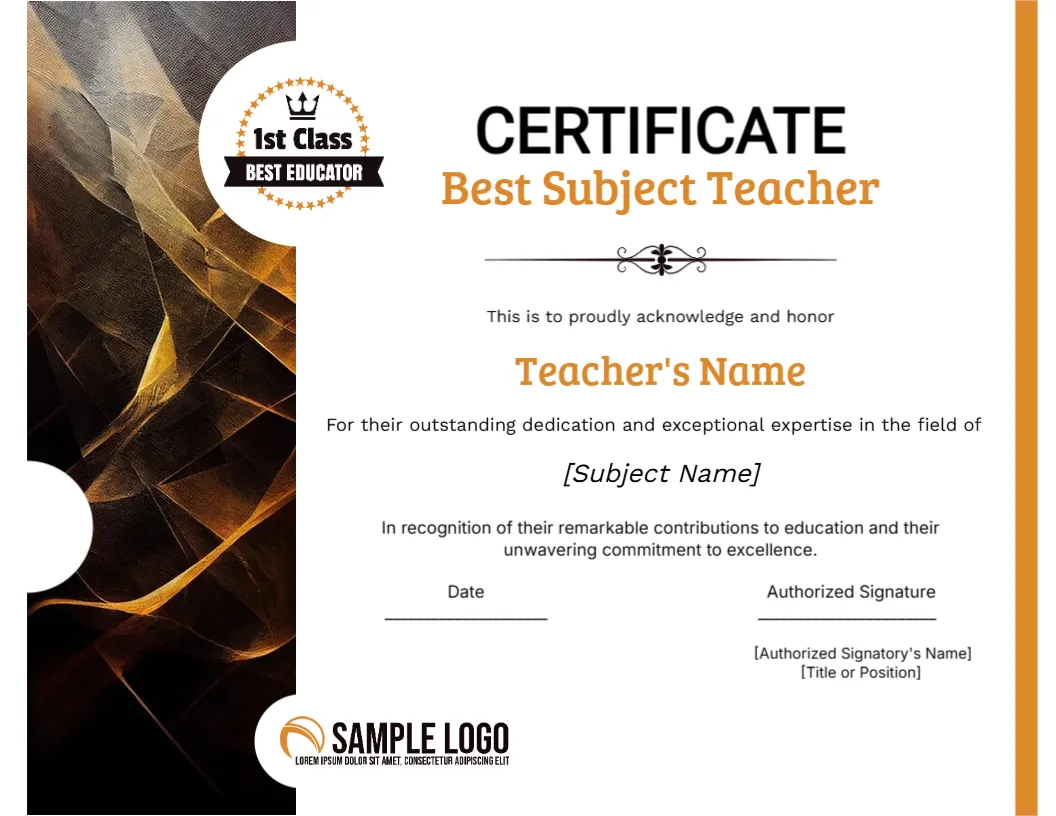
A tall strip of dark brown and gold abstract art runs down the left of this landscape certificate, with a round 1st Class BEST EDUCATOR badge overlapping its top and a SAMPLE LOGO circle at the foot. CERTIFICATE is set in black capitals above Best Subject Teacher in orange, with an orange stripe along the right edge.
A Letter Landscape Certificate
The page is 11 x 8.5 inches. The artwork strip on the left uses about a fifth of the width, so the text area is narrower than on a plain certificate, and long subject names may need a smaller font.
Teacher, Subject and Signatory
Type the teacher name in orange, then replace the bracketed [Subject Name] with the subject, for example Mathematics. Under the Authorized Signature line, replace the bracketed name and title, and swap SAMPLE LOGO for your school crest.
Setting Up the Teacher Award
- Type the teacher name.
- Replace the bracketed subject.
- Fill the signatory name and title.
- Swap the school logo.
- Date and sign.
Student Voted Awards
Many schools let students nominate the best teacher in each subject. This certificate gives that vote a proper outcome, and it names the subject, which makes the award personal to the winner.
Orange Headings on White
The orange type stands out on the white area without needing a heavy border. Orange also prints well on both laser and inkjet printers, so colour accuracy is rarely a problem.
A Badge That Signals First Class
The round badge reads 1st Class and BEST EDUCATOR with a crown. It is part of the artwork, so edit the text only if you want a different level, such as outstanding or excellent.
Writing the Recognition Line
The sentence about remarkable contributions is generic. Replace it with one real detail, such as a club the teacher founded or a result their class achieved, to make the certificate feel earned.
Presenting at an Assembly
Awards land best when presented in front of students and colleagues. Prepare a short spoken line that matches the wording on the page, and hand over the certificate in a folder.
Printing the Dark Strip
The dark artwork uses plenty of ink. For a single award, print on a colour laser at high quality, and for a full set of subject awards, ask a print shop for a quote on a batch.
Teacher Appreciation Week
Teacher appreciation week or the end of the school year are natural moments. Prepare certificates early so staff are not left waiting while you search for a spare sheet.
Step by Step Editing of the Best Subject Teacher Certificate Amber Design
- On the best subject teacher certificate amber design, click the main headline and type your own words, keeping a similar length.
- Retype every name, date and contact line on the best subject teacher certificate amber design, checking each against a trusted source.
- Search the best subject teacher certificate amber design for the words Lorem and Company so that no placeholder remains.
- Click any logo or photo on the best subject teacher certificate amber design, choose Replace Image and resize the new picture to fit.
- Zoom the best subject teacher certificate amber design to full size and read each line aloud before you save it.
- Keep a clean master of the best subject teacher certificate amber design without private details, so later versions start tidy.
Have a look at the inspirational educator certificate. Another option is the parent choice teacher certificate. A related layout is the exemplary dedication certificate. Every best subject teacher certificate amber style alternative sits in certificate templates.