Bake sales are the friendliest fundraisers there are: neighbours bake, neighbours buy, and everyone goes home with something delicious and the feeling of having helped. Schools, churches, sports teams, libraries, and community groups hold them all year round. This Bake Sale Sign Template gives your bake sale a poster that looks like it came from a charming little bakery, with a pastel cake-box design, a cupcake and cookies, the when-and-where, and a neat price list so buyers know exactly what everything costs.
Cake-Box Pastels
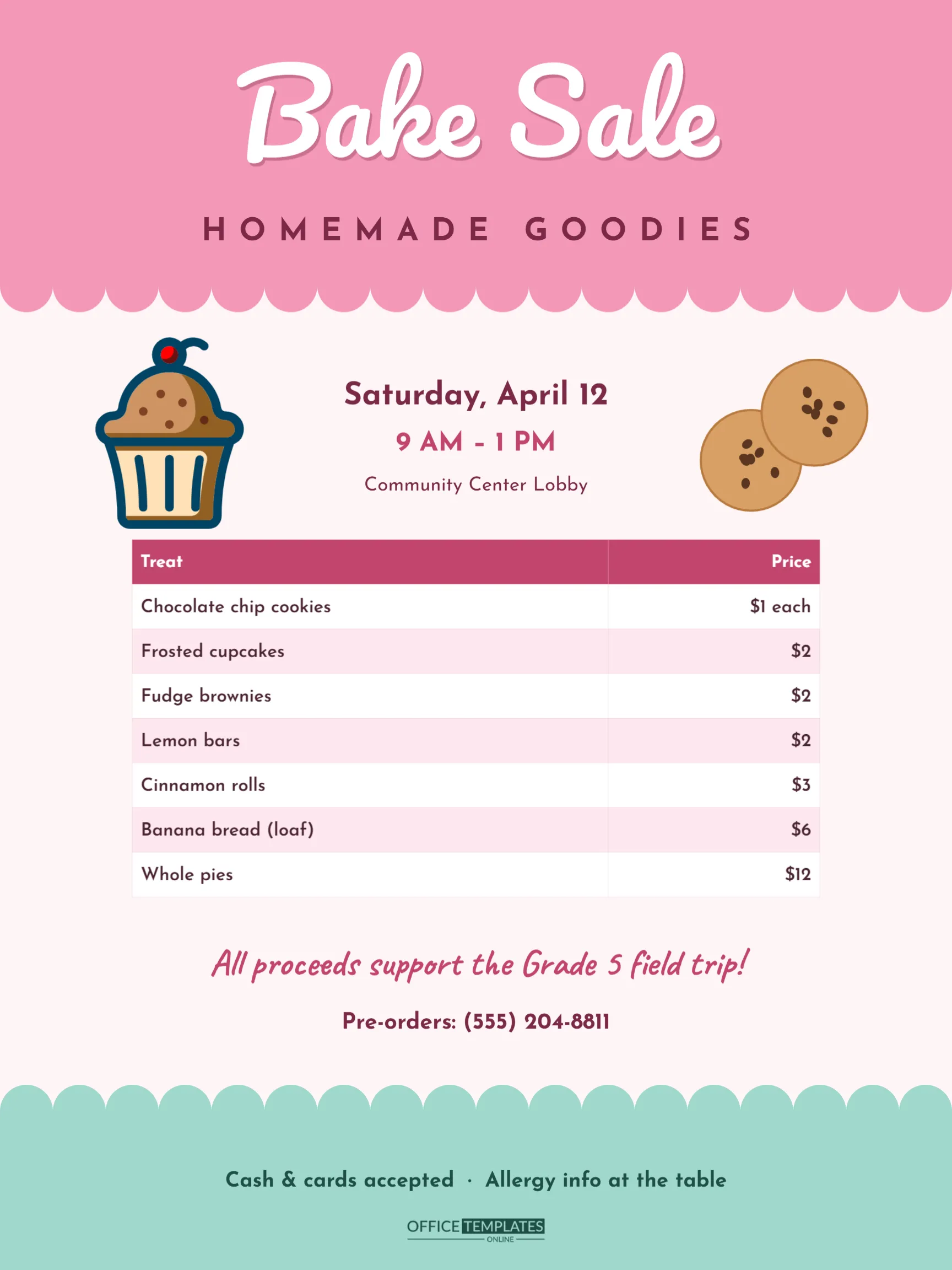
The poster is 18 x 24 inches in portrait, a popular size for posters in school hallways, shop windows, and on easels by the sale table. The top is a pink band with a scalloped lower edge, like the lid of a bakery box. Bake Sale is written across it in white Pacifico script with a soft berry shadow, and HOMEMADE GOODIES sits below in widely spaced Josefin Sans capitals.
Under the scallops, the background is a pale blush. A colourful cupcake with a cherry on top sits on the left and two chocolate-chip cookies on the right, framing the date, time, and place: Saturday, April 12 · 9 AM – 1 PM · Community Center Lobby. The centrepiece is a price list, drawn as a real editable table with a rose header row and alternating white and pale pink rows: chocolate chip cookies, frosted cupcakes, fudge brownies, lemon bars, cinnamon rolls, banana bread and whole pies, each with its price. Below the table, All proceeds support the Grade 5 field trip! is written in rose handwriting, followed by a pre-order phone number. A mint band with a scalloped top edge echoes the header at the bottom, carrying Cash & cards accepted · Allergy info at the table and our logo.
Updating the Price List
The price list is the editor’s Table object, which makes changes quick:
- Double-click the table to open Edit Table Data.
- Type your baked goods in the Treat column and prices in the Price column.
- Use + Row to add more items, or delete rows you do not need.
- If you have a spreadsheet of items from your volunteers, Import CSV can bring them in at once.
- Restyle the header colour, row colours, or font from the table’s options if you change the poster’s palette.
Prices are typed as text, so write them however suits you: $1 each, 3 for $2, or by donation.
Pricing Baked Goods
| Item | Common price range | Tip |
|---|---|---|
| Cookies | 50¢ – $1 each, or bags of 3 | Bag them in threes for quick sales |
| Cupcakes | $1 – $3 | Decorated ones sell out first |
| Brownies and bars | $1 – $2 | Wrap individually for easy handling |
| Loaves and breads | $5 – $8 | Label with a flavour tag |
| Whole pies and cakes | $10 – $20 | Offer pre-orders |
Round prices make change easier for volunteers, and a 3-for deal encourages bigger purchases.
Allergy and Food Safety Notes
Many buyers need to avoid nuts, gluten, dairy, or eggs. Ask each baker to label their items with ingredients or at least the common allergens, and keep a list at the table; the footer line on the poster tells buyers that information is available. Keep items covered, use gloves or tongs to serve, and check whether your school, venue or local health department has rules for selling homemade food. Some schools, for example, only allow commercially packaged items or require ingredient labels.
Personalising the Poster
- Edit the date, time and place lines in the centre.
- Change the cause in the handwriting line; saying where the money goes encourages people to give more.
- Replace the pre-order number or delete it.
- The cupcake is an editable vector with its own colour swatches. The cookies are simple circles with chocolate chips, grouped.
- Recolour the pink header and mint footer to your school or club colours; keep them pastel for the bakery feel.
Printing and Promotion
Download the PDF and print at 18 x 24 inches on poster paper or foam board for the sale table and the entrance. Print US Letter copies, scaled to fit, for school folders, notice boards, and shop windows a week before the sale. A PNG download is perfect for your school newsletter, parent group chat, or social media, where many bake-sale customers first hear about it.
Sale-Day Tips
Set up the table early with the poster visible from the entrance. Put the most tempting items, like decorated cupcakes, at eye level and the price list where people queue. Have plenty of small change, napkins, and bags. In the last hour, consider a half-price or fill a bag for $5 offer so nothing goes to waste, and remember to thank every baker afterwards.
Recruiting Bakers
A bake sale is only as good as its bakers. Send a sign-up list two weeks before the sale, asking each family or volunteer to bring a specific type of item, so you do not end up with forty brownies and no cupcakes. Suggest quantities, such as two dozen cookies or one loaf, and a drop-off time on the morning of the sale. The price list on the poster can double as your planning sheet: once you know what is coming, update the table so the poster matches exactly what will be on the table.
Bake Sale Poster Questions
Can I show more items?
Yes. Add rows in Edit Table Data, then reduce the row height or font size a little so the table still fits above the cause line.
Can I make a smaller version for the table?
Print it on US Letter; the table and text scale down together.
Does it work for a holiday bake sale?
Absolutely. Change the header text to Holiday Bake Sale and the colours to red and green or winter blues.
Can I add a QR code?
Yes. Add one from the editor’s code tool beside the cause line and link it to an online donation or pre-order page.
Sweeten Your Fundraiser
Fill in your menu and prices, add the date and your cause, and put the poster up where hungry supporters will see it. A pretty, clear bake sale poster helps every cookie find a home.