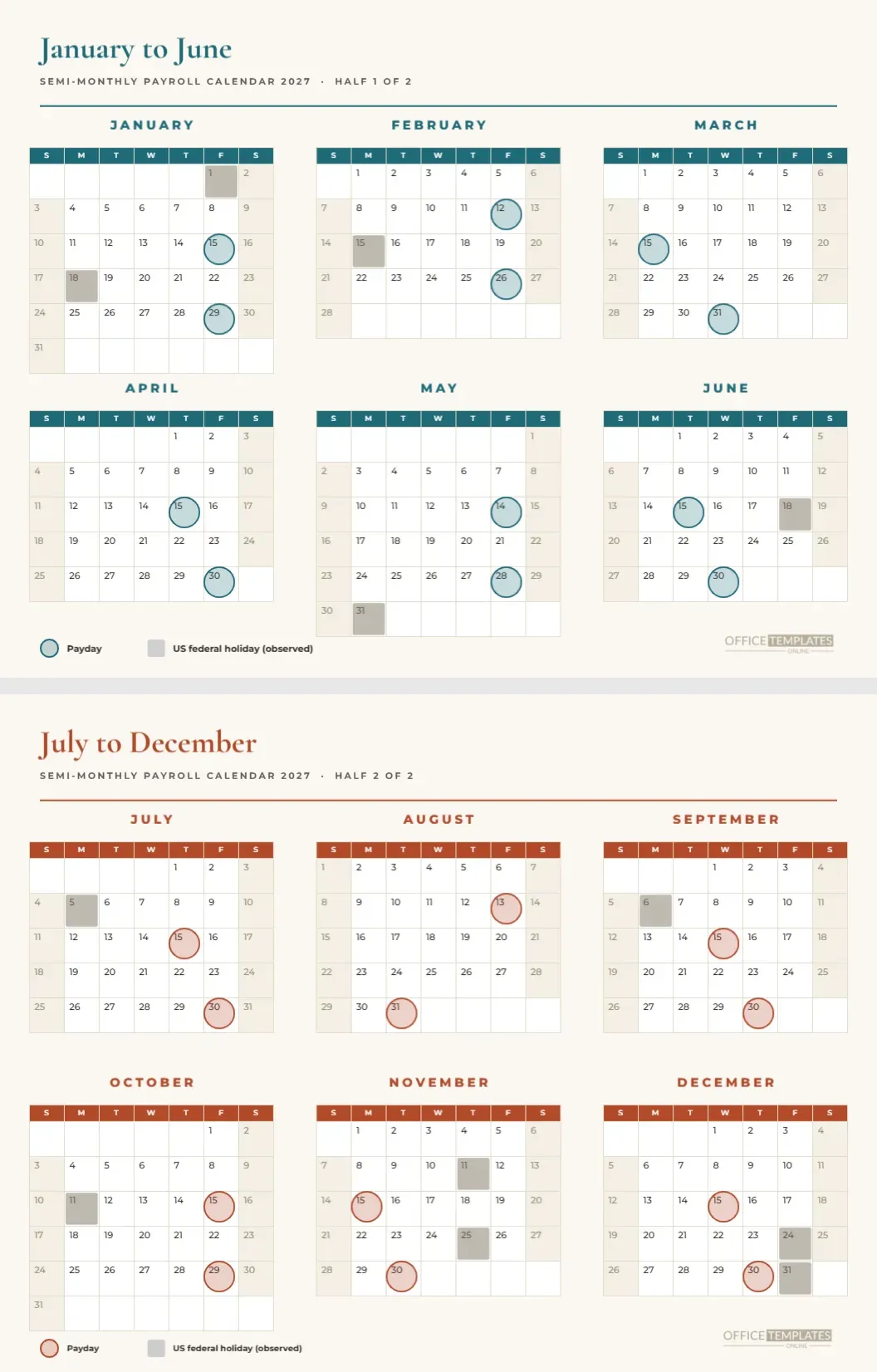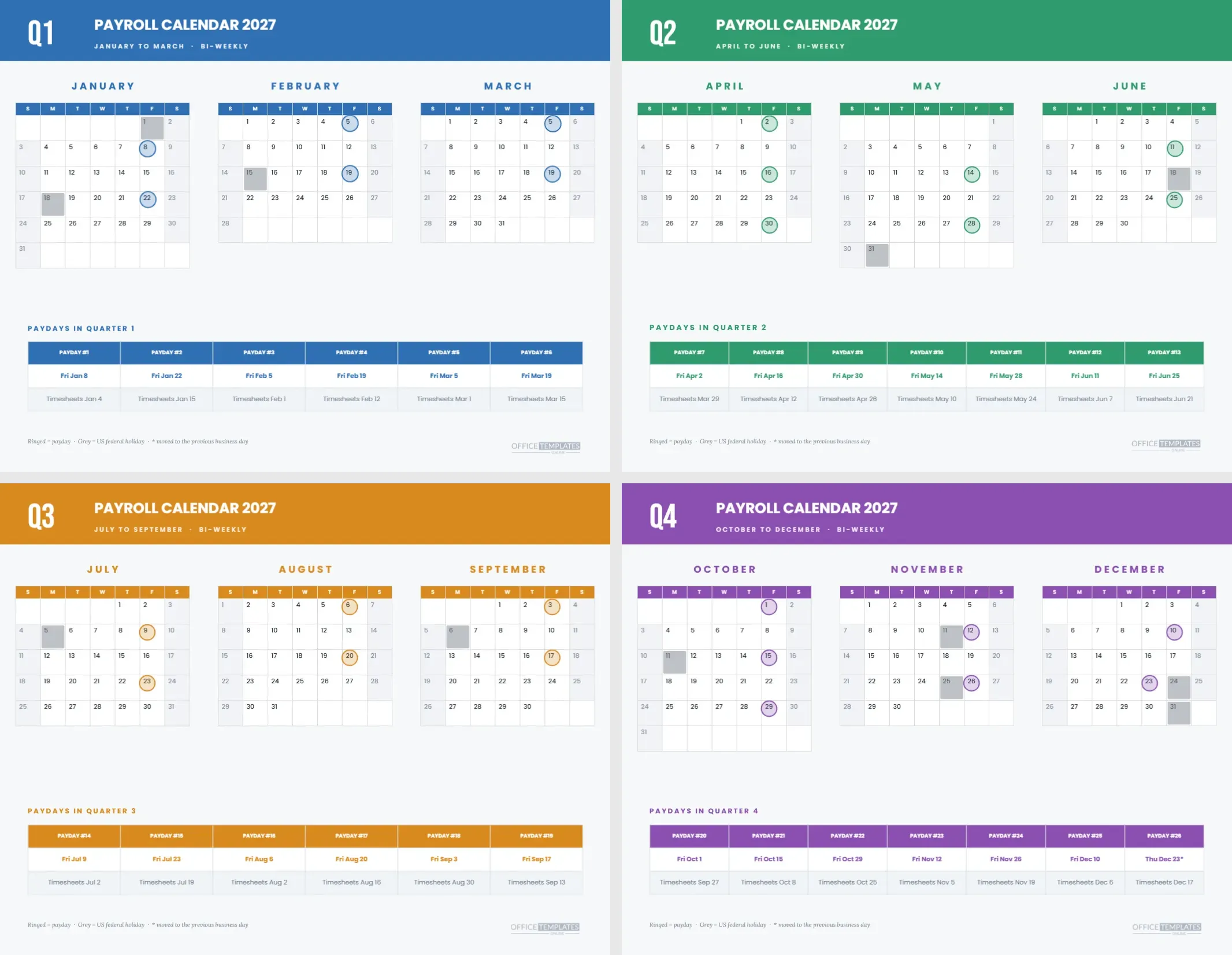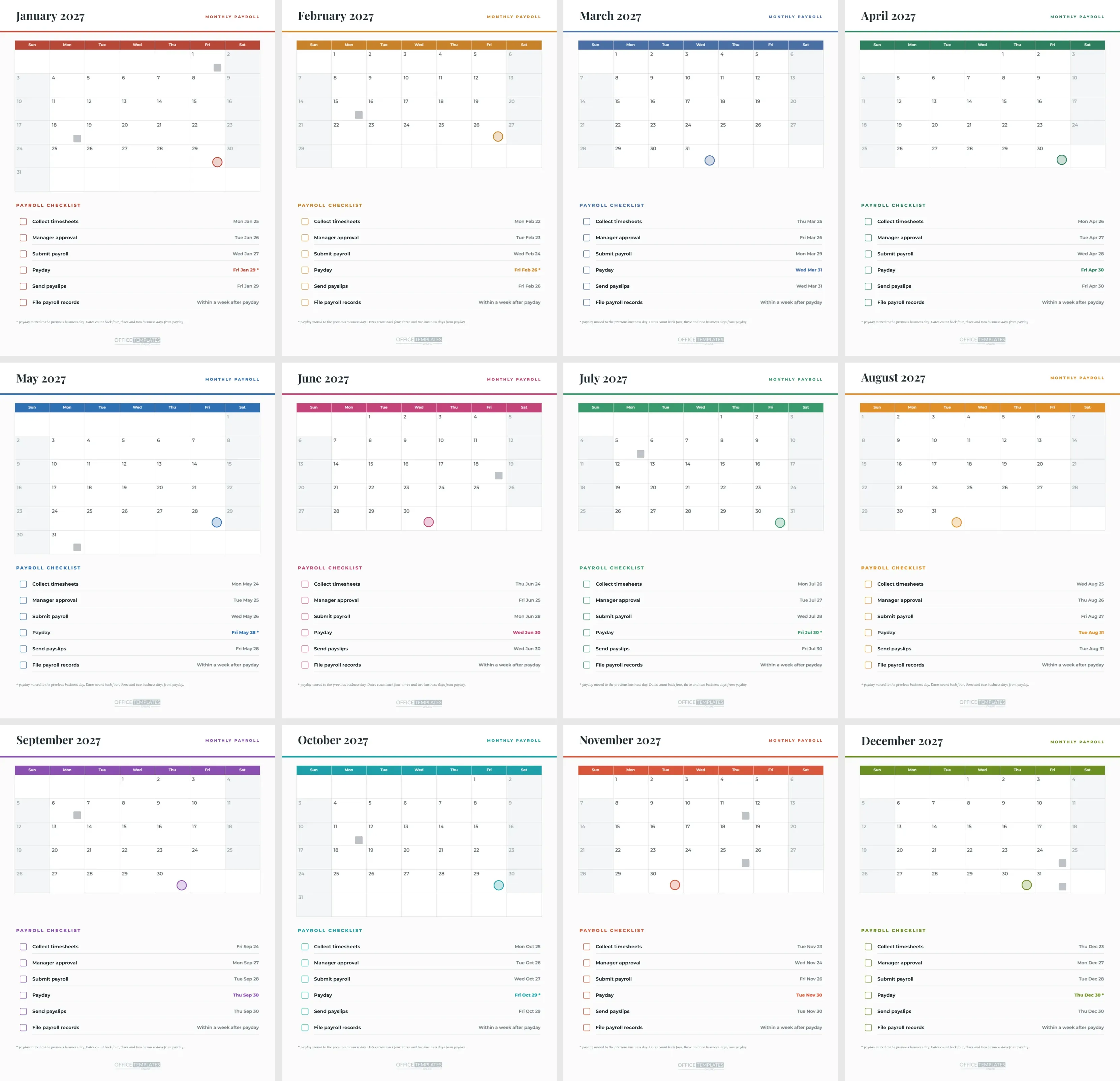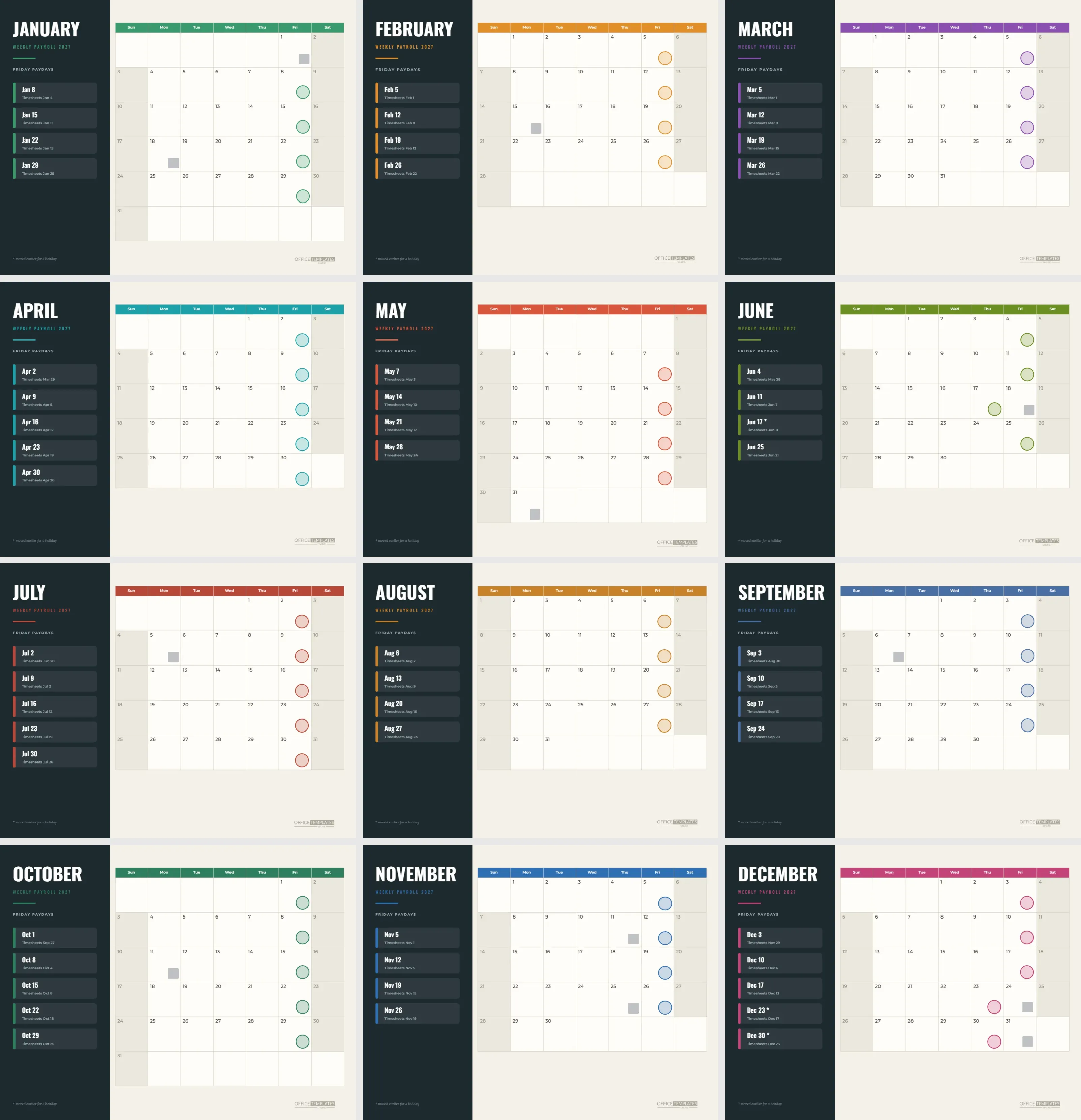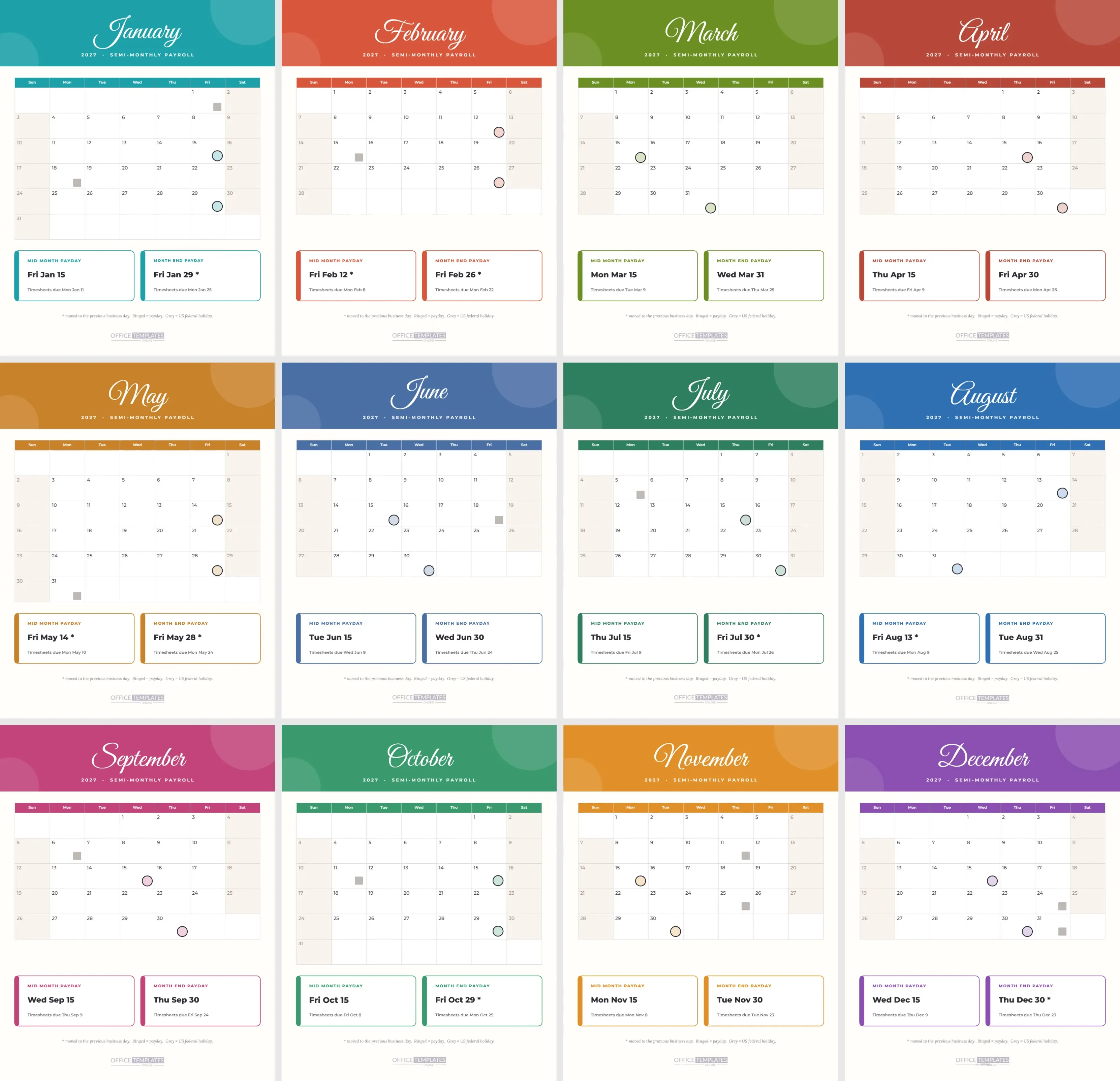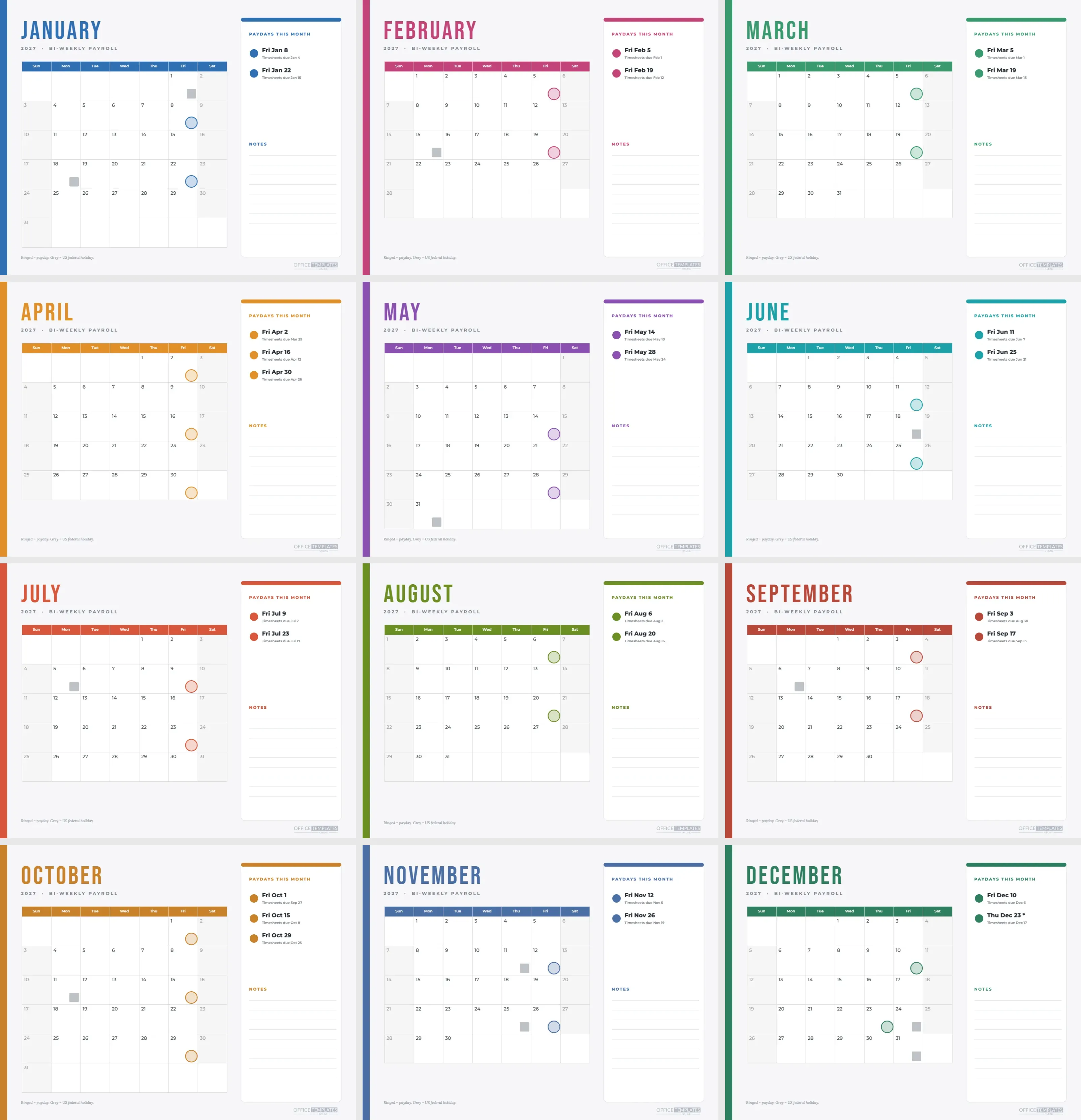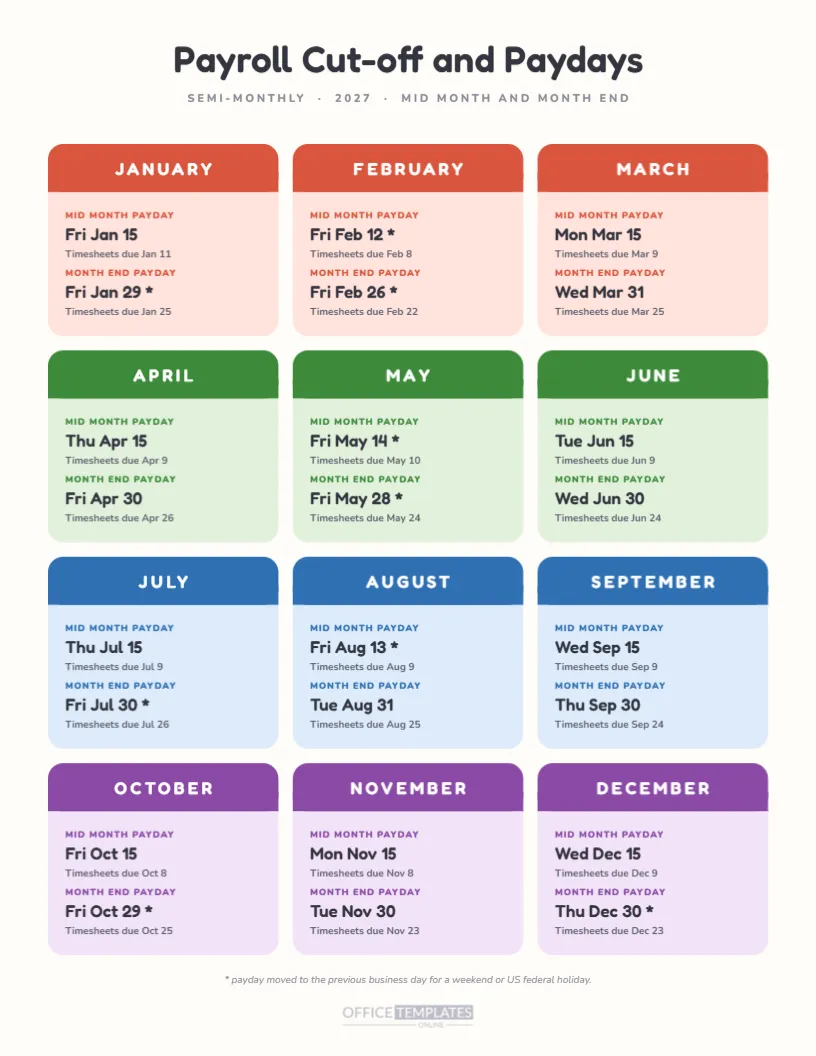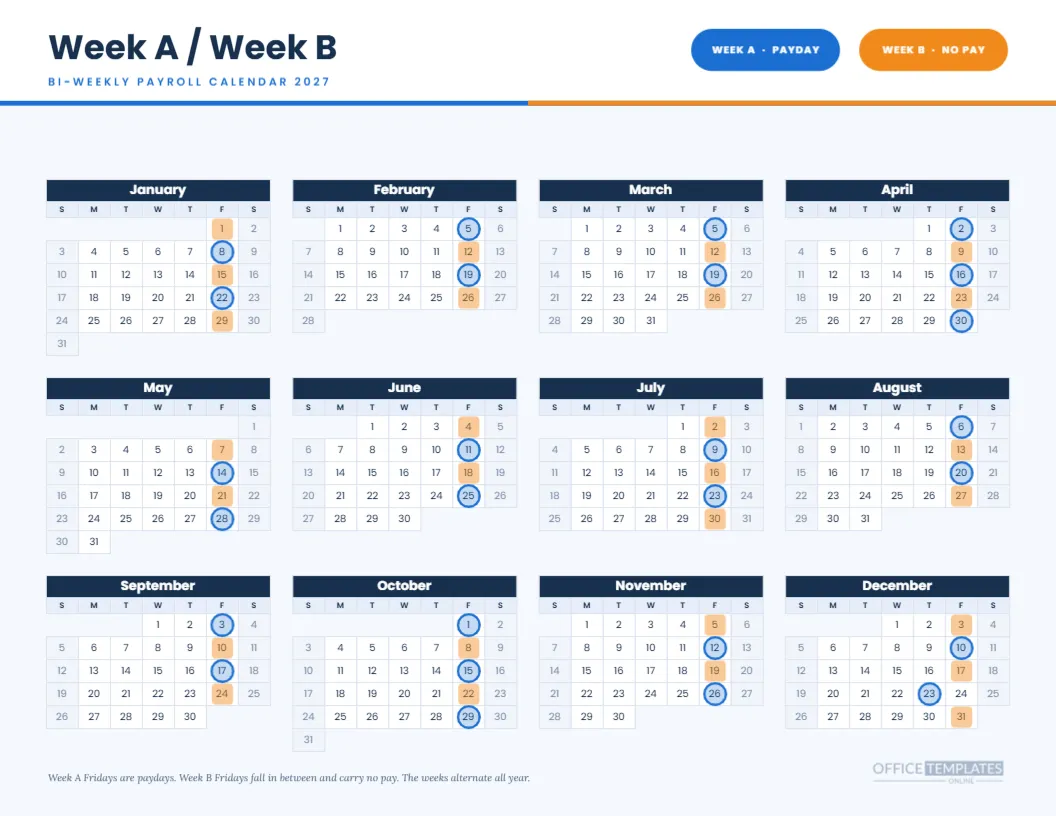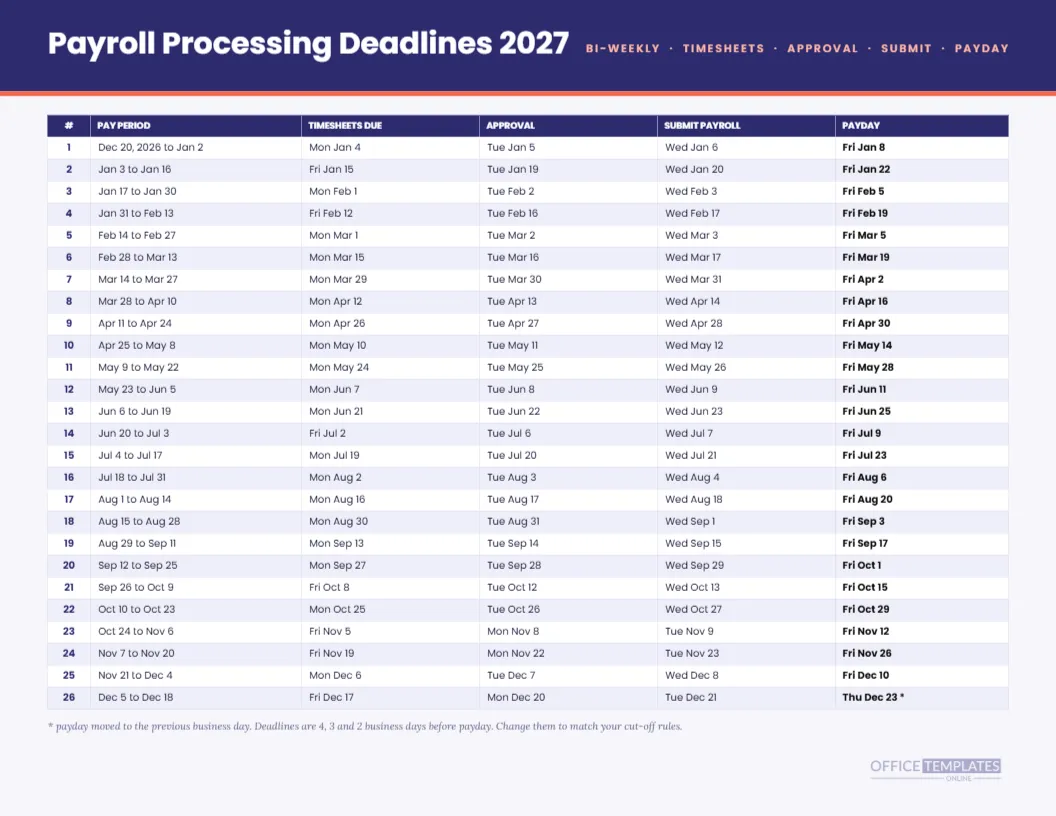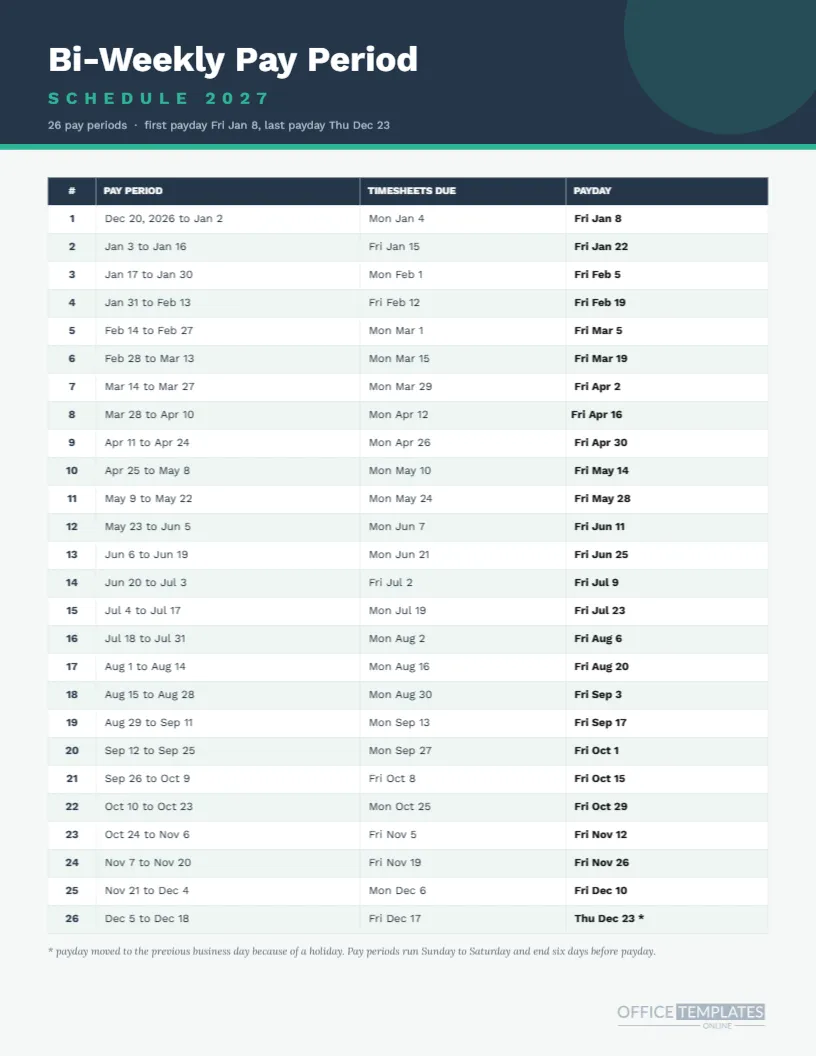
This is the spec sheet for a bi-weekly payroll year: a single portrait page with 26 numbered pay periods, the dates each one covers, the Monday or Friday timesheets are due, and the payday. Where the calendar pages in this collection show the shape of the year, this one gives the detail a payroll clerk needs when they sit down to run a cycle.
Page Specification
| Item | Detail |
|---|---|
| Size | US Letter portrait, 8.5 by 11 inches |
| Table | One editable Table object with four columns and 27 rows |
| Columns | Number, pay period, timesheets due, payday |
| Pay periods | 26, Sunday to Saturday, 14 days each |
| First payday | Friday, January 8, 2027 |
| Last payday | Thursday, December 23, 2027 |
| Fonts | Work Sans for all text |
A Slate Header With a Mint Rule
The page opens with a slate band, a large white title, the word SCHEDULE 2027 in spaced mint capitals and a small grey summary line. A pale circle sits behind the top right corner. A thin mint rule separates the band from the table, which fills the rest of the page with alternating white and pale mint rows.
How the Pay Periods Are Defined
Each period runs Sunday to Saturday for fourteen days and ends six days before payday. The first period covers December 20, 2026 to January 2, 2027 and is paid on Friday, January 8. The last covers December 5 to December 18 and is paid on Thursday, December 23. If your employer pays a different lag, edit the period column.
How Timesheet Dates Are Worked Out
Timesheets are due four business days before payday. For a Friday payday, that is the Monday of the same week. The table shows Mon Jan 4 for the first payday and Fri Jan 15 for the second, because Monday, January 18 is Martin Luther King Jr. Day and the count steps over it.
Reading Rows That Look Odd
Some timesheet dates fall on Fridays instead of Mondays. Those are the weeks with a Monday holiday in them: January 18, February 15, May 31, July 5, September 6 and October 11. A reader who spots a Friday in that column should check the calendar for a holiday, not assume a typo.
The Asterisk on the Last Row
Row 26 reads Thu Dec 23 with an asterisk. The scheduled payday is Friday, December 24, which is the observed Christmas holiday, so pay moves earlier by a day. The note under the table states this and also explains the Sunday-to-Saturday period logic in one sentence.
Bold Paydays and Plain Dates
The payday column is bold because it is the date people look for first. Period dates and timesheet dates use regular weight. The number column is bold and coloured slate so the eye can run down it quickly. These choices come from reading the table at arm’s length, which is how it will be used.
Editing Row Text
Every cell is editable text, not a formula. If you change the first payday, you will need to retype the dates that follow. That is more work than a spreadsheet, but it keeps the page printable and brandable. Use a spreadsheet for calculation and this page for display and distribution.
Adding Columns
You can add a notes column, a column for the approver’s initials, or a tick column for each run. Widen the table to fit or narrow the existing columns first. Keep font size at eight points or above for readability.
Changing the Cell Colours
The header uses slate, and the alternate rows use mint. Set these from the table’s style options or directly on the fills. If your brand has a primary colour, use it for the header only and keep the row tint pale, so text stays legible and the page prints cleanly.
Using It as a Handout
A portrait table on a single sheet is easier to staple into a handbook or to slide into a clear pocket than a landscape calendar. Hand it to new hires with their offer letter, so they know the whole year of pay dates before day one. It is more informative than a verbal explanation.
Using It With the Year Calendar
This page and the bi-weekly year at a glance calendar share the same twenty-six dates. Pin the calendar on the wall and keep this table in the payroll binder. When someone points at a ringed date, you can find the matching row in seconds.
Checking the Cycle Start
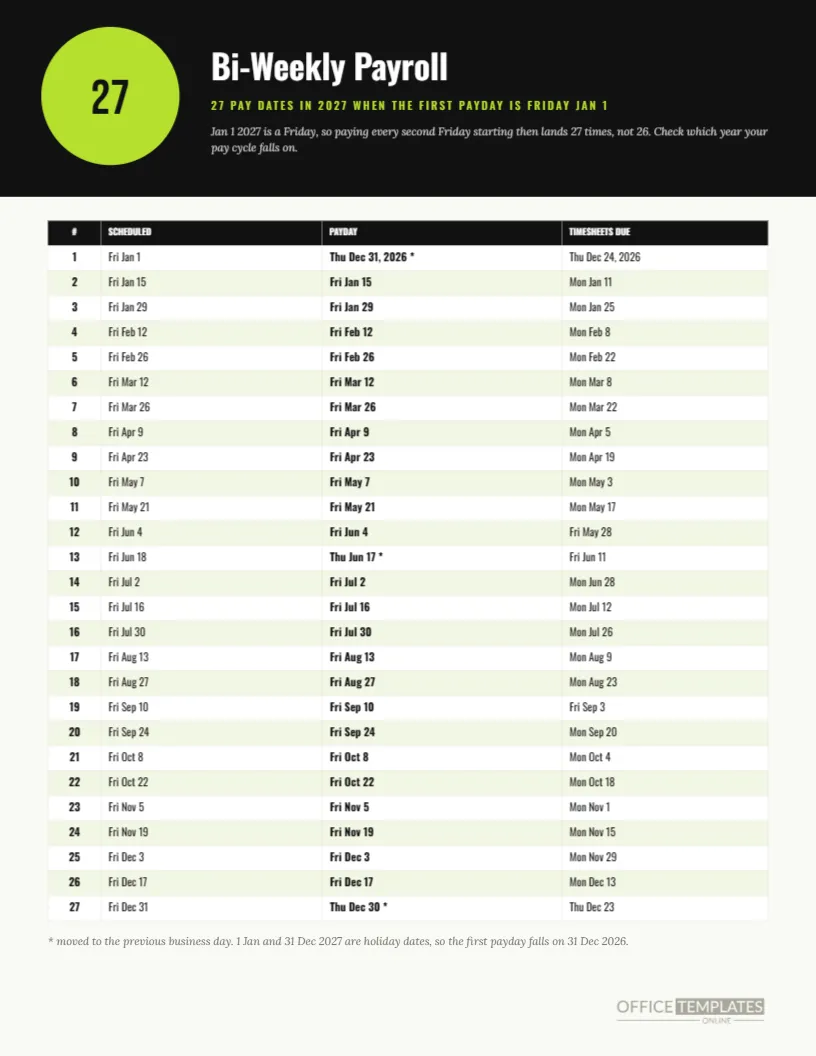
Before using the schedule, confirm that your payroll software’s first 2027 payday is January 8. Some companies run a cycle that began a week earlier, in which case every date will be shifted by seven days. If so, retype the table or use the 27 pay date page, which starts on January 1.
Common Edits for Other Employers
People often change the timesheet rule to three business days, drop the period column for a simpler page, or add the check date. All of these are cell edits. The page remains a Table object, so the grid and fonts stay consistent as you change the text.
Print Notes
Print portrait on Letter at actual size. The table spans most of the page width, so printer margins matter: leave at least a quarter inch. Colour is nicer, but the grid lines and bold paydays carry the page in greyscale if you need a cheap copy.
Reasonable Cautions
Dates are computed from a single rule and may differ from your provider’s. Payroll practices differ by country, and some jurisdictions have rules about maximum pay lag. Treat the page as an internal planning sheet and verify anything that employees will rely on.
Explaining Pay Lag to Employees
The period column shows work done up to six days before payday. New employees often wonder why their first paycheck does not include the most recent week. The table answers that visually: the pay period ends on a Saturday and the money arrives the following Friday, so a person who starts mid-cycle waits for the next full cycle to see a complete check.
Archiving the Completed Year
At the end of 2027, tick or initial each row as proof the run was completed, then store a PDF with your payroll records. It becomes a summary of what was scheduled, which is handy during an audit or a review of payroll processes. Start the next year from a fresh copy.
Using the Table in a Handbook Appendix
Many employee handbooks mention that pay is bi-weekly but never list the dates. Adding this page as an appendix saves HR from repeating the same answer by email, and the dates stay consistent with the calendar pages in this collection.