Few business forms are used as often as the weekly timesheet. Every Monday morning, somewhere, an employee is trying to remember when they left on Thursday, and a manager is trying to turn a pile of scribbled numbers into pay. A good timesheet makes that job quick and unarguable. This one is a single US Letter page with one row for every day of the week, a clear total at the bottom, and three small tiles that separate regular hours from overtime.
A Wall Clock Beside the Title
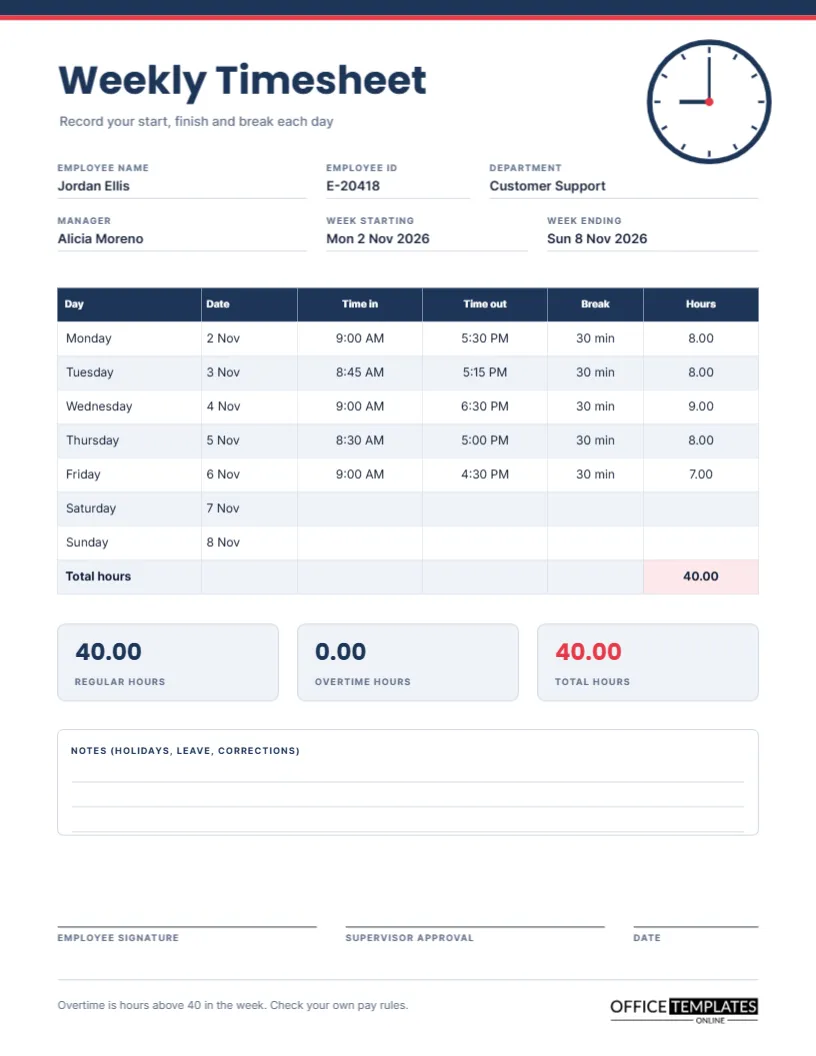
The page opens with a thin navy bar and a red line across the top. The title Weekly Timesheet is set in bold Poppins in navy, with a short grey line beneath it that says to record your start, finish, and break each day. In the top right corner, a round wall clock drawn from shapes shows nine o’clock, a quiet nod to the start of a working day. The look is calm and businesslike, so the page suits an office, a shop or a workshop equally well.
Six Fields That Identify the Week
Under the title sit two rows of labelled fields: employee name, employee ID, department, manager, week starting and week ending. The sample fills them with a customer support employee called Jordan Ellis and a week that runs from Monday 2 November to Sunday 8 November 2026. Writing both the first and last date of the week stops a single sheet from being filed under the wrong pay period.
The Daily Table, Column by Column
| Column | What to write | Sample entry for Monday |
|---|---|---|
| Day | Pre-printed from Monday to Sunday | Monday |
| Date | The calendar date | 2 Nov |
| Time in | When you started work | 9:00 AM |
| Time out | When you finished | 5:30 PM |
| Break | Unpaid minutes taken | 30 min |
| Hours | Time out minus time in minus break | 8.00 |
Hours are written as decimals, so eight hours and fifteen minutes becomes 8.25. Decimals add up without any clock arithmetic, which is exactly what a payroll clerk wants.
How the Sample Week Adds Up
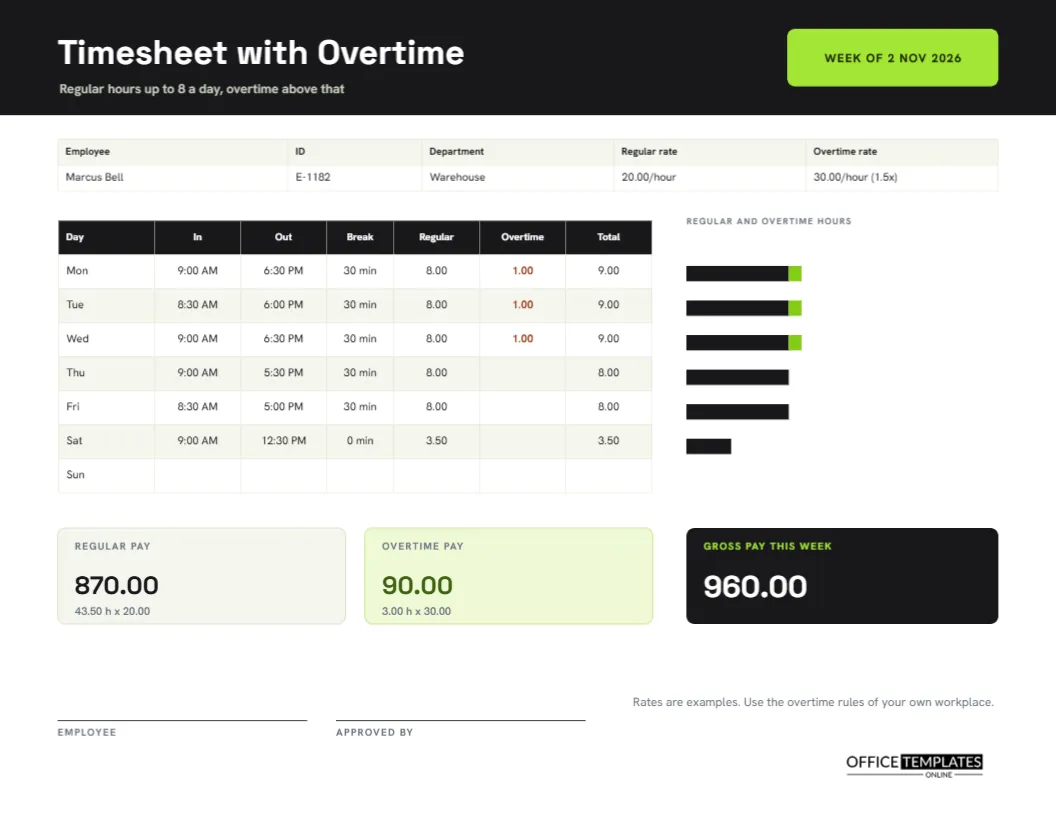
Monday is 8.00 hours, Tuesday 8.00, Wednesday 9.00 because of a late finish at 6:30 PM, Thursday 8.00, and Friday 7.00 after an early leave at 4:30 PM. Together they make 40.00 hours, and the total cell at the bottom of the hours column is shaded pink so it cannot be missed. Weekend rows are left empty. If your business runs seven days, simply use them.
Regular, Overtime and Total Tiles
Three rounded tiles sit below the table: regular hours, overtime hours and total hours. In the sample, the regular figure is 40.00, overtime is 0.00, and the total is 40.00. The footer states that overtime is hours above forty in the week, which is a common rule but not a universal one. Replace the sentence with your own policy, since many workplaces count overtime daily or at different weekly limits.
Typed Totals, Not Formulas
The table is a real editable Table object, so you can click into any cell and type. It does not calculate. When you change a time, retype the hours for that day and the weekly total yourself. This is the honest limit of a printable form, and it is also its strength: nothing can silently break, and the page prints exactly as you see it.
Notes for Holidays, Leave and Corrections
A white box with three ruled lines is headed Notes. Use it to explain a public holiday, a day of paid leave, or a correction to an earlier week, such as forgetting to log Tuesday last week, 7.5 hours. A short written reason prevents a lot of back and forth when payroll asks questions later.
Three Signature Lines
At the foot are lines for the employee, the supervisor, and the date. The employee signs to confirm the hours are true, and the supervisor signs to approve them. A signed timesheet is the document most employers keep as evidence of hours worked, so it is worth printing the final version rather than relying on a screenshot.
Changing Colours, Fonts and Wording
Every label is editable text. To use your brand colours, select the navy bar, the table header cells and the tile text and change their fills. The employee ID field can become a badge number or a department code. If your workplace says shift instead of break, retype the column heading. Add your own logo beside the brand mark if you want the sheet to look like part of your paperwork.
Adding a Second Break Column
Some employers record two breaks, for example, a lunch and a tea break. Use the table panel to add a column, narrow the other columns slightly, and retype the new heading. Keep the whole table within the page width and check that the hours column stays visible and wide enough for the total.
Printing and Filing the Weekly Sheet
The page is US Letter, 8.5 by 11 inches. Print at actual size and choose a setting that includes background colours if you want the navy header. File each approved sheet with the date first in the name, for example, 2026-11-08 Jordan Ellis, so the folder sorts itself in order.
Who Keeps the Original
Employees should keep a copy for their own records, and the employer should keep the signed original with payroll records for the period the law requires in your area. Record-keeping rules differ widely, so check your local requirements instead of relying on a general guide.
Rounding Times Without Losing Pay
Some employers round start and finish times to the nearest quarter hour, and others record exact minutes. Rounding can quietly cost or gain a worker several hours a month, so the rule should be written down and applied the same way for everyone. If you round, say so in the notes box; for example, times are rounded to the nearest 15 minutes, and then use the rounded times in the table.
Using the Weekly Sheet for Shift Work
People who start before dawn or finish after midnight can still use the page. Write the start and finish times as they happened and note beside the row that the shift crossed midnight. For overnight shifts, put the date the shift began in the date column, and make sure the hours cover the whole shift, not only the part that fell on one calendar day.
Questions About the Weekly Timesheet
Can I use it for a pay period of two weeks?
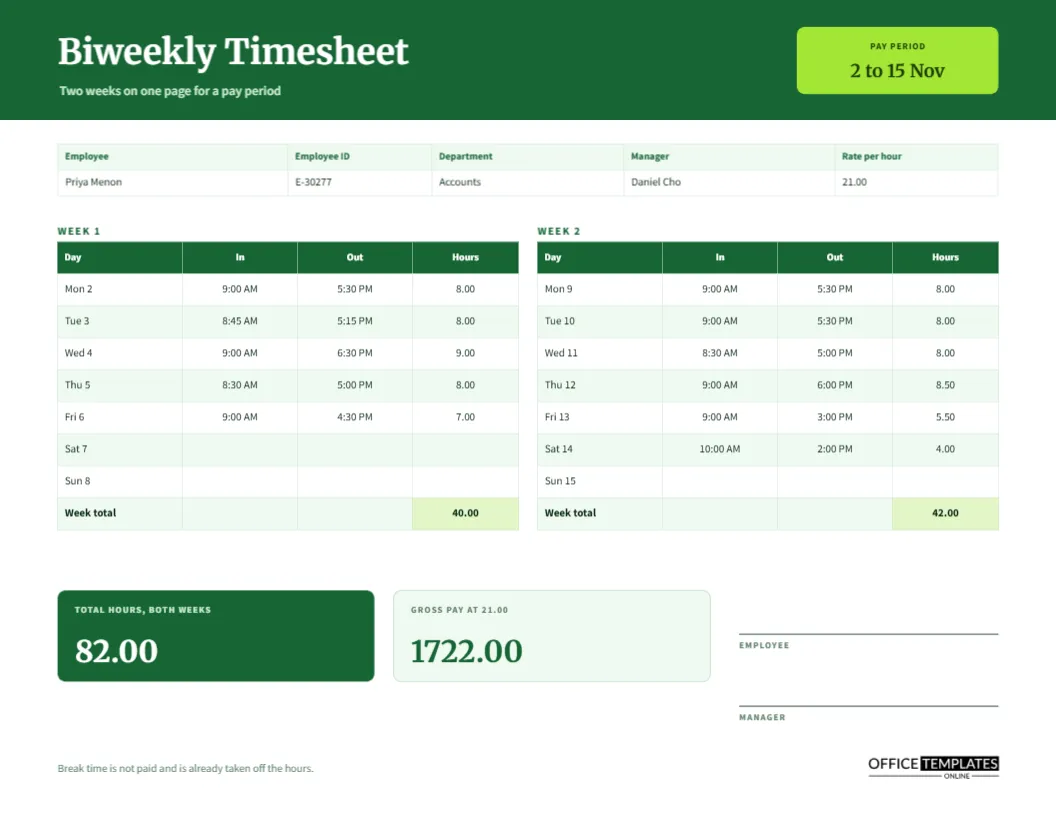
Use two copies, or try the biweekly template, which puts both weeks on one landscape page with a combined total.
Does the page calculate hours for me?
No. You retype the totals after you change any time. The sample figures are worked out in advance so they are correct.
What if my break is paid?
Write zero in the break column, or rename the column to unpaid break and leave paid breaks out of it.