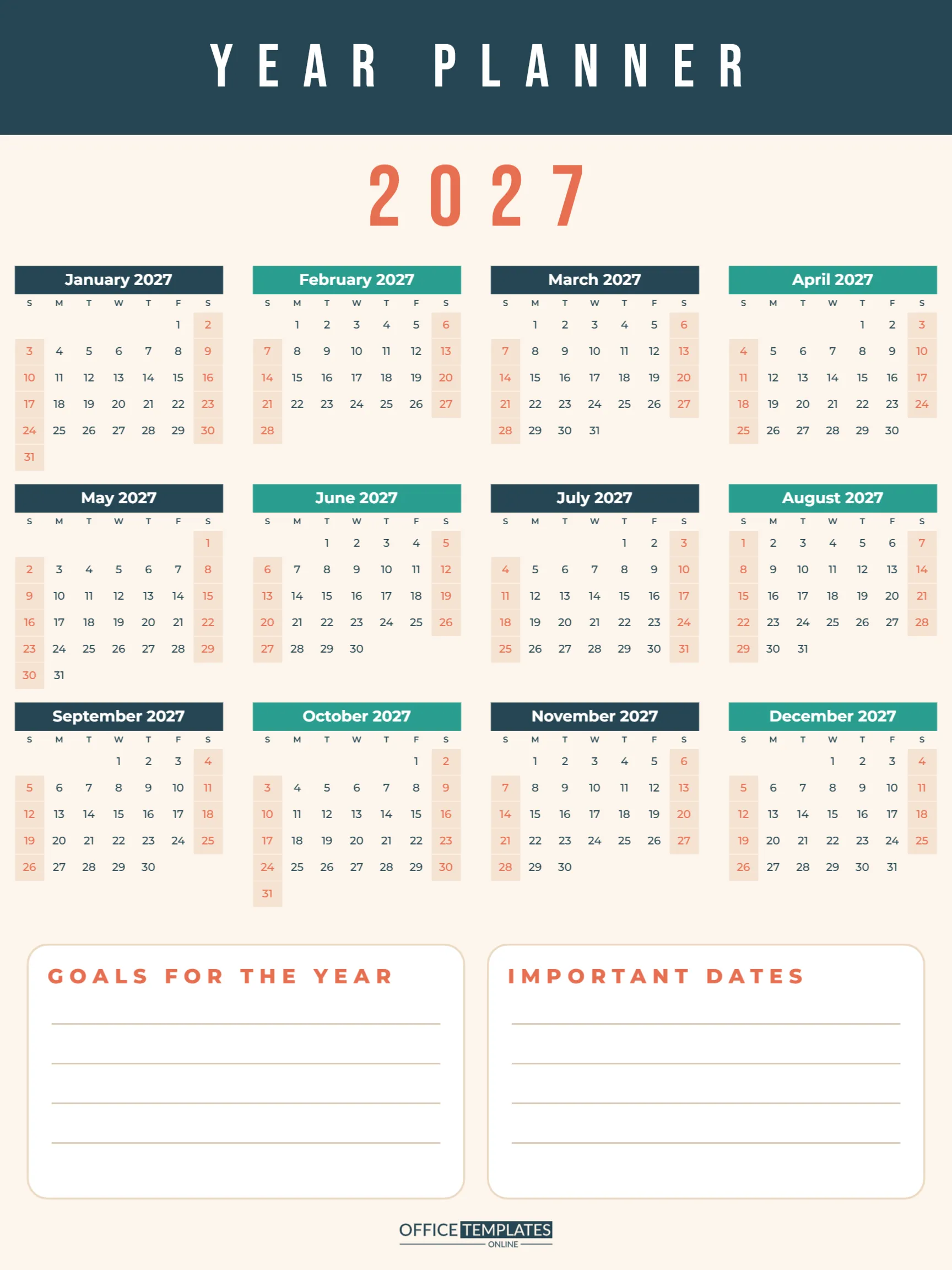
Big plans deserve a big calendar. A wall poster planner turns the whole year into something you can stand back and see at once: every month, every weekend, every holiday, and every goal. This 18 x 24 inch year planner is designed for one purpose: a yearly planning session that sets you up for 2027. Here is how to use it, step by step.
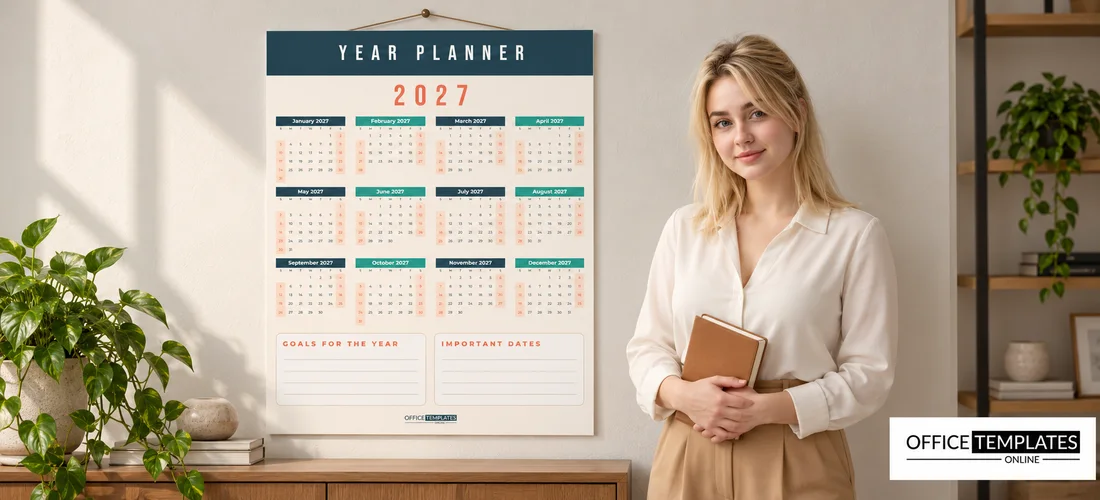
Step 1: Get It on the Wall
The poster is 18 x 24 inches, portrait, a standard poster size that print shops produce quickly and frames are easy to find. Download the PDF and have it printed on heavy matte poster paper, or mounted on foam board if you want to stick pins or sticky notes on it. Hang it at eye level in a place you pass every day: a home office, a kitchen wall, a classroom, or a team area. A clipboard-style poster hanger or a simple frame keeps it flat.
Step 2: Get to Know the Layout
A deep navy band runs across the top with YEAR PLANNER in tall white Bebas Neue capitals, widely spaced. Below it, a large coral 2027 introduces the twelve months, which are arranged four across and three down. Each month is its own calendar, with a coloured title bar (alternating deep navy and teal), weekday initials, centred dates in Montserrat, and peach-tinted weekends with coral numbers.
At the bottom of the poster sit two white rounded boxes with ruled lines: GOALS FOR THE YEAR on the left and IMPORTANT DATES on the right. The OTO logo sits in navy at the foot.
Step 3: Mark the Fixed Dates
Start with the dates you cannot move. Use a fine marker or small dot stickers:
- Public holidays and school holidays.
- Birthdays and anniversaries of close family.
- Bill and tax deadlines.
- Planned travel and booked events.
- Work deadlines, launches or busy seasons.
Use one colour per category, and write a small key in the Important Dates box.
Step 4: Write Your Goals for the Year
The Goals box has four lines, and that is deliberate. Four goals for the year is plenty; more than that, and they start to compete. Write each goal in a sentence you can measure, such as Run a 10 km race in September rather than Get fit. Then find each goal’s deadline on the calendar and mark it, so the goals live on the same page as the dates.
Step 5: Break the Year into Quarters
With fixed dates and goals on the wall, look at the year in three-month blocks. The poster’s 4 x 3 layout makes this easy: each row is one third of the year. Ask what needs to happen in each block for each goal to succeed, and mark small milestones on the calendar. For example, a September race might need a start training plan in May and the first 5 km in June.
Step 6: Review Monthly
A poster planner only works if you look at it. On the first day of each month, stand in front of it for two minutes. Tick off last month’s milestones, check the coming month’s dates, and adjust anything that has moved. Many people find this short ritual is the most valuable part of the whole planner.
Step 7: Celebrate the Small Wins
Planning is easier to stick with when progress is visible. Each time you reach a milestone, mark it on the poster with a gold star sticker or a bright tick. By midsummer, the wall will show a trail of stars across the months, which is surprisingly motivating on days when goals feel far away. At the end of the year, take a photo of the poster before you take it down; it is a satisfying record of everything you achieved, and a useful reference when you plan the next year.
Planning Together as a Family or Team
A wall planner works best when everyone who shares the plans can see and add to it. Families can hold a short planning evening in January, with each person adding their birthdays, trips and big events in their own colour. Teams can do the same in a meeting room, with each member marking holidays and deadlines. The shared view prevents double bookings and makes it obvious when a month is overloaded, so you can spread the work before it becomes a problem.
Why Twelve Separate Month Calendars?
Each month on the poster is its own Calendar object, which keeps the dates large and readable at poster size. To change the year, select a month and open Calendar Options; set the year, and its dates update automatically. Repeat for the other eleven months, and update the large 2027 text. In Calendar Options, you can also start the week on Monday, change the font, or recolour each month’s title bar, so you could colour-code quarters or seasons.
Planner Variations
| Use | How to adapt it |
|---|---|
| Family planner | Rename the boxes Family goals and Holidays |
| Business plan | Use the boxes for quarterly targets and launch dates |
| Classroom | Mark terms, trips and exams; add class birthdays |
| Fitness year | List races in Important Dates and training goals above |
| Content calendar | Mark campaigns and posting themes month by month |
Changing Colours and Text
The navy, teal and coral palette is bright but professional. Recolour the top band, the 2027 title and the goal-box headings in one or two clicks, and change each month’s title bar in Calendar Options. Rename the title band to FAMILY PLANNER 2027 or TEAM ROADMAP. Fonts are Bebas Neue for the titles and Montserrat for the calendars, both free Google Fonts.
Poster Planner FAQs
Can I print it at a smaller size?
Yes. It scales cleanly to 11 x 17 inches or A3, though the dates become smaller.
Can I use sticky notes on it?
Mount it on foam board, and small sticky notes and pins work well.
Can I make a 2028 version?
Yes. Change the year on each month in Calendar Options and update the title.
Hang it up, mark the year, and set four goals. 2027 is easier to plan when you can see all of it.