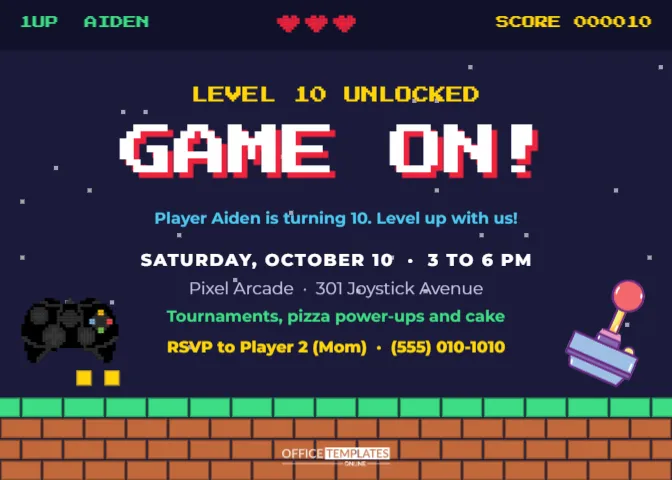
Player One has reached a new level. For a young gamer, a birthday is basically a level-up, and a video game party is the best way to celebrate. Tournaments, snacks, high scores, and friends shouting at the screen together: it is pure fun. This invitation looks like the start screen of a classic arcade game, complete with lives, a score, and a pixel brick floor.
Press Start: The Pixel-Art Layout
The card is landscape, 7 x 5 inches, with a dark navy background scattered with tiny pixel stars. Across the top runs a darker HUD (heads-up display) strip, like the top of a game screen: 1UP AIDEN in green on the left, three red pixel-art hearts in the middle for lives, and SCORE 000010 in yellow on the right, all in the blocky Press Start 2P font.
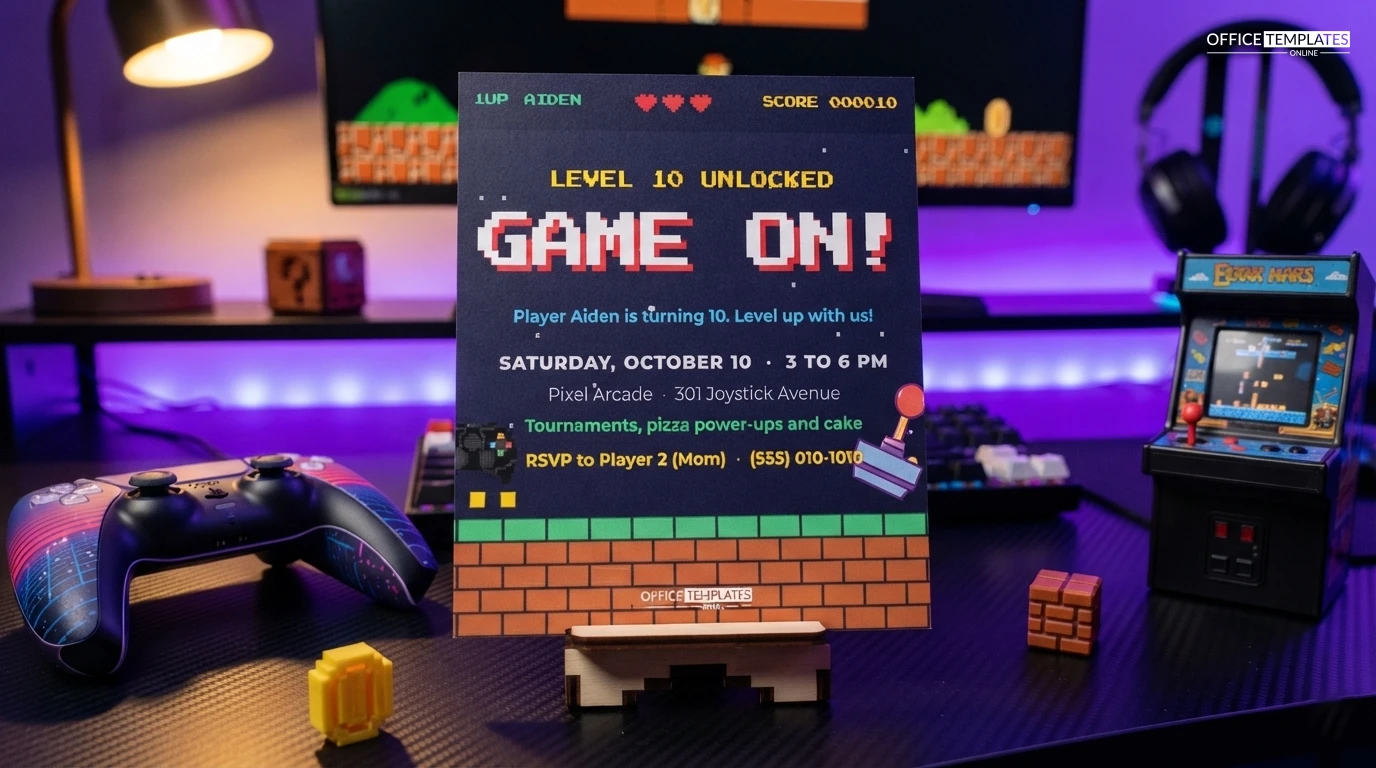
Below, LEVEL 10 UNLOCKED glows in yellow, and GAME ON! is set large in white Press Start 2P with a red pixel shadow. A blue line follows: Player Aiden is turning 10.Level up with us! The details come next: the date and time in white, the arcade name and address, a green line promising tournaments, pizza power-ups, and cake, and a yellow RSVP to Player 2 (Mom). At the bottom, a pixel brick floor with a green top row spans the card, just like a classic platform game. A black game controller sits on the left with two yellow coin blocks beside it, and a purple and pink arcade joystick stands on the right. The OTO logo sits in white on the bricks.
Running a Tournament Everyone Enjoys
A tournament is the heart of most video game parties. A good bracket keeps everyone playing and avoids long waits. Here is a simple format for eight players.
| Round | Matches | What happens |
|---|---|---|
| Round 1 | 4 matches | Players are paired at random from names in a hat |
| Losers’ round | 2 matches | First-round losers play again so nobody is out after one game |
| Semi-finals | 2 matches | The four winners play |
| Final | 1 match | The two semi-final winners play for the title |
| Bonus round | Free play | Everyone plays together in a party game |
Choose games that are easy for beginners and fun for experts: racing, sports, and party games work well. Print a large bracket on a poster and update it after each match. A trophy for the champion and a best comeback award for someone else make sure two players go home feeling like winners.
Screen-Time Balance for Parents
Some parents worry that a gaming party means three hours of staring at a screen. A mix of on-screen and off-screen activities keeps the party lively and gives everyone a break.
- Run the tournament in two short sessions with a break in between.
- Set up a real-life game station: giant Jenga, a laser maze made from string, or a Nerf target range.
- Make pixel art with square stickers or Perler beads.
- Play a game-music freeze dance.
- Have the cake and presents away from the screens.
Power-Up Snacks
Give the food game-style names to match the card, and write them on little signs in the same blocky lettering. Pizza power-ups are mini pizzas or slices. Health potions are coloured drinks in bottles. Coins are chocolate coins. Mushroom cupcakes, pixel sandwiches cut into squares, and XP crackers all work. For the cake, a square cake decorated with fondant pixel blocks, or a cake in the shape of a controller, looks great.
Changing the Player and Details
All the text is editable with a double-click. Change 1UP AIDEN and Player Aiden to the birthday child’s name, LEVEL 10 to their new age, and update the date, venue, activities, and RSVP. The score in the HUD can be the child’s age, their birth date, or a funny number.
The pixel hearts are small groups of squares; recolour them or ungroup them to remove a life. The star field and the brick floor are each one group, so you can recolour the bricks to grey stone, or the grass row to blue ice for a different game world. The controller and joystick are editable vector illustrations you can recolour from their swatches. Fonts are Press Start 2P, the classic pixel font, and Montserrat for the details, both available in the editor.
Hosting at Home or at an Arcade
At home, you need a console, a big screen, enough controllers for four players at once, and a good party game. At an arcade or gaming centre, as in the sample (Pixel Arcade, 301 Joystick Avenue), the venue provides machines, screens and often a party host. Many venues offer packages with game credits, pizza and a private room. Compare the cost per child; it is often reasonable, and there is no tidying up afterwards.
Printing in Pixels
Download the PDF and print on bright white card; the dark background and pixel colours look sharp on a smooth stock. Press Start 2P is designed for screens, so print a test to make sure the small text is crisp. For a digital invite, download a PNG or JPG and send it to parents; the pixel style looks perfect on a phone.
Video Game Party Questions
Should guests bring their own controllers?
For a home party with one console, asking a few families to bring spare controllers saves buying extras. Label each controller with a sticker so it goes home with the right player.
What age suits a video game party?
Seven to fourteen is the most popular range, though teens and adults love retro gaming parties too.
What games should we choose?
Age-appropriate party, racing, and sports games that up to four players can play at once.
How many guests can play?
With one console, eight guests is manageable using a tournament bracket. With two screens, invite more.
Can the card be used for a retro arcade party for adults?
Yes. Change LEVEL 10 to LEVEL 40 and the arcade becomes a bar with classic cabinets.
Enter Player One’s name, set the date, and press start. The next level of fun is about to begin.