Red Diagonal Stripes and a Star Pattern for a Shopping Voucher
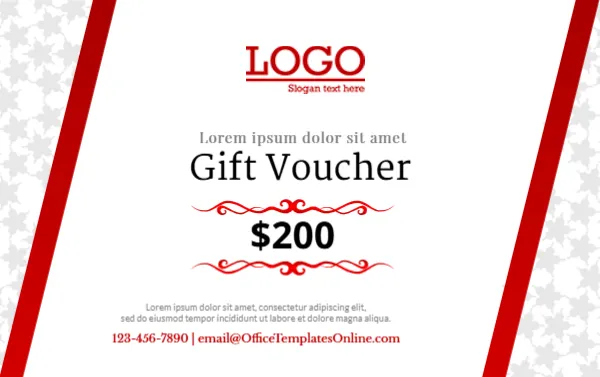
A soft grey star pattern fills the side edges of this card, separated from the white centre by two bold red diagonal stripes. A red LOGO with a slogan sits at the top, a spaced placeholder line sits above Gift Voucher in a dark serif, and $200 sits between two red scroll ornaments. A placeholder paragraph and a red phone and email line close the card. It is simple and clean, which keeps the value the focus.
A Ready to Sell Voucher in Wallet Size
The card is 3.375 x 2.125 inches, CR80. It has no recipient lines, which makes it a ready to sell voucher that customers can give to anyone.
Lorem Text and Contacts on the Voucher
The line above the title and the paragraph are Lorem ipsum, so replace them with a greeting and short terms. The footer uses the template site’s email, so type your own phone and email.
Preparing the Shopping Voucher
- Replace the Lorem text.
- Swap the logo.
- Type your contacts.
- Set the value.
- Print.
Selling Vouchers Over the Counter
With no name lines, shops can print a batch and sell them over the counter as quick gifts. Customers like the simplicity. They are especially handy for last minute shoppers who need a gift in a hurry.
Adding a Voucher Number
Add a small voucher number so each voucher can be tracked and redeemed only once. Write the number by hand or print it in a small font near the logo.
Printing the Red Stripes
The red stripes print boldly. Check that the grey star pattern stays soft. Use bright white card for the cleanest look.
Values for Every Budget
Print sets in $25, $50, $100 and $200 values.
Using the Paragraph for Terms
Use the paragraph for short terms, such as Valid for 12 months from purchase.
Displaying Vouchers by the Till
Display vouchers in a holder by the till. A small stand keeps them visible to shoppers waiting to pay.
Using the Shopping Voucher
Keep them ready at the till.
Step by Step Editing of the Shopping Voucher Red Stripes Design
- On the shopping voucher red stripes design, click the main headline and type your own words, keeping a similar length.
- Retype every name, date and contact line on the shopping voucher red stripes design, checking each against a trusted source.
- Search the shopping voucher red stripes design for the words Lorem and Company so that no placeholder remains.
- Click any logo or photo on the shopping voucher red stripes design, choose Replace Image and resize the new picture to fit.
- Zoom the shopping voucher red stripes design to full size and read each line aloud before you save it.
- Keep a clean master of the shopping voucher red stripes design without private details, so later versions start tidy.
Similar designs include the silver gift card. Compare it with the brown and gold card. You may also like the Halloween sale voucher. Every shopping voucher red stripes style alternative sits in gift certificate and voucher templates.