A Clear Weekly Overview for Special Needs Homeschooling
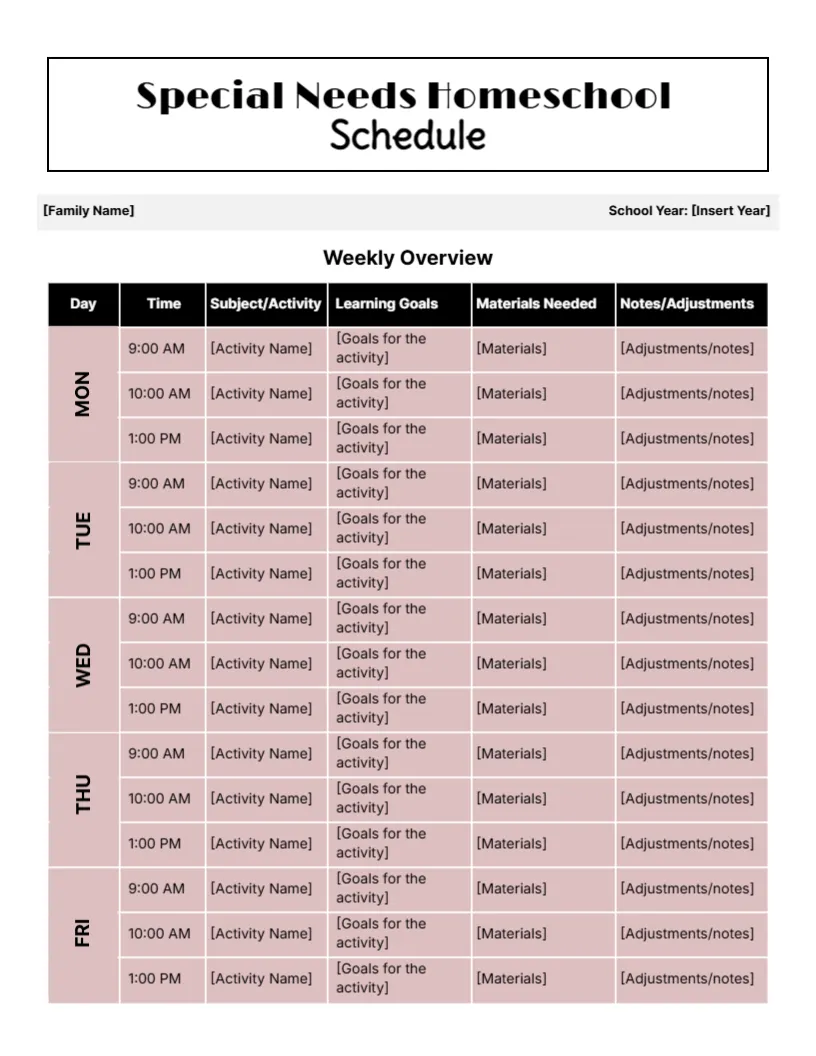
A simple, clear page carries Special Needs Homeschool Schedule in a black framed title. Family Name and School Year lines sit on a grey bar. Below, a Weekly Overview table with black headers lists Day, Time, Subject/Activity, Learning Goals, Materials Needed and Notes/Adjustments, with three time slots for each weekday from Monday to Friday on soft pink rows. Every cell holds a bracketed placeholder. Its plain layout keeps the focus on the child and the day ahead.
Three Sessions a Day
The page is 8.5 x 11 inches, portrait. Three sessions at 9:00, 10:00 and 1:00 leave plenty of time for breaks, therapy and rest, which many children with additional needs benefit from.
Placeholders to Fill
Replace each placeholder with real details: the activity, a small goal, the materials and any adjustments, such as Use visual timer or Allow movement breaks. This is a planning layout, not medical or therapy advice, so set goals with your child’s specialists where possible.
Setting Up the Special Needs Plan
- Fill in the family name and year.
- List each activity.
- Set one small goal per session.
- List materials.
- Note adjustments.
Small, Clear Goals
Small goals that can be met in one session build confidence. Write them in plain words, such as Read five sight words, so progress is easy to see. Celebrate each small win, since progress often comes in tiny steps.
Recording Adjustments
The adjustments column records what helped, such as shorter tasks or noise cancelling headphones. Over time it becomes a useful guide.
Working With Specialists
Share the schedule with therapists or tutors so goals line up. Their input can make the plan more effective.
Printing a Calm Page
The muted pink and black are calm and easy to read. Avoid adding bright colours if your child prefers calm visual surroundings.
Visual Supports
Add pictures beside activities for children who use visual schedules.
Flexible Timing
Treat the times as a guide. Some days need more breaks.
Using the Special Needs Schedule
Review it weekly and celebrate progress.
Step by Step Editing of the Special Needs Weekly Overview Design
- On the special needs weekly overview design, click the main headline and type your own words, keeping a similar length.
- Retype every name, date and contact line on the special needs weekly overview design, checking each against a trusted source.
- Search the special needs weekly overview design for the words Lorem and Company so that no placeholder remains.
- Click any logo or photo on the special needs weekly overview design, choose Replace Image and resize the new picture to fit.
- Zoom the special needs weekly overview design to full size and read each line aloud before you save it.
- Keep a clean master of the special needs weekly overview design without private details, so later versions start tidy.
Also worth a look: preschool schedule. Next to try is the hybrid schedule. Have a look at the flexible schedule. The rest of the series around the special needs weekly overview design is in homeschool planner templates.