After a weekend of shopping, Giving Tuesday turns attention to generosity. Held on the Tuesday after Thanksgiving, it is a global day of giving that encourages people, businesses, and organisations to support causes they care about. This square post helps a business or charity share a donation pledge and show progress toward a goal, with a gentle, hopeful design.
Giving Tuesday Post Design
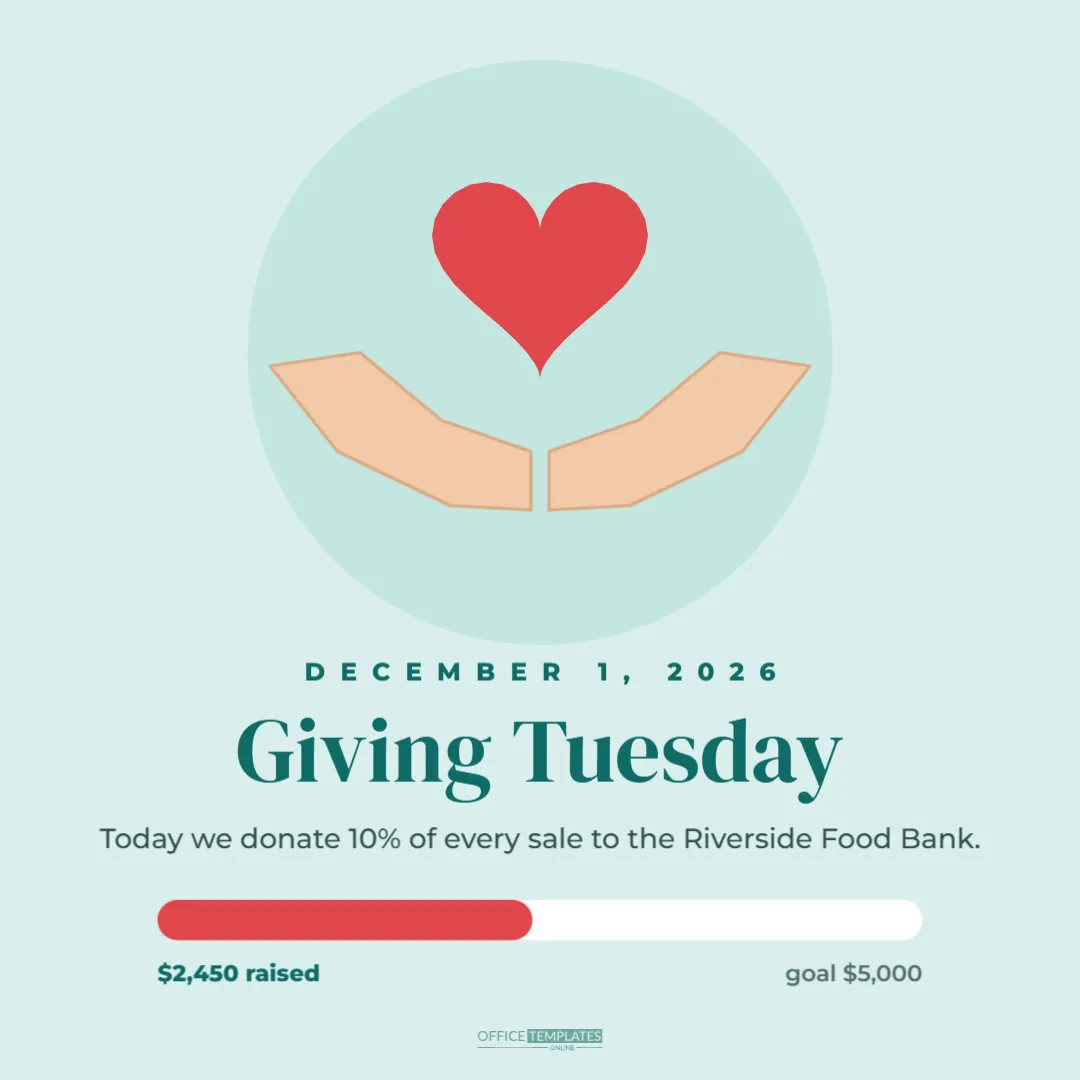
The post is 1080 x 1080 pixels with a soft teal background. A slightly deeper teal circle sits behind the central illustration: two cupped hands drawn in warm skin tones, open as if offering or protecting, with a bright red heart floating just above them.
Below, DECEMBER 1, 2026 appears in small, spaced deep teal capitals, followed by Giving Tuesday in large DM Serif Display. A line explains the pledge: Today we donate 10% of every sale to the Riverside Food Bank. A rounded progress bar shows the fundraising so far, with the red portion filled just under halfway, labelled $2,450 raised on the left and goal $5,000 on the right. A small logo mark sits at the bottom.
Ways Businesses Take Part in Giving Tuesday
- donating a percentage of the day’s sales to a charity;
- matching customer donations up to a set amount;
- collecting items, such as coats, food or toys, in store;
- volunteering as a team with a local organisation;
- offering a product where profits go to a cause.
Editing the Pledge and Charity
Replace the pledge line with your own commitment and the charity’s name. Be specific: 10% of every sale or $1 for every order is clearer than a portion of proceeds. If you are a charity yourself, change the line to your appeal, such as Help us provide 1,000 warm meals this winter.
Updating the Progress Bar
The progress bar is two rounded shapes: a white track and a red fill. To show new progress, select the red fill and change its width; for example, at 75% of the goal, make it three-quarters of the track’s width. Update the raised amount and goal labels. Posting updates through the day encourages more people to join in as the bar fills.
Progress Updates Through the Day
| Time | Post idea |
|---|---|
| Morning | Announce the pledge and the goal |
| Midday | Share progress and thank early supporters |
| Afternoon | Tell a short story about the charity’s work |
| Evening | Final push: We are $500 from our goal |
| Next day | Thank everyone and share the total |
Being Transparent About Donations
Trust matters most when money is involved. Say exactly how the donation works, when it will be made, and to which organisation. After the day, share the final amount and, if possible, a receipt or thank you from the charity. Many regions have rules about how businesses describe donations linked to sales, so keep the wording precise and honest.
Changing the Giving Tuesday Colours
Soft teal and red feel calm and caring. Many charities use their own brand colours; change the background, circle, and progress fill to match. Keep the heart in a warm, bright colour so it remains the focal point.
Charities and Nonprofits
Nonprofits can use the post for their own Giving Tuesday appeals. Change the pledge line to your ask, add a link to your donation page in the caption, and update the progress bar as donations arrive. Seeing a goal get closer is a powerful motivator for supporters.
Writing the Giving Tuesday Caption
Use the caption to tell a short story about why the cause matters, such as a family the food bank helped or what a donation of $25 provides. Then explain how people can help, whether by shopping, donating directly, or sharing the post. End with a thank you.
Story Version
For stories, resize to 1080 x 1920 pixels and place the hands and heart above a larger progress bar. Add a donation sticker if your platform supports one for your charity, or a link sticker to the donation page.
Involving Your Team and Customers
Share photos of your team volunteering or packing donations, with their permission. Invite customers to add a donation at checkout or drop items in a collection box. Giving Tuesday works best as a shared effort.
Giving Tuesday Post Accessibility
Add alt text such as Illustration of hands holding a heart. Giving Tuesday: 10% of every sale donated to the Riverside Food Bank. $2,450 raised of a $5,000 goal. Repeat the pledge in the caption in plain text.
Giving All Season
Giving Tuesday can start a season of generosity. Keep the progress bar going through December, or plan a follow-up campaign. Customers appreciate businesses that support their communities beyond a single day.
Choosing a Cause
Pick a cause that connects with your business and community: a local food bank for a café, an animal shelter for a pet shop, a literacy charity for a bookshop, or a youth sports club for a sports store. A natural connection makes the campaign feel genuine. Talk to the organisation before the day, so they can share your post and thank supporters too.
Showing the Impact of Donations
People give more when they can picture the result. Translate the goal into something concrete, such as $5,000 provides 2,000 meals or every $20 buys a winter coat. Add this to the caption or to an update post, so supporters understand exactly what their contribution achieves.
Thanking Supporters Afterwards
Share the final total the next day with a heartfelt thank you, and tag the charity so supporters can see where their help went.
Giving Tuesday Post Questions
Can I show the progress as a percentage?
Yes. Change the labels to 49% of our goal or add a percentage above the bar.
Can I add the charity’s logo?
Ask the charity for permission and place their logo below the pledge line.
Can I use it for a coat or food drive?
Change the pledge to the drive and the bar to items collected, such as 312 of 500 coats.
The best way to end a weekend of deals is with a little generosity. Set your pledge, share your goal, and invite your community to give together this Giving Tuesday.