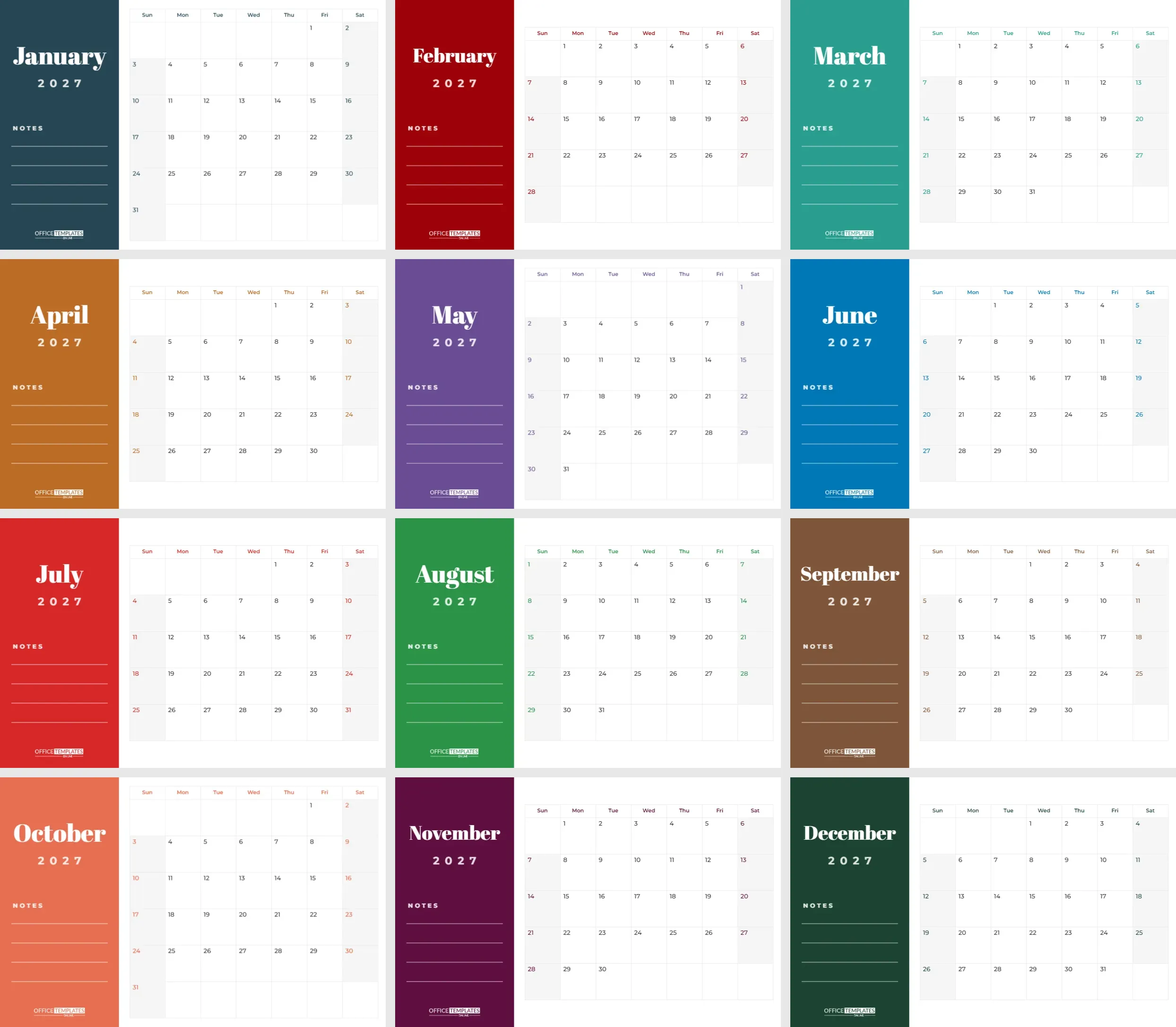
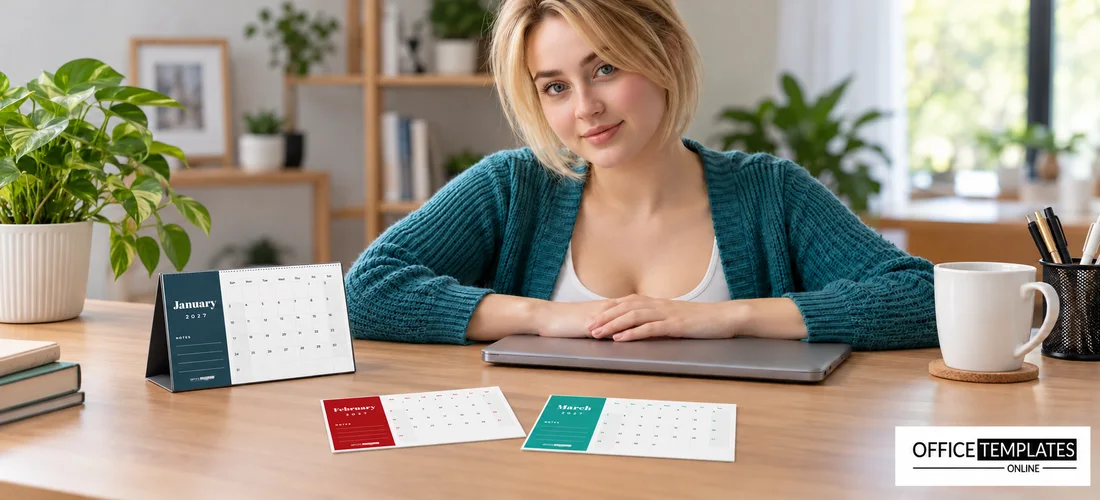
A desk calendar lives right where you work. It sits next to your keyboard, glances back at you during calls, and quietly reminds you of deadlines without opening an app. This half-letter calendar is designed for exactly that spot: compact, clear, and colourful, with a different accent colour for every month of 2027 and a little notes column for the things you must not forget.
Here are eleven reasons this little calendar earns its spot on your desk.
1. It Fits Below Your Monitor
Full-size wall calendars are too big for a desk, and tiny calendars are too small to write on. Half-letter is the sweet spot. It is wide enough for a full month with readable dates, short enough to sit below a monitor, and it fits the most common desk easels and tent stands. It also prints efficiently: two pages fit on one letter or A4 sheet, so a whole year takes only six sheets of card.
2. Every Month Gets Its Own Colour
Each of the twelve pages is half-letter landscape, 8.5 x 5.5 inches, which is the size of a letter sheet cut in half. The left side of every page is a solid colour panel. The month name sits at the top in Abril Fatface, a bold high-contrast display serif, with 2027 in spaced capitals underneath. Below, a NOTES label leads to four white writing lines, and the OTO logo sits at the bottom of the panel.
The right side holds the month grid on white. Weekday names appear in the month’s accent colour, the dates sit in the top-left corner of each square, and weekends are softly shaded with coloured numbers. The panel colours change every month: deep teal, crimson, jade, copper, violet, cobalt, scarlet, emerald, walnut, coral, plum and forest green.
3. The Colours Follow the Seasons
| Season | Months | Panel colours |
|---|---|---|
| Winter | January, February, December | Deep teal, crimson, forest green |
| Spring | March, April, May | Jade, copper, violet |
| Summer | June, July, August | Cobalt, scarlet, emerald |
| Autumn | September, October, November | Walnut, coral, plum |
To match your office or brand, select the panel on each page and choose one colour for the whole year, then set the weekday and weekend colours to the same shade in Calendar Options.
4. A Whole Year Prints on Six Sheets
Because each page is exactly half of a letter sheet, you can print the whole year on six sheets of card. In the print dialog, choose two pages per sheet, or a booklet, or a multiple-page layout, then cut each sheet across the middle with a paper trimmer. This halves the amount of card you need and keeps every page exactly the same size, which matters when the pages are bound together on a stand.
5. It Stands Up in Five Minutes
- Download the PDF and print on sturdy card, around 250 to 300 gsm.
- If your printer can print half-letter paper, print each page on its own sheet. Otherwise, print two pages per letter sheet and cut them in half.
- Punch two or three holes along the top edge.
- Thread the pages onto a desk calendar easel, a pair of binder rings on a wooden stand, or a small clipboard with a fold-out leg.
- For a tent calendar, have a print shop wire-bind the pages to a folded card base.
6. The Dates Fix Themselves
Every grid is the editor’s built-in Calendar object, already set to its month of 2027. Open Calendar Options to change the year, start weeks on Monday (popular for work calendars), or adjust colours and the font. Because the dates are calculated, you never need to type them. When 2028 arrives, change the year on each page, update the 2027 text on the panel, and print a fresh set.
7. Four Lines Keep You Focused
Four lines do not sound like much, but they are perfect for the month’s essentials: one big deadline, one goal, one reminder, and one personal note. Many people write the month’s key meeting dates or project milestones here, so they are visible all month. Others use it for a habit they are building or the name of the book they are reading. Keeping the list short means you actually read it every day.
8. It Works Because You See It
A desk calendar only helps if you look at it. Put it where your eyes naturally rest, such as just below your screen or next to your phone. Turn the page on the first working day of each month, and take thirty seconds on Monday mornings to scan the week. Write deadlines a few days before they are due, so you have a buffer. The bright panel colour makes it easy to spot which month you are in at a glance, even from across the room.
9. It Makes a Useful Client Gift
Desk calendars are classic end-of-year gifts from businesses. Add your company name and contact details to the bottom of each panel, recolour the panels to your brand colour, and print a stack on good card. Clients keep a useful desk calendar all year, which means your name is in front of them every working day. Teachers and team leaders also give them as small thank-you gifts.
10. You Can Make It Yours
- Replace NOTES with PRIORITIES, GOALS, or THIS MONTH.
- Add a small photo or logo in the panel above the month name.
- Change the month font to any Google font in the editor for a different personality.
- Mark public holidays by switching a page to the Task Calendar style in Calendar Options and typing them into the dates.
11. And a Few Quick Answers
What size is each page?
Half-letter landscape, 8.5 x 5.5 inches.
Can I print it on A5?
Yes. A5 is very close in size; choose fit to page when printing.
Can the week start on Monday?
Yes. Each page has its own Calendar Options, where Monday can be set as the first day.
Can I add my business details?
Yes. Add a text line on the panel under the notes.
Is there a version with a photo?
You can add a photo from the editor to the panel, above the month name.
Print the twelve pages, clip them to a stand, and put 2027 right where you work. Your desk just got a little more organised.