Forty weeks feels like forever at the start and goes by in a flash at the end. A pregnancy calendar helps you see the whole journey on one page: when each trimester begins, when your due date falls, and which months will be busiest with appointments. Follow these steps to set yours up.
Step 1: Add Your Bump Photo to the Arch
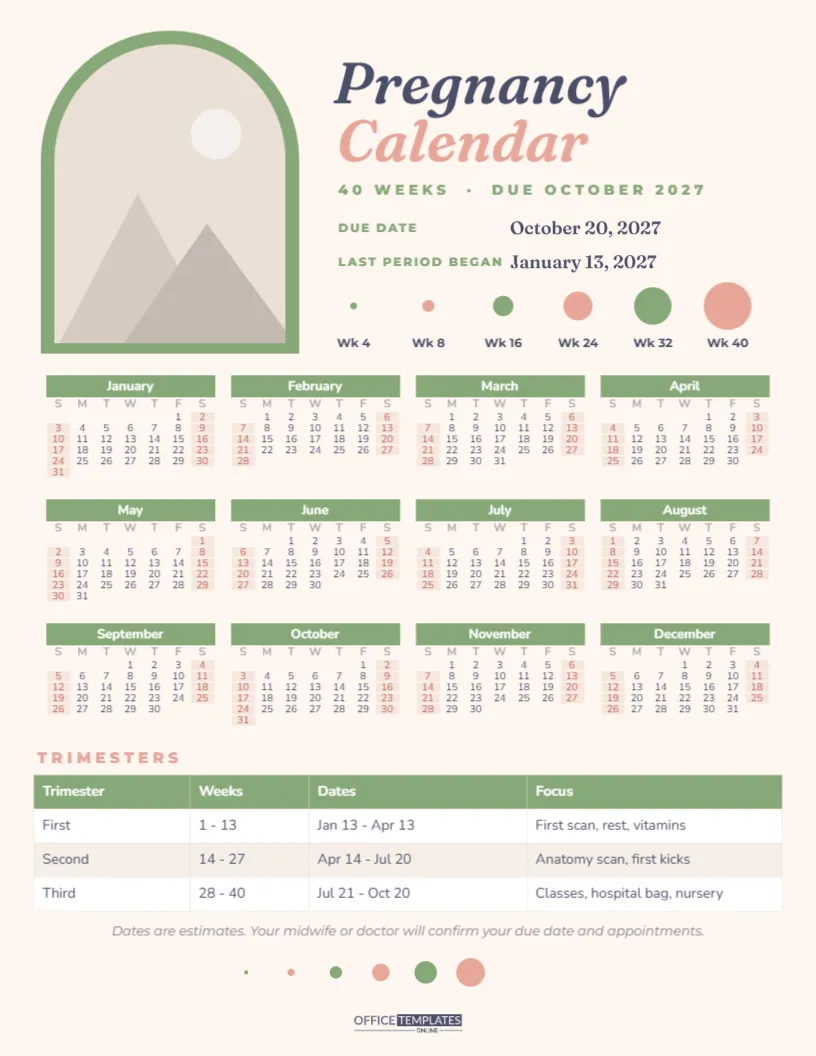
The page is US Letter portrait on a warm cream background. In the top-left corner, a tall arch-shaped photo frame sits inside a soft sage-green arch border. Click the photo area and choose Replace Image to add your first bump photo, a scan picture, or a photo of the two of you. The arch keeps its shape, so any photo fits neatly. Many parents replace it each month as the bump grows and print a new copy, creating a series of pages that show the pregnancy progressing.
Step 2: Write In Your Due Date
To the right of the photo, the title reads Pregnancy in deep slate italic Fraunces, with Calendar underneath in blush pink. Below it, 40 WEEKS · DUE OCTOBER 2027 appears in sage capitals, followed by two detail lines: Due date and Last period began. The sample uses October 20, 2027, calculated from a last period starting January 13, 2027. Click both dates and type your own. Your midwife or doctor will give you an estimated due date at your booking appointment or dating scan, and it is that date you should use.
Step 3: Watch the Circles Grow
Under the dates, six circles in alternating sage and blush grow from a tiny dot to a large circle, labelled Wk 4, Wk 8, Wk 16, Wk 24, Wk 32 and Wk 40. They show, simply and visually, how much a baby grows over nine months. A smaller version of the same row appears near the bottom of the page, so the motif opens and closes the design. You can colour each circle in once you pass that week.
Step 4: Mark the Year Calendar
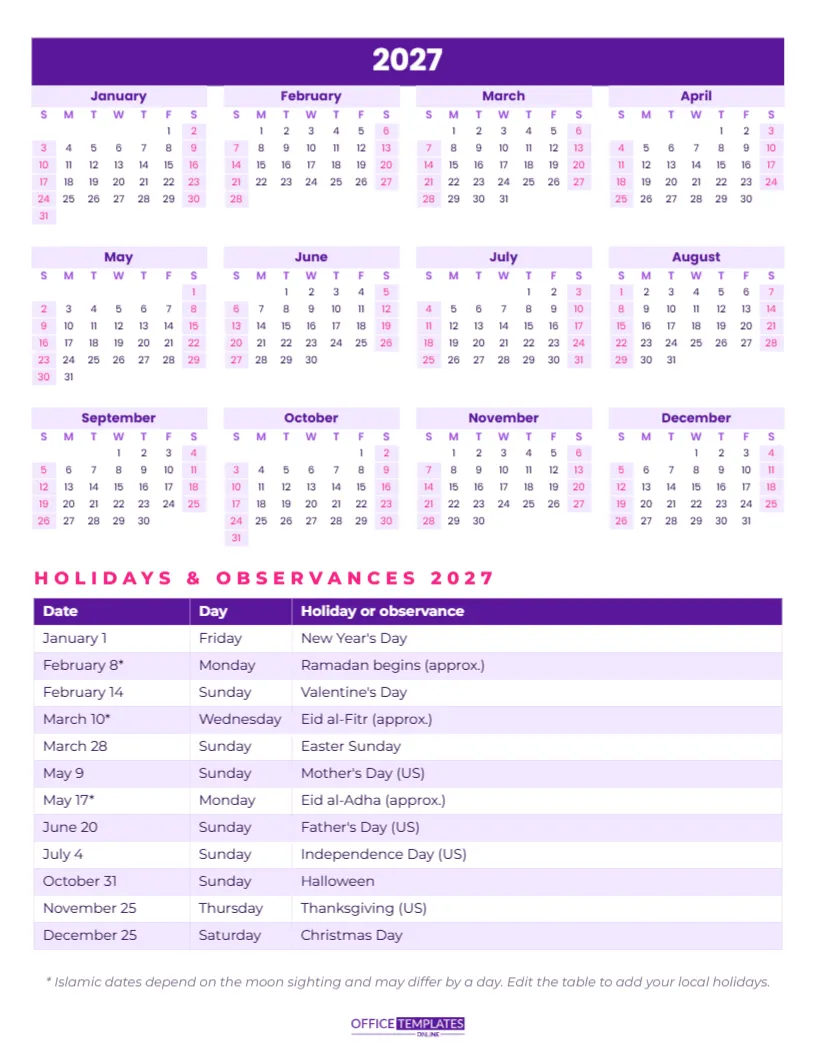
The middle of the page holds the full year of 2027 as twelve mini months with sage month bars and blush weekends. Use it to mark the important dates:
- Your estimated due date, circled in a bold colour.
- Scan appointments, typically around 12 weeks and 20 weeks.
- Midwife or doctor check-ups.
- Antenatal classes and hospital tours.
- The date you plan to start maternity or parental leave.
- Baby shower and family visits.
If your pregnancy runs from 2027 into 2028, or started in 2026, open Calendar Options and change the year; all twelve months rebuild. You can also start weeks on Monday and change the colours.
Step 5: Read the Trimester Table
Below the calendar, a trimester table lists each stage with its weeks, its dates, and what to focus on. The dates are calculated from the sample last period:
| Trimester | Weeks | Sample dates | Focus |
|---|---|---|---|
| First | 1 – 13 | Jan 13 – Apr 13 | First scan, rest, vitamins |
| Second | 14 – 27 | Apr 14 – Jul 20 | Anatomy scan, first kicks |
| Third | 28 – 40 | Jul 21 – Oct 20 | Classes, hospital bag, nursery |
To work out your own dates, count 13 weeks from the first day of your last period for the end of the first trimester, and 27 weeks for the end of the second. The table is the editor’s Table object: click any cell to update it, or add a column for notes.
Step 6: Plan Each Trimester’s To-Do List
In the first trimester, many parents are tired and keeping things quiet, so the calendar is mostly about appointments and rest. The second trimester is often the most comfortable, which makes it a good time for practical jobs: researching prams and car seats, planning the nursery, sorting leave with your employer, and booking classes. The third trimester is about getting ready: packing the hospital bag around week 35, washing baby clothes, writing a birth plan and stocking the freezer with easy meals. Write these jobs into the margins of the relevant months so nothing is left until the last week.
Step 7: Personalise the Page
The sage and blush palette suits any baby. To change it, recolour the arch frame, circles, and title, then update the calendar colours in Calendar Options and the table colours in the Table options. Add the baby’s nickname under the title, or the parents’ names. Fonts are Fraunces for the headings and Nunito for the calendar and table, both Google Fonts. A short note at the bottom reminds you that the dates are estimates and that your midwife or doctor will confirm your due date and appointments.
Step 8: Print and Keep It Close
Download the PDF and print on letter paper or matte photo paper so the bump photo looks good. Pin it on the fridge, keep it in your pregnancy folder with scan pictures, or frame the final version for the nursery. After the birth, add your baby’s actual birthday next to the due date; very few babies arrive exactly on time, and the difference becomes part of the story.
Step 9: Keep a Few Notes Along the Way
The page has room in the margins for short notes, and they are worth writing. Jot down the date you first heard the heartbeat, the week you felt the first kick, cravings, names you are considering, and how you felt at each scan. These small details are easy to forget once the baby arrives, and a page full of them becomes a treasured part of the baby book. Partners can add their own notes too, so the calendar tells the story from both sides.
A Gift for Expecting Parents
A personalised pregnancy calendar is a thoughtful gift from a friend or grandparent-to-be. Ask for the due date, fill in the details, add a favourite photo of the couple, and print it on card. It costs almost nothing and is far more personal than another set of baby socks.
Forty weeks, three trimesters, and one page to watch it all unfold. Congratulations, and enjoy the journey.