Every December, churches, schools, businesses, and community groups set up giving trees. Each tag on the tree carries a child’s wish list, and every person who takes a tag brings back a wrapped gift. It is one of the simplest ways to make sure children in your community have something to open on Christmas morning. This template prints four angel tree tags on one page, with every detail a giver needs.
Running an Angel Tree Drive, Step by Step
- Partner with a trusted organisation, such as a family support charity, a school counsellor, or a social services office, which gathers the children’s wishes and sizes and later distributes the gifts.
- Protect privacy. Use tag numbers, first letters, or nothing at all instead of names. Never put a family’s address on a tag.
- Fill in the tags in the editor with each child’s age, gender, sizes, two wishes, and one need.
- Print, cut, and hang the tags on a tree in a busy spot, with a sign explaining how the drive works.
- Keep a master list of tag numbers and who took each tag, so no child is missed.
- Collect the gifts by the return date, check each one against its tag, and hand them to your partner organisation for delivery.
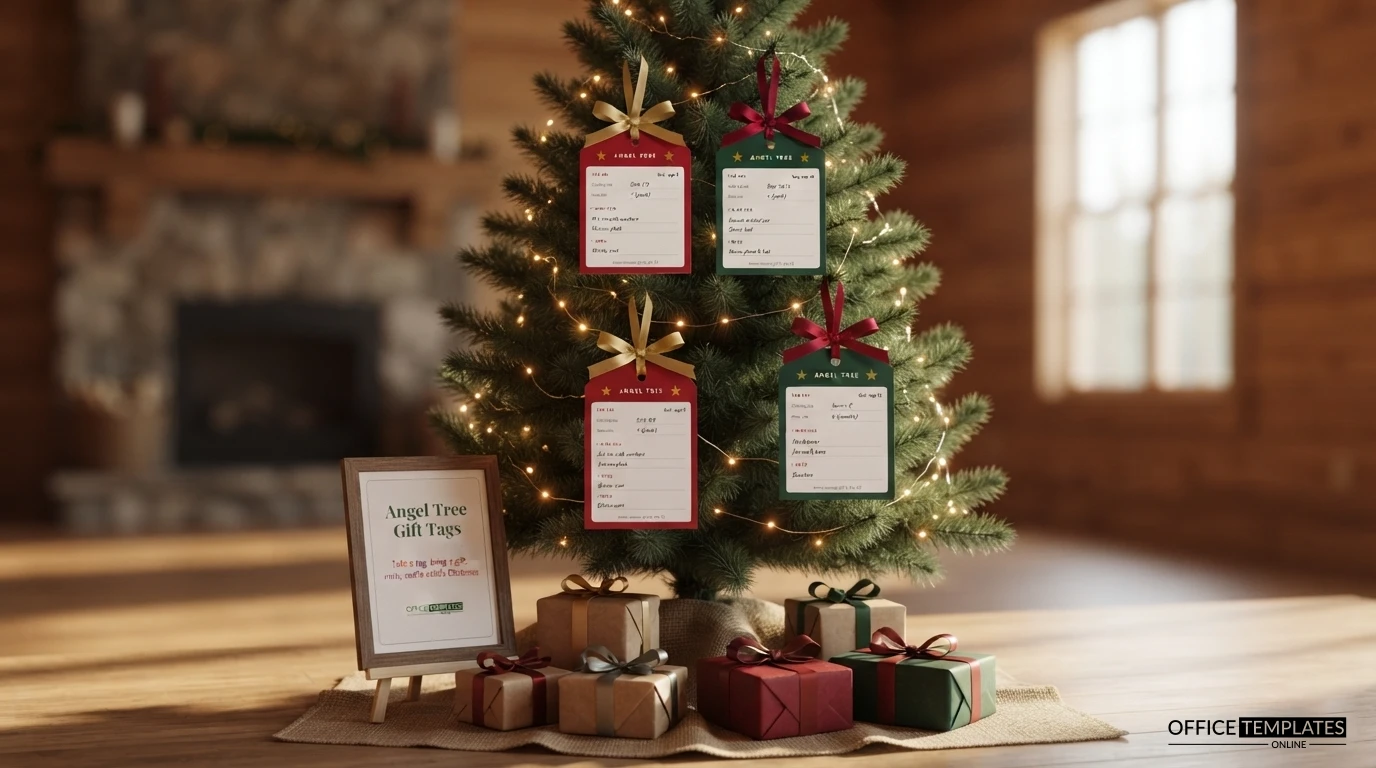
Four Tags on One Page
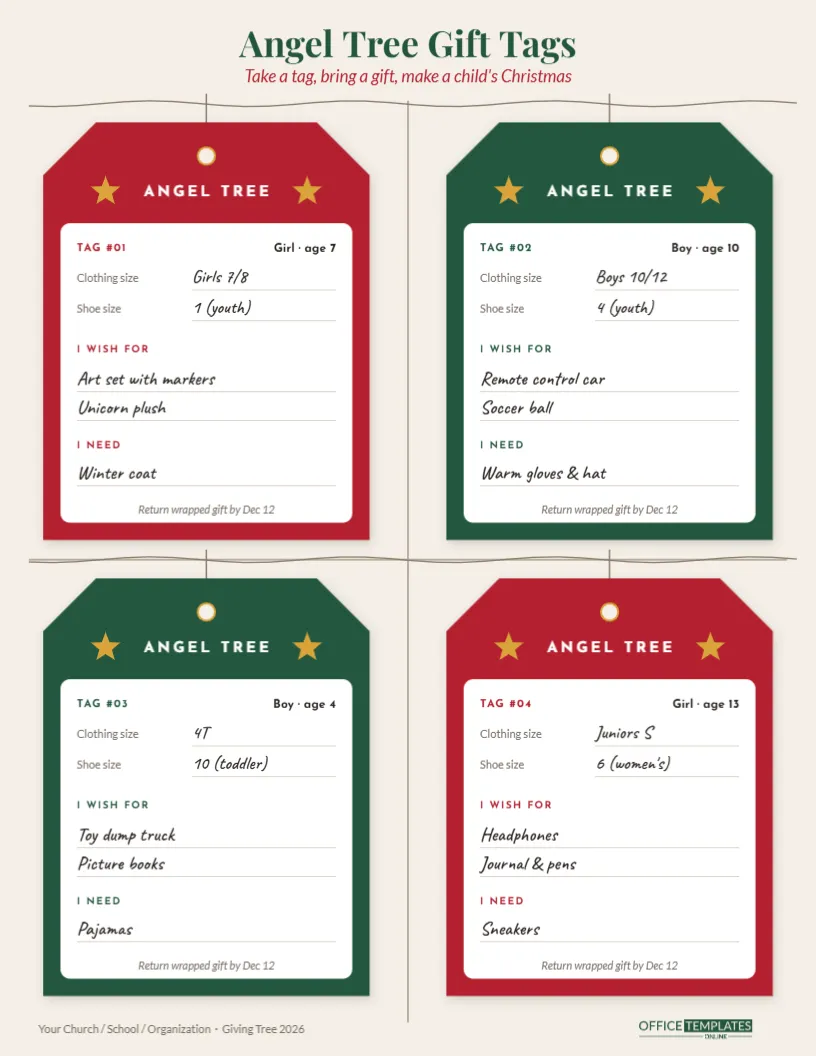
The page is US Letter portrait, 8.5 x 11 inches, in soft parchment cream. At the top, Angel Tree Gift Tags is set in green Playfair Display, with Take a tag, bring a gift, make a child’s Christmas in red italics. Two lines of twine run across the page, and four large gift tags hang from them on strings, two in Christmas red and two in deep green, alternating like a checkerboard.
Each tag has clipped top corners, a punched hole ringed in gold, and a header reading ANGEL TREE between two gold stars. Inside, a white panel holds:
- Tag number, plus boy or girl and age;
- Clothing size and shoe size;
- I Wish For, with two lines;
- I Need, with one line;
- Return wrapped gift by Dec 12 at the bottom.
Faint lines between the tags mark where to cut. The footer has a line for your organisation’s name and the drive’s year, with our logo in green.
Sample Tags at a Glance
| Tag | Child | Sizes | Wishes | Need |
|---|---|---|---|---|
| #01 | Girl, age 7 | Girls 7/8, shoe 1 (youth) | Art set with markers; unicorn plush | Winter coat |
| #02 | Boy, age 10 | Boys 10/12, shoe 4 (youth) | Remote control car; soccer ball | Warm gloves & hat |
| #03 | Boy, age 4 | 4T, shoe 10 (toddler) | Toy dump truck; picture books | Pajamas |
| #04 | Girl, age 13 | Juniors S, shoe 6 (women’s) | Headphones; journal & pens | Sneakers |
Replace every sample with the real details from your partner organisation.
Preparing Your Tags in the Editor
- Click each field on a tag to type: tag number, gender and age, sizes, wishes and needs.
- Change the return date and location on each tag to match your drive, for example, Return by Dec 12 to the church office.
- Duplicate the page for more children; each page holds four tags, so twenty children need five pages.
- Change the title and footer line to your organisation, such as a school PTA, a youth group or a workplace.
- Recolour the tags, or swap the stars for another symbol. Each tag and star is a simple shape you can restyle.
Printing and Cutting
Print on white or cream card stock, around 200 to 250 gsm, so the tags hang well and survive being handled. Choose US Letter at actual size, or fit to A4. Cut along the faint lines between the tags, then punch the printed hole with a hole punch and thread ribbon or twine through it. If you have access to a laminator, laminating the tags before punching keeps them clean on a busy tree. Print a spare copy of every page for your master list.
Advice for Gift-Givers
Add a small sign next to the tree with a few friendly tips: buy new, unused items; include a gift receipt where possible; stay close to the sizes on the tag; wrap the gift and tape the tag securely to the outside; and bring it back by the date on the tag. Many drives also suggest a spending guide, such as $25 to $50 per child, so gifts are similar in value.
Beyond Christmas
The same tags work for other seasonal drives: a back-to-school supply tree, a winter coat drive, a senior centre wish tree, or a gift drive for a local shelter. Change the header text and the fields, and the format carries over.
Promoting Your Giving Tree
A tree full of tags only works if people notice it. Put it in the busiest spot you have, such as a church lobby, a school entrance, or an office break room, and add a sign with the return date in large letters. Mention the drive in newsletters, announcements, and social media, with a photo of the tree. Encourage groups to take several tags together: a class, a team at work, or a youth group can adopt a whole family. A week before the deadline, send a friendly reminder, and count the tags still on the tree so you know how many gifts are still needed. If tags are left over near the end, many organisers ask a few generous volunteers or use a small fund to make sure every child on the list is covered.
Organiser Questions
Should the child’s name go on the tag?
It is safer not to. Tag numbers keep families anonymous; your partner organisation holds the matching list.
Can I change the return date on all tags at once?
Each tag’s date is its own text box, so update each one, or edit one and copy it over the others.
One Tag, One Child, One Christmas
Fill in the tags, hang them on the tree, and watch your community step up. Every tag taken is a child who will have a gift to open this Christmas.