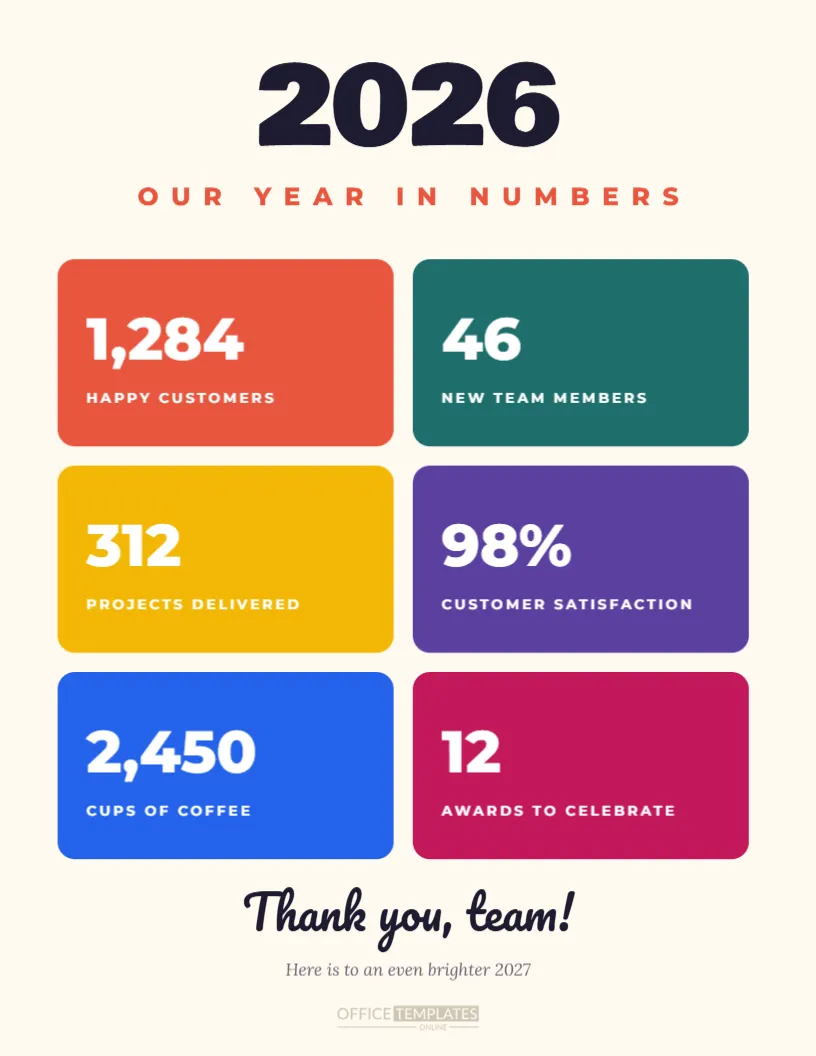
Numbers tell the story of a year in a way everyone can understand, and this Year in Numbers poster turns your team’s achievements into a bright, celebratory recap. The portrait US Letter page has a warm cream background with a giant 2026 in heavy Bowlby One lettering at the top and Our Year in Numbers in spaced coral capitals beneath it. Six rounded tiles in coral, teal, mustard, purple, blue, and magenta fill the middle, each showing a large white number and a short caption: happy customers, new team members, projects delivered, customer satisfaction, cups of coffee, and awards to celebrate. Thank you, team, in bold Pacifico script and a hopeful line about next year finish the page.
Why Create a Year in Numbers Recap
A year in numbers poster gives everyone a quick, positive snapshot of what the team achieved together. It reminds people how much they accomplished, which is easy to forget in the rush of daily work. Shared at a year-end meeting or awards night, it sets a proud, celebratory tone and helps people see how their individual work contributed to the bigger picture of the organisation’s success.
Editing the Six Stat Tiles
Each tile has a large number and a caption, and every element is editable. Replace the sample figures with your real results, such as revenue growth, new clients, products launched, tickets resolved, volunteer hours, or funds raised. Keep captions short, two to four words, so they stay on one line in the spaced capitals, and the poster remains easy to read from a distance.
Mixing Serious and Fun Statistics
The sample tiles mix business results with lighter facts like 2,450 cups of coffee. A playful statistic makes the poster more human and gives people something to smile about. Other fun ideas include pizzas ordered for late nights, dogs who visited the office, birthday cakes eaten, kilometres walked in the step challenge, or emojis sent in team chat.
Bold Colour Tiles
Six different colours make each statistic stand out and give the poster an energetic, modern look. The tiles are simple rounded rectangles, so you can recolour them to your brand palette in seconds. A two-colour version, alternating your primary and secondary brand colours, gives a calmer but equally clear result.
The Giant Year Headline
The huge 2026 at the top instantly tells viewers what the poster is about. Update it for any year, or replace it with a project name, quarter, or campaign such as Q4 Highlights or Launch Year. The heavy rounded font gives the headline weight without feeling corporate.
Thank You Footer
The footer reads Thank you, team, in friendly script with Here is to an even brighter 2027 underneath. Change the wording to suit your audience, for example, Thank you, volunteers, Thank you, customers, or Thank you, Class of 2026. A sincere thank you turns a page of statistics into a message of gratitude.
Year in Numbers for Businesses
Businesses can share the poster with employees at a year-end meeting, then post it on social media for customers. Customer-facing versions might show orders shipped, five-star reviews, or new stores opened, demonstrating growth and building trust with the people who supported you.
Year in Numbers for Nonprofits and Charities
Charities can use the poster to show donors and volunteers the impact of their support, with numbers like meals served, families helped, trees planted, or volunteer hours given. A visual impact summary is perfect for year-end fundraising appeals and annual report covers.
Year in Numbers for Schools and Clubs
Schools can celebrate books read, trips taken and awards won, while sports clubs can share goals scored, matches played and new members. The bright colours suit school notice boards, newsletters and end-of-year assemblies.
Gathering Your Statistics
Ask each department for one or two figures they are proud of, and check numbers with finance or reporting teams before publishing. Round large numbers for easy reading and make sure every statistic is accurate, since people often quote these posters long after they are shared.
Printing the Year in Numbers Poster
Print the poster on US Letter paper for notice boards, or ask a print shop to enlarge it to 18 x 24 inches for office walls. The solid colour tiles look best on satin or matte poster paper. The cream background keeps ink use reasonable on office printers.
Sharing the Poster Online
Download a PNG to share on LinkedIn, Instagram, your intranet, or in a newsletter. Year in review posts are popular in December and January, and a clear visual summary attracts more attention than a long written update.
Using the Poster in Presentations
Drop the image into a slide deck as the closing slide of your year-end presentation. It summarises the year in a single glance and gives the audience a confident, upbeat final impression before questions or celebrations begin.
Adding More Statistics
Need more than six figures? Reduce the tile height and add a fourth row, or duplicate the page to create a second poster focused on another theme, such as customers or people. Keep each poster to a manageable number of tiles so it stays easy to read.
Pairing the Poster With Awards Night
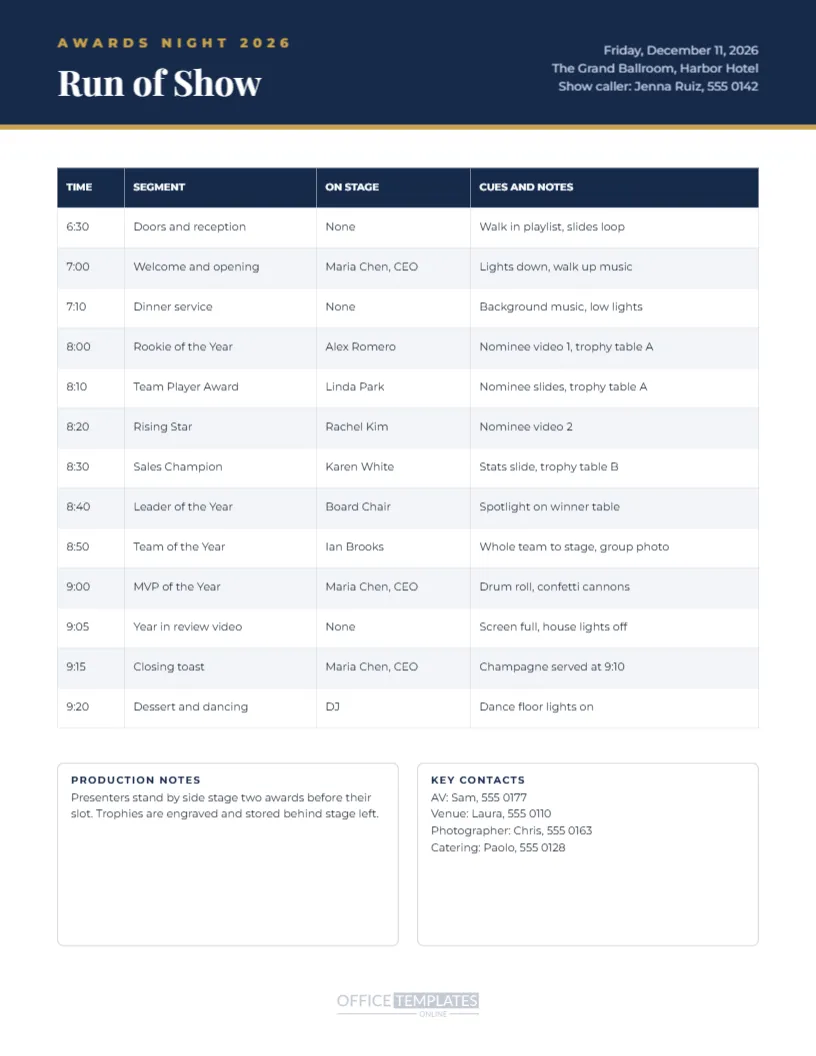
Display the poster at the entrance to your awards night or show it on screen before the first award. It reminds guests of the shared achievements that made individual awards possible and sets a celebratory mood for the evening.
Saving the Recap Template
Save your poster in your account. Next year, update the year and figures and compare them with this year’s results, turning the poster into an annual tradition that tracks your growth over time.
Year in Numbers for Personal Recaps
Individuals and families can make their own version too: books read, miles run, places visited, or new recipes tried.
Year in Numbers File Formats
Download a high-resolution PDF for printing or a PNG for screens and social media. The bold numbers stay crisp and readable in every format and at every size.