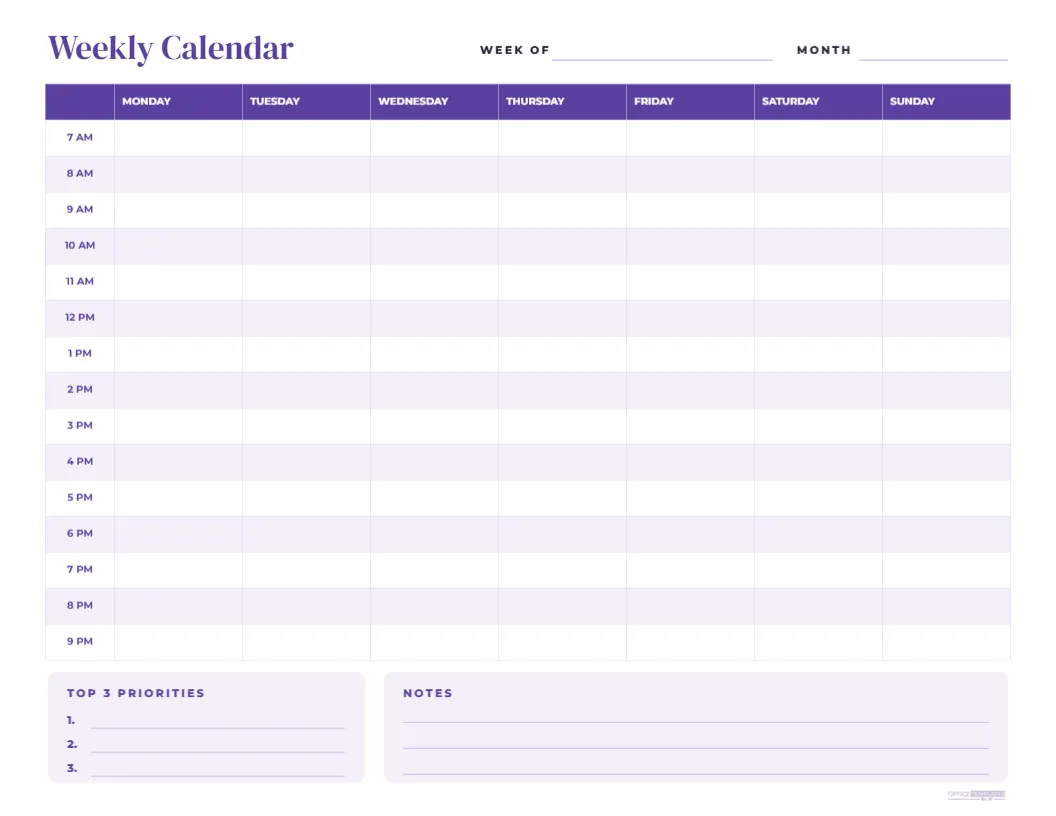
When a monthly calendar is not detailed enough, a weekly hourly calendar shows exactly where your time goes. This landscape template lays out a full week from Monday to Sunday across the page, with hourly rows from 7 AM to 9 PM down the left side. A deep plum title, Weekly Calendar, sits at the top beside lines for the week of and month. The plum header row names each day in full, and alternating lavender rows make it easy to follow each hour across the week. At the bottom, a Top 3 Priorities box and a wide Notes box keep your most important tasks and reminders in view.
Why Use a Weekly Hourly Calendar
An hourly view helps you plan your time realistically. You can see how meetings, classes, workouts, school runs, and appointments fit together, and spot the gaps where focused work or rest can happen. Many people find that blocking time on paper makes them more productive and less stressed than relying on a long to-do list alone.
Time Blocking With the Weekly Calendar
Time blocking means assigning tasks to specific hours. Write your fixed commitments first, then block time for priority work, exercise, meals, and breaks. Colour the blocks with highlighters by category, such as work, family and health, to see your balance at a glance.
Hours From 7 AM to 9 PM
The fifteen hourly rows cover a typical waking day. If you start earlier or finish later, edit the time labels in the first column to suit your routine, for example, 5 AM to 7 PM for early risers or 10 AM to midnight for evening workers.
Monday to Sunday Layout
The week begins on Monday with the weekend together on the right, which suits most work schedules. Rename the column headers if you prefer a Sunday start or want to show dates beside each day name.
Top 3 Priorities Box
Choosing three priorities for the week keeps you focused on what matters most. Write them in the numbered lines at the start of the week and check them each morning. If an hourly block is free, use it to move one of your priorities forward.
The Weekly Notes Box
The notes box holds reminders that do not belong to a specific hour, such as calls to return, items to buy, or ideas for next week. Keeping these on the same page means you will not lose track of small tasks.
Weekly Calendar for Students
Students can block classes, study sessions, part-time work, clubs, and social time. Seeing the whole week helps you spread revision across several days and avoid last-minute cramming before deadlines.
Weekly Calendar for Freelancers and Remote Workers
Freelancers can block client work, admin, calls and personal time, creating clear boundaries that help avoid burnout. Remote workers can plan focus hours, meetings and breaks to keep a healthy routine at home.
Weekly Calendar for Families
Families can track school runs, activities, appointments and who is responsible for each. Print one copy for the fridge and fill it in together on Sunday evening to start the week organised.
Weekly Calendar for Teachers
Teachers can map lessons, planning periods, duties, meetings and marking time. The hourly grid works well alongside a school timetable and helps balance teaching with preparation and personal time.
Editing the Weekly Calendar Table
The schedule is an editable table. You can type events into any cell before printing, change the row colours, rename columns, or adjust the time labels. The header and boxes are also editable.
Plum and Lavender Design
The plum header and lavender stripes are calm and modern, easy on the eye for daily use. Change the colours to match your style, such as navy for a professional look or green for a fresh feel.
Printing the Weekly Hourly Calendar
Print in landscape on US Letter at actual size, or use Fit to page on A4. Print several copies at once and keep them in a folder or clipboard so a fresh week is always ready.
Using the Weekly Calendar on a Tablet
Download a PDF or PNG and import it into a note-taking app to fill in with a stylus. You can duplicate the page for each week and keep a digital planner without buying a dedicated app.
Weekly Review Habit
At the end of each week, look back at your calendar. What took longer than expected, and which blocks were most productive? Use these insights to plan a better week next time.
Templates That Pair With the Weekly Calendar
Pair the weekly hourly calendar with our daily hourly planner for detailed days, the vertical year planner for long-range plans, and monthly calendars for an overview.
Saving the Weekly Calendar Template
Save the template in your account and print a new copy every week, or keep an edited version with your regular commitments already filled in to save time.
Weekly Calendar File Formats
Download a PDF for printing or an image for digital planning. The table and boxes keep their layout in every format.
Pre-filling Recurring Commitments
If your week follows a regular pattern, type recurring events such as classes, team meetings, or gym sessions into the table before printing. Each new week then starts with the fixed parts already in place, and you only need to add the extras.
Weekly Calendar for Small Teams
Small teams can print a shared copy for the office wall and write who is covering which hours, when meetings happen, and when key people are out. A shared weekly view reduces back-and-forth messages about availability and helps everyone see busy periods at a glance, especially in shops, clinics and offices with shift cover.
Keeping Past Weeks
File completed weeks in a folder to look back on how you spent your time across a term or quarter.
Planning Rest and Free Time
Block time for rest as deliberately as you block work. Marking a free evening, a walk, or a family meal on the calendar protects that time from being taken over by tasks, which leads to a more sustainable and enjoyable week.