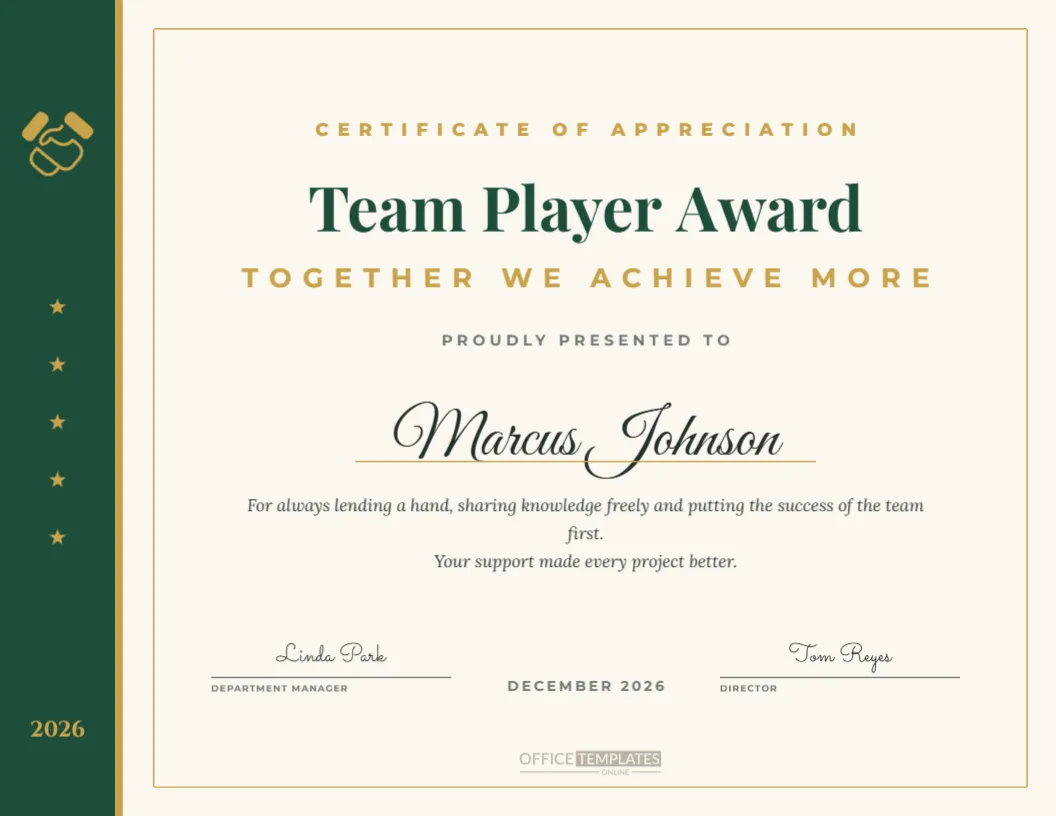
Some colleagues make everyone around them better, even when their name is not on the final result. The Team Player Award thanks those people, and this certificate gives the honour a calm, classic look. A deep forest green band runs down the left side of the ivory US Letter landscape page, edged with a slim gold stripe. The band holds a gold handshake icon at the top, a column of small gold stars, and the year at the bottom. On the right, a fine gold frame surrounds the title Team Player Award in a rich Playfair Display serif, the subtitle Together We Achieve More, the winner’s script name, a citation, and two signature lines.
What the Team Player Award Recognises
The Team Player Award celebrates collaboration rather than individual output. Typical winners share knowledge freely, cover for colleagues, welcome new staff and keep a positive mood during difficult projects. Recognising these behaviours tells the whole organisation that teamwork matters as much as personal targets.
The Handshake Symbol on the Team Player Certificate
The handshake is a universal sign of cooperation and trust. It is drawn in gold on the green band, where it acts like a small emblem or crest. You can resize it, change the colour, or replace it with another icon, such as a puzzle piece or linked hands, using the editor’s image library.
Forest Green and Gold Team Player Palette
Green is associated with growth and harmony, and gold with appreciation. Together they feel established and sincere, which suits professional services, healthcare, education, and nonprofits. If your brand uses blue or burgundy, change the band colour and keep the gold accents for a consistent look.
Editing the Team Player Winner’s Name
Click Marcus Johnson and type the winner’s name. The Great Vibes script is elegant and works best when the name is written in full. If you are giving the award to a pair or a small group, write both names separated by and, then reduce the font size slightly.
Writing a Team Player Citation
The default text thanks the winner for lending a hand, sharing knowledge, and putting the team first. Make it personal by mentioning one real example, like training three new colleagues on the support system or staying late to help finance close the quarter. Real stories are what colleagues remember.
Changing the Team Player Subtitle
Together We Achieve More is a well-known teamwork phrase. Alternatives include Teamwork Makes the Dream Work, The Heart of Our Team, or Always There to Help. Keep the subtitle in capitals for balance with the serif title.
Team Player Awards for Every Department
Many organisations give a team player award in each department. Duplicate the design, change the department name in the top line, and print one for operations, finance, marketing, and so on. A matching set shows that collaboration is valued across the whole company.
Team Player Certificates for Schools and Clubs
Teachers can use the certificate for a student who helps classmates, and coaches can give it to the athlete who lifts the whole squad. Change the top line to Class Awards or Season Awards and replace the signatures with the teacher, coach, or club president.
Side Band Details on the Team Player Design
The green band contains the handshake, five gold stars, and the year. These elements are separate, so you can remove the stars, change the year, or add your company logo to the band. The band is a single rectangle, so recolouring it updates the whole side at once.
Signatures for the Team Player Award
The template is set for a department manager and a director. A peer-nominated award could instead be signed by the awards committee chair. Typed names in a handwriting font give a signed look, and you can add real signatures after printing.
Printing the Team Player Certificate
Print on ivory or cream card for a warm, traditional finish that matches the background. A matte surface makes ink signatures easy. The certificate fits a standard 8.5 by 11-inch frame in landscape orientation.
Presenting the Team Player Award
When you present the award, invite colleagues to share a quick thank you or read a short nomination quote. Team player winners are often modest, and hearing appreciation from peers makes the moment especially meaningful.
Peer Nominations for the Team Player Award
This award works particularly well when colleagues nominate each other. Use our award nomination form to collect stories, then quote one or two in the citation. Peer recognition builds trust and makes the certificate feel genuinely earned.
Team Player Wording Ideas
Try For always saying yes when we needed a hand, For making every project feel like a shared win, or For the quiet support that keeps our team strong. These lines fit neatly into the two-line citation area.
Sharing the Team Player Award
Download a PNG to feature the winner in your internal newsletter or team chat. A short paragraph about what they did helps others understand the behaviours the award celebrates.
Reusing the Team Player Template
Save the edited certificate and update it each year. Because the year sits in the side band, you only need to change one small text box along with the name and citation.
Team Player Awards in Remote and Hybrid Teams
Collaboration looks different when people rarely share an office. In remote teams, the best team players answer questions quickly in chat, document their work so others can find it, and make new colleagues feel included on video calls. Mention these habits in the citation so remote winners know that their quieter, behind-the-scenes support has been noticed and valued just as much as visible office help.
Building a Culture Around the Team Player Award
An award is most powerful when it reflects behaviour you want to see every day. Talk about the team player award in team meetings during the year, share small examples of great collaboration, and invite nominations early. By the time the certificate is presented, everyone understands why it matters and what it takes to earn it.
Team Player Frame Suggestions
A natural wood frame or a slim gold frame suits the green and ivory palette. For desk display, a simple acrylic stand keeps the certificate upright and visible without the cost of a full frame.