A Sky Blue Post With Hashtags and Social Icons
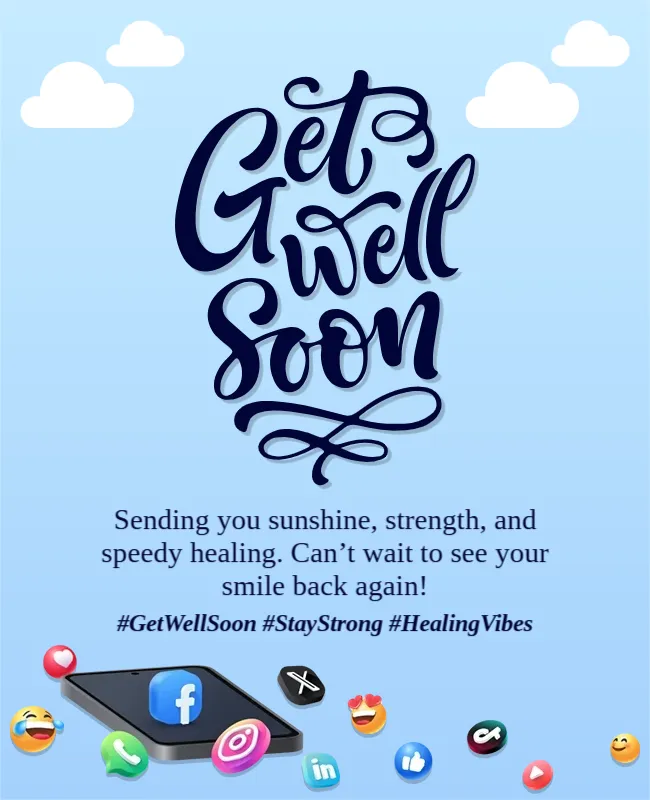
Soft clouds on a sky blue gradient frame a big navy script that says Get Well Soon, and at the foot a phone surrounded by social media icons and emoji shows the card is for sharing. Three hashtags sit under the message. It suits posts on social platforms for friends, fans and communities.
Script Title, Message, Hashtags and Phone Graphic
The card is 650 x 800 pixels, portrait, one page. The title fills the upper half. The message is in a navy serif, and the hashtags are in bold italics. The phone graphic sits at the lower left.
Message and Hashtags
The message reads Sending you sunshine, strength, and speedy healing. Can’t wait to see your smile back again! The hashtags read #GetWellSoon #StayStrong #HealingVibes. Edit the hashtags to suit your group, and add the person’s handle only if they agree. Keep the caption in the post text, not on the image.
Posting a Get Well Wish Online
- Ask before you tag.
- Keep health details private.
- Use two or three hashtags.
- Reply to comments kindly.
- Send a private message too.
Public Wishes and Privacy
A public post tells everyone about an illness. Only post if the person has shared the news and wants wishes. Otherwise send a private message.
Using the Post for a Team or a Fan Page
A club or creator can use the card to wish a member well. Add the person’s name and a line from the group. Invite followers to leave a kind comment.
Image Sizes for Platforms
At 650 x 800 pixels the card fits most feeds. Check each platform’s recommended size and export a version that does not crop the title.
Saving the Social Media Post
Save at the original size, and upload with a short caption.
Step by Step Editing of the Social Media Blue Clouds Design
- On the social media blue clouds design, click the main headline and type your own words, keeping a similar length.
- Retype every name, date and contact line on the social media blue clouds design, checking each against a trusted source.
- Search the social media blue clouds design for the words Lorem and Company so that no placeholder remains.
- Click any logo or photo on the social media blue clouds design, choose Replace Image and resize the new picture to fit.
- Zoom the social media blue clouds design to full size and read each line aloud before you save it.
- Keep a clean master of the social media blue clouds design without private details, so later versions start tidy.
Moderating Comments on Public Posts
If you post publicly, be ready to remove unkind comments and to thank people for kind ones. A calm comment section is part of caring for the person you wish well.
Have a look at the WhatsApp get well soon message card. Another option is the modern bold graphic get well soon card. A related layout is the classic get well soon card. Every social media blue clouds style alternative sits in get well soon cards.