Fix Two Spelling Mistakes Before You Print
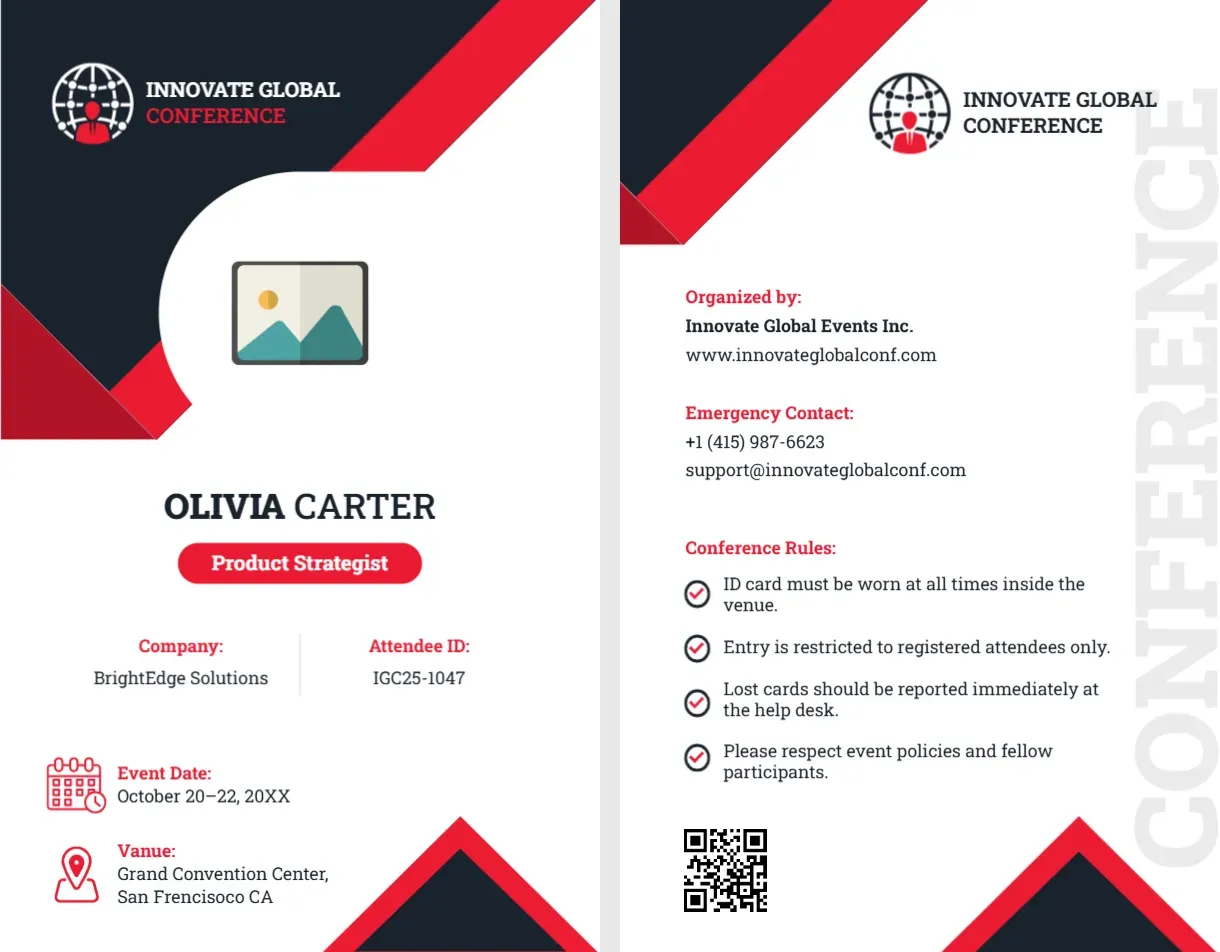
The sample text on this card contains two typos in the venue line: it reads “Vanue: Grand Convention Center, San Frencisoco CA.” It should be “Venue” and “San Francisco.” If you leave them, anyone who prints the card as it is will carry the errors. Click the line in the editor and correct it. Conference badges are read by many people, so small errors become very visible.
A Badge That Also Tells People What to Do
Most conference badges give only a name. This one goes further. The front carries the attendee’s details, and the back carries the organiser’s contacts, an emergency number and four short conference rules. That helps first time attendees and keeps staff from answering the same questions all day.
Attendee Badge Front: Charcoal and Red
The card is portrait, 2.125 x 3.375 inches. The top is charcoal with a bold red diagonal stripe. A globe logo in white and red sits at the top left, beside INNOVATE GLOBAL CONFERENCE. A white curved window holds the photo placeholder. Below it, OLIVIA CARTER is in dark capitals, with a red pill reading Product Strategist. Two columns show Company: BrightEdge Solutions and Attendee ID: IGC25-1047. Below, a calendar icon shows Event Date: October 20 to 22, 20XX, and a map pin shows the venue. Red and black triangles close the bottom. The font is Roboto Slab.
Attendee Badge Back: Organiser and Rules
The back repeats the logo. A heading Organized by: lists Innovate Global Events Inc. and a website. Emergency Contact: has a phone number and a support email. Conference Rules has four check icon lines: ID card must be worn at all times inside the venue. Entry is restricted to registered attendees only. Lost cards should be reported immediately at the help desk. Please respect event policies and fellow participants. A large faint word CONFERENCE runs up the right edge, and a QR code sits at the lower left.
Information Attendees Actually Use
- Name and company, so people can start conversations.
- Attendee ID, for scanning at sessions and lunches.
- Event dates and venue, in case the badge is the only paper they carry.
- Emergency contact and help desk, in case something goes wrong.
Using the QR Code Well
A QR code that opens the event app or the programme is useful. One that does not work is a nuisance. Replace the sample picture with a real link, test it on two phones, and make it large enough to scan at arm’s length.
Roles at the Same Event
Use the red pill to show the role: Attendee, Speaker, Sponsor, Press, Staff. Different colours for each help staff spot the right people, and you can print the batches separately.
Printing Conference Badges
Print on 250 to 300 gsm card stock, both sides, and insert into a vertical holder with a lanyard. Print spares for late registrations. Dark backgrounds use a lot of ink, so test a copy.
For a landscape event badge, see the event name badge. Exhibitors have their own pass, the exhibitor ID card. More are in ID cards.