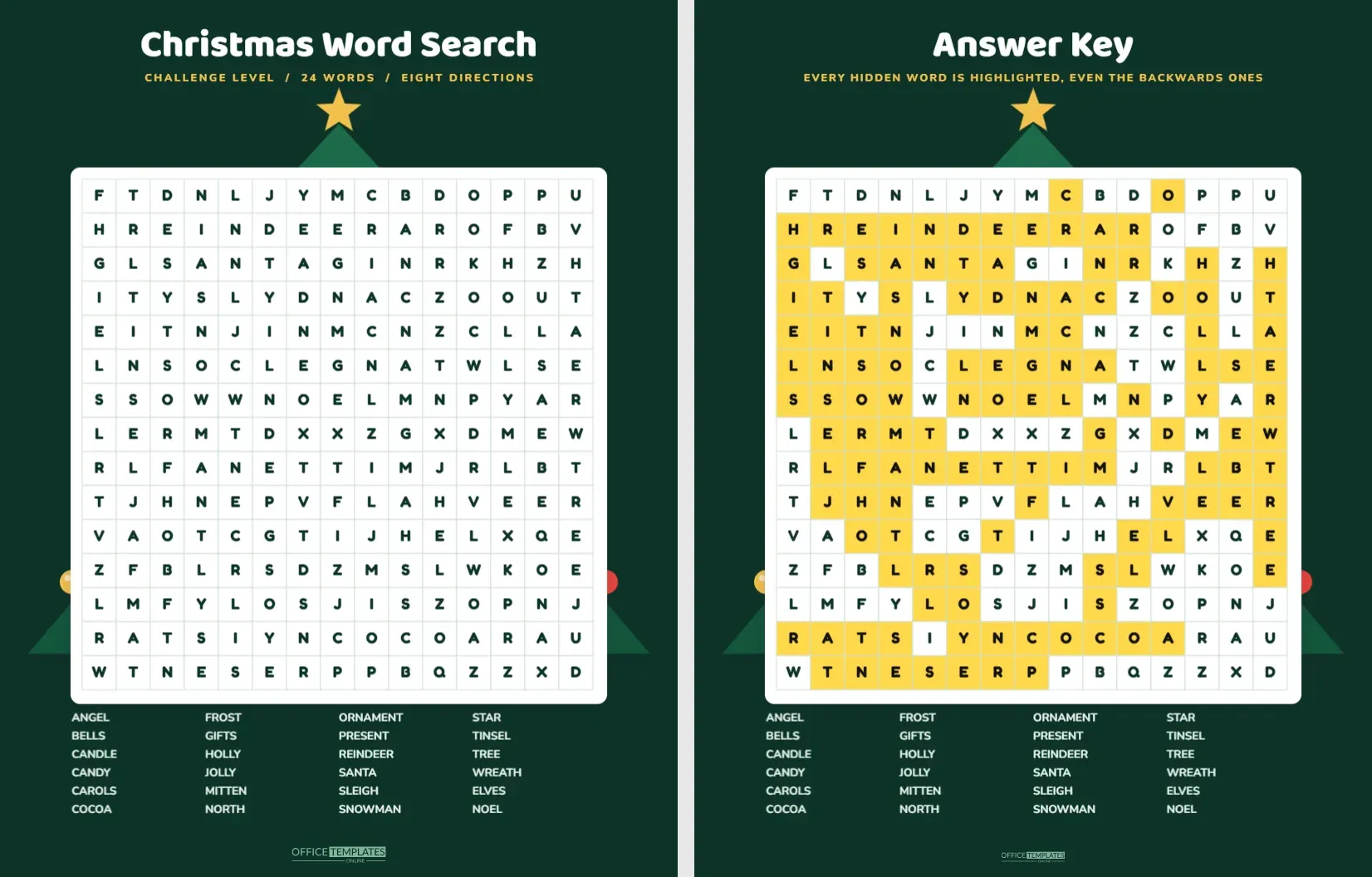
When the easy puzzle is solved in four minutes, it is time for a real challenge. This word search packs twenty four words into a fifteen by fifteen grid and hides them in all eight directions: across, down, diagonally and backwards. It takes patience, a good pencil and, for many adults, a cup of tea. A dark green page with a glittering tree behind the grid keeps the mood festive.
Who This Puzzle Is Really For
| Solver | What to expect | Typical time |
|---|---|---|
| Confident reader, age 9 to 12 | A satisfying challenge with a few frustrating words | 20 to 30 minutes |
| Teenager | Quick on forwards words, slower on backwards ones | 15 to 25 minutes |
| Adult puzzle fan | A pleasant sit down puzzle for a quiet evening | 10 to 20 minutes |
| Family team | Best shared, with one reader and several spotters | 10 to 15 minutes |
Anatomy of the Pine Green Page
The page is a deep pine green, with a large tree built from three layered triangles in slightly different greens. Its star sits above the title, and coloured baubles in red, gold and blue hang along its edges. The title Christmas Word Search runs across the top in white, with a line of gold capitals reading CHALLENGE LEVEL, 24 WORDS and EIGHT DIRECTIONS. A white card holds the grid, which has fifteen columns and fifteen rows of dark letters with thin pale lines. Under the grid, the word list is set in four columns of white text on the green.
The Hidden Word List Explained
The list mixes short and long words and some tricky ones: ANGEL, BELLS, CANDLE, CANDY, CAROLS, COCOA, ELVES, FROST, GIFTS, HOLLY, JOLLY, MITTEN, NOEL, NORTH, ORNAMENT, PRESENT, REINDEER, SANTA, SLEIGH, SNOWMAN, STAR, TINSEL, TREE and WREATH. Longer words, such as REINDEER and ORNAMENT, are easiest to find because eight or nine letters in a row stand out. Short words are the real test. TREE and NOEL can hide inside other letter patterns, so the best approach is to find the long words first.
Strategies for Solving
- Start with the longest words. They take up the most space and give you landmarks.
- Scan for rare letters. Letters such as J, K, W and Z narrow the possibilities quickly.
- Look at words from all four sides. Backwards words often start on the right or the bottom.
- Use a ruler or the edge of a card to follow diagonals. It keeps your eyes from drifting.
- Mark found words with a highlighter and cross them off the list at once.
- When only three words remain, look at the empty areas of the grid, since the last words usually hide there.
How the Puzzle Was Built
The grid was generated by placing each listed word once inside the fifteen by fifteen frame and filling the remaining squares with random letters, which can occasionally spell a short extra word by chance. Words can overlap where they share a letter, which makes the puzzle denser and harder. The answer key page repeats the grid with each hidden letter highlighted in yellow, so you can check an answer or see where a stubborn word was hiding.
Editing and Making Your Own
The grid is a real Table with fifteen columns, so you can double click to open Manage Data and change any letter. For a new puzzle, clear the old words by overwriting them with random letters, write your own words in the grid, and update the list at the bottom. Keep the new list within twenty four words so that it still fits neatly. Be careful with the answer key page. It has its own highlighted cells, which you will need to move to the new positions by hand.
Ink and Printing Advice
The green page uses a lot of ink. If you plan to print many copies, change the page colour to white in the editor and switch the word list to a dark colour. The tree will still look good and the puzzle will print cheaply. For the best result on a laser printer, print on matt paper rather than glossy. The letters in the grid are small enough that a good print resolution matters, so choose the high quality setting for the answer key if you need to read the highlighting.
Competitions and Group Play
- Race: give each person a copy and see who finds all twenty four words first.
- Team hunt: print one big copy and let teams take turns at the board.
- Prize puzzle: add a small prize for the first answer key matched exactly.
- Late night: place a copy in the middle of the table at a party as a quiet game.
A Little Etiquette for Puzzle Night
Word searches can turn competitive. Agree on how to handle accidental words, such as a list word that appears twice by chance, and decide whether a word crossing another counts as found. Most people count the word as long as every letter is circled in a straight line. Also decide on a quiet signal for finishing, so that nobody feels rushed.
Building Skills Before the Hard Puzzle
If a solver finds this grid daunting, a short warm up helps. Ask them to find just the horizontal words first, then the vertical ones, then the diagonals, and finally the backwards words. Breaking the grid into four passes feels more manageable than hunting for everything at once. Another useful habit is to rule a light pencil line through each row once it has been searched, so that the eye does not return to the same letters again and again. Children who learn this method tend to improve quickly, and by the third puzzle they can find the hardest words without help.
Why a Dark Green Page Works for Puzzles
The grid sits on a white card, so the letters remain high contrast, while the dark page around it gives the sheet a calm, seasonal feel. The tree peeks out from behind the card and frames the puzzle without crowding it. White card against deep green also makes the grid the clear focus of the page, so the eye knows where to start.
Questions About the Hard Puzzle
Why are the words not in alphabetical order on the list?
The list is alphabetical so that you can scan it quickly. The grid itself places the words at random.
Can I use a different word list?
Yes. Edit the grid and the list, and remember to update the answer key page.
Is there a version with a smaller grid?
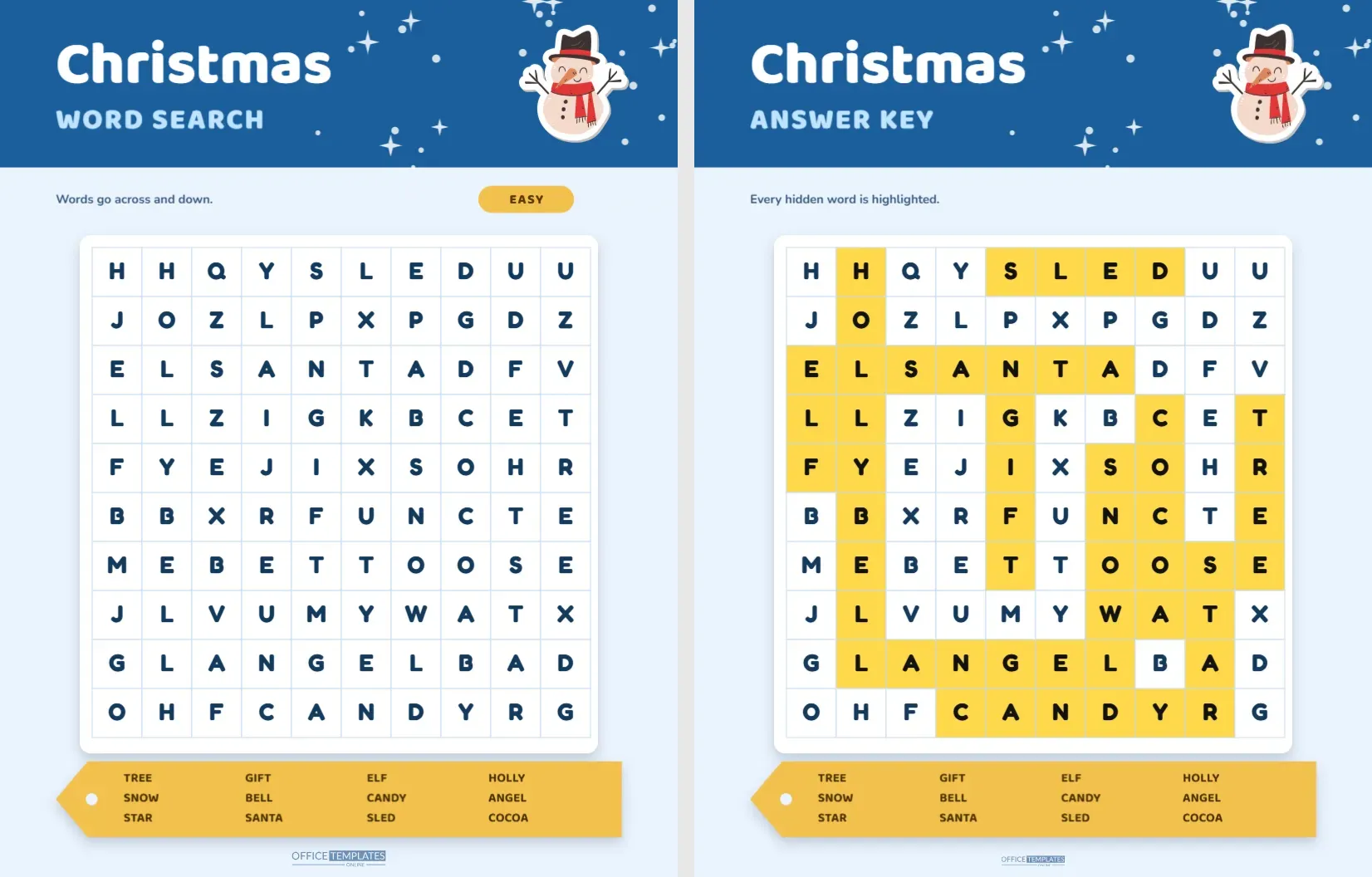
The easy Christmas word search in this collection has a ten by ten grid. You can also shrink this one by deleting rows and columns in the table options.
Can people with weaker eyesight use it?
Print at full size on white paper and enlarge the grid on a photocopier, or increase the font size in the table options before printing.