Cherry Blossom Sprays and a Pink Frame for Wedding Planners
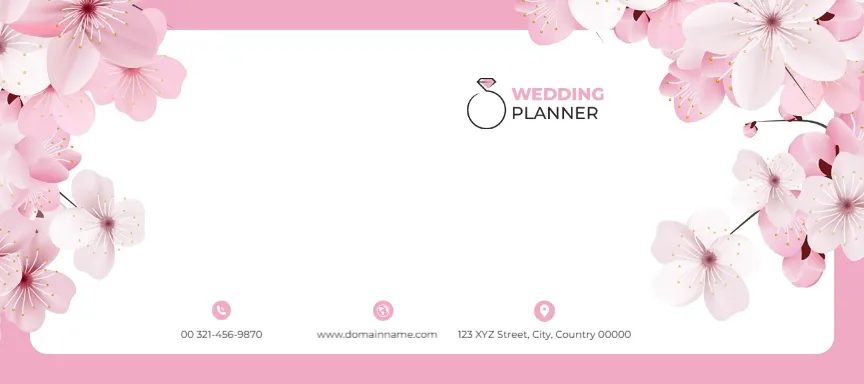
A soft pink border frames a rounded white panel, and sprays of pale pink cherry blossoms spill over the top left, top right and right edges. A ring logo with WEDDING in pink and PLANNER in grey sits at the upper right. A row of three contact items with small pink round icons sits along the bottom of the panel: a phone, a website and a street.
Framed Panel With Blossoms
The face is 9 x 4 inches. The white panel’s left and centre stay open, which is the best spot for a recipient name in script.
Phone, Website and Street Under the Blossoms
The row reads 00 321 456 9870, www.domainname.com and 123 XYZ Street, City, Country 00000. Type your phone, website and street, keeping each item short so the row stays on one line. Replace the ring logo with your business name.
Preparing the Blossom Envelope
- Replace the ring logo.
- Type the contact row.
- Write the recipient in script.
- Check the size.
- Print a test.
Spring and Garden Weddings
Cherry blossoms suit spring weddings and garden venues. Planners can use the envelope for client proposals and couples for invitations. The design also fits bridal showers, engagement parties and spring baby showers.
A Script Name for Guests
Type each guest name in a script font in the open panel. Keep the contact row for a return address. A dark grey or deep rose script font stays readable against the white panel.
Pink Without Overload
Only the frame and flowers are pink, so the centre stays calm. Avoid adding more pink text. Keep the logo and contacts in grey so the blossoms stay the main colour.
Printing Delicate Petals
The petals have soft shading. Use the best quality setting on bright white envelopes. Matte white envelopes keep the pink soft, while gloss can make it look harsh.
Matching Planner Stationery
Use one blossom spray on proposals and invoices so all paperwork matches. Clients notice when every document from the planner looks like part of the same wedding.
Using the Blossom Envelopes
Keep a supply for proposals and invitations.
Step by Step Editing of the Wedding Planner Cherry Blossom Design
- On the wedding planner cherry blossom design, click the main headline and type your own words, keeping a similar length.
- Retype every name, date and contact line on the wedding planner cherry blossom design, checking each against a trusted source.
- Search the wedding planner cherry blossom design for the words Lorem and Company so that no placeholder remains.
- Click any logo or photo on the wedding planner cherry blossom design, choose Replace Image and resize the new picture to fit.
- Zoom the wedding planner cherry blossom design to full size and read each line aloud before you save it.
- Keep a clean master of the wedding planner cherry blossom design without private details, so later versions start tidy.
For comparison, open the gold ring wedding envelope. Consider the floral envelope. Similar designs include the floral wedding envelope with cream roses. Find more designs next to the wedding planner cherry blossom design in envelope templates.