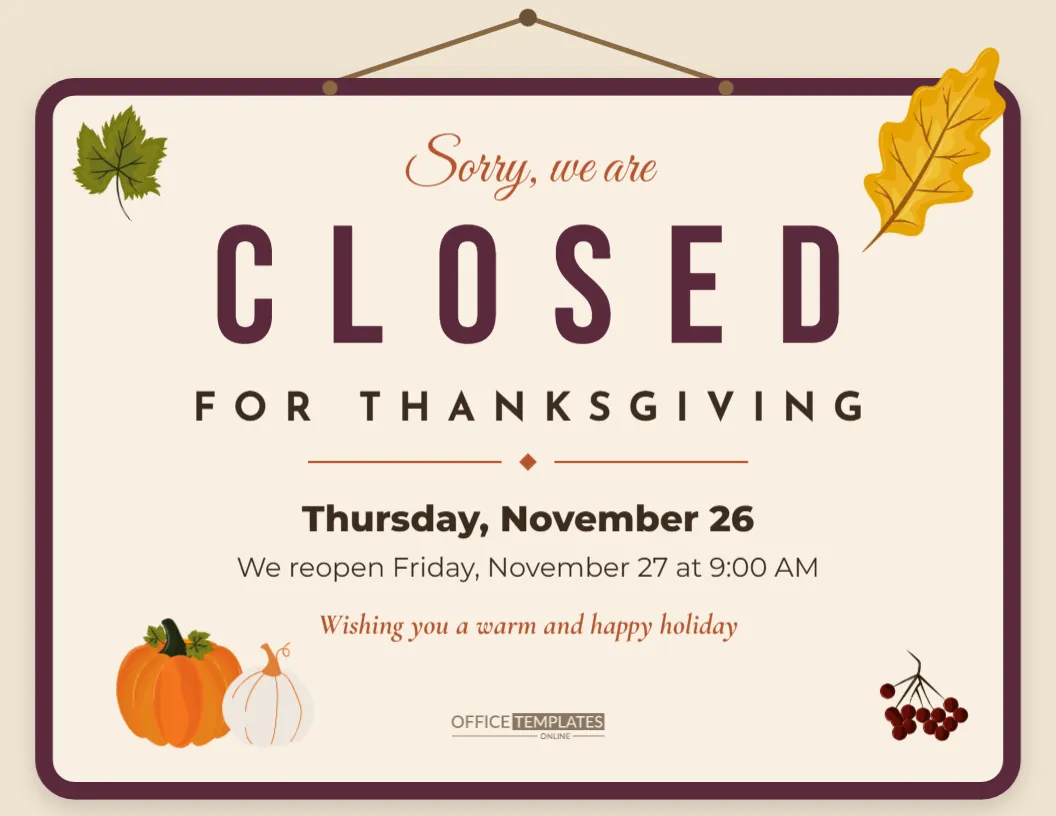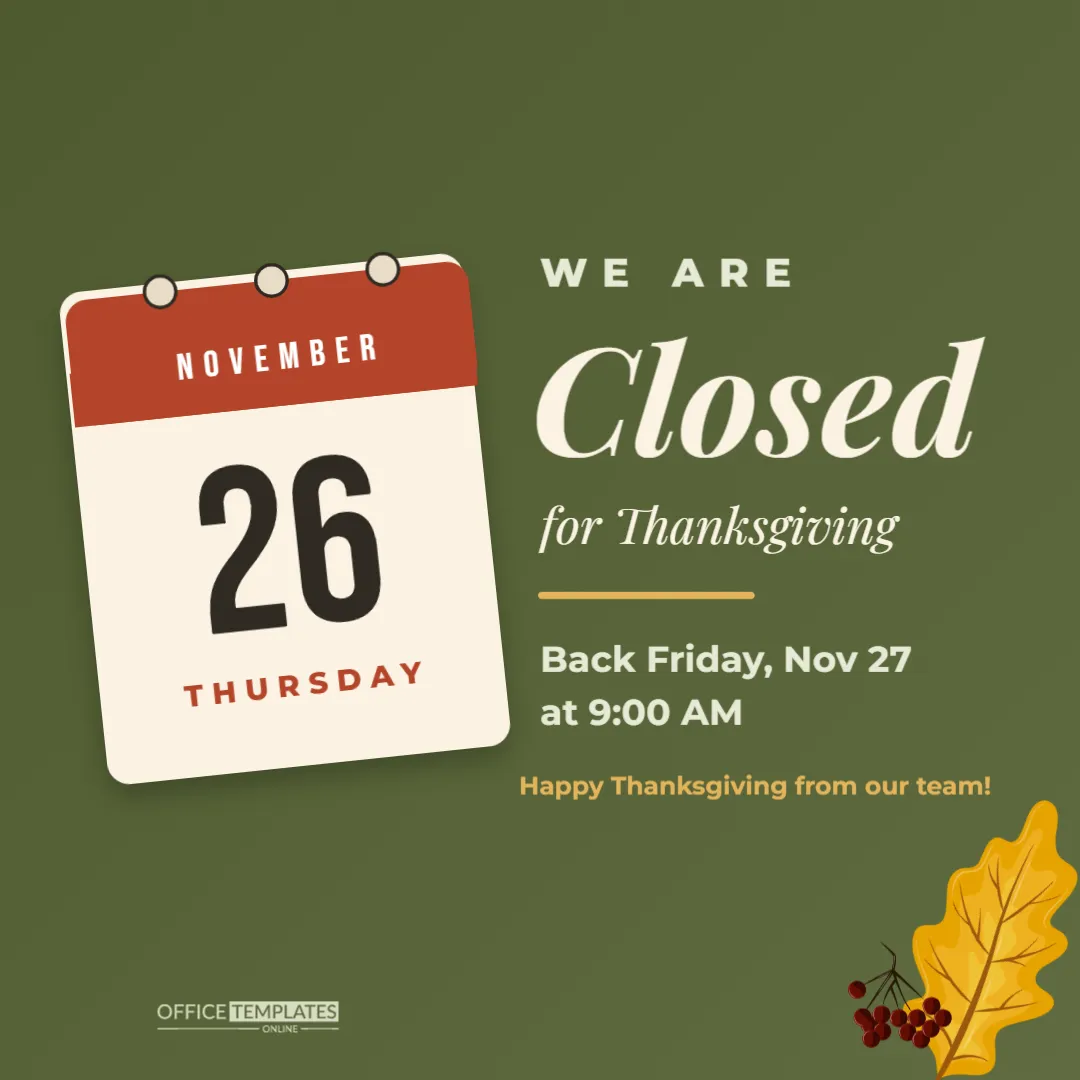
Customers check social media before they set off, especially on holidays. A clear we are closed post on Thanksgiving week saves wasted journeys, answers questions before they are asked, and shows that your business cares about its team. This square post says it at a glance, with a tear-off calendar page that makes the date impossible to miss.
A Post Built Around a Calendar Page
The post is 1080 x 1080 pixels, the standard square for Instagram, Facebook, and LinkedIn feeds, on a calm olive-green background. On the left, a desk calendar page is tilted slightly, as if it has just been torn off and pinned up. It has a rust header with NOVEMBER in white Bebas Neue capitals, three round binder rings across the top, a huge dark 26 in the middle, and THURSDAY in rust capitals at the bottom. A soft shadow lifts the page off the background.
On the right, the message reads top to bottom: WE ARE in spaced pale capitals, Closed in large italic cream Playfair Display, for Thanksgiving in smaller italic, a short gold bar, then the reopening details, Back Friday, Nov 27 at 9:00 AM, and a gold line, Happy Thanksgiving from our team! A golden oak leaf and a cluster of berries sit in the lower right corner, and the brand mark is in the lower left in a pale tint.
Why the Calendar Page Works
People scroll fast. A big date on a familiar calendar shape is processed in a fraction of a second, long before anyone reads the words. The tilt adds a little movement, and the rust header ties in with autumn colours without needing a turkey or a pumpkin. It is clear, friendly, and suitable for any kind of business, from a dental clinic to a coffee shop.
Editing the Date and Reopening Details
The month, the day number, and the weekday are separate text boxes on the calendar page, all rotated to match its angle. Click each one to change it. If you are closed for more than one day, show the first day on the calendar and put the full range in the reopening line (Closed Thursday and Friday. Back Saturday at 10 AM). For a half day, change Closed to Closing early and the reopening line to the time.
Different Messages for Different Businesses
| Business | Reopening line idea |
|---|---|
| Coffee shop | Back Friday at 7 AM with pumpkin spice and leftovers talk |
| Medical or dental clinic | For urgent care, call our after-hours line |
| Retail store | Open Friday at 6 AM for our holiday sale |
| Office or agency | We will reply to messages on Monday, Nov 30 |
| Gym or studio | Burn off the pie with us Friday at 8 AM |
| Salon | Book your holiday appointment online any time |
When to Post the Closed Notice
Post it twice. The first time, three to five days before Thanksgiving, as a heads-up so customers can plan. The second time, on Wednesday evening or Thursday morning, as a reminder. If you use stories, add it to a Holiday Hours highlight that stays on your profile all week.
A Short Caption for the Closed Notice
Keep the caption short and warm. For example: Our team is taking Thursday off to be with family. We will be back Friday at 9 AM. Thank you for a wonderful year, and Happy Thanksgiving! If customers might need help while you are closed, add where to go: an online shop, an emergency number or a partner business.
Customising Colours to Your Brand
The olive background is the page colour, so changing it to your brand colour takes one click; navy, charcoal and deep burgundy all keep the cream text readable. The calendar’s rust header can change too. The leaf and berries are editable vector artwork; recolour them from their swatches or remove them. To add your logo, place it in the lower left corner in place of, or next to, the brand mark.
Updating Your Other Listings
The post is only one channel. On the same day, update the special hours in your map listings, your website banner, and your phone greeting, and post a printed sign on the door. When every channel agrees, customers trust your information.
Downloading the Post
Download a PNG for the clearest text. At 1080 x 1080 pixels, it uploads to every major platform without cropping. If you also want a printed door sign with the same look, download a PDF and print it on Letter paper; the square fits with margins.
Reusing the Calendar Post for Other Holidays
The same design works for any closure. Change the month and day for Christmas Day, New Year’s Day, or a staff training day, and swap For Thanksgiving for the reason. Save a copy for each holiday so you are ready every time.
Pinning the Notice to Your Profile
Several platforms let you pin a post to the top of your profile. Pin the closed notice from Wednesday until Friday morning, so anyone who visits your page sees it first, even if you post other content. Unpin it once you reopen, so your profile does not show an out-of-date message into December.
Thanking Customers in the Same Post
A closed notice is also a chance to say thank you. Adding one warm sentence to the caption, such as Thank you for a wonderful year of mornings together, turns a practical announcement into a small moment of connection, and customers often reply with their own good wishes.
Closed Post Questions
Can I show two dates on the calendar?
Write 26 to 27 in a smaller size, or show the first day and explain the range in the reopening line.
Does it work as a story?
The square post can be shared to stories, where it appears in the middle of the screen. For a full-screen version, use a story-sized template.
Can I add opening hours for the whole week?
A full week of hours fits better on a holiday hours sign; link to it in your caption.
Taking a day off is part of being grateful. Let customers know in a friendly way, enjoy the holiday, and welcome them back on Friday.