Name the Event on the Certificate
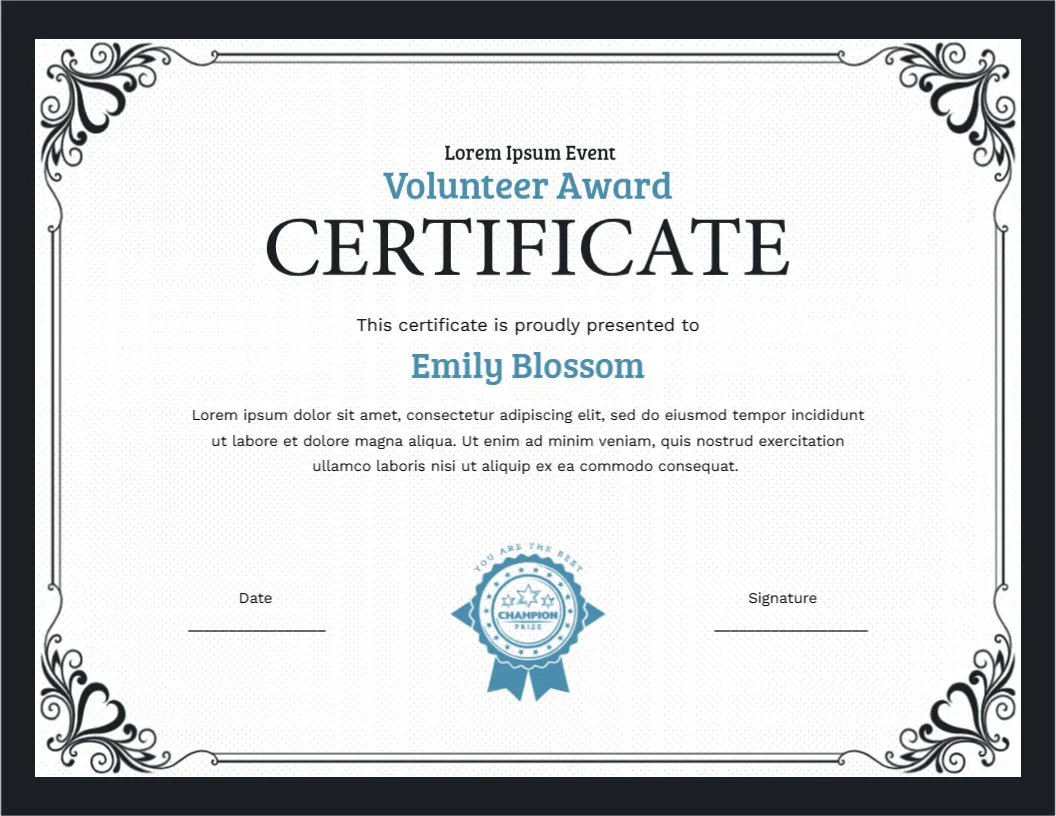
Many volunteer certificates are generic. This one has a line above the title that is designed for the event itself: it reads Lorem Ipsum Event, and you replace it with “Riverside Marathon,” “Winter Food Drive” or “School Fun Fair.” That small change turns a general thank you into a record of a specific day, which volunteers like to keep for their portfolios and applications.
Design Description
The certificate is Letter size landscape, 11 x 8.5 inches. A charcoal border surrounds a white panel framed by a thin double black line. In every corner, black scrolls shaped like curled hearts and leaves create a decorative frame, with the bottom corners especially full. At the top, the event line appears in small black type. Below it, Volunteer Award is in light blue, and CERTIFICATE follows in very large black serif capitals.
The recipient name, Emily Blossom, is in light blue. A paragraph follows, and the page ends with a light blue rosette ribbon at the bottom centre, with a ring of text and stars, flanked by Date and Signature lines.
A Checklist for Event Organisers
- Collect volunteer names and spellings before the event.
- Decide the wording and the signer.
- Replace the event line and the date.
- Print one certificate per volunteer and check each name.
- Hand them out at the closing meeting or post them within a week.
Reasons to Add Hours or Roles
Volunteers often need proof of hours for school credits, university applications or employer schemes. You can change the paragraph to say “for contributing twelve hours as a marshal,” and add a contact name and phone number. That makes the certificate useful beyond the thank you.
Keeping the Light Blue Readable
The light blue text for the title and the name is soft. Print a test copy, and if it looks pale, change the text colour to a darker blue in the editor. The heart shaped scrolls and the rosette are artwork.
Group Events and Large Teams
For events with dozens of volunteers, prepare the file ahead of time and use a mail merge style routine: duplicate the design, change one name, save, and repeat. Check each name against the list before printing. A single misspelling stands out on a certificate.
Keeping Volunteer Certificates Flat and Safe
Use matte paper of 120 to 160 gsm. The double frame sits near the edge, so choose Fit to page if the print is clipped. A transparent sleeve keeps the certificate flat in a folder.
Asking Volunteers to Review Their Own Names
Before printing, send the list of names to volunteers or team leaders and ask them to check the spelling. It takes a few minutes and avoids the common mistake of printing a nickname or a typo. For minors, check with a parent or guardian about the name that should appear.
Using the Light Blue Rosette as a Class Marker
The light blue rosette ribbon at the bottom suggests a prize, which suits younger volunteers such as students helping at a school fair. For adult volunteers, you may prefer to keep the focus on the event line and the paragraph.
For a darker volunteer certificate, see the black and gold volunteer appreciation certificate. Donors can be thanked with the donation appreciation certificate. More designs are in appreciation and award certificates.