If your ugly sweater party is organised on social media, the invitation needs to stop thumbs mid-scroll. This square 1080 x 1080 pixel post does it by turning the whole image into a sweater. A bright red jumper shape fills the frame on a green knit background, with white knit bands across the chest and hem, and the party details written right on the sweater in chunky Luckiest Guy lettering. It is perfect for Instagram feeds, Facebook posts, event pages, and group chats.
A Sweater That Fills the Frame
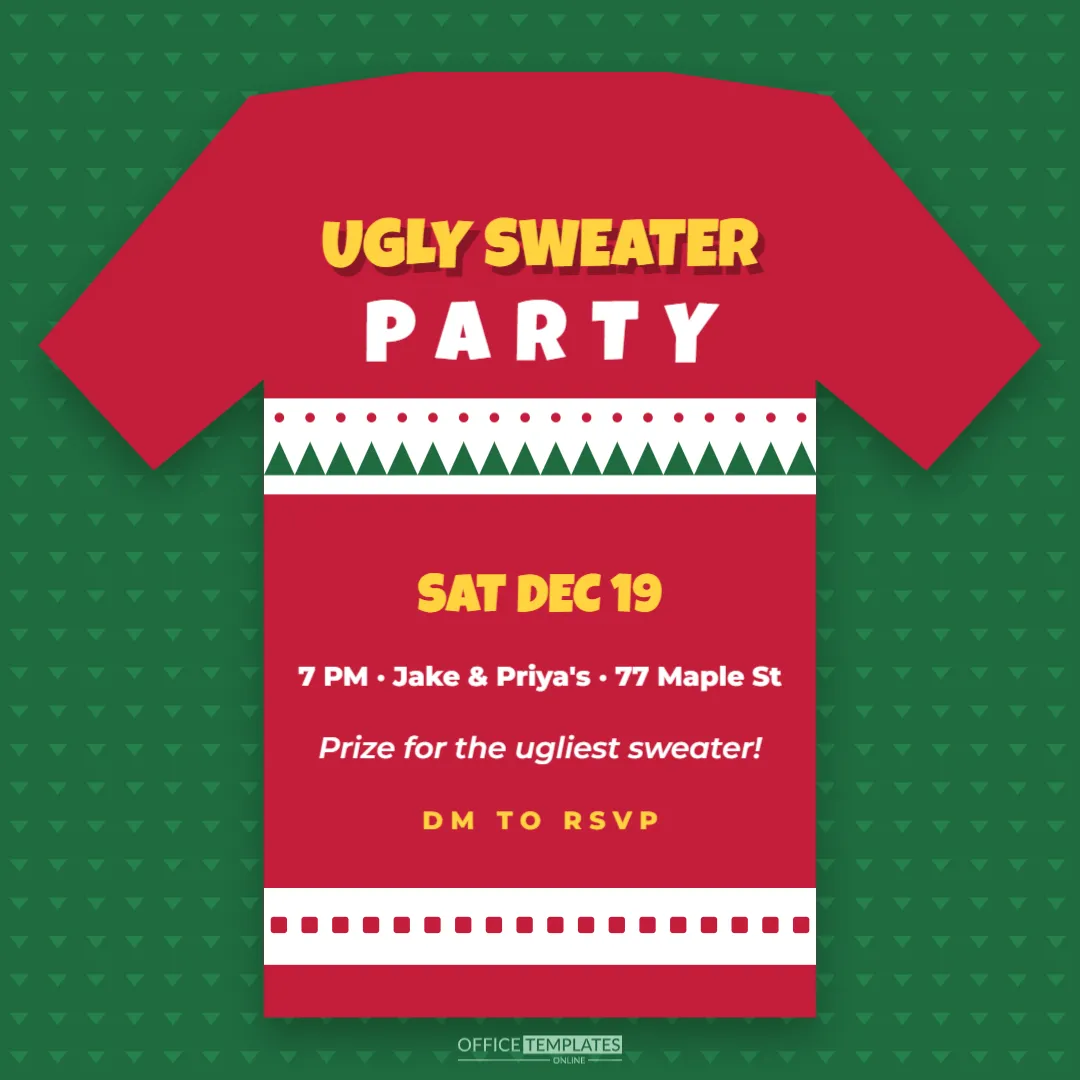
The design is built around one big shape. The red sweater has shoulders, sleeves angled out to the edges, and a straight body that reaches almost to the bottom of the post. It sits on a deep green background covered with a fine pattern of small chevrons, like the texture of knitted wool. Across the chest runs a white band with green zigzag triangles and a row of red dots, and a second white band with red squares sits near the hem. A soft shadow makes the sweater look as if it is lying on top of the background.
Inside the sweater, UGLY SWEATER is set in yellow Luckiest Guy with a dark drop shadow across the shoulders; PARTY sits below in white. Under the chest band, SAT DEC 19 appears large in yellow, followed by the time, host, and street in white, a fun line saying Prize for the ugliest sweater!, and DM TO RSVP in spaced yellow capitals.
Why a Square Post?
The 1080 x 1080 pixel square is the classic Instagram feed format and also displays fully in Facebook and LinkedIn feeds, WhatsApp chats, and most messaging apps. Square images are never cropped awkwardly in the feed, and they look tidy on a profile grid. Because the text sits inside the sweater, it stays readable even when the post is shown small.
Editing the Sweater Post
Click each line inside the sweater to change it. Keep lines short; the sweater body is narrower than the full post. Change SAT DEC 19 to your date, and the time and address line to your own. If you do not want to share an address publicly, write the neighbourhood only, such as 7 PM, Highland Park, and send the full address privately to guests who reply. Change DM TO RSVP to another call to action, such as RSVP IN THE GROUP or LINK IN BIO.
To recolour, select the sweater shape and choose a new colour; navy, purple, or forest green all make good ugly sweaters. Change the background colour for contrast, and update the knit bands by selecting their groups.
Writing the Sweater Party Caption
The caption is where you add detail and personality. A good caption includes the date, time, the location or how to get there, the dress code, and the prize. For example: Our ugly sweater party is back. Saturday, December 19 at 7 PM. The tackier, the better; bells and lights encouraged. Prize for the ugliest jumper. DM us for the address and bring a snack to share. Add a few hashtags such as #UglySweaterParty and #ChristmasParty, and tag co-hosts.
Public Posts and Privacy
Posting a party invitation publicly can attract uninvited guests. For private parties, share the post only with close friends using your app’s close friends feature, a private group, or a direct message. Avoid posting your full home address in the image or caption. For public events, such as a bar or community ugly sweater night, share the venue openly and add ticket or capacity details.
Ugly Sweater Contest Ideas
The prize line on the post promises a competition, so plan a fun one. Categories might include ugliest overall, most creative homemade sweater, best lights and sound, best couple or group theme, and best pet sweater. Let guests vote with paper ballots or stickers on a poster, and announce winners halfway through the party when everyone is still there. Prizes can be silly: a golden tinsel crown, a trophy made from a painted gravy boat, or a box of chocolates.
Posting a Countdown
Use the same design for a series of posts. Post the invitation three weeks before, then a reminder one week before with a line such as One week until the ugliest night of the year, and a final story on the day. Keeping the same sweater design makes your posts instantly recognisable.
Office and Club Ugly Sweater Days
Ugly sweater days are popular in offices, schools and clubs. Post the image in your workplace chat or intranet with the date and any fundraising details, for example: Wear your ugliest sweater on Friday and donate to the local food bank. A charity link makes the day meaningful as well as fun.
Printing the Post
The design is made for screens, but you can print it as a square poster or flyer. Download a PDF and print it at 8 x 8 inches for a notice board, or on letter paper with margins. Bright red and green print well on most printers.
Instagram Invitation Questions
Can I make a story version?
Copy the sweater and text onto a 1080 x 1920 pixel canvas and enlarge the sweater, or use the 5 x 7 ugly sweater invitation in this collection for print.
Can I add a photo?
Add a circle from the Elements panel on the sweater and use Replace Image, for example, to show last year’s winner.
Is the knit background editable?
Yes. It is a grouped pattern; recolour it or delete it for a plain background.
Using the Post on Facebook Events
If you create a Facebook event for the party, the square image works well as the event cover on mobile, although Facebook may crop the top and bottom on desktop. Upload it as the first post in the event too, so guests see the full design. Use the event’s built-in reply buttons to track who is coming, and post the sweater contest rules in the event description.
Post It, Wear It, Win It
Fill in your details, write a fun caption, and share the post. Your friends will start digging through their wardrobes the moment they see that sweater on their screen.