Give Your Labor Day Sale the Bold Look of a Classic American Advertisement
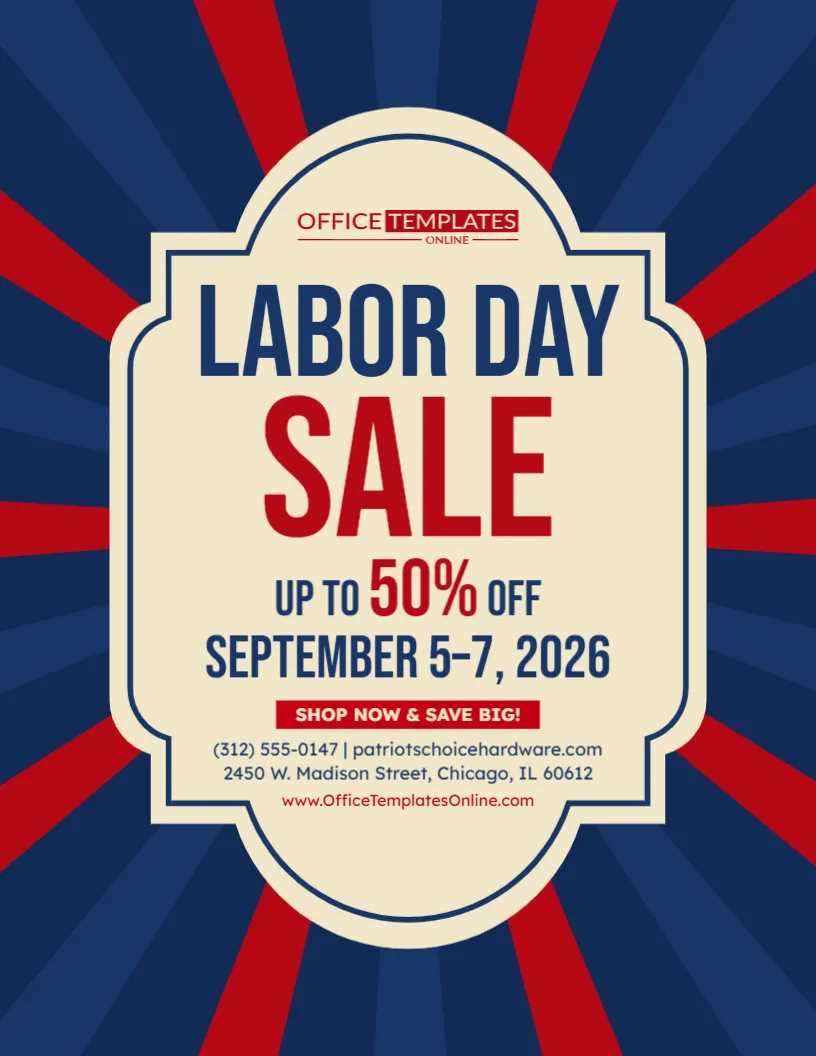
Some promotions work best with a clean modern style. Others deserve something with more character. This Retro Labor Day Sale Flyer uses vintage-inspired typography, a framed promotional panel, and dramatic red-and-blue rays to give your holiday offer the feel of a classic American sale advertisement.
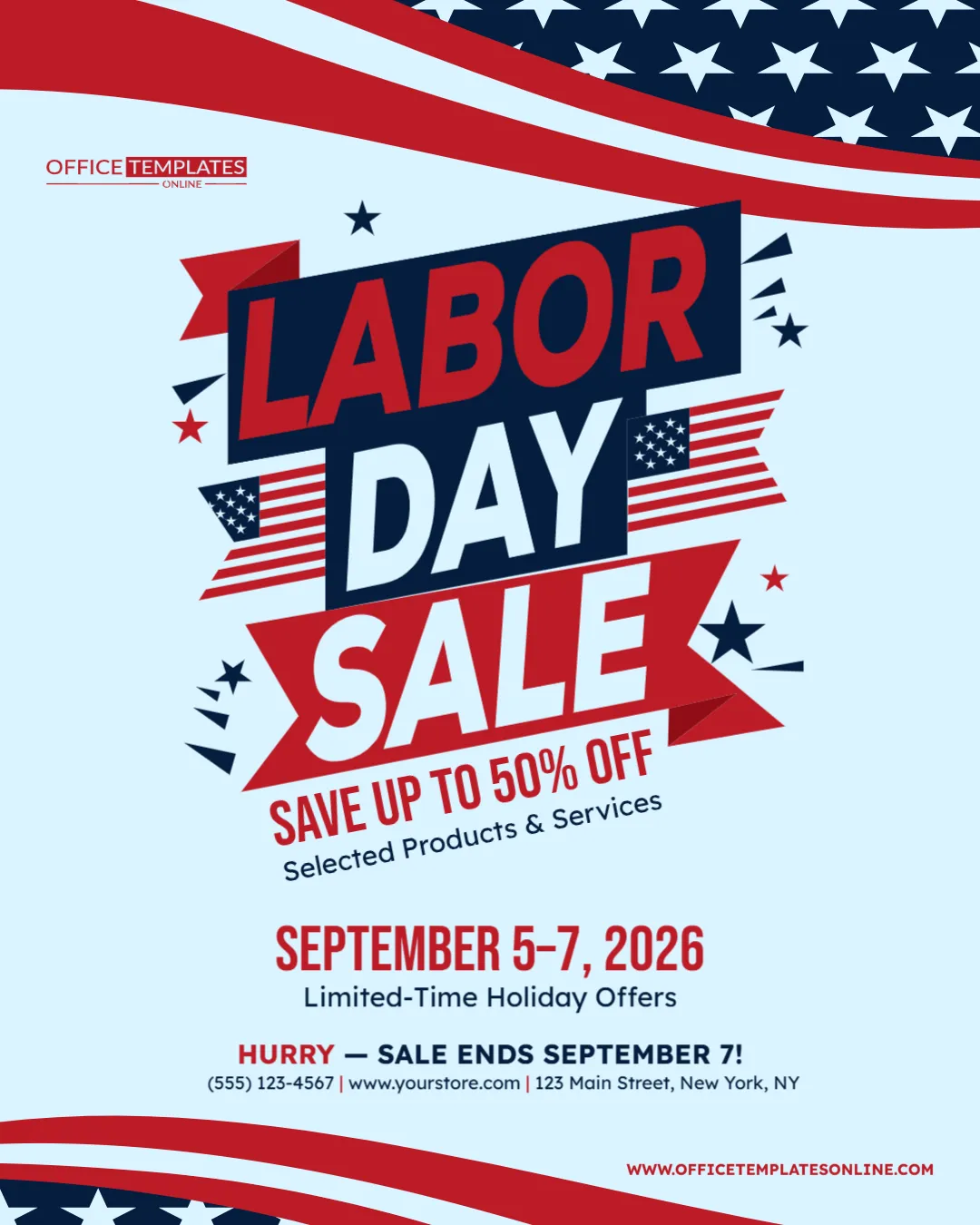
The message is deliberately simple. “Labor Day Sale” dominates the center, followed by “Up to 50% Off,” the promotional dates September 5–7, 2026, and a direct “Shop Now & Save Big!” call to action.
That clear hierarchy makes the template especially useful when you want customers to understand the promotion within seconds.
You can customize the flyer directly in your browser. Replace the sample discount, dates, contact information, website, and other available editable content with your own details. No login is required, and the completed design can be downloaded as a PDF, PNG, or JPG.
What Gives This Flyer Its Retro Character?
The vintage feel comes from the way the entire composition is put together.
Instead of photographs, product images, or detailed illustrations, the design relies on shape, typography, contrast, and symmetry. A cream-colored decorative frame sits in the middle of a dark navy background, giving the promotion the appearance of an old-fashioned advertising sign.
Behind it, alternating red and blue rays spread outward from the center. This sunburst effect naturally pulls the viewer’s eyes toward the sale information.
The limited palette also plays an important role. Navy, red, and warm cream create a patriotic Labor Day appearance while supporting the retro aesthetic.
It is bold without being complicated.
The Sale Message Does Most of the Talking
There are no unnecessary distractions around the main offer.
At the top of the central panel, “Labor Day” establishes the occasion. Immediately underneath, the oversized word “Sale” explains the purpose of the flyer.
Next comes the discount:
Up to 50% Off
This arrangement creates a straightforward reading sequence:
Holiday ? Sale ? Discount ? Dates ? Action
That is useful for retail advertising because customers should not have to search through a flyer to discover what is being promoted.
Replace the 50% Discount with Your Real Offer
The sample “Up to 50% Off” is a placeholder for customization.
If your business is offering a different discount, change the figure so the flyer accurately represents your promotion. You could also adapt the offer area for a different type of deal if it fits comfortably within the design.
For example, the template could promote:
- Up to 30% off selected products
- 20% off storewide
- Special Labor Day pricing
- Buy one, get one offers
- Clearance savings
- Weekend-only deals
- Selected product discounts
- Limited-time service offers
When using wording such as “up to”, make sure your actual promotion supports the advertised maximum saving. Your final flyer should make the offer attractive without creating confusion about what customers can receive.
September 5–7 Creates a Clear Sale Window
The promotional period is displayed directly below the discount in large navy lettering:
September 5–7, 2026
This tells shoppers that the campaign is tied to Labor Day weekend rather than being an open-ended sale.
You can retain those dates if they match your 2026 promotion or replace them with your actual sale period. Your business may choose to start earlier, finish later, or run a one-day Labor Day event.
Whatever dates you use, keep them accurate across your flyer, website, social media posts, store signage, and other advertising.
Consistent dates make it easier for customers to know when they can take advantage of the offer.
Retro Style Can Work for More Than Vintage Businesses
Your company does not need to sell antiques or vintage products to use a retro flyer.
This visual style can provide contrast in a crowded promotional environment. While many contemporary advertisements use photographs, gradients, and complex product layouts, this design relies on oversized text and a classic badge-like centerpiece.
That can make it suitable for retail stores, hardware businesses, furniture shops, home improvement companies, clothing stores, local shops, service providers, automotive businesses, online stores, and other companies running Labor Day promotions.
The design establishes the theme; your customized business details establish who the promotion belongs to.
A Strong Flyer Without Product Photography
Not every sale flyer needs to display individual products.
If your Labor Day promotion applies to a broad range of merchandise or services, using a text-led design can keep the campaign flexible. You do not have to select one product image that might make customers think the discount applies only to that item.
Instead, the sale percentage and promotional dates become the visual focus.
This approach can work particularly well for storewide promotions, selected-category sales, clearance events, or campaigns where you plan to explain individual deals elsewhere.
Edit the Flyer Online with No Login Required
The retro layout is already created, so you can focus on customizing the promotional information.
Open the template in the browser-based online editor and update the available editable elements. You can begin without creating an account because no login is required.
Replace the sample offer with your own discount, confirm the sale dates, update the call to action, and enter your actual business contact information.
You can keep the existing retro wording and structure when it suits your campaign or personalize the available content to give the promotion a different voice.
This saves you from having to recreate the decorative frame, sunburst background, typography arrangement, and overall composition yourself.
Make “Shop Now & Save Big!” Match Your Campaign
A red button-style area beneath the dates contains the sample call to action:
“Shop Now & Save Big!”
For a retail promotion, that wording may already be suitable. However, you can customize the available text to better match the action you want customers to take.
An online business might use “Shop Online Now.” A local retailer could choose “Visit Us This Weekend.” A service company may prefer “Book Your Labor Day Deal.”
A good call to action should be short, specific, and connected to the promotion.
Avoid squeezing a long sentence into this area. The compact shape works best when the instruction can be understood immediately.
Your Business Information Fits Neatly at the Bottom
The template reserves a smaller section underneath the call to action for practical contact information.
The sample includes a phone number, website, and street address. Replace these details with your own before downloading the final flyer.
This placement is useful because the contact information remains available without competing with the main discount.
Customers first see the sale. If they are interested, they can then look lower on the design to find out where to shop or how to contact the business.
Before publishing the flyer, check every number and web address carefully. Promotional artwork can be visually perfect and still lose its usefulness if the contact details are incorrect.
Let the Sunburst Background Do the Attention-Grabbing
The background is one of the most distinctive parts of this design.
Red rays alternate with different shades of blue and radiate outward from behind the cream promotional panel. This creates a sense of movement even though the design itself is static.
The eye is naturally guided toward the center, where the sale information sits.
Because the background already has strong visual energy, the flyer does not need extra decorative objects around the offer. Keeping the central panel relatively simple helps maintain balance.
This is a good example of how a promotional design can feel energetic without filling every available space.
Keep the Promotion Easy to Scan
Customers may encounter your flyer while scrolling, walking past a display, checking an email, or quickly browsing promotional material.
That means the most important information should remain understandable at a glance.
For this template, prioritize four things: what the event is, how much customers can save, when the sale runs, and what they should do next.
Long descriptions, detailed exclusions, or complicated conditions should not overpower those essentials.
If your sale requires additional terms, provide them in an appropriate supporting location, such as the promotion page, accompanying social post, email copy, or other customer-facing material.
One Retro Design, Several Promotional Uses
After customization, the finished flyer can support different parts of a Labor Day marketing campaign. It may be suitable for a retail sale announcement, store promotion, social media graphic, website promotion, customer email image, business display, weekend sale advertisement, or suitable printed flyer.
You can also prepare multiple versions while retaining the same visual identity.
For instance, one version could advertise the overall “Up to 50% Off” event, while another could highlight a particular product category. Keeping the same frame, colors, and retro styling can make those pieces feel like part of one coordinated campaign.
Download It as PDF, PNG, or JPG
Once the promotional information has been customized and checked, choose the format that fits how you plan to use the flyer.
PDF provides a convenient document-format version and can be useful for appropriate printing purposes. PNG is a practical option when you want a high-quality digital graphic. JPG offers broad compatibility for many common online and digital uses.
The finished Retro Labor Day Sale Flyer can be downloaded in PDF, PNG, or JPG, so you are not limited to a single output type.
Run a Quick Sale Check Before Downloading
Before you publish the flyer, verify the details that directly affect customers:
Discount: Is the advertised saving correct?
Products or services: Is it clear what the promotion applies to?
Dates: Does the sale actually run during the dates displayed?
Call to action: Do customers know what to do next?
Website and phone: Are all contact details accurate?
Address: Is the correct business location shown?
Placeholder content: Has all sample information been replaced?
Taking a minute to review these details can prevent having to correct and redistribute the promotion later.
Old-School Style, Straightforward Modern Promotion
The appeal of this Retro Labor Day Sale Flyer comes from how little it needs to say.
There is no crowded product catalog and no complicated visual scene. Instead, the design uses a dramatic sunburst, vintage-inspired frame, patriotic colors, oversized typography, and a clear promotional hierarchy to make the sale itself the centerpiece.
Add your real discount. Set the correct Labor Day sale dates. Replace the sample contact details. Give customers a clear next step.
The online editor lets you handle those changes without logging in, and when your personalized flyer is ready, you can download it as PDF, PNG, or JPG.
For businesses that want a Labor Day promotion with a little more nostalgia and a lot of visual impact, this retro design offers a distinctive alternative to an ordinary modern sale flyer.