Bring Neighbors, Families, and Friends Together This Labor Day
Some Labor Day events are about sales. Others are about parties or backyard cookouts. This Labor Day Community Celebration Flyer Template has a different purpose: bringing people together.
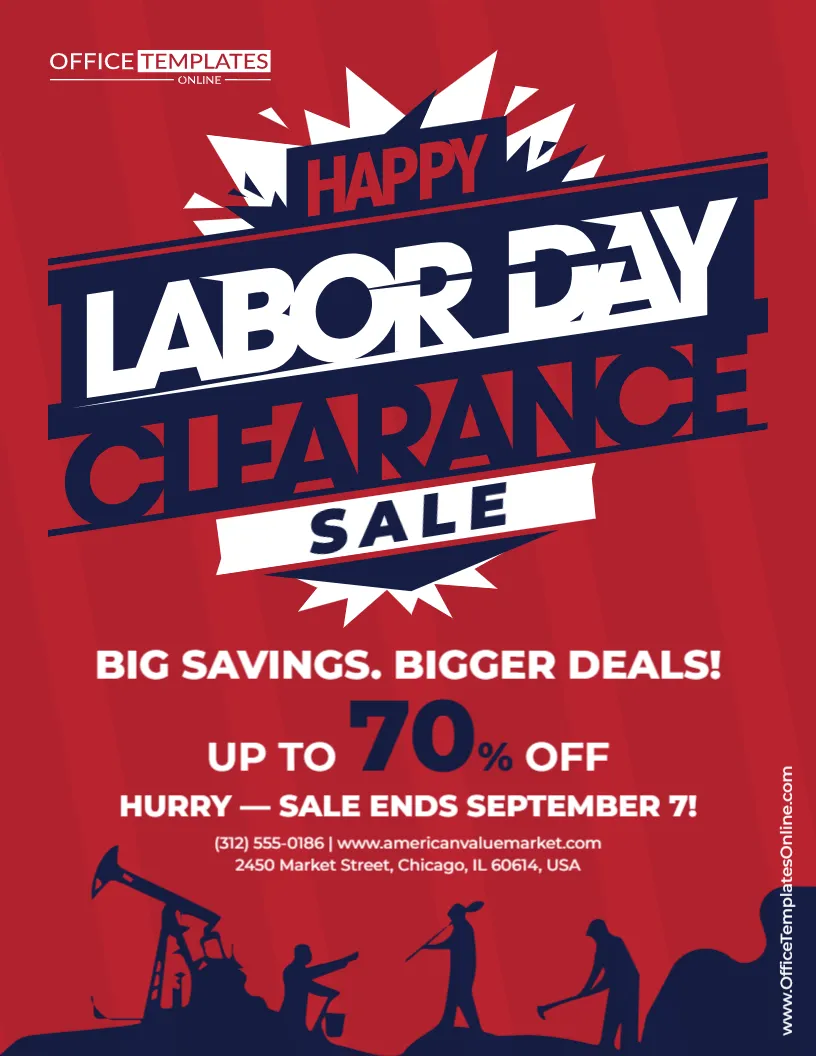
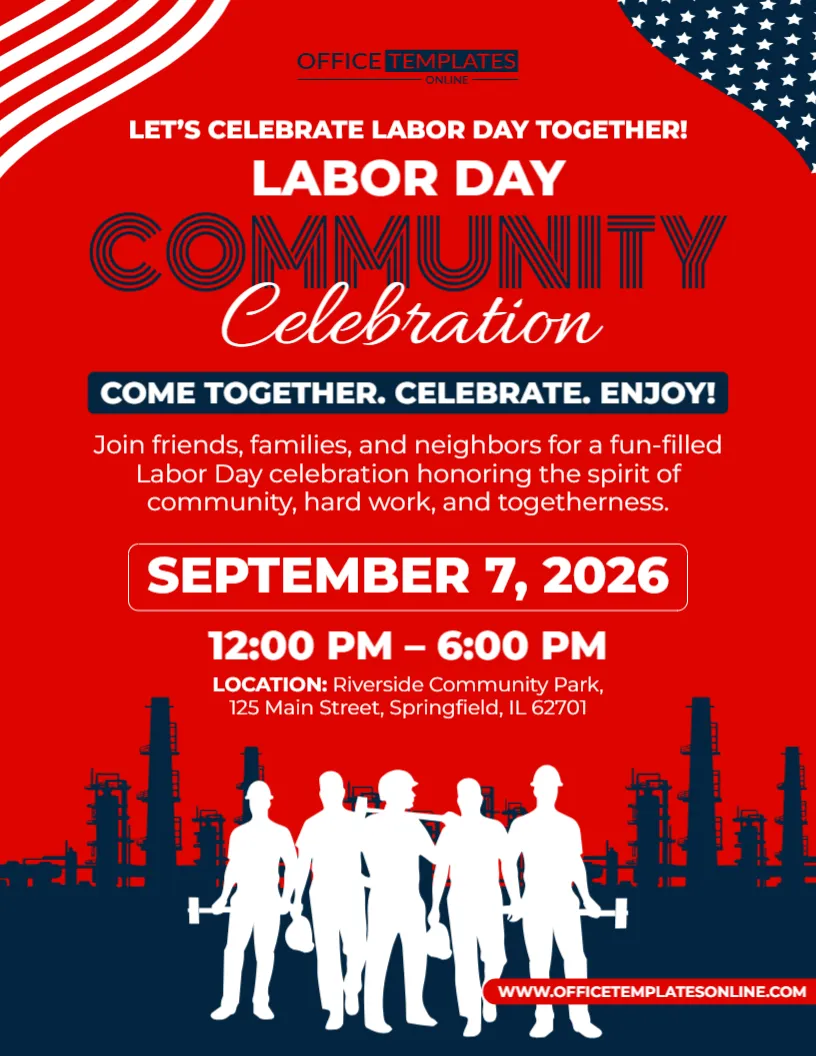
Designed around the ideas of community, hard work, and togetherness, this flyer gives local organizers an inviting way to announce a Labor Day gathering. Its bold red background immediately attracts attention, while patriotic details, worker silhouettes, and an industrial skyline connect the design to the meaning of Labor Day.
The layout also puts practical information where people can easily find it. The event date, time, venue, and full address receive their own clearly defined areas, so residents do not have to search through the design for the details they need.
You can customize this template using the online editor directly in your browser, with no login required. Replace the sample information with your own community event details, adjust the editable content, and download your finished flyer as a PDF, PNG, or JPG.
A Flyer Built Around Togetherness Rather Than Selling
This template does not use discount percentages, “buy now” messages, or commercial sales language.
Instead, its central message is:
COME TOGETHER. CELEBRATE. ENJOY!
That simple phrase captures what a community celebration should feel like.
The supporting text continues the same idea by inviting friends, families, and neighbors to celebrate Labor Day while recognizing community, hard work, and togetherness.
This approach is particularly appropriate for community events. Guidance for community-focused Labor Day flyers recommends warm and welcoming language rather than the urgency commonly used in commercial advertising. The goal is to encourage participation and make residents feel included.
That makes this design suitable for organizers who want their event promotion to feel open, friendly, and community-centered.
The Worker Imagery Gives This Design Its Own Identity
The lower portion of the flyer is one of its most distinctive features.
A group of white worker silhouettes stands prominently against a dark navy industrial setting. The figures represent people from different kinds of work, while the factory-style background reinforces the connection with labor and industry.
This gives the flyer a visual meaning beyond simply using American colors.
The imagery helps connect the celebration with the people Labor Day recognizes: workers.
For a community event organized by a city, union-related organization, neighborhood association, local business group, employee organization, nonprofit, or civic group, this visual approach can feel especially relevant.
Bold Red Makes the Announcement Hard to Overlook
Rather than using white as its primary background, this flyer is dominated by bright red.
Navy blue and white provide contrast.
American flag-inspired graphics curve into the top corners, while the dark blue lower section anchors the worker illustrations at the bottom.
The result is a patriotic design that feels energetic without needing a large photograph.
White text is used for much of the important information, helping the words stand apart from the red background. The navy banner around “Come Together. Celebrate. Enjoy!” creates another strong contrast point in the center.
For event flyers, clear visual hierarchy is important: viewers should be able to identify the event, date, time, and location quickly.
Change “Community Celebration” to Fit Your Gathering
The large headline currently reads:
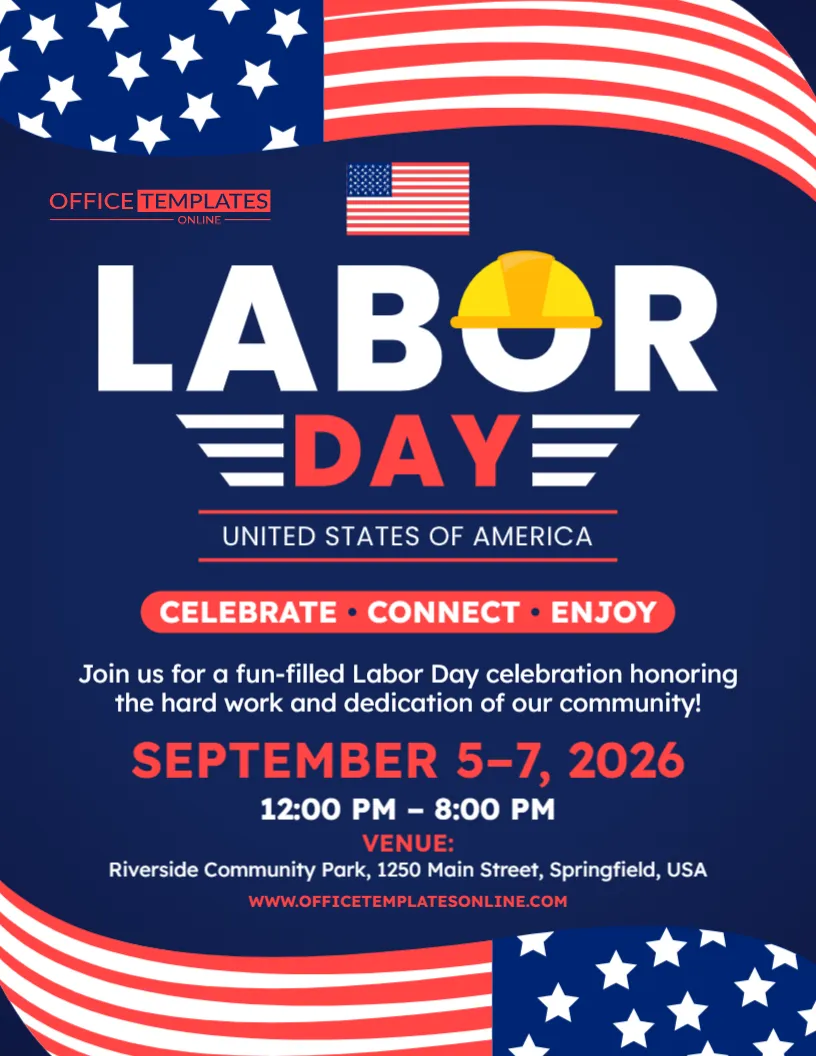
LABOR DAY COMMUNITY CELEBRATION
That wording works well for a general public gathering, but you can personalize it for the exact event you are planning.
For example:
- Labor Day Neighborhood Celebration
- Labor Day Family Celebration
- Labor Day Community Festival
- Labor Day Workers Celebration
- Labor Day Community Picnic
- Labor Day Family Fun Day
- Labor Day Neighborhood Gathering
- Labor Day Community Appreciation Day
- Annual Labor Day Celebration
- Springfield Labor Day Celebration
Adding the name of your town, neighborhood, organization, or community can make the flyer feel more local and relevant.
For example, “Riverside Labor Day Community Celebration” immediately tells residents that the event belongs to their area.
Use the Supporting Message to Explain What the Day Is About
The template includes a short paragraph beneath the main banner:
“Join friends, families, and neighbors for a fun-filled Labor Day celebration honoring the spirit of community, hard work, and togetherness.”
This is an important part of this particular flyer because it gives the event a purpose.
Instead of simply announcing a date, it explains why people are being invited.
You can rewrite this section according to the character of your gathering.
For a neighborhood event:
Join your neighbors for an afternoon of food, activities, entertainment, and community fun this Labor Day.
For a family celebration:
Bring the whole family and enjoy a Labor Day filled with games, food, music, and activities for all ages.
For a worker appreciation event:
Join us as we recognize hardworking members of our community with an afternoon of food, entertainment, and fellowship.
For a city-sponsored gathering:
Come together with residents from across our community for a special Labor Day celebration featuring activities, entertainment, and family fun.
Keep this section friendly and relatively short. The flyer should invite people in, not make them read a long event description before finding the practical details.
Put the Community First in Your Wording
A commercial flyer often asks, “What can we sell?”
For this design, a better question is, “How can we make people feel welcome?”
Phrases that can work naturally include:
Everyone Is Welcome
Bring Your Family & Friends
Celebrate with Your Neighbors
Join Our Community
Fun for the Whole Family
Come Together This Labor Day
Celebrating Our Community & Its Workers
Neighbors • Friends • Families • Fun
Community-event guidance emphasizes inclusive, welcoming language because these flyers are intended to encourage participation rather than create sales pressure.
Use wording that fits the people you genuinely want to invite.
Make the Date One of the Strongest Elements
The sample date is:
SEPTEMBER 7, 2026
It appears inside a large outlined box near the center of the page.
That placement makes sense because the date is one of the first things someone needs after deciding that the event sounds interesting.
Replace the sample date with your actual event date.
You might format it as:
SEPTEMBER 7, 2026
MONDAY, SEPTEMBER 7
LABOR DAY • SEPTEMBER 7
SATURDAY, SEPTEMBER 5
SEPTEMBER 5–7
For public community events, including the day of the week can sometimes make the information even easier to understand.
Clear date and time information is among the most important content on a community event flyer.
Show Both the Start and End Time
The sample flyer lists:
12:00 PM – 6:00 PM
Providing both times is helpful for a community celebration.
A six-hour event gives people flexibility. Some may arrive at noon, while others may only be able to attend later in the afternoon.
Replace the sample schedule with your real hours.
For example:
10:00 AM – 4:00 PM
11:00 AM – 7:00 PM
2:00 PM – 8:00 PM
Festivities Begin at 12 PM
If certain attractions have separate times, you can mention the most important schedule information elsewhere.
For example:
EVENT: 12–6 PM • LIVE MUSIC: 2–5 PM
Community event guidance recommends displaying the date, time, and duration prominently so families can plan their participation.
The Location Deserves More Than a Tiny Footnote
The template gives the venue its own labeled section:
LOCATION: Riverside Community Park
followed by the full street address.
This makes it easy to replace the placeholder with a real local venue.
Your event might take place at a:
Community park
Recreation center
Town square
Community center
Union hall
Church grounds
School field
Public pavilion
Neighborhood clubhouse
Civic center
Fairground
Company property
For a public venue, include the complete address whenever possible.
General event-flyer guidance recommends showing the full venue name and address so attendees can quickly understand where they need to go.
Add the Activities That Will Actually Bring People Out
The sample design focuses on the overall celebration rather than listing activities.
That gives you room to customize it according to what your event offers.
Possible attractions could include:
- Live music
- Food trucks
- BBQ
- Children’s activities
- Outdoor games
- Local vendors
- Community booths
- Arts and crafts
- Face painting
- Contests
- Giveaways
- Guest speakers
- Worker recognition
- Family competitions
- Cultural performances
- Local organization displays
Community and festival flyer guidance recommends highlighting the activities that make an event worth attending, especially food, entertainment, children’s activities, games, vendors, and community programs.
You do not need to include every activity on the flyer.
Choose a few highlights that help people understand what kind of day you are planning.
Try a Short Activity Line
If you have several attractions, a compact activity line can fit the design better than a paragraph.
For example:
FOOD • MUSIC • GAMES • FAMILY FUN
or:
LIVE MUSIC • FOOD TRUCKS • KIDS’ ACTIVITIES
or:
BBQ • GAMES • COMMUNITY • ENTERTAINMENT
or:
FOOD • LOCAL VENDORS • MUSIC • ACTIVITIES
This format is easy to scan and lets the flyer remain visually clean.
For a worker-focused celebration, you could use:
FOOD • MUSIC • WORKER RECOGNITION • FAMILY FUN
That would connect the activities more directly with the Labor Day theme.
Make It a Family-Friendly Community Event
If children and families are welcome, say so.
Parents often want to know whether an event has activities suitable for children before deciding to attend.
You could add:
Family-Friendly Event
Fun for All Ages
Kids’ Games & Activities
Bring the Whole Family
Children’s Activities Available
If your event includes specific attractions such as face painting, bounce houses, crafts, playground activities, or children’s competitions, mentioning one or two can make the invitation more useful.
Labor Day community-event guidance recommends giving families practical information about age-appropriate activities and what they can expect at the event.
Or Adapt It for a Worker Appreciation Celebration
The silhouettes at the bottom make this flyer especially suitable for a Labor Day event that recognizes workers.
You could change the headline to:
Labor Day Worker Appreciation Celebration
and use supporting copy such as:
Join us as we honor the hardworking people who help keep our community moving forward.
The event might include:
Worker Recognition
Awards
Community Lunch
Guest Speakers
Family Activities
Live Entertainment
Employee Appreciation
This approach can work for businesses, trade organizations, local associations, community groups, and other organizations holding a Labor Day recognition event.
A Good Choice for Neighborhood Associations and HOAs
A Labor Day community celebration does not need to be a large city event.
Neighborhood associations and HOAs can also use this template to promote smaller local gatherings.
For example:
Oakwood Neighborhood Labor Day Celebration
Monday, September 7 • 1–5 PM
Oakwood Community Park
Then add a simple message:
Join your neighbors for food, games, music, and an afternoon of community fun!
You could also mention whether residents should bring chairs, drinks, desserts, or other items.
The more local the event, the more useful it can be to make the flyer sound like an invitation from neighbors rather than a formal advertisement.
Customize the Flyer Online Without Signing In
You do not need professional design software to personalize this template.
The flyer can be edited using the browser-based online editor, and no login or sign-up is required to start customizing it.
Your site’s current community-event templates likewise support browser-based editing without sign-up and allow finished designs to be downloaded in PDF, PNG, or JPG formats.
Depending on your event, you can personalize:
- Event title
- Community name
- Supporting message
- Date
- Start and end time
- Venue
- Street address
- Activity information
- Admission details
- RSVP information
- Contact details
- Other editable text and design elements
The existing design provides the visual framework. Your own information makes it relevant to your community.
Is the Event Free? Tell People
If your celebration has free admission, that is useful information.
Consider adding:
FREE COMMUNITY EVENT
FREE ADMISSION
EVERYONE WELCOME
OPEN TO THE PUBLIC
NO ADMISSION FEE
For an event requiring tickets or registration, state that instead:
REGISTRATION REQUIRED
TICKETS: $10
RSVP REQUIRED
LIMITED SPACE AVAILABLE
People should not have to wonder whether they can simply show up.
Include an RSVP Only When You Actually Need One
Large public celebrations may not require an RSVP at all.
However, smaller events may need a headcount for food, seating, activities, or venue capacity.
In that case, you could add:
RSVP by September 1
Register by August 30
RSVP: (555) 123-4567
Advance Registration Required
For an open public celebration, it may be better to use the available space for activities or practical information instead.
Help People Plan Their Visit
Community events often involve more logistics than private parties.
Depending on the size and location of your celebration, attendees may benefit from information about:
- Parking
- Accessible entrances
- Public transportation
- Rain plans
- Seating
- What to bring
- Food availability
- Restrooms
- Pet rules
- Registration
- Admission
- Event contact information
Community-event guidance specifically recommends considering practical participation details such as accessibility, parking, weather plans, and contact information for larger public gatherings.
Do not overload the flyer with unnecessary rules, but include information that could genuinely affect someone’s ability to attend.
Accessibility Matters at a Community Celebration
A community event should be useful to as many community members as possible.
If accessible parking, wheelchair-accessible entrances, seating accommodations, or other accessibility features are available, consider communicating them in your event materials.
For example:
Accessible Parking Available
Wheelchair-Accessible Venue
For Accessibility Requests: [Contact Information]
The design itself should also remain readable after customization. Avoid making essential text too small or reducing contrast just to fit more information.
Community-focused event guidance recommends clear typography, strong contrast, accessible layouts, and practical accommodation information when applicable.
Give Local Organizations a Place in the Celebration
Community events often involve more than one organizer.
Your celebration might include participation from:
Local nonprofits
Neighborhood groups
Community associations
Schools
Local businesses
Volunteer organizations
Civic groups
Public departments
Youth organizations
If sponsors or participating groups need to be recognized, you can add their names where appropriate.
Just be careful not to let a long sponsor list compete with the event date and location.
The flyer should remain an invitation first.
Use Local Details to Make a Generic Flyer Feel Personal
One of the easiest ways to improve a community flyer is to make it unmistakably local.
Instead of:
Labor Day Community Celebration
try:
Springfield Labor Day Community Celebration
Instead of:
Join us this Labor Day
try:
Springfield Families, Friends & Neighbors—Come Celebrate Together!
You can also mention a familiar park, neighborhood, local tradition, community organization, or annual activity.
Community-focused Labor Day flyer guidance recommends incorporating local traditions, organizations, or recognizable community details when they help strengthen the connection with residents.
Don’t Turn the Flyer into the Full Event Program
If your celebration includes six hours of activities, several performers, multiple food vendors, contests, speakers, and children’s programs, you may have far more information than comfortably fits on one page.
That is normal.
Use this flyer to communicate the main invitation and essential logistics.
Then provide a detailed schedule separately if necessary.
The flyer should make these points immediately clear:
What?
Labor Day Community Celebration.
When?
Date and time.
Where?
Venue and address.
Why attend?
Community, food, entertainment, activities, or whatever makes your event appealing.
Event design guidance suggests that viewers should be able to understand the basic event, timing, location, and participation information within just a few seconds.
Download Your Finished Design in the Format You Need
Once the event information is correct, you can download your customized flyer in PDF, PNG, or JPG format.
PDF is useful when you are preparing a flyer for printing or document-based distribution.
PNG is a good choice when you need a high-quality digital image.
JPG provides a widely supported image format for everyday digital sharing.
You can choose whichever format best matches how your community organization plans to distribute the announcement.
Use the Same Flyer Across Your Community
A community event is most successful when the people it is meant for actually hear about it.
Your completed flyer can potentially be used through several communication channels, including:
- Community bulletin boards
- Local organization displays
- Neighborhood communications
- School communications
- Community websites
- Email newsletters
- Printed handouts
- Local business notice boards
- Digital event announcements
- Organization websites
Community-event templates are commonly designed for both printed and digital distribution, allowing organizers to maintain consistent event information across several channels.
Wherever you share the flyer, make sure the date, time, venue, and other important details remain consistent.
Do a “Neighbor Test” Before Publishing
Before downloading the final flyer, pretend you are a resident who knows nothing about the event.
Look at the design for a few seconds.
Can you tell what is happening?
Can you immediately find the date?
Is the start and end time clear?
Do you know where to go?
Can you tell whether the event is free, ticketed, public, or registration-only, if that information matters?
Do you understand what kind of activities or experience to expect?
If you can answer those questions without searching through the flyer, the design is doing its job.
Then perform one final accuracy check.
Verify the address.
Check the date against the calendar.
Confirm the event hours.
Make sure every activity you advertise is actually planned.
Remove all sample venue and location information.
A community flyer needs to be inviting, but accuracy is just as important as appearance.
Create an Invitation That Feels Like It Belongs to the Whole Community
A Labor Day community gathering is ultimately about people.
This Labor Day Community Celebration Flyer Template reflects that idea through its worker imagery, patriotic colors, welcoming language, and strong focus on togetherness. The design gives the event date, time, location, and community message plenty of visibility while still leaving room for you to explain what makes your celebration special.
Use it for a neighborhood gathering, city celebration, family event, worker appreciation program, community picnic, public festival, HOA event, nonprofit gathering, or local Labor Day celebration.
Open the template in the online editor and customize it directly in your browser without logging in. Replace the sample event information, add your community name and activities, include any admission or participation details, and check the design carefully.
When your invitation is ready, download your personalized Labor Day Community Celebration Flyer in PDF, PNG, or JPG format and start bringing your community together.