Make Your Labor Day Sale Stand Out with a Bold Instagram Post
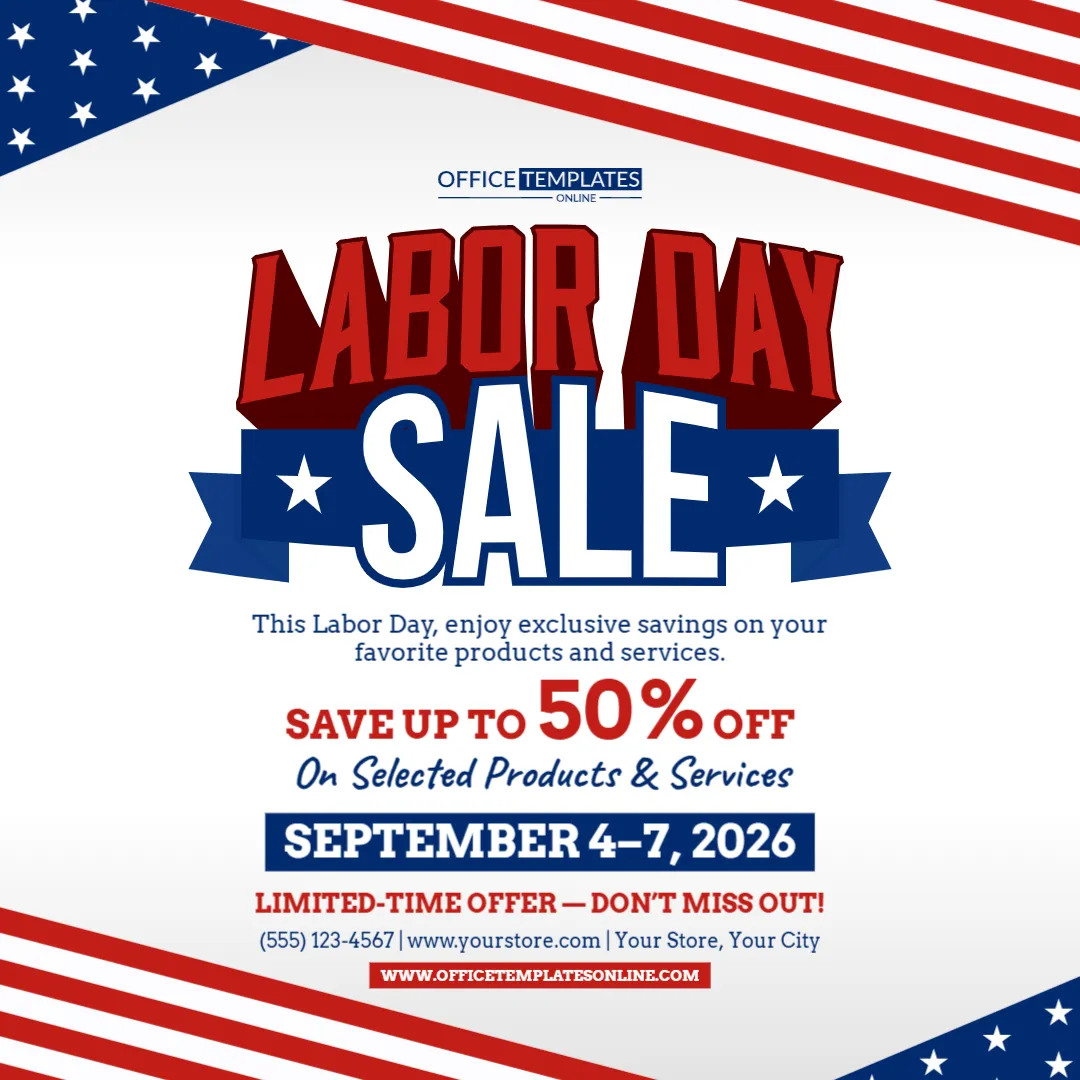
A good social media sale graphic has to communicate the offer fast. This Labor Day Sale Instagram Post Template is designed to do exactly that with a strong square layout, a large sale headline, a prominent discount area, patriotic colors, and work-themed graphics that connect the promotion directly with Labor Day.
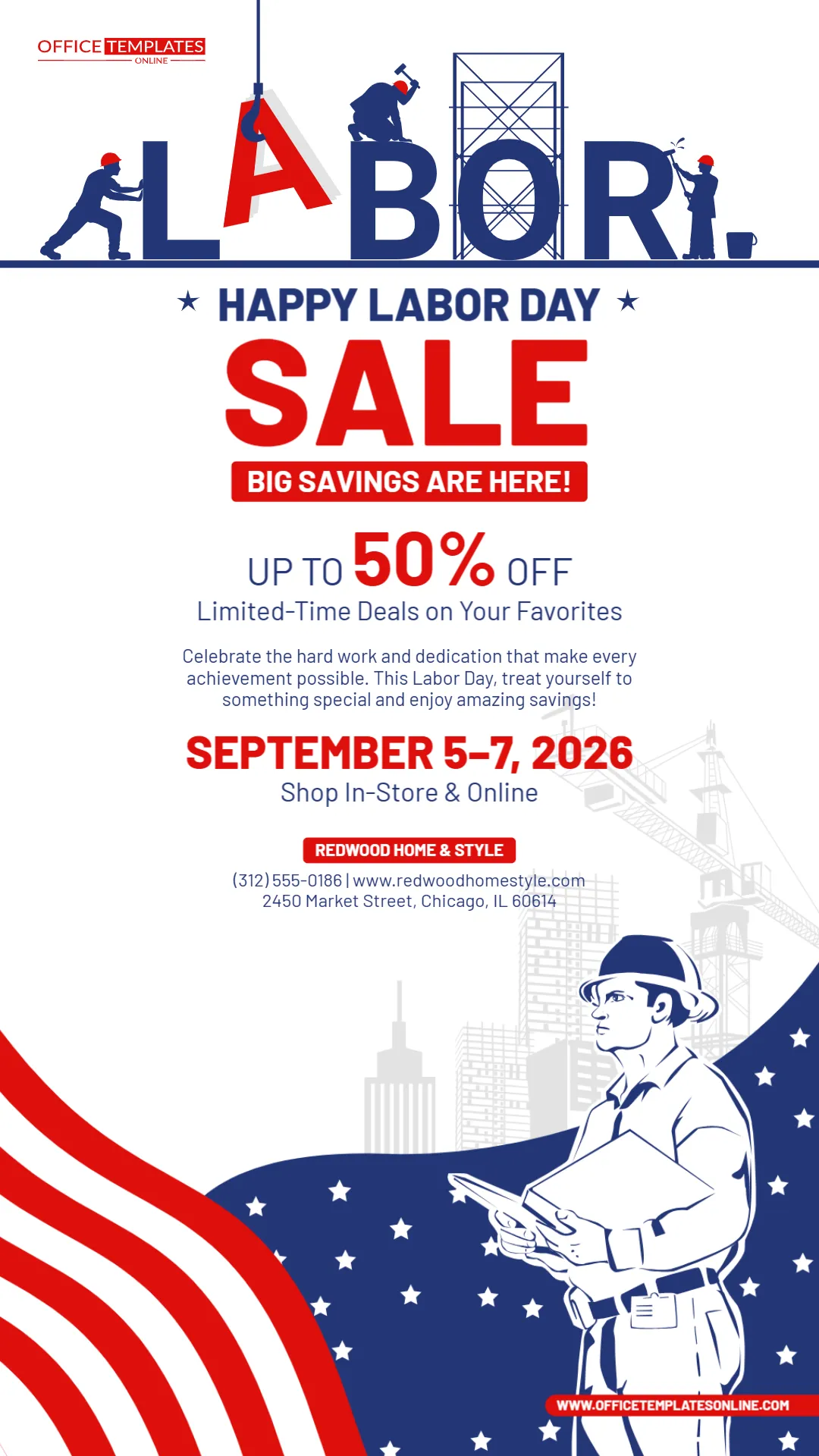
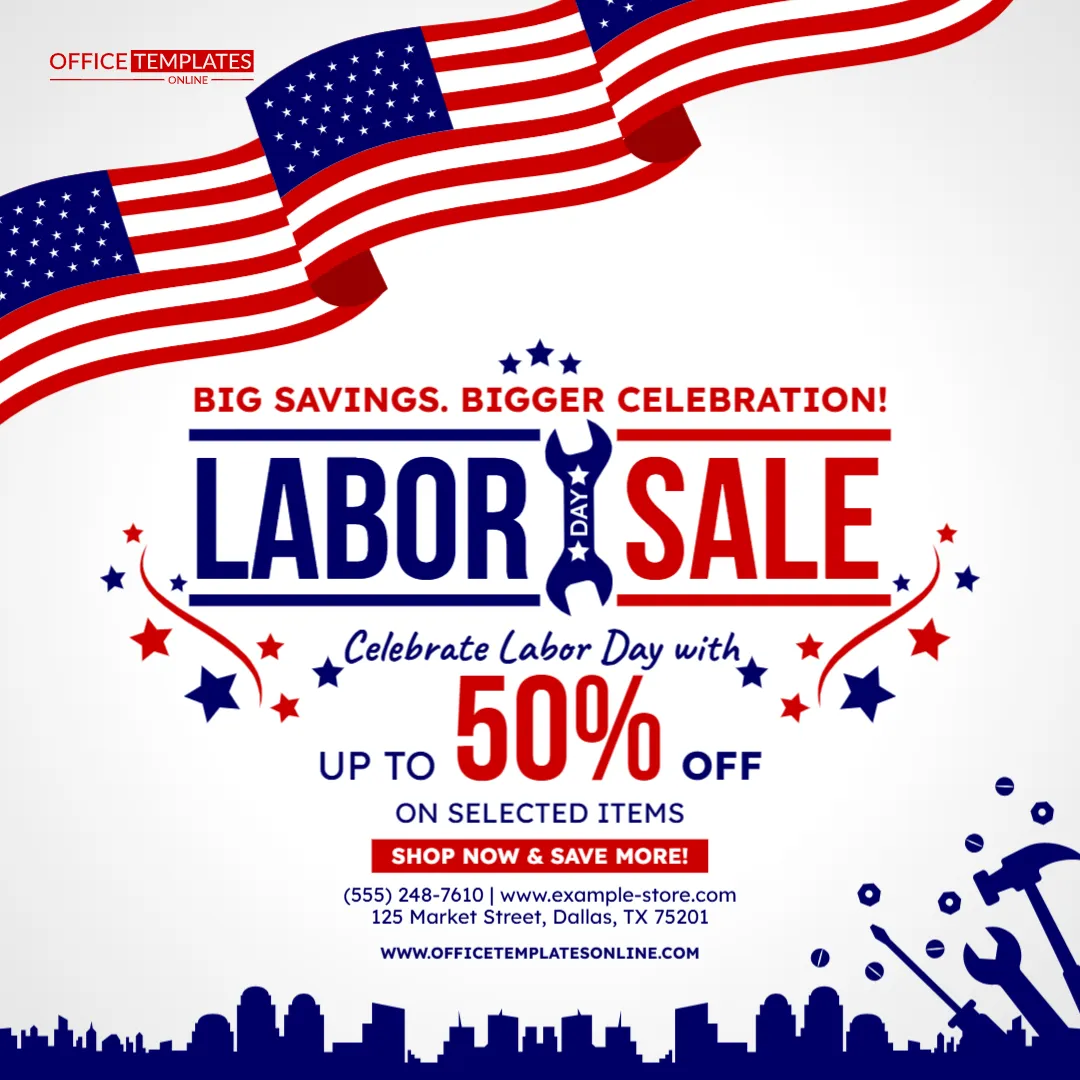
The design uses a clean white background framed by flowing American flag elements at the top and a dark blue city skyline along the bottom. In the center, the oversized “Labor Day Sale” headline becomes the main focus, with a wrench cleverly placed between the words. Stars, tools, bolts, and workshop-inspired elements add more visual connection to labor and hard work without making the post look too busy.
The sample offer highlights up to 50% off selected items, but you can replace that with your own discount, sale message, business name, website, phone number, address, and call to action.
You can customize the template online directly in your browser without logging in or creating an account. Once your Instagram post looks the way you want, download the finished design as a PNG, JPG, or PDF.
Built for a Square Social Media Format
Unlike the Instagram Story version, this template uses a square layout that works naturally as a standard social media post.
That makes it especially useful for businesses that want a promotional graphic customers can see directly in a feed.
The square format gives the design enough space to organize the information in a simple order:
Labor Day theme
Sale headline
Discount
Call to action
Business details
This layout keeps the most important information in the center, where it is likely to receive the most attention.
The Main Sale Message Takes Center Stage
The words “Labor Day Sale” dominate the middle of the design.
The headline uses deep blue and red lettering, while the wrench graphic between the words adds a distinctive work-related detail.
Above the headline, the sample message says:
BIG SAVINGS. BIGGER CELEBRATION!
This line gives the sale a festive tone before the customer even reaches the discount.
You can keep it or replace it with something that better fits your campaign.
For example:
LABOR DAY SAVINGS ARE HERE!
CELEBRATE WITH BIG DEALS!
SHOP MORE. SAVE MORE.
HOLIDAY SAVINGS START NOW!
BIG DEALS FOR THE LONG WEEKEND!
LABOR DAY DEALS YOU DON’T WANT TO MISS!
Short supporting lines work well because the main headline already explains the event.
Make Your Discount the Second Strongest Element
The sample design displays:
UP TO 50% OFF
with 50% shown in very large red type.
That makes the discount easy to understand almost immediately.
You can replace it with your real promotion, such as:
- Up to 40% Off
- 25% Off Storewide
- Save Up to $100
- Buy One, Get One 50% Off
- 30% Off Selected Items
- Labor Day Special Pricing
- Extra 20% Off Sale Items
- Clearance Savings Up to 60%
If your highest discount applies only to selected products, make sure the wording reflects that clearly.
For example:
UP TO 50% OFF SELECTED ITEMS
is more accurate than:
50% OFF EVERYTHING
if the entire store is not discounted.
Use the Supporting Line to Explain the Offer
Under the discount, the sample template includes:
ON SELECTED ITEMS
This is a useful detail because it adds clarity to the promotional message.
You can change that line depending on what you sell.
For example:
ON SELECTED FURNITURE
ON CLOTHING & ACCESSORIES
ON TOOLS & HARDWARE
ON SELECTED ELECTRONICS
ON HOME DÉCOR
ON CLEARANCE ITEMS
ON SELECTED SERVICES
STOREWIDE – EXCLUSIONS APPLY
This smaller line helps customers understand the scope of the sale without crowding the main headline.
A Patriotic Design with a Work-Inspired Twist
This template does more than use red, white, and blue.
The upper section features large flowing American flag graphics, while the lower portion includes a city skyline and oversized tool silhouettes.
Stars and mechanical details such as bolts and nuts appear around the central sale area.
These visual elements help connect the sale with the meaning of Labor Day rather than relying only on a generic holiday background.
The overall design works especially well for businesses connected with:
- Hardware
- Construction
- Home improvement
- Tools
- Automotive services
- Industrial products
- Furniture
- Home goods
- General retail
At the same time, the main sale layout is broad enough to be adapted for many other types of businesses.
Customize the Call to Action
The sample call to action says:
SHOP NOW & SAVE MORE!
This is simple, direct, and appropriate for a retail promotion.
You can keep it or replace it with another action that better matches your business.
For example:
SHOP THE SALE
SAVE THIS WEEKEND
VISIT US TODAY
SHOP ONLINE NOW
GET THE DEAL
DON’T MISS OUT
SHOP BEFORE THE SALE ENDS
VISIT OUR STORE
CLAIM YOUR LABOR DAY SAVINGS
For a service business, you might use:
BOOK YOUR SPECIAL TODAY
or:
CALL NOW TO SAVE
The best call to action is the one that matches what you actually want customers to do next.
Add Your Business Details Without Overcrowding the Post
The sample design includes:
Phone number
Website
Street address
These details appear underneath the call-to-action button.
You can replace them with your own business information.
For a local store, the address may be important.
For an online retailer, the website may be enough.
For a service business, the phone number may be the most useful contact detail.
Try not to include unnecessary information.
A social media post should remain easy to scan, so only include the details customers actually need to take the next step.
Customize Online with No Login Required
You can edit this Labor Day Sale Instagram Post Template directly through the online editor in your browser.
There is no login or account registration required to begin customizing.
Depending on your campaign, you can change:
- Main sale headline
- Discount percentage
- Sale wording
- Product category
- Supporting message
- Call to action
- Business name
- Phone number
- Website
- Address
- Other editable text and design elements
This gives you a polished starting point without requiring you to build the post from scratch.
Adapt It for Different Business Types
The structure of this template is flexible enough for many industries.
A furniture store could use:
LABOR DAY FURNITURE SALE
UP TO 50% OFF
SELECTED FURNITURE & DÉCOR
A fashion retailer could use:
LABOR DAY FASHION SALE
40% OFF SELECTED STYLES
A hardware store might write:
LABOR DAY TOOL SALE
SAVE UP TO 35%
TOOLS • HARDWARE • SUPPLIES
An electronics store could use:
LABOR DAY TECH SALE
UP TO 30% OFF SELECTED ELECTRONICS
A general retailer could simply keep:
LABOR DAY SALE
and change only the discount and supporting copy.
Make the Copy Match the Product Category
One of the easiest ways to make the template feel unique is to customize the supporting text around what you actually sell.
For example, instead of:
Celebrate Labor Day with Big Savings
a home décor store could use:
Refresh Your Home for Less This Labor Day
A fashion shop could say:
Refresh Your Style with Labor Day Savings
A hardware retailer might use:
Save on Tools for Your Next Project
An automotive business could try:
Drive Into Labor Day Savings
An electronics retailer might say:
Upgrade Your Tech for Less
This gives the post more relevance without changing the overall design.
Keep the Main Message Short for Social Media
Instagram posts are usually viewed quickly, especially when people are scrolling through a feed.
That means shorter promotional copy often works better than long explanations.
Instead of writing:
“We are excited to announce that our Labor Day sale is now available across a wide selection of products throughout our store…”
you could simply use:
LABOR DAY SALE
UP TO 50% OFF SELECTED ITEMS
SHOP NOW
That communicates the main offer immediately.
If customers need more details, you can include them in the post caption or direct them to your website.
Use the Caption for Extra Information
The graphic does not need to carry every detail of your promotion.
You can use the Instagram caption to explain:
- Exact sale dates
- Product exclusions
- Store hours
- Discount conditions
- Online shopping details
- Promotion codes
- Shipping information
- Additional categories included
- Limited-stock information
Keeping the image itself clean can make the sale easier to understand at first glance.
The caption can then provide the extra details for customers who want to know more.
Consider Creating Several Post Versions
This template can also become part of a small Labor Day campaign rather than a single post.
For example:
Post 1: Sale Announcement
Labor Day Sale – Up to 50% Off
Post 2: Product Highlight
Feature one product category or best-selling item
Post 3: Reminder
Sale Ends Soon
Post 4: Final Day
Last Chance to Save
Using similar colors and design elements across the posts can help the campaign feel consistent.
Turn It into a Countdown Promotion
As Labor Day approaches, you can update the main supporting message.
For example:
3 DAYS UNTIL OUR LABOR DAY SALE
SALE STARTS TOMORROW
LABOR DAY SAVINGS START TODAY
FINAL DAY TO SAVE
LAST CHANCE
This makes the same template useful at different stages of your campaign.
Use Strong Contrast for Better Mobile Readability
The design already uses strong contrast:
Red for the main sale and discount elements.
Navy blue for secondary headings and details.
White for the background.
That combination helps the text remain visible on smaller screens.
When editing, avoid replacing these areas with colors that make the wording difficult to read.
The discount, headline, and call to action should remain among the most visible elements.
Keep Important Text Away from the Outer Edges
Even though the post is square, it is still viewed on different devices and can appear at different sizes.
Keep the main content comfortably inside the central area.
Avoid moving important text too close to the edge of the design.
The template already places the headline, discount, and business details safely toward the middle, so preserving that structure can help readability.
Avoid Too Many Competing Messages
If your Labor Day sale includes several promotions, resist the urge to place all of them in one graphic.
For example, instead of listing:
20% off furniture
30% off electronics
40% off clearance
Buy one get one clothing
you could use the post for the strongest overall message:
LABOR DAY SALE
UP TO 50% OFF SELECTED ITEMS
Then create separate posts for individual categories if necessary.
A simpler post is usually easier to understand.
Be Careful with Promotional Claims
Before publishing, make sure the sale wording accurately reflects the offer.
If the promotion says:
UP TO 50% OFF
there should be eligible products available at that level of discount.
If only selected items qualify, keep that wording.
If the discount requires a code, membership, minimum purchase, or another condition, make sure that information is communicated appropriately.
A strong sale graphic can still be exciting without being unclear.
Download as PNG, JPG, or PDF
Once your design is customized, you can download the completed Instagram post in PNG, JPG, or PDF format.
For posting directly to Instagram, PNG or JPG will generally be the most practical image formats.
PDF can be useful if you also want a document version for another purpose.
These download options give you flexibility after the design is complete.
Use the Same Design Across a Broader Campaign
Although this template is specifically created as an Instagram Post, the overall sale message can also support other parts of your Labor Day marketing.
You might reuse the wording or visual direction for:
- Social media ads
- Email promotions
- Website sale banners
- Digital announcements
- Store displays
- Customer messages
- Other social platforms
Keeping the same headline, discount, and campaign style can make the promotion easier for customers to recognize.
Do a Quick Scroll Test Before Posting
Before you publish, shrink the design mentally to the size of a post someone might see while scrolling.
Can you still identify:
Labor Day Sale
Up to 50% Off
Selected Items
Shop Now
without reading every line?
If yes, the hierarchy is working.
If the business details are easier to notice than the discount, consider adjusting the visual priority.
The main offer should always win the attention battle.
Final Checks Before Your Post Goes Live
Before downloading the final design, verify:
Discount: Is the percentage correct?
Offer scope: Is it clear whether the discount applies to selected items or everything?
Business name: Has all sample branding been replaced?
Phone number: Is it accurate?
Website: Is the URL correct?
Address: Does the location belong to your business?
Call to action: Does it match how customers can shop?
Readability: Is the sale easy to understand on a phone?
Placeholders: Has every sample detail been removed?
A few seconds spent checking these details can prevent a promotional error from reaching customers.
Turn Your Labor Day Offer into a Post People Can Understand at a Glance
This Labor Day Sale Instagram Post Template gives you a bold, square-format design created for quick social media promotion.
The large American flag graphics establish the holiday theme. The wrench and tool elements connect the design with labor and hard work. The oversized Labor Day Sale headline makes the event immediately clear, while the large discount section gives your strongest offer the attention it deserves.
Use the template for a retail sale, home improvement promotion, furniture event, hardware discount, fashion sale, electronics deal, automotive promotion, online store event, or other Labor Day special.
Open the template in the browser-based editor and customize it online without logging in. Replace the sample discount and business information, adjust the wording to match your campaign, and keep the most important message short and easy to read.
When the post is ready, download your customized Labor Day Sale Instagram Post as PNG, JPG, or PDF and use it to give your Labor Day promotion a strong, professional social media presence.