Teal Ornaments and Service Details for a Traditional Funeral
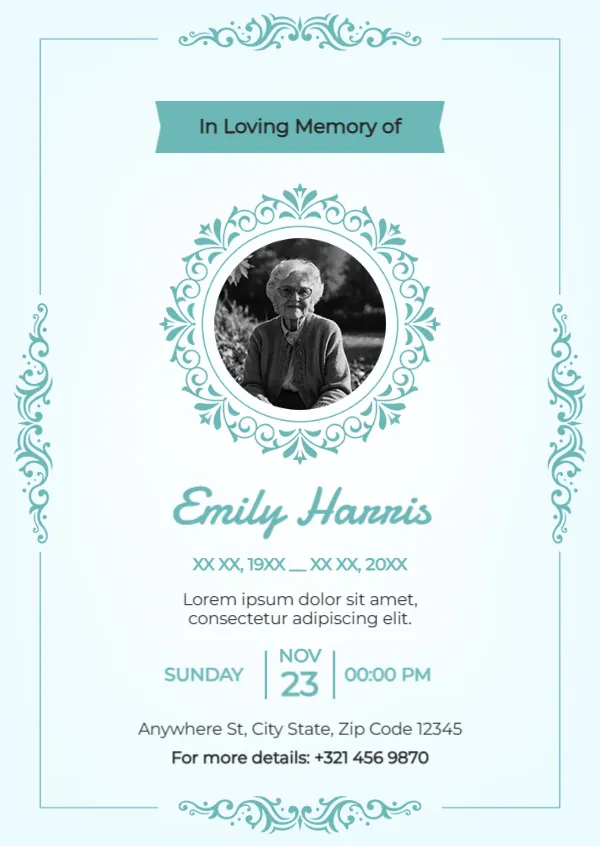
A pale aqua card with a thin teal frame and ornate teal scrolls at the top, bottom and sides holds this funeral card. A teal ribbon reads In Loving Memory of above an ornate teal round frame holding a black and white photo of an elderly woman. The name, Emily Harris in the sample, runs in a teal script, with placeholder dates, a short line, a row with SUNDAY, NOV 23 and 00:00 PM, an address and a contact line.
Memorial Card With Service Details
The card is 4.13 x 5.83 inches, A6. It doubles as a funeral notice, with the day, date, time and place of the service.
Service Date and Placeholders
The service row shows Sunday, Nov 23 at 00:00 PM, so set the real day and time and check that they match. The line under the dates is Lorem ipsum, so replace it with a short verse or tribute. The address and contact number are placeholders.
Preparing the Funeral Card
- Add the photo.
- Type the name and dates.
- Replace the Lorem line.
- Set the service details.
- Add a contact number.
Announcing the Funeral Service
Families can post or hand out this card to let friends and neighbours know when and where the funeral will be held. Including the service details saves many phone calls during a hard week.
Choosing a Verse or Short Tribute
Replace the Lorem line with a short verse, a favourite saying or a line such as Forever in our hearts. Keep it to one or two lines so the card stays balanced.
Printing the Teal Ornaments
Teal prints softly on matte card. Check that the fine scroll ornaments stay crisp.
A Contact for Questions
Use a family member’s or the funeral director’s number for the contact line, so guests know whom to call about directions or flowers.
Printing Extra Keepsakes
Print extra copies for relatives who cannot attend, so they still have a card to keep.
Double Checking Service Details
Check every date, time and address twice before printing, since mistakes are hard to correct once cards are sent.
Using the Funeral Card
Send it a week before the service.
Step by Step Editing of the Traditional Funeral Teal Ornate Design
- On the traditional funeral teal ornate design, click the main headline and type your own words, keeping a similar length.
- Retype every name, date and contact line on the traditional funeral teal ornate design, checking each against a trusted source.
- Search the traditional funeral teal ornate design for the words Lorem and Company so that no placeholder remains.
- Click any logo or photo on the traditional funeral teal ornate design, choose Replace Image and resize the new picture to fit.
- Zoom the traditional funeral teal ornate design to full size and read each line aloud before you save it.
- Keep a clean master of the traditional funeral teal ornate design without private details, so later versions start tidy.
Also worth a look: religious funeral card. Next to try is the simple funeral card. Have a look at the personalised story funeral card. Find more designs next to the traditional funeral teal ornate design in condolence templates.