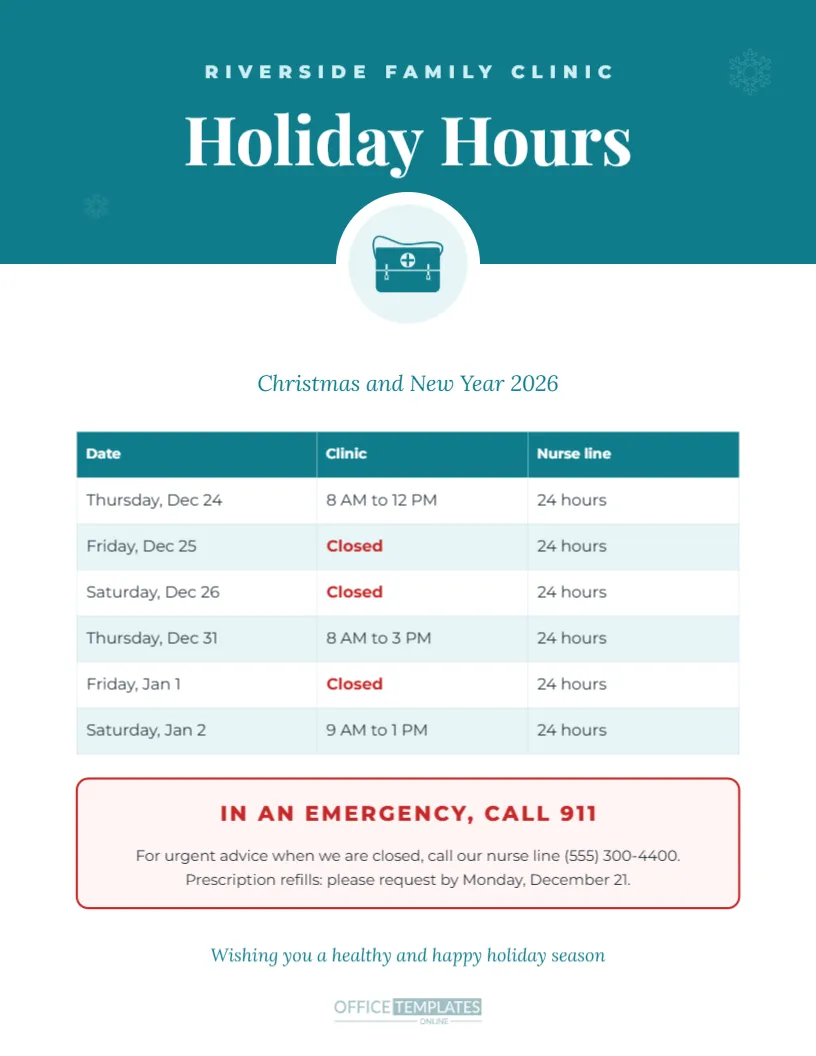
When a medical clinic changes its hours over the holidays, patients need more than the opening times. They need to know what to do if they feel unwell while the clinic is closed, where to get urgent advice, and when to request prescription refills. This US Letter template brings all of that together in a calm, clinical design. A teal header holds the clinic name and a bold Holiday Hours title, with a medical bag icon inside a white circle that overlaps the edge. Below, a clean table lists each date with clinic hours and nurse line availability; closed days appear in red, and a red-outlined box gives emergency guidance and the refill deadline.
What Patients Need to Know Over the Holidays
A good clinic holiday notice answers four questions: when is the clinic open, when is it closed, who can I call when it is closed, and what should I do in an emergency. This template has space for each. The table covers the first two, the nurse line column covers the third, and the emergency box covers the fourth. Clear answers reduce anxiety for patients and calls to the front desk.
The Clinical Teal Design
Teal and white are associated with healthcare and feel clean, trustworthy, and calm. The design avoids heavy holiday decoration, using only two faint snowflakes in the header, so it suits clinics, dental practices, pharmacies, physical therapy offices, veterinary clinics and urgent care centres. The table uses light teal stripes for easy reading.
Editing the Clinic Hours Table
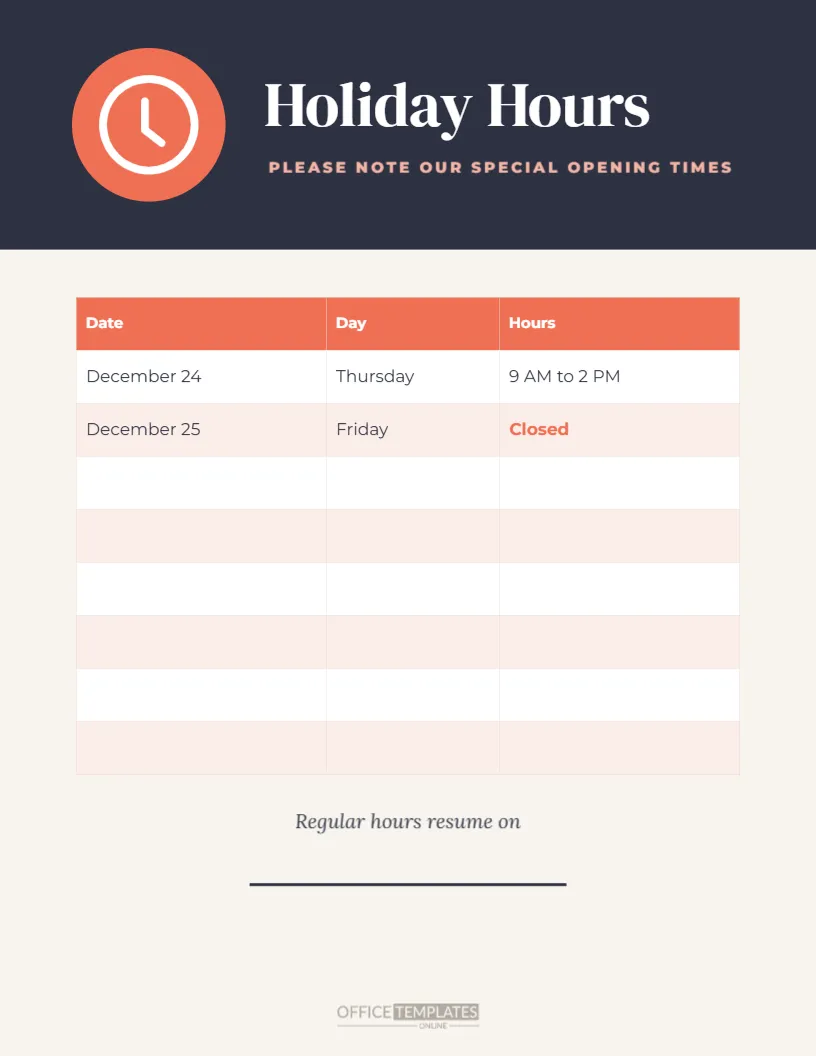
The table has three columns: Date, Clinic, and Nurse line. The sample covers Thursday, December 24 to Saturday, January 2. Double-click the table to edit any cell or use + Row to add days. If you do not have a nurse line, rename the third column, for example, to Online booking or Telehealth, or remove it and widen the other columns.
The Emergency Information Box
The red-outlined box at the bottom of the page starts with IN AN EMERGENCY, CALL 911 in bold red capitals, then explains how to reach the nurse line and when to request prescription refills. Change 911 to your local emergency number, such as 999, 112, or 000, if you are outside the United States. Keep this box on every holiday notice, as it may be the most important information on the page.
Prescription Refills Before the Holidays
Patients who take regular medication can run short when clinics and pharmacies close for several days. The sample asks patients to request refills by Monday, December 21, giving the clinic time to process them before the closure. Consider sending a reminder by text or email in early December, and mention the deadline when patients visit.
Adding Your Clinic Name and Logo
The clinic name appears in spaced capitals at the top of the header. Click to replace it with your practice name. To add a logo, place a frame from the Elements panel in the header or above the table, then use Replace Image. Keep the logo small so the hours remain the main focus.
Changing the Medical Icon
The medical bag icon can be replaced with another healthcare symbol, such as a tooth for a dental office, a paw for a veterinary clinic, or a pill for a pharmacy. Our category includes a separate pharmacy design, and the Elements panel has more icons you can recolour to match the teal header.
Where to Display the Clinic Notice
Place copies at the reception desk, on the entrance door, in waiting rooms, and in exam rooms, where patients have time to read. Add the same information to your patient portal, website, phone message, and appointment reminder messages. Patients are more likely to remember the dates when they see them in several places.
Printing for a Healthcare Setting
Download a PDF and print on US Letter paper. The white background and simple colours print clearly on standard office printers. For infection control, place printed signs in clear sleeves or laminate them so they can be wiped clean.
Translating the Notice
If your clinic serves patients who speak several languages, duplicate the page and translate the text. Many clinics post English and Spanish versions side by side. Choose a Google font that supports the language you need, and check translations with a fluent speaker before printing.
Holiday Staffing in Clinics
Before printing, confirm which doctors, nurses, and staff are available each day, and plan cover for urgent results, home visits, and on-call duties. Share the schedule internally so the front desk can answer questions confidently in the weeks before the holiday.
Wellness Wishes for Patients
The design ends with a teal italic line: Wishing you a healthy and happy holiday season. You might also add a short seasonal tip, such as a reminder about winter flu vaccinations or safe holiday travel, if it suits your practice.
Notices for Veterinary Practices
Veterinary clinics face the same holiday questions from pet owners. Replace the medical bag with a paw print icon, rename the nurse line column to emergency vet, and list the nearest 24-hour animal hospital in the emergency box. Pet owners will appreciate knowing where to go if their animal is unwell on Christmas Day.
Clinic Holiday Hours Questions
Can I change 911 to another number?
Yes. Click the text and type your local emergency number.
Can I add a column for telehealth?
Yes. Edit the table and rename or add a column.
Is it suitable for a dental office?
Yes. Change the icon to a tooth and edit the emergency guidance for dental emergencies.
Telehealth and Online Messaging During Closures
If your clinic offers video appointments or secure messaging, tell patients whether these services continue during the holidays. Many practices keep telehealth slots on the days between Christmas and New Year, which reduces the pressure on emergency departments.
Keep Patients Informed and Safe
Fill in your holiday hours, check the emergency guidance, and print the sign for every patient area. A clear clinic holiday notice reassures patients and helps them get the right care when you are closed.