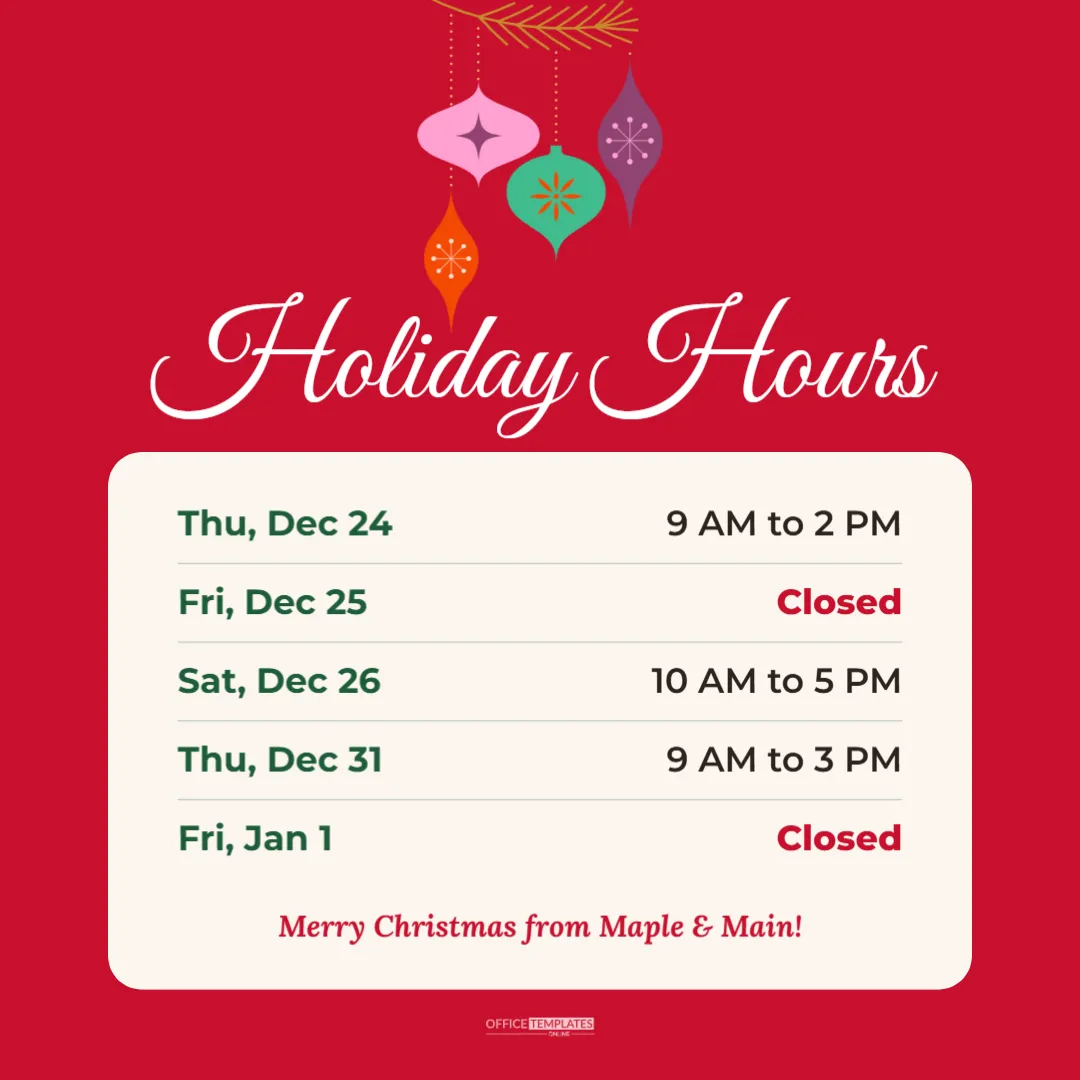
Social media is often the first place customers look for holiday hours. A clear, festive square post shared on Instagram and Facebook answers the question before it lands in your inbox. This 1080 x 1080 pixel template has a bold Christmas red background with a cluster of colourful retro ornaments hanging from a golden pine branch, Holiday Hours in flowing white script, and a large cream panel with five days of hours. Closed days appear in red so followers can spot them instantly, and a friendly Merry Christmas line closes the panel with your business name.
Why Post Holiday Hours on Instagram
Followers scroll quickly, especially in December. A dedicated hours post with large, readable text is far more effective than a caption buried under a product photo. When customers wonder whether you are open on Christmas Eve, they often visit your profile, and a pinned holiday hours post gives them the answer immediately.
The Ornament Design
The ornaments are a playful mid-century style cluster in pink, teal, plum, and orange with dotted gold strings, hanging from a stylised gold branch. They sit above the title so the text remains clear. The bright red background makes the post stand out in the feed, and the cream panel keeps the hours easy to read on small phone screens.
Editing the Hours List
The sample lists Thursday, December 24, 9 AM to 2 PM; Friday, December 25, closed; Saturday, December 26, 10 AM to 5 PM; Thursday, December 31, 9 AM to 3 PM; and Friday, January 1, closed. Click any day or time to change it. Each row is a pair of text boxes with a dotted divider, so you can delete rows you do not need or duplicate a row to add another day.
Writing Text for Small Screens
On a phone, a square post appears about the width of the screen, so text must be large. The days and times in this template are sized at around 26 points relative to the canvas, which remains readable on any phone. Avoid adding long sentences; put extra details, such as gift card offers, in the caption instead.
Pairing the Post With a Caption
Write a short caption that repeats the most important days in words, for example: Our holiday hours are here! We close early on Christmas Eve and are closed on December 25 and January 1. Thank you for shopping local this season. Including the hours in text helps people using screen readers and makes your post searchable.
Pinning the Post to Your Profile
Instagram and Facebook let you pin posts to the top of your profile. Pin your holiday hours in early December and unpin it after New Year’s Day. This keeps the hours visible even after you have posted newer content.
Changing the Colours to Match Your Brand
Select the background to change the red to your brand colour, such as forest green, navy, or plum. The ornaments are vector artwork, so you can recolour individual baubles if you like. Keep the cream panel or change it to white for a crisper look.
Adding a Logo to the Post
For a branded post, add a small frame from the Elements panel above the business line and use Replace Image to place your logo. Keep it modest in size so the hours remain the focus of the image.
Downloading for Instagram and Facebook
Download a PNG or JPG at full size. PNG keeps text crisp, while JPG files are smaller for faster uploads. Upload the image as a standard feed post on Instagram, and share the same image on Facebook, LinkedIn, and X. The square format is accepted everywhere without cropping.
Using the Post in Messaging Apps
Small businesses with customer groups on WhatsApp or other messaging apps can share the same image there. Square images display neatly in chats, and customers can save them for reference.
A Matching Story Design
Stories are a great way to remind followers about your hours in the final days before Christmas. Our category includes a vertical 1080 x 1920 holiday hours story in evergreen with string lights, which you can post alongside this square image.
Best Times to Share Holiday Hours
Post your holiday hours at least two weeks before Christmas, then share a reminder a few days before your first change in hours. A final reminder on December 23 or 24 catches last-minute shoppers. Repeat the process for New Year with an updated post if your hours change again.
Instagram Holiday Hours Questions
Can I make the post 1080 x 1350?
The template is square, but you can resize the canvas and move the panel down to fill the taller format.
Can I add more days?
Yes, though six or seven rows is the practical maximum for readability.
Are the ornaments editable?
Yes. They are vector artwork you can resize, move, or recolour.
Holiday Hours Posts for Different Businesses
The same square post works for many kinds of businesses. A boutique might add late shopping evenings, a bakery might highlight the last day for Christmas orders, a salon might show reduced hours between Christmas and New Year, and a garden centre might list the dates when Christmas trees are still available. Change the rows to suit your schedule and keep the closed days in red for consistency.
Keeping Holiday Hours Consistent Everywhere
Before you publish the post, check that your website, Google Business Profile, Facebook page, phone message, and window sign all show the same hours. Conflicting information is the most common cause of holiday complaints, and customers rarely know which source to trust. Updating every channel on the same day keeps your hours consistent and saves your team from repeating explanations at the counter.
Archiving Your Christmas Hours Post
After the holidays, archive the post rather than deleting it. Next November, you can restore it, compare the hours, and reuse the wording for the new season.
Share Your Holiday Hours With Style
Update the days, add your business name, and download the post. A bright, festive Instagram post keeps followers informed and brings a little Christmas cheer to their feed.