Everyone knows the moment in a holiday film when the snow starts to fall right on cue. Movie night bingo turns those predictable moments into a game. The family sits down with a card each, and every time a familiar scene appears, they mark the square. This template looks like a cinema poster, which is half the fun.
Night at the Cinema, in Pictures
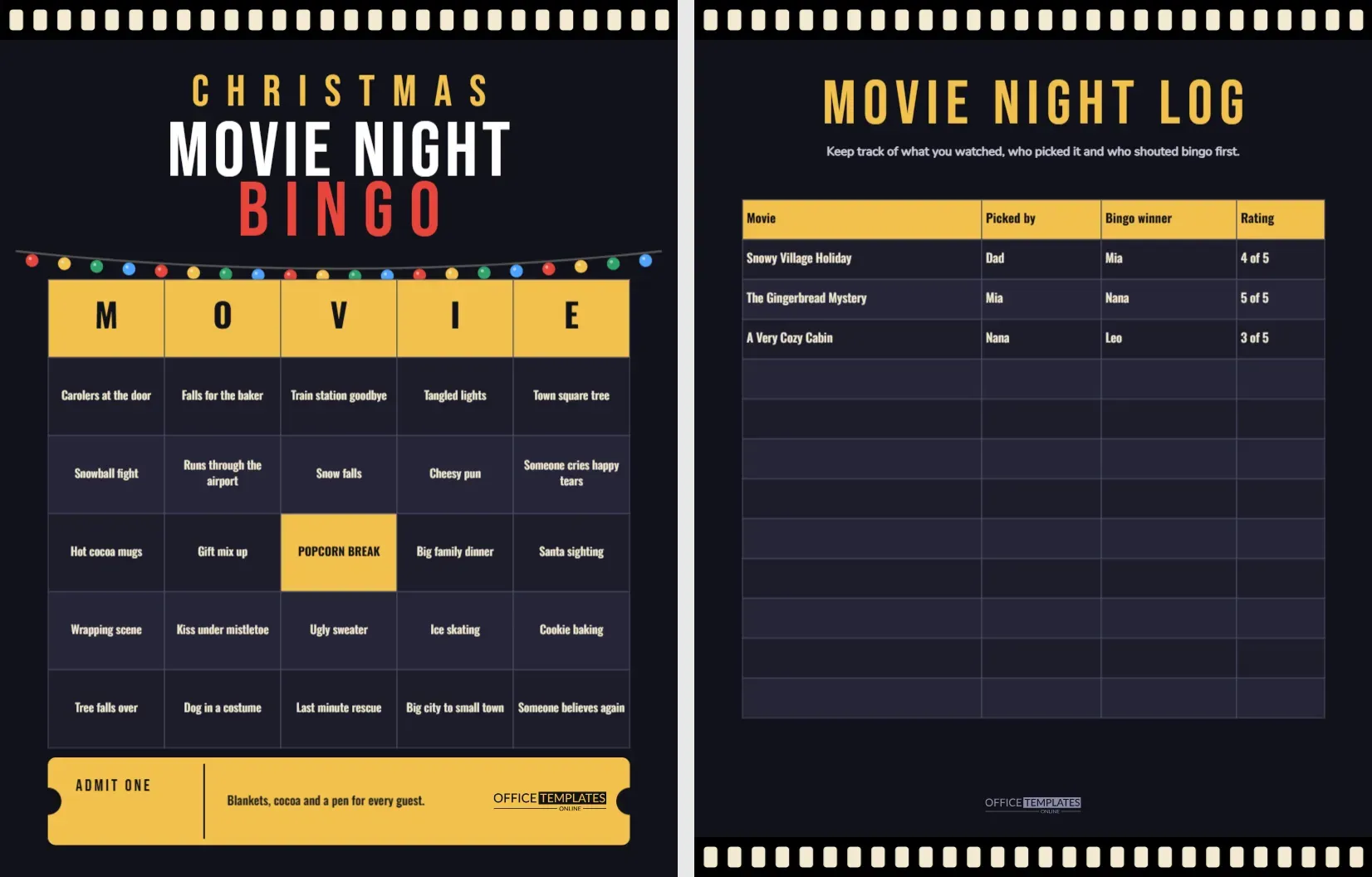
The page is near black with a strip of film running across the top, its little cream sprocket holes marching from edge to edge. CHRISTMAS sits in spaced gold capitals, MOVIE NIGHT in large white letters and BINGO in red. A string of coloured bulbs in red, gold, green and blue sags across the page below the title like lights on a porch.
The card is a Table with five gold header cells spelling M O V I E, five rows of twenty four holiday movie moments and a gold cell in the middle marked POPCORN BREAK. Dark navy cells alternate with a slightly lighter tone, and the text is warm cream in a tall condensed face. At the foot, a gold ticket with round notches on its edges says ADMIT ONE and carries the logo.
Spot the Scene, the Twenty Four Squares
| Type of moment | Squares you will find |
|---|---|
| Weather and places | Snow falls, Town square tree, Train station goodbye, Big city to small town |
| Food and drink | Hot cocoa mugs, Cookie baking, Big family dinner, Falls for the baker |
| Romance and family | Kiss under mistletoe, Someone cries happy tears, Last minute rescue, Someone believes again |
| Comedy and mishaps | Tree falls over, Tangled lights, Gift mix up, Cheesy pun, Dog in a costume |
| Traditions | Wrapping scene, Snowball fight, Carolers at the door, Ice skating, Ugly sweater, Santa sighting, Runs through the airport |
Page Two, the Movie Night Log
The second page keeps the film strip at the top and bottom edges and offers a log table with four columns: Movie, Picked by, Bingo winner and Rating. Three sample rows are filled in with made up film titles and family names so you can see how it works, followed by nine empty rows. Over a month of watching, the log becomes a keepsake and an easy way to settle arguments about which film to choose next.
How to Play Without Ruining the Movie
- Print a card for every viewer.
- Give each person a pen or a handful of snack pieces to use as markers. Popcorn kernels work, though they get eaten.
- Press play and mark a square quietly when the scene appears.
- Win by completing a line, then keep playing for blackout if the movie is long enough.
- Declare bingo by whispering rather than shouting, or the rest of the room will miss a line of dialogue.
Rules to Agree Before the Film Starts
- Decide whether a square counts if the scene is only mentioned or must be seen on screen.
- Pick a pause rule: bingo winners can pause once, and only once, per film.
- Choose a prize before the credits roll, such as picking the next film.
- Keep one blank card spare for a guest who arrives late.
Customising the Squares
Different films call for different moments, and you can retune the card for a mystery, an animated feature or a classic black and white film. Double click the table to open Manage Data, then type over any cell. Keep each phrase under six words so it fits at the printed size. If you write a longer phrase, lower the font size a point and check the cell still reads clearly.
Dark Pages and Ink
This is a heavy ink design because the whole page is dark. For a home printer, choose the draft or economy setting and expect a slightly softer black. If you want a lighter version, change the page background to a light cream in the editor, then switch the cell colours to white and pale grey and the text to near black. The gold header and red BINGO will still stand out.
Planning a Family Movie Night Around the Card
A little preparation makes movie night bingo smoother. Choose the film earlier in the day, so that nobody sighs through the title menu while the popcorn goes cold. Print the cards, find pens that work and put out a bowl of snacks that will not stain paper. Dim the lights a little, but not so much that people cannot see their cards. Decide where the pause button lives and who may press it. After the credits, add the winner’s name to the log and talk about whether the film earned its rating. This turns a passive evening into a small ritual that families remember and repeat.
Using the Log Over the Season
Keep the log on the fridge or in a folder next to the television. After four or five films, you will see which family members pick the cosy comedies, who tends to win bingo and which films scored highest. Some families turn the log into a small tournament, with a trophy for the person who wins the most nights. Others tape the pages into a scrapbook alongside ticket stubs and photos. Because the page is editable, you can add a column for snacks, or rename the heading for each year so that you can compare seasons.
Choosing Films That Suit the Card
The squares lean towards the gentle, snowy, small town kind of holiday film, so it pays to pick a title with those ingredients. A comfort film with a baker, a snowed in inn or a long lost relative will fill the card fast. An action film or a cartoon will leave most squares blank, which can be funny in itself but frustrating for competitive players.
FAQs for Movie Hosts
Can I use this for a non Christmas film?
Yes. Retitle the heading, change the squares and the grid works for any genre or season.
What does Popcorn Break mean?
It is the free space. Players mark it at the start, and the host can also treat it as a real intermission for refilling snacks.
Can I print on both sides?
Print the bingo card on page one and the log on page two, either on the back of the same sheet or as separate sheets.