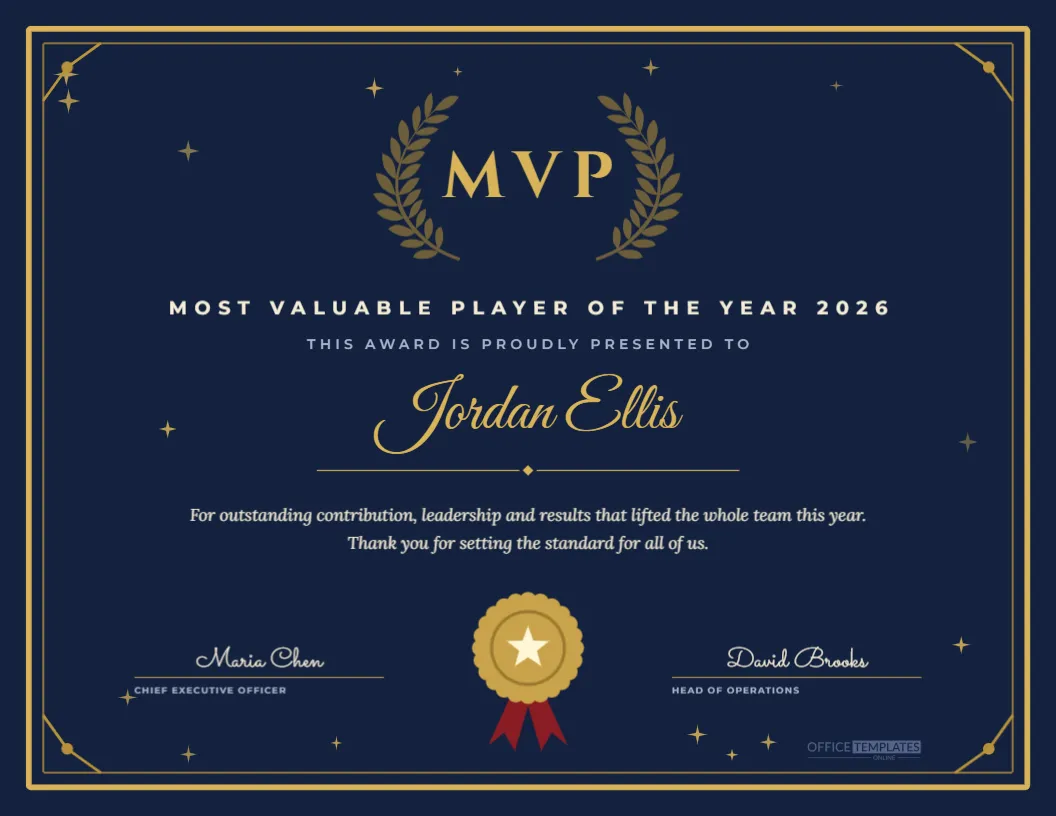
The MVP of the Year award is usually the biggest moment of an end-of-year celebration, so the certificate should feel just as important. This US Letter landscape template sets a deep navy page inside a double gold frame with small gold corner flourishes. A soft laurel wreath sits behind giant gold MVP letters, followed by Most Valuable Player of the Year 2026 in spaced cream capitals. The winner’s name appears in a large gold script above a gold divider, a short citation thanks them for their impact, and a gold rosette seal with red ribbon tails sits between two signature lines.
Why an MVP Certificate Deserves a Premium Look
Most teams hand out several awards at the end of the year, but the MVP is the one everybody waits for. A dark navy and gold design instantly separates it from the other certificates on the night. It looks expensive in a frame, photographs well when the winner holds it on stage, and signals that this is the headline honour of the evening rather than a routine thank you.
The MVP Lettering and Laurel Wreath
The three letters MVP are set in Cinzel, a classical Roman-style serif inspired by carved inscriptions. Behind them, a muted gold laurel wreath frames the letters without competing with them. Laurel has meant victory since ancient Greece, so the pairing tells the story at a glance. Both the letters and the wreath can be resized or recoloured in the editor.
Editing the MVP Winner’s Name
Click Jordan Ellis and type the winner’s full name. The Great Vibes script looks best with first and last names of normal length. For a very long name, reduce the font size slightly so it stays inside the gold divider. Always check the spelling with the winner’s manager before printing, because a misspelt name is the one mistake people remember.
Writing the MVP Citation
The two-line citation thanks the winner for outstanding contribution, leadership, and results. Replace it with something specific to the person, such as leading the launch of our new platform or keeping every client renewal on track. Specific wording makes the certificate feel personal and gives the audience a reason to applaud.
Gold Seal and Ribbon Details for the MVP Award
The rosette seal is drawn from editable shapes: a scalloped gold edge, an inner ring, a cream star, and two deep red ribbon tails. It is grouped, so you can move it as one piece. Change the ribbon colour to your company colour, or remove the tails for a cleaner coin-style seal.
Signatures That Give the MVP Award Weight
Two signature lines are included, set for a chief executive and a head of operations. Replace the names and job titles with whoever presents the award. The names appear in a handwriting-style font so the certificate looks signed even before it is printed, but most companies also add real ink signatures for the framed copy.
Changing the Year on the MVP Certificate
The year appears in the subtitle line. Update it to match your awards season, or replace it with a fiscal year such as FY2026 if your company works on a different calendar. You can also add the name of your awards programme, for example, Northwind Excellence Awards, for a more formal finish.
MVP Awards for Different Teams
Although the template is written for a company-wide MVP, it works equally well for departments. Change the subtitle to Most Valuable Player, Customer Support 2026 or Engineering MVP 2026 and print a set for every team. Using the same navy and gold design across departments makes the whole programme feel connected.
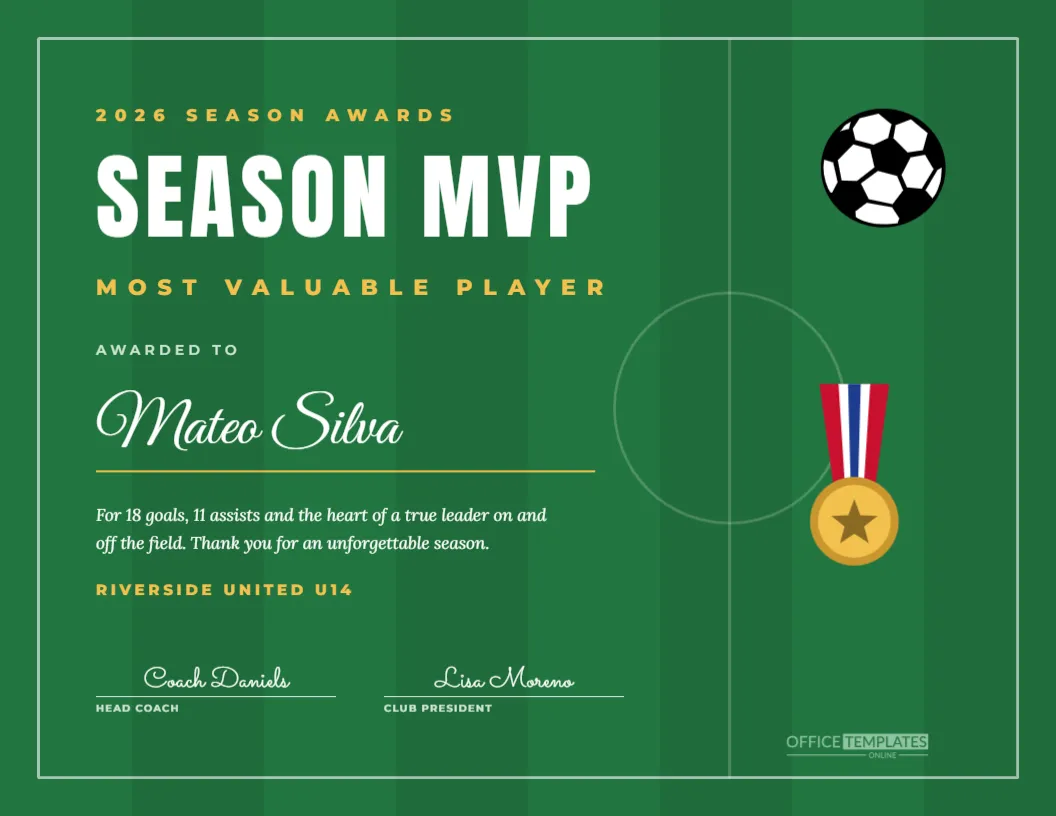
Using the MVP Template for Sports Clubs
Sports teams use the same three letters for their season’s best player. Change the subtitle to Most Valuable Player, Spring Season 2026, replace the signatures with the head coach and club president, and the certificate is ready for an end-of-season banquet. The dark navy background suits school and club colours that include blue.
Navy and Gold Colour Choices
Navy suggests trust and authority, while gold suggests achievement. If your brand uses black, try a charcoal background with the same gold. For a softer look, swap the navy for deep forest green or burgundy. Keep a light text colour on any dark background so the citation remains easy to read.
Gold Stars Around the MVP Frame
Tiny gold four-point stars sparkle around the edges of the page and are kept clear of the text. They are grouped, so you can delete them all at once for a quieter certificate, or lower the group’s opacity if you prefer a subtle shimmer.
Printing the MVP Certificate
Download a print-ready PDF and print on heavy matte card stock, around 250 gsm. Dark backgrounds use a lot of ink, so a print shop gives the most even navy. If you print at home, choose the best quality setting and let the page dry before framing. A simple black or gold frame complements the design.
Presenting the MVP Award on Stage
Many companies keep the MVP until the very end of the ceremony. Read the citation aloud, invite the winner up, and hand over the certificate with a trophy or gift. Ask a photographer to capture the moment with the certificate facing the camera, since the gold lettering stands out beautifully in photos.
Sharing the MVP Winner Online
Download the certificate as a PNG or JPG to share in a company newsletter, an intranet post, or on LinkedIn with the winner’s permission. Pair it with our winner announcement post template to create a consistent set of visuals for the awards season.
Creating a Digital MVP Certificate for Remote Staff
If the winner works remotely, email the PDF before the virtual ceremony so they can display it on camera, then post a printed and framed copy afterwards. A digital copy also lets them add the award to their professional profile right away.
Matching MVP Award Templates
This certificate belongs to a full year-end awards collection. Use the awards night invitation to invite guests, the nominee table cards to decorate tables, the ceremony program to guide the evening, and the voting ballot if staff choose the winner. Matching designs make the whole event look professionally planned.
MVP Wording Ideas
If you want a different tone, try lines such as For consistently raising the bar for all of us, For results that changed our year, or For being the teammate everyone wants on their project. Short, warm wording works best, and it is easy to read aloud during the presentation.
Keeping the MVP Certificate Fair
An MVP award means more when the selection process is clear. Explain how the winner was chosen, whether by peer votes, manager nominations, or a committee, and mention it in your announcement. A transparent process makes the certificate something people genuinely aspire to.
Saving Your MVP Template for Next Year
Save the finished design to your account and reuse it next December. You will only need to update the year, the winner’s name, and the citation, which keeps your awards consistent from one year to the next and saves time when the busy season arrives.
MVP Certificate Accessibility Tips
Script fonts can be hard to read for some people, so the award title and subtitle use clear capitals. If you share the certificate digitally, include the winner’s name and award in the text of your post as well, so screen readers can announce it.