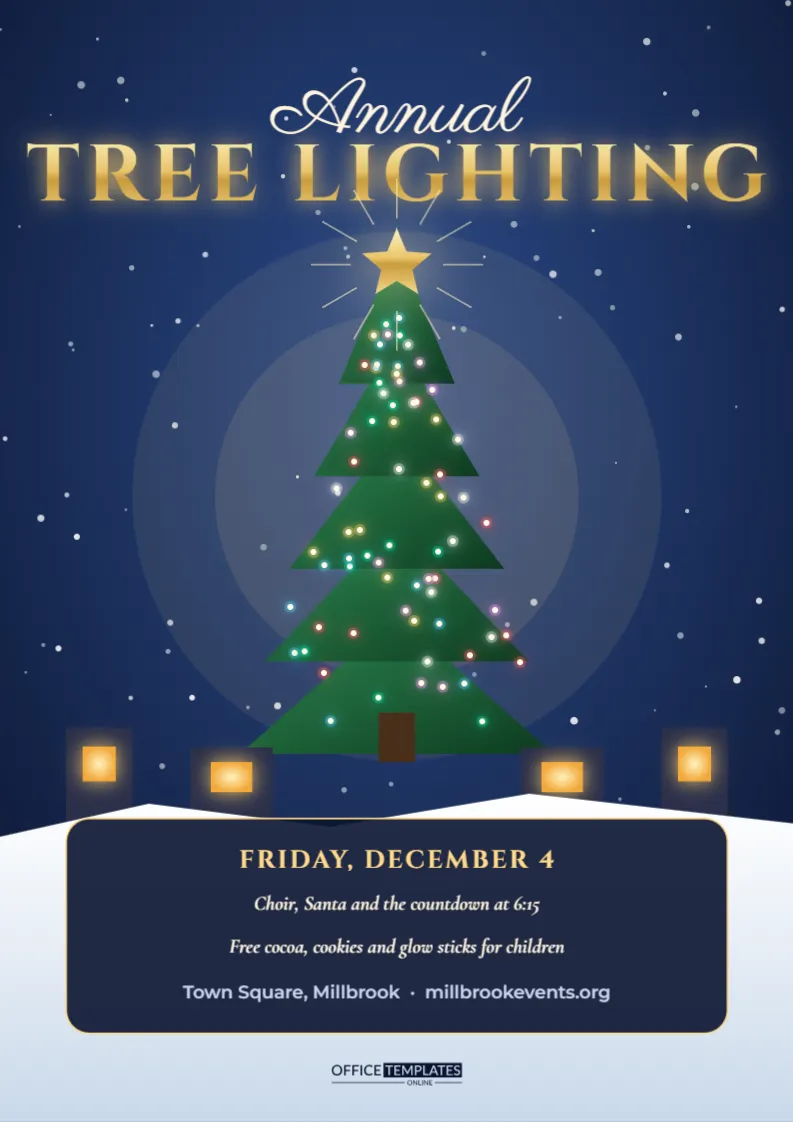
The annual tree lighting is the moment a town switches into Christmas, and its poster should feel like the countdown. This A4 flyer shows a starry navy night with a giant tree glowing with coloured lights, a gold star at the top with rays, warm windows in the buildings behind it, and snow at the base. A gold title spans the top, and a dark panel holds the date, the programme, and the cocoa and cookie notice. Councils, business groups, schools, churches and housing communities can adapt it to any town square or green.
A Night Scene That Builds Anticipation
The page shows the tree at its best, lit against a deep blue sky. People looking at it picture themselves standing in the crowd as the lights come on. That emotional pull is stronger than any list of facts, which is why the picture leads and the details follow.
Editing the Gold Tree Lighting Title
The title uses a classic capital style with a warm glow. TREE LIGHTING can be changed to Christmas Lights Switch On, Holiday Lighting Ceremony, or Winter Festival Opening. Place the name of your town above it in the small script line.
The Glowing Tree and Star
The tree is built from layered triangles with dozens of tiny bulbs in warm colours. A gold star sits at the top with rays of light. You can recolour the bulbs to match your town colours, or move the tree to make room for a logo.
Filling In the Schedule Panel
| Time | Example event | Who leads it |
|---|---|---|
| 5:30 PM | Gathering and music | School band |
| 6:00 PM | Choir and Santa arrives | Town choir |
| 6:15 PM | Countdown and tree lighting | Mayor or special guest |
A panel at the bottom lists the main events in short lines.
Choosing the Person Who Switches On the Lights
Many towns invite a mayor, a local hero, or a child chosen through a competition. Announce the guest on the flyer for extra interest. A name that locals recognise can draw a bigger crowd than the event alone.
Free Treats and Family Activities
Hot chocolate, cookies and glow sticks keep children happy while they wait. Mention them on the flyer, along with any craft tables or a visit from Santa. Free treats are a powerful draw for families, and they make the event feel generous.
Road Closures, Parking and Public Transport
Large events affect traffic. Include a short note about road closures and the nearest parking, and encourage walking or public transport. If you use a shuttle bus, give its stops and times. A clear travel plan makes the evening smoother for visitors and residents.
Accessibility and Viewing Areas
Provide a platform or a reserved area for wheelchair users and young children. Mention it on the flyer, and add a line about sign language interpretation if available. Inclusive planning ensures that the entire community can enjoy the moment.
Weather Contingency and Safety Messages
Winter nights can be cold and wet. Advise guests to wrap up warm, and give a rain date if you have one. Mention first aid points and lost child areas in a small line. Good planning reassures parents.
Working With Sponsors and Local Businesses
Local firms often fund lighting events. Offer a strip of logos at the bottom of the flyer, or mention a main sponsor. Invite shops to open late and offer promotions on the night so that the event supports the high street.
Inviting Local Groups to Perform
School choirs, dance groups, and brass bands love a stage. Put out a call for performers on the same flyer, with an email address. Each group brings its friends and family, which boosts attendance.
Sharing the Ceremony on Social Media
Post the flyer as a countdown starting two weeks before the date. Use a hashtag and encourage people to share photos on the night. A live stream can reach residents who cannot attend and keeps the event alive online.
Printing the Dark A4 Poster
A4 is a standard size for notice boards and shop windows. Dark navy backgrounds look best on satin paper. Order extra copies for libraries, schools and community centres a month in advance.
Final Review of the Ceremony Details
Check the date, times, venue, and guest names. Confirm that permits are in place. Ask a neighbour to read the poster and say when to arrive, and then print your copies.
Choosing and Preparing the Town Tree
Select a tree early, check its health and plan transport and placement. Use a sturdy base and a trained team for lights. Share a short story about where the tree came from on the flyer or social media, as locals enjoy knowing its origins.
Lighting Technology, Timers and Safety Checks
Test every string of lights before the event, protect cables from foot traffic, and use weatherproof connections. A qualified electrician should sign off the installation. Safe, reliable lights prevent embarrassing delays at the countdown and keep the crowd comfortable.
Programme Ideas for the Hour Before the Lighting
Fill the waiting time with carols, a short story reading, stalls and children’s crafts. A clear running order keeps the crowd entertained and allows the host to build excitement. Include the order of events on the flyer so visitors know when to arrive.
Using Volunteers and Marshals on the Night
Recruit helpers for crowd control, first aid, and refreshments. Provide high-visibility jackets and a briefing. A short line on the flyer inviting volunteers will bring offers, and it shows that the event is organised by and for the community.
Planning for Large Crowds and Emergency Access
Keep clear routes for ambulances and fire engines, and brief marshals on evacuation points. Share the plan with local services. Large crowds gather faster than expected, so preparation protects everyone and keeps the celebration joyful from the first carol to the final countdown.
Recording a Message From the Mayor or Guest
Invite the person who flips the switch to record a short greeting for social media. A friendly thirty-second video shared before the event builds anticipation, and it gives the press an easy clip to use. Mention the video link on the flyer or in your posts.