The week of Thanksgiving is the most confusing week of the year for opening hours. Some businesses close on Thursday, some close early on Wednesday, some open late on Friday for the sales, and many change their weekend hours too. Customers notice. A clear Holiday Hours Sign on the door, by the till, and on your social pages saves wasted trips and answers the phone calls before they happen.
What Customers Need to See on a Holiday Hours Sign
- every day of Thanksgiving week, not just the holiday itself;
- the actual dates, so nobody has to count on a calendar;
- the hours for each day in one consistent format;
- the closed day, highlighted so it cannot be missed;
- a short, friendly reason or thank-you.
This sign covers all five.
The Holiday Hours Sign Design
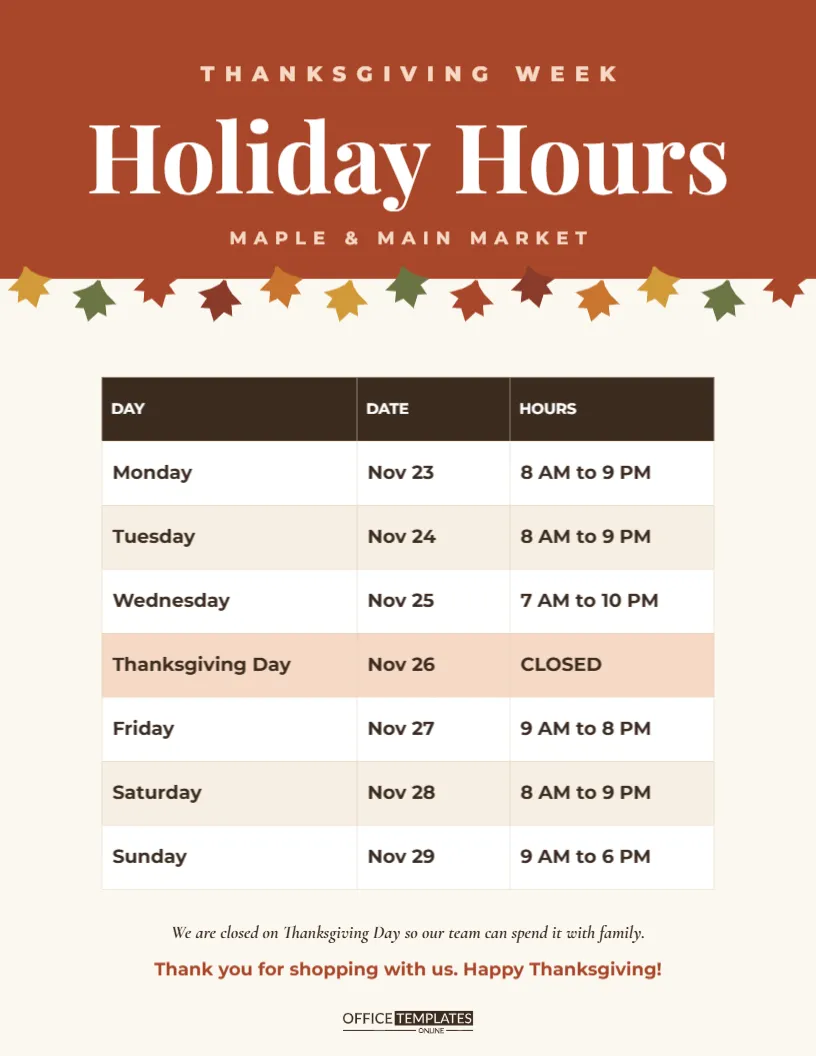
The sign is US Letter, 8.5 x 11 inches, portrait. The top third is a solid rust header with THANKSGIVING WEEK in widely spaced pale capitals, Holiday Hours in large white Playfair Display, and the business name in spaced capitals underneath (Maple & Main Market in the sample). Along the lower edge of the header hangs a row of thirteen small autumn leaves in mustard, olive, rust, deep red and copper, alternating heights like a garland. The garland is one grouped object.
The centre of the sign is an editable table with three columns: DAY, DATE and HOURS. It lists Monday, November 23 through Sunday, November 29. Rows alternate white and a pale cream; the text is bold and large enough to read from a doorway, and the Thanksgiving Day row is shaded peach with CLOSED in the hours column. Below the table, an italic line explains that the team will be with family on Thanksgiving Day, followed by a rust thank-you and the brand mark.
Filling In Your Thanksgiving Week Hours
Double-click the table, or choose Edit Table Data, and type your own hours. A few tips for clarity:
- Use the same format every row: 8 AM to 9 PM rather than mixing 8-9 and 8:00 am to 9:00 pm.
- Write “CLOSED” in capitals for any closed day, and shade that row the same peach colour as the sample.
- If you close early, say exactly when: 7 AM to 2 PM.
- Add a note for special openings, such as Black Friday: open 6 AM.
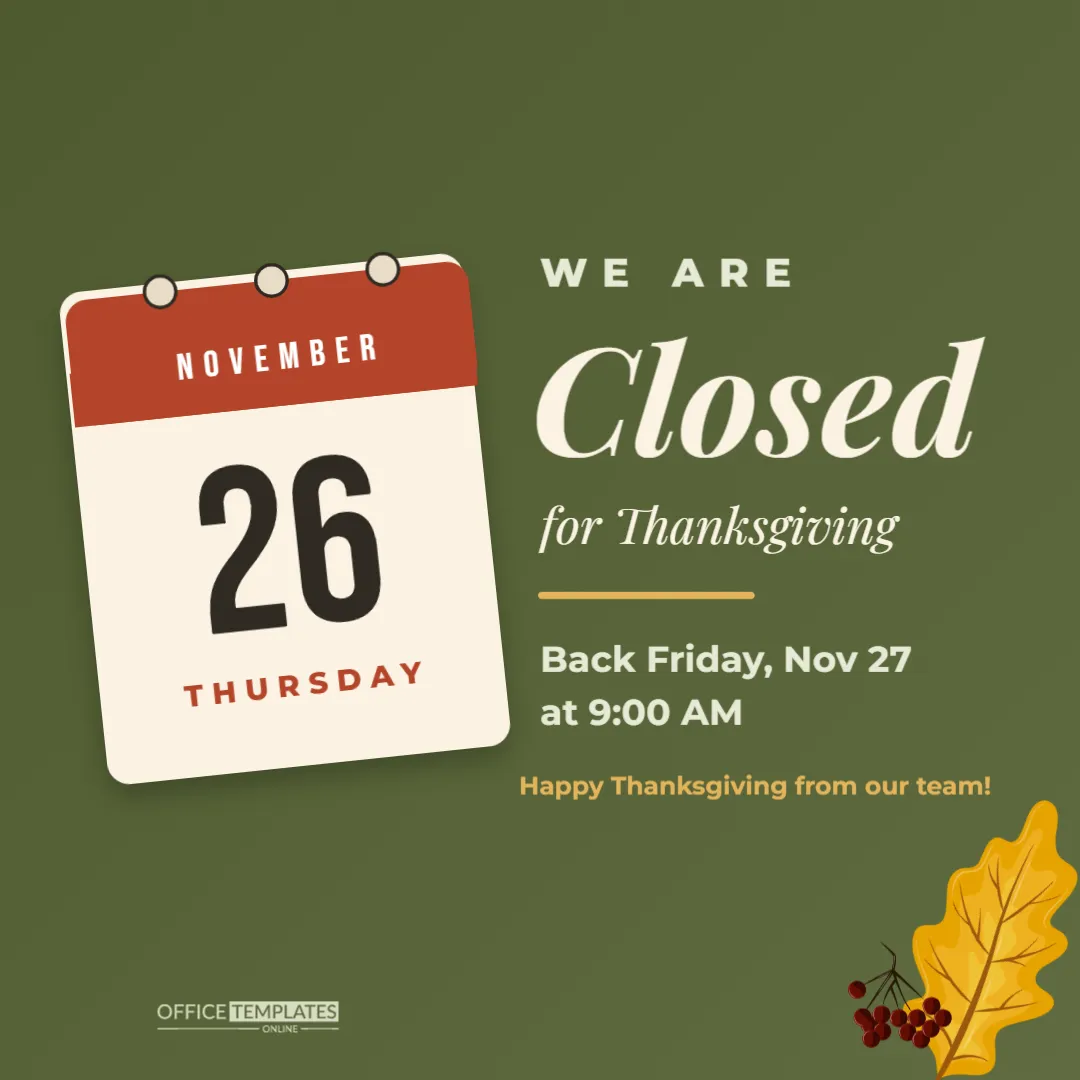
The dates are for 2026, when Thanksgiving falls on Thursday, November 26. Update them each year, since the holiday moves.
Sample Hours for Different Businesses
| Business | Wednesday | Thanksgiving Day | Friday |
|---|---|---|---|
| Grocery store | Extended, 7 AM to 10 PM | Closed or short morning hours | Normal |
| Retail shop | Normal | Closed | Early opening for sales |
| Office or clinic | Close early | Closed | Closed or reduced |
| Restaurant | Normal | Holiday dinner service or closed | Normal |
| Salon or spa | Busy, extend hours | Closed | Open |
Where to Display the Sign
- On the front door at eye level, at least one week before Thanksgiving.
- Beside the till or reception desk so staff can point to it.
- As a PNG on your website banner, Google Business Profile, and social media.
- In your email newsletter and on receipts printed that week.
- In the staff room, so employees know their schedule too.
Updating Your Online Listings
A paper sign is only half the job. Many customers check opening hours on a map app before they leave home. Update the special hours in your online listings to match the sign exactly, and do it at least a week ahead. Consistent hours on the door, the website, and the map listing build trust.
Customizing the Sign
Replace Maple & Main Market with your business name. Change the rust header to your brand colour; navy, forest green and charcoal all work well with the white title. The leaf garland can be recoloured as a group, or deleted for a more corporate sign. You can also change the thank-you lines to suit your voice: See you Friday, and thanks for shopping local! or Our clinic is closed so our staff can rest with their families.
Printing and Laminating the Hours Sign
Download the PDF and print at Letter size. For a door sign, slide it into a clear sheet protector or laminate it, especially if your door faces the weather. Tape it from the inside of a glass door so it is readable from outside without being peeled off. For a larger window sign, print at 11 x 17 inches; the design scales up cleanly.
Telling Staff About Holiday Hours
Customers are not the only ones who need the schedule. Print a copy for the staff room at least two weeks ahead, and add who is working each day in the margin. Staff who know the plan early can arrange travel and family time, and they can answer customer questions confidently. A clear schedule is also a small way of thanking your team during a busy season.
Answering the Phone During the Holiday Week
Phones get busier when hours change. Record a short holiday message that repeats the hours on the sign, especially the closed day and any early closing. Mention where customers can find the schedule online. When the recording, the website, and the door sign all say the same thing, you avoid frustrated callers and wasted trips.
Keeping the Hours Sign for Next Year
Save your edited file with the year in its name. Next November you only need to shift the dates and adjust any hours that changed, which takes a couple of minutes. Over a few years, the file becomes a small record of how your holiday schedule has evolved, which is useful when planning staff rotas.
Holiday Hours Sign Questions
Can I show two weeks of hours?
Add rows to the table with + Row and reduce the row height slightly to fit, or create a second page with Add Page for the following week.
Can I use it for Christmas and New Year?
Yes. Change the header text and dates; the format works for any holiday period.
Does the sign work in black and white?
It prints clearly in greyscale. The closed row stays slightly shaded, so it still stands out.
Clear holiday hours are a courtesy your customers will notice. Fill in your week, print the sign, and post it everywhere people look for you.