The weeks before Halloween are full of anticipation, especially for children. A countdown calendar turns that excitement into a daily ritual: colour in a square, pick a spooky activity, and watch October 31 get closer. This printable calendar combines a real month calendar with a list of twelve family-friendly Halloween ideas, so every day has something to look forward to.
Calendar and Activity List Side by Side
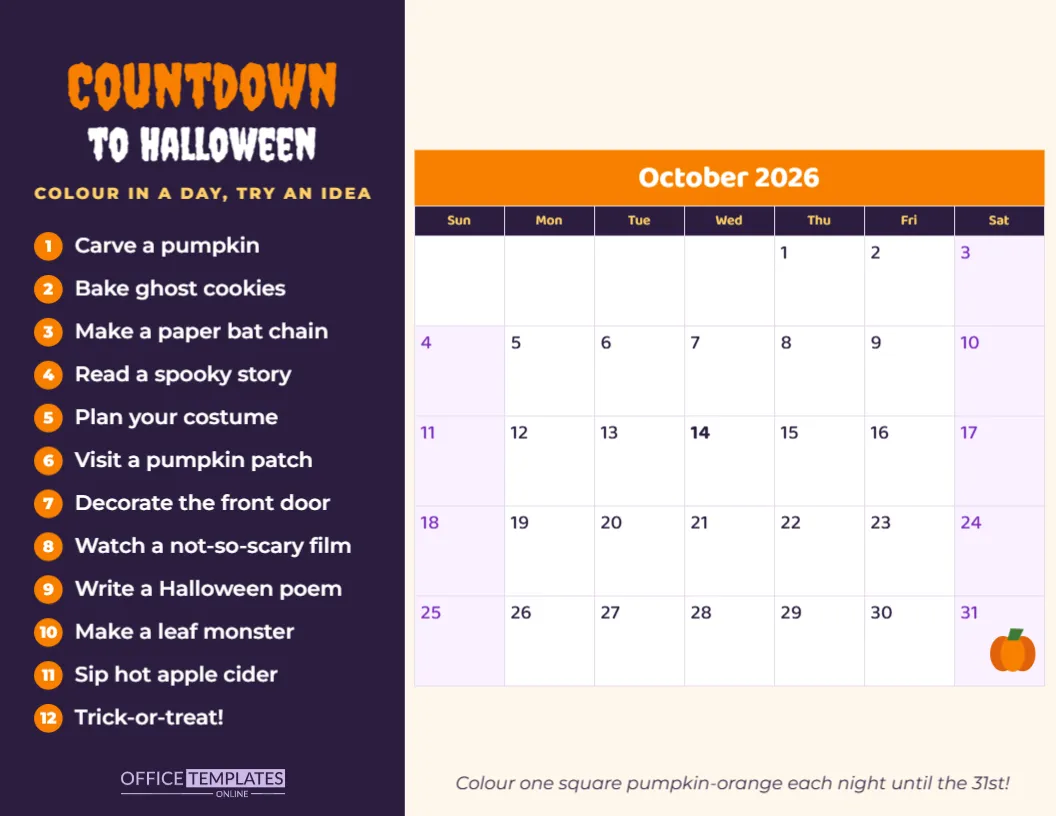
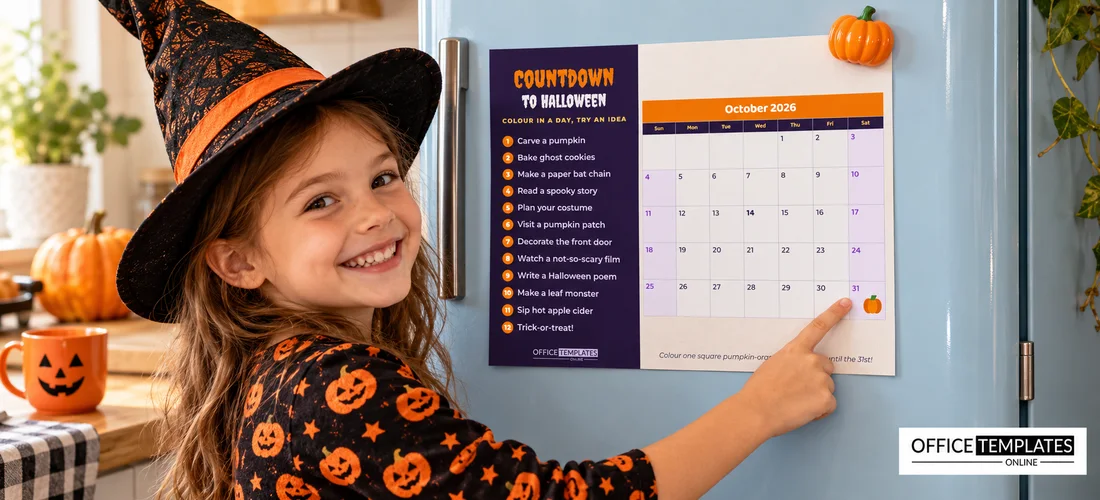
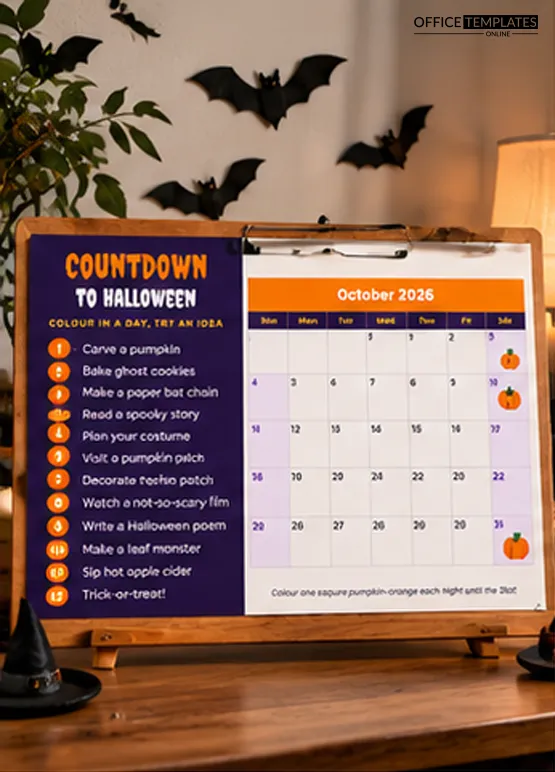
The calendar is landscape, 11 x 8.5 inches. On the left, a deep purple panel carries the title in two lines of Creepster: Countdown in orange and to Halloween in white. A small yellow line underneath reads COLOUR IN A DAY, TRY AN IDEA, and below it are twelve numbered activity ideas, each with an orange circle: carve a pumpkin, bake ghost cookies, make a paper bat chain, read a spooky story, plan your costume, visit a pumpkin patch, decorate the front door, watch a not-so-scary film, write a Halloween poem, make a leaf monster, sip hot apple cider and, of course, trick-or-treat.
On the right, a full month calendar for October 2026 sits on a warm cream background. It has an orange header with the month name, a dark purple row of weekday names in yellow, white day cells with numbers in the top-left corner, and soft lilac weekend columns. A little orange pumpkin sits in the corner of the October 31 square. A short italic line underneath invites the family to colour one square each night until the 31st.
 A Real, Editable Calendar
The calendar is the editor’s built-in Calendar object, not a table of typed numbers. Select it and open Calendar Options to change the month and the year, switch the week to start on Monday instead of Sunday, or adjust colours, fonts and cell sizes. When you change the year, every date moves to the right weekday automatically. That means you can reuse the template for next October in a few clicks. If you change the year, drag the little pumpkin to the new position of the 31st, because it is a separate decoration sitting on top of the calendar.
How to Use the Countdown
- Print the calendar at the end of September and hang it on the fridge or a family noticeboard.
- Each evening, let a child colour in that day’s square in orange.
- Pick an activity from the list for the weekend or for a free evening, and tick it off.
- Write special plans in the squares, such as a costume parade or a pumpkin patch trip.
- On October 31, colour the pumpkin square and head out trick-or-treating.
The Twelve Activities, Explained
| Activity | Time needed | Best for |
|---|---|---|
| Carve a pumpkin | 1 to 2 hours | A weekend afternoon with older kids |
| Bake ghost cookies | 1 hour | A rainy day |
| Make a paper bat chain | 30 minutes | Toddlers and preschoolers |
| Read a spooky story | 20 minutes | Bedtime |
| Plan your costume | 30 minutes | Early in October |
| Visit a pumpkin patch | Half a day | A sunny weekend |
| Decorate the front door | 1 hour | Mid-October |
| Watch a not-so-scary film | 2 hours | Friday night |
| Write a Halloween poem | 20 minutes | After homework |
| Make a leaf monster | 45 minutes | After an autumn walk |
| Sip hot apple cider | 15 minutes | A chilly evening |
| Trick-or-treat! | The whole evening | October 31 |
Swapping in Your Family’s Traditions
Every activity on the list is editable text. Replace any of them with your own traditions: a visit to grandma’s, a corn maze, a haunted hayride, a costume swap with cousins, or a donation drive for a local food bank. If your children are older, add more ambitious ideas such as building a backyard haunted house or a Halloween movie marathon. For a classroom version, list a different spooky lesson activity for each week.
Designing a Countdown for School
Teachers can use the calendar as a classroom countdown. Print it larger at a print shop and display it on the classroom wall. Each morning, a different student colours in the day. The activity list can become a list of classroom Halloween activities: a spooky spelling test, a pumpkin math lesson, a costume parade practice and a Halloween read-aloud. Because the calendar can be switched to any month, the same layout works for a Thanksgiving or Christmas countdown later in the year.
Recolouring the Countdown Panel and Calendar
The purple panel, orange header and lilac weekends are easy to change. Calendar colours are set in Calendar Options, including header, weekday names, cells, weekends and borders. The panel and background are ordinary shapes you can recolour in one click. The title uses Creepster, the list uses Montserrat, and the calendar uses Baloo 2; all are Google Fonts, so you can choose any other Google font for a different mood.
Making Countdown Time Special
A countdown works best when it becomes a small family ritual. Choose the same moment each day, such as just after dinner, for colouring the square. Let children take turns if you have more than one. Keep the orange pencil in a pot next to the calendar. Some families add a tiny treat or a Halloween joke to each day, while others keep it simple: the act of colouring and seeing the days fill up is exciting enough for most children.
Printing the Calendar
Download the PDF and print in landscape on letter paper or card stock. The calendar prints crisply in colour, and the dark panel looks rich on a laser printer. For a reusable version, laminate it and use orange dry-erase markers.
Countdown Calendar Questions
Can I change the calendar to another year?
Yes. Open Calendar Options and change the year; the dates update automatically.
Can the week start on Monday?
Yes. Set the week start in Calendar Options.
Can I write in the squares?
Yes. Print it and write plans in the space of each day square.
Can I use it for a different month?
Change the month in Calendar Options and update the title and activities for any holiday.
Print the countdown, sharpen an orange pencil, and start colouring. Halloween is closer than you think.