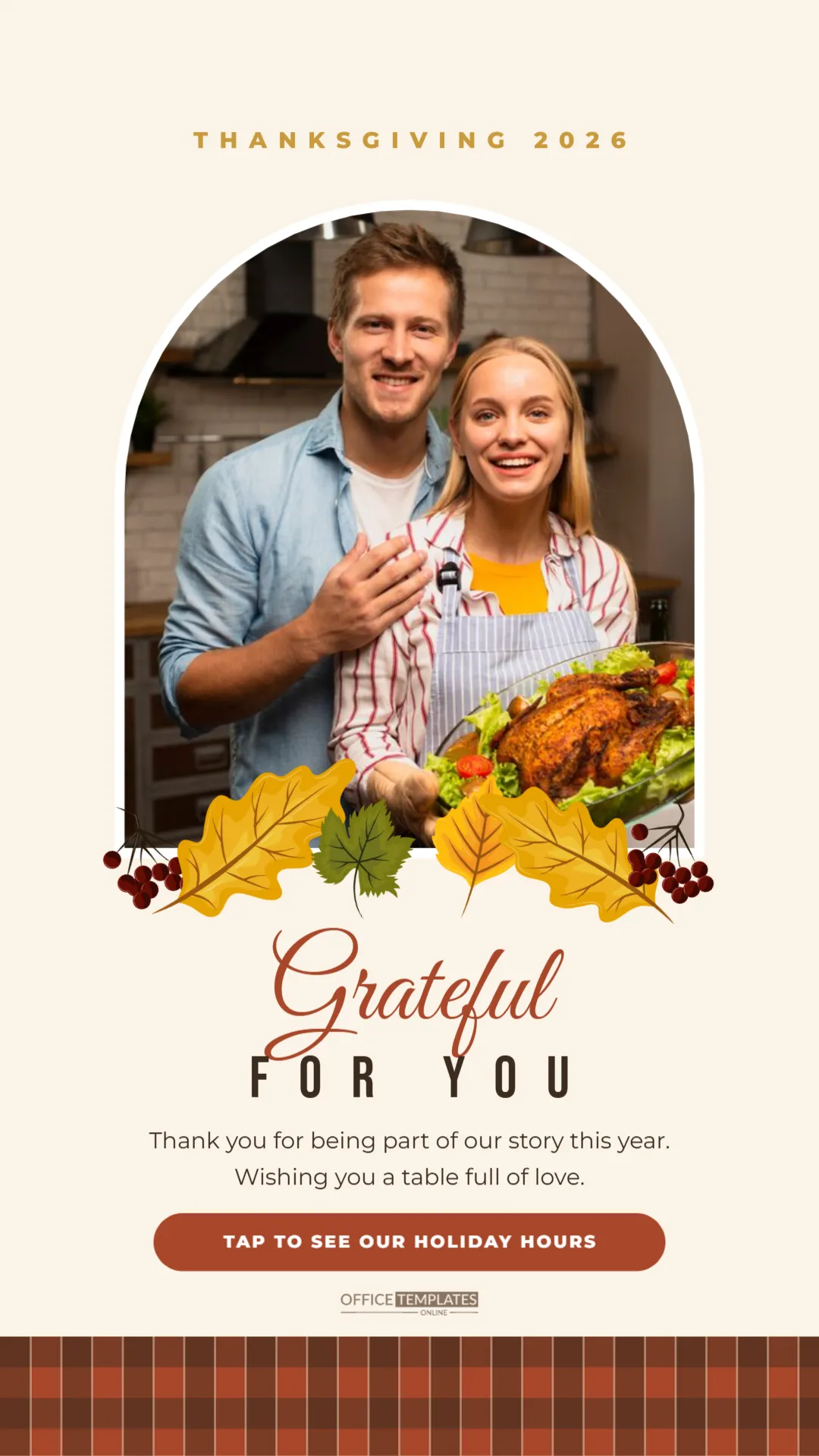
Stories are where people check in with the brands and friends they follow, quickly and often. A Thanksgiving story is a chance to say thank you in a format that feels personal and immediate, and to nudge followers towards something useful, like your holiday hours or your feast-to-go menu. This template fills the tall story frame with a photo, a garland of autumn leaves, and a warm message.
Story Template Details
| Detail | Value |
|---|---|
| Size | 1080 x 1920 pixels, vertical 9:16 |
| Platforms | Instagram Stories, Facebook Stories, WhatsApp Status, TikTok photo posts |
| Photo slot | Tall arch with a white border |
| Message | Grateful for you, plus a short thank-you |
| Call to action | Rust pill button |
| Foot | Rust and brown buffalo-check plaid band |
The Story Layout from Top to Bottom
The background is a warm cream. Near the top, THANKSGIVING 2026 runs in small, widely spaced gold capitals. Below it is a tall arched photo slot with a white border, taking up most of the upper half of the screen. Along its base runs a garland of real autumn artwork: berry clusters at each end, golden oak leaves, a yellow leaf and a green maple leaf, each turned at a different angle so the line looks gathered by hand.
Under the garland, Grateful is written in large rust Great Vibes script, with FOR YOU beneath it in tall dark Bebas Neue capitals. Two lines of thanks follow: Thank you for being part of our story this year. Wishing you a table full of love. Then a rust pill button says TAP TO SEE OUR HOLIDAY HOURS, the brand mark sits just below, and a band of rust and brown buffalo-check plaid runs across the bottom of the screen.
Choosing the Photo for the Arch
Click the arch and choose Replace Image to add your photo. Because the arch is tall, portrait photos fit best. Good choices for a business story:
- your team together, ideally in the shop or kitchen;
- a beautiful shot of a holiday dish or product;
- your storefront decorated for autumn;
- customers at an event, with their permission;
- a candid moment from the year you are thankful for.
Keep faces in the middle of the frame, away from the rounded top and the leaf garland at the bottom.
Making the Call to Action Work
The pill button is designed to sit above a link sticker. Stories cannot link directly from the image, so the pill tells people what the link does. When you post, add the platform’s link sticker just under or on top of the pill, pointing to the page you mention. Some alternatives for the pill text:
- ORDER YOUR FEAST TO GO
- SEE OUR HOLIDAY HOURS (the sample)
- SHOP THE WEEKEND SALE
- DONATE TO OUR FOOD DRIVE
- REPLY WITH WHAT YOU ARE THANKFUL FOR
The last one is a nice way to start conversations in your direct messages.
Leaving Room for Story Stickers
Story apps place your profile name at the top and the reply bar at the bottom. The design keeps its key text between the arch and the plaid band, away from those areas, so nothing important is hidden. The cream space around the pill is a good place for a poll or question sticker if you want to invite interaction.
Customising Colours and Text
Change THANKSGIVING 2026 to your business name or a short greeting. The message lines can be rewritten in your own voice. The plaid foot band is one grouped object; recolour it to your brand colours or delete it for a cleaner look. Grateful and the pill share a rust colour that you can switch to any brand colour, while the leaves and berries are editable vectors with their own swatches.
A Thanksgiving Story Sequence
Stories work best in short series. A simple sequence for Thanksgiving week might be:
- Monday: this template with your team photo and SEE OUR HOLIDAY HOURS.
- Wednesday: a behind-the-scenes clip of preparation.
- Thursday: this template again with a family or dish photo and a heartfelt message.
- Friday: an offer or reopening reminder.
Save the story to a Thanksgiving highlight so new followers can see it all season.
Downloading the Story
Download the story as a PNG for the sharpest text, then upload it from your phone’s photo library. It is exactly 1080 x 1920 pixels, so it fills the screen without cropping.
Accessibility Tips for Holiday Stories
Many followers watch stories with the sound off or use screen readers. Keep the key message in the image text, as this template does, and repeat it in the alt text or caption where the platform allows. Make sure the photo has enough contrast with the text below it, and avoid putting important words over busy parts of the photo. Small habits like these make your Thanksgiving story welcoming to everyone.
Measuring How the Story Performs
Most platforms show how many people viewed your story and tapped the link sticker. After Thanksgiving, note those numbers next to the call to action you used. Next year you will know whether holiday hours, a menu, or a donation link drew the most interest, and you can plan the story around it.
Turning the Story into a Feed Post
If your story performs well, consider sharing the same message in your feed. Pair this story with the square Thanksgiving greeting post, using the same rust and cream colours, so followers who missed the story still see your thank-you. Matching designs across stories and posts make a small business look polished and consistent.
Story Template Questions
Can I use this for a personal account?
Yes. Replace the photo with your family and the pill with something like SWIPE FOR OUR DINNER PHOTOS.
Will it work on Facebook and WhatsApp too?
Yes. All three use the same 9:16 vertical format.
Can I add a second photo?
Add a small rounded rectangle above the pill and use Replace Image, or post a second story with a different photo in the same template.
A story takes seconds to view, but a warm one can stay with followers all day. Add your photo, choose your call to action, and share your gratitude where your audience is already looking.